
Every sign shop owner knows the quote bottleneck. A potential customer sends an enquiry at 9am. By the time you’ve read their requirements, calculated materials, factored in labour, added margin, and formatted a professional quote, it’s 10am. That customer has already requested quotes from three competitors.
Manual quoting doesn’t just consume time. It costs you sales.
The sign industry has a quoting problem. Custom products mean variable pricing. Variable pricing means calculations for every enquiry. Calculations mean time. And time, for a sign shop owner, is the scarcest resource.
Sign quoting software changes this equation. Automated pricing means instant quotes. Consistent calculations mean accurate margins on every job. Customer-facing automation means buyers see real-time pricing before they even contact you, shortening the sales cycle from days to minutes.
This guide covers everything sign shops need to know about automated quote generation: why manual quoting creates bottlenecks, how automated pricing works, the specific technology behind Sign Customiser’s pricing engine, and a practical roadmap for implementation.
The Problem: Manual Quoting Bottlenecks
Before discussing solutions, let’s examine why manual quoting fails at scale.
The Anatomy of a Manual Quote
Consider what happens when a customer enquires about a custom neon sign.
Step 1: Receive and interpret the request. The customer emails asking for “a neon sign with my business name, about 60cm wide, in blue.” Already you’re making assumptions. What font? What shade of blue? Is 60cm exact or approximate?
Step 2: Clarification back-and-forth. You email back with questions. They respond hours later. You ask follow-up questions. Days pass.
Step 3: Calculate materials. Once specifications are clear, you calculate tubing length based on the text, font complexity, and dimensions. You reference your material costs, which may or may not be current.
Step 4: Calculate labour. Estimate fabrication time based on complexity. Add wiring, mounting prep, and finishing time. Apply your hourly rate.
Step 5: Factor overhead. Add shop overhead, consumables, and equipment depreciation. These calculations are often approximations or forgotten entirely.
Step 6: Apply margin. Add profit margin. But what margin? It varies by how busy you are, how much you want the job, what you remember charging last time.
Step 7: Format and send. Create a professional-looking quote document. Email it to the customer.
Step 8: Follow up. When you don’t hear back in a week, follow up. Then again. Most quotes never convert.
This process takes 20-60 minutes per quote. A busy sign shop handles 20-40 enquiries weekly. That’s 7-40 hours every week devoted to quotes, most of which result in nothing.
The Hidden Costs of Manual Quoting
Time is the obvious cost. The hidden costs are worse.
Inconsistent pricing. Without systematic calculations, prices vary based on who does the quote, when they do it, and their mood. You undercharge when eager for work, overcharge when busy. Customers who compare quotes over time notice inconsistency.
Margin erosion. Under time pressure, it’s easy to forget overhead costs, underestimate labour, or apply insufficient margins. Each small error compounds. A sign shop with systematic margin problems can be profitable on paper while haemorrhaging money on every job.
Slow response times. In a competitive market, response time correlates directly with close rate. Customers requesting quotes from multiple shops choose the first professional response. If your quote takes 48 hours, you’ve already lost.
Limited capacity. When quoting consumes significant time, you can only handle so many enquiries. Growth requires either more quoting staff (expensive) or declining enquiries (lost revenue).
No scalability. Manual quoting that works for 20 weekly enquiries breaks at 50. The process that suits a solo operator fails when you add staff, because knowledge lives in heads rather than systems.
The Real Cost: Opportunity
Calculate your effective hourly rate. If you bill $80 for production work but spend 15 hours weekly on quotes, you’re not earning $1,200 from that time. You’re earning nothing, while production capacity sits idle.
Worse, quotes that don’t convert mean you’ve invested time for zero return. If 30% of quotes convert (typical for custom sign work), 70% of your quoting time generates no revenue.
The opportunity cost of manual quoting isn’t what you spend on the process. It’s what you could earn if that time went to production, sales, or business development.
How Automated Quoting Works
Automated sign pricing replaces manual calculations with systematic, rule-based pricing engines. You configure the rules once; the system applies them infinitely.
The Pricing Engine Concept
Think of a pricing engine as a calculator that knows your business. You teach it:
- What materials cost
- How material usage relates to sign specifications
- Your labour rates and time estimates
- Overhead percentages to apply
- Margin targets by product type
Given any sign specification, the engine calculates price instantly using your rules. No human calculation required.
Internal vs Customer-Facing Automation
Automated quoting divides into two approaches, each solving different problems.
Internal automation generates quotes for your review. Enquiry comes in, you enter specifications, system calculates price, you send the quote. This eliminates calculation time while maintaining human control over what goes to customers.
Internal automation works well for:
- Complex custom projects requiring judgement
- High-value orders warranting personal attention
- Situations where you prefer human touchpoints
Customer-facing automation lets buyers see pricing in real-time. They design their sign on your website, see the price update with each choice, and purchase without ever requesting a quote.
Customer-facing automation works well for:
- Standard products with clear specifications
- E-commerce-focused sales models
- High-volume, lower-touch transactions
- Eliminating the quote-to-close delay entirely
Most successful sign shops use both approaches. Standard products go through customer-facing automation. Complex custom work gets internal quotes with automated calculations.
For comprehensive strategies on implementing both approaches, see our guide to automating your sign business.
What Automation Can and Cannot Do
Automated quoting excels at:
- Consistent application of pricing rules
- Instant calculations for any specification
- Eliminating arithmetic errors
- Handling multiple pricing models simultaneously
- Scaling infinitely without additional time cost
Automated quoting cannot:
- Judge whether a design is feasible
- Negotiate complex custom requirements
- Provide consultation on design choices
- Handle truly unique, one-off projects
- Replace relationship-building with key accounts
The goal isn’t replacing human judgement. It’s eliminating calculation work so humans can focus on judgement, relationships, and production.
Sign Customiser’s Pricing Engine Deep-Dive
Sign Customiser’s pricing features demonstrate how modern sign quoting software handles the complexity of custom sign pricing. Understanding these capabilities helps evaluate any automated pricing solution.
Material-Based Pricing
The most sophisticated sign pricing tracks actual material usage, not just general estimates.
How material path pricing works:
For neon and LED signs, material cost depends on tubing or strip length. But length depends on font characteristics. A script font with loops and flourishes uses significantly more material than a compact sans-serif at the same visual size.
Sign Customiser’s material length pricing model calculates actual letter paths:
- Customer selects font and enters text
- System calculates the outline path of each character
- Path lengths are summed for total material requirement
- Material cost applies based on actual length
Example calculation:
Customer wants “Welcome” in a decorative script font at 80cm width.
- “W” path length: 38cm
- “e” path length: 22cm
- “l” path length: 14cm
- “c” path length: 18cm
- “o” path length: 20cm
- “m” path length: 32cm
- “e” path length: 22cm
Total path: 166cm
At $2.50 per centimetre of LED neon, material cost is $415.
The same text in a compact sans-serif might use only 98cm, pricing at $245.
This precision isn’t achievable with manual quoting for every enquiry. You’d either estimate (risking margin) or spend significant time measuring paths (losing efficiency).
Size Tier Calculations
Many sign types work better with tier-based pricing than precise calculations. Sign Customiser supports both approaches.
Fixed width pricing model:
Customers choose from predefined size options. Pricing adjusts based on tier and character count.
| Size Tier | Max Characters | Base Price | Per Letter |
|---|---|---|---|
| Small (40cm) | 12 | $180 | $12 |
| Medium (60cm) | 18 | $260 | $14 |
| Large (80cm) | 25 | $380 | $16 |
| X-Large (100cm) | 35 | $520 | $18 |
Customer entering “COFFEE SHOP” (10 characters) in Medium size: Base $260 + (10 x $14) = $400
This model simplifies customer decisions while maintaining consistent margins. It works particularly well for products where production efficiency comes from standardised sizing.
Fixed height pricing model:
Similar to fixed width, but dimensions are calculated based on height targets. Useful for applications where vertical space is the constraint, like shopfront fascias.
Frame-Fit Area Pricing
Signs sold in frames or with backing often price better by area than by letter count.
How frame-fit works:
- Customer selects or specifies frame dimensions
- System calculates total area
- Base price applies per square unit
- Text content adds per-character or per-line charges
- Material upgrades (backing type, frame finish) add modifiers
Example:
60cm x 40cm lightbox sign:
- Area: 2,400 sq cm
- Rate: $0.45 per sq cm = $1,080
- Base frame cost: $120
- Text content (12 characters): $48
- Total: $1,248
This model suits lightbox signs, framed neon, and any product where the enclosure represents significant cost regardless of content.
Font Complexity Tiers
Different fonts require different production time and skill. Automated pricing can handle this through complexity tiers that you configure during setup.
Tier configuration example:
- Tier 1 (Simple): Clean sans-serifs, basic block letters. Base pricing.
- Tier 2 (Moderate): Serif fonts, cursive without excessive loops. +15% to labour.
- Tier 3 (Complex): Elaborate scripts, detailed decorative fonts. +35% to labour.
You assign each font to a tier during configuration. When customers select fonts, the system applies the tier multiplier you’ve set. This requires upfront categorisation work but eliminates per-quote assessment.
Real-Time Customer Previews
Customer-facing automated pricing only works if customers trust it. Real-time visual previews build this trust.
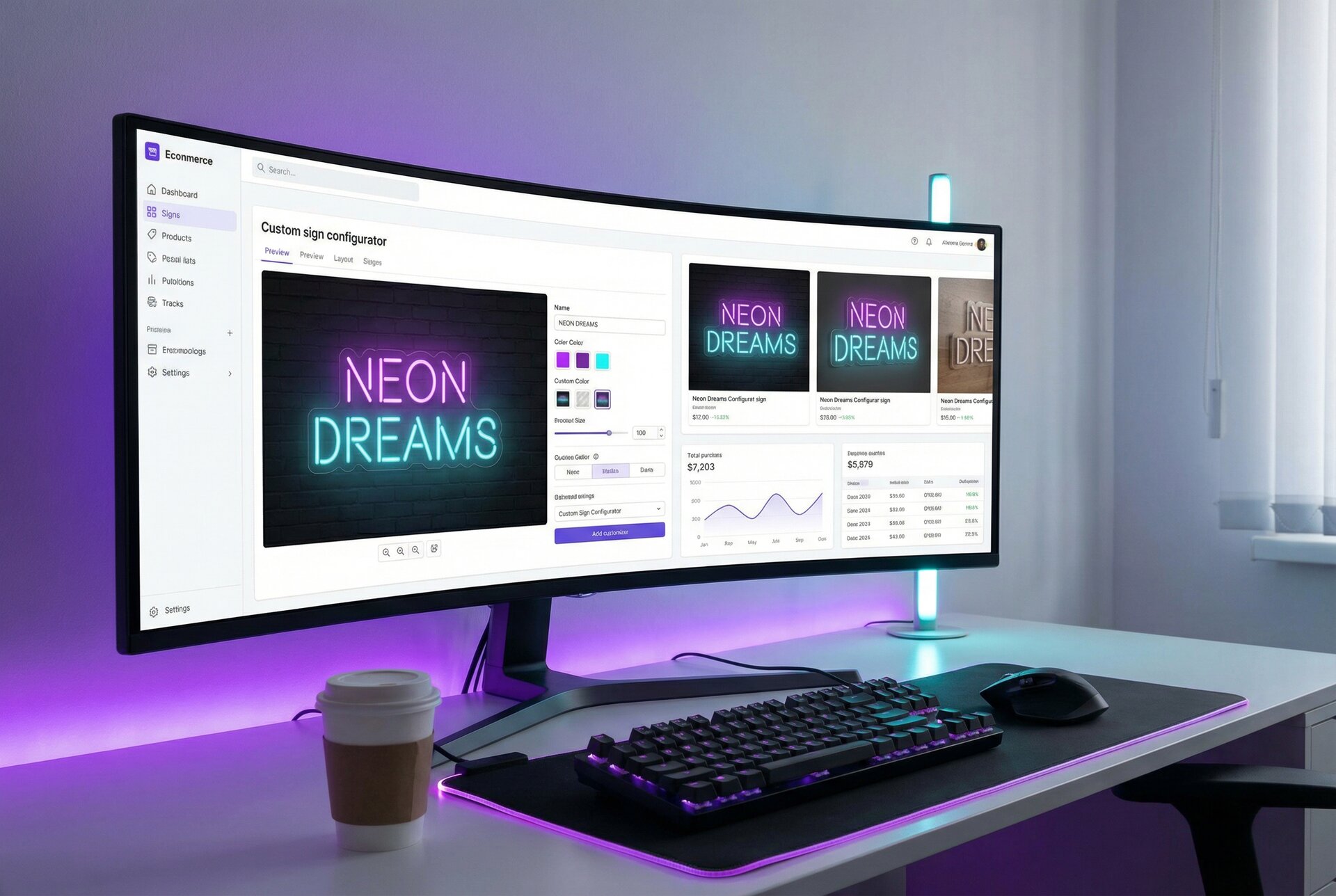
As customers design in Sign Customiser:
- Text appears in their chosen font
- Colours match their selections
- Size adjusts to their specifications
- Price updates with every change
Customers see exactly what they’re buying and exactly what it costs. No surprises, no trust gap, no need to wait for a quote to learn pricing.
This transparency accelerates decisions. Customers who might wait days for quotes make purchase decisions in minutes when pricing is instant and clear.
For more on how automated pricing compares across different software options, see our sign estimating software comparison.
Integration with E-Commerce Platforms
Automated quoting delivers maximum value when connected to your sales platform. Isolated pricing tools help; integrated systems transform operations.
Native Shopify Integration
Sign Customiser’s Shopify integration demonstrates tight e-commerce connection:
Seamless embedding: The customiser appears directly on Shopify product pages. Customers design and add to cart without leaving your store.
Cart integration: Configured products add to the Shopify cart with full specifications. Customers see their design preview in checkout.
Order capture: When orders complete, full production details are captured: text, fonts, colours, dimensions, and design files.
Payment processing: Shopify handles payment using your existing configuration. No separate payment setup required.
For detailed setup instructions, see our Shopify sign customiser guide.
WooCommerce and Other Platforms
Beyond native integrations, sign quoting software should offer embedding options for other platforms.
Embedded customisers work on any website by adding a snippet of code. The customiser loads within your page, maintaining your branding while handling design and pricing.
API connections enable custom integrations for headless commerce, custom platforms, or complex multi-system architectures.
For headless implementations, our headless commerce integration guide covers the technical details.
Webhook Automation for Post-Order Processing
E-commerce integration isn’t just about selling. It’s about what happens after the sale.
Webhook subscriptions notify your systems instantly when events occur:
order:created: Trigger production scheduling when orders completeproduct:created: Sync new products to other systemsform:submitted: Alert sales team when contact forms are submitted
These real-time notifications enable automation when connected to downstream tools:
- Production systems can receive order data for job creation
- Accounting software can receive invoice data
- Customer service can receive order context
Our guide on webhook subscriptions for automation covers implementation in depth.
AI-Assisted Design Options
Modern sign quoting extends beyond pricing into design assistance.
Sign Customiser’s AI Sign Designer demonstrates this evolution:
- Customers upload logos
- AI analyses and converts to production-ready formats
- Pricing calculates automatically based on AI-generated specifications
This addresses the common scenario where customers know what they want visually but can’t specify it technically. The AI bridges the gap, enabling automated pricing for scenarios that traditionally required human design review.
Case Study: Time Savings Calculation
Let’s quantify the impact of automated quoting with a realistic scenario.
The Sign Shop: Before Automation
Profile:
- 3-person team (owner + 2 production staff)
- 35 enquiries per week average
- 30% quote-to-order conversion
- Average order value: $450
Manual quoting process:
- Simple quotes: 20 minutes
- Complex quotes: 45 minutes
- Average across all enquiries: 28 minutes
Weekly quoting time: 35 enquiries x 28 minutes = 980 minutes = 16.3 hours per week
Monthly quoting time: 65 hours devoted to quotes
Who does the quoting: The owner handles 80% of quotes because they understand pricing best. Owner’s 52 hours monthly on quotes = 52 hours not on production, sales, or growth.
The Sign Shop: After Automation
Implementation:
- Sign Customiser for e-commerce orders (customer-facing automation)
- Internal pricing engine for complex custom work
- Webhook integration for order processing
New enquiry breakdown:
- 60% convert to self-service online orders (no quote needed): 21 enquiries
- 25% get automated internal quotes (5 minutes each): 9 enquiries
- 15% require custom consultation quotes (30 minutes each): 5 enquiries
Weekly quoting time:
- Self-service: 0 minutes
- Automated internal: 9 x 5 = 45 minutes
- Custom consultation: 5 x 30 = 150 minutes
- Total: 195 minutes = 3.25 hours per week
The Impact
Time saved weekly: 16.3 - 3.25 = 13 hours
Time saved monthly: 52 hours
Annual time savings: 624 hours
At an effective rate of $60/hour, that’s $37,440 in annual capacity.
But the impact extends beyond time:
Improved conversion: Real-time pricing reduces abandonment. Quote-to-order conversion increased from 30% to 45% for standard products.
Faster sales cycle: Average time from enquiry to order dropped from 4.2 days to 0.8 days for automated products.
Capacity increase: With quoting bottleneck removed, the shop handles 50% more enquiries without adding staff.
Margin consistency: Automated pricing eliminates underquoting errors. Average margin improved 4% due to consistent application of overhead and profit.
Owner freedom: 52 monthly hours returned to production, sales, and strategic work. The owner reports spending more time on customer relationships and less on calculations.
ROI Calculation
Investment:
- Sign Customiser subscription: $29-299/month based on volume (example: $49/month = $588/year)
- Implementation time: 8 hours x $60 = $480 (one-time)
- First-year cost: approximately $1,068
Returns:
- Time savings value: $37,440
- Margin improvement (4% on $150,000 revenue): $6,000
- Increased conversion value (estimated): $15,000
- First-year benefit: $58,440
First-year ROI: 5,373%
Even conservative estimates show automated quoting paying for itself within the first month of operation.
Getting Started: Implementation Checklist
Ready to implement automated quoting? Follow this structured approach.
Phase 1: Preparation (Week 1)
Document current state:
- List all sign types you sell
- Document current pricing for each type
- Track time spent on quotes for one week
- Identify which products generate most enquiries
- Note which quotes are most time-consuming
Gather pricing data:
- Current material costs for all substrates
- Labour rates by task type
- Overhead percentage calculations
- Target margins by product category
- Competitor pricing for reference
Define requirements:
- Which sign types need automation first?
- Customer-facing, internal, or both?
- Integration requirements with existing systems
- Budget for software and implementation
Phase 2: Software Selection (Week 2)
Evaluate options against requirements:
- Does the software support your pricing models?
- Does it integrate with your e-commerce platform?
- Is customer-facing automation available?
- What’s the learning curve and support quality?
- Does pricing fit your budget?
Trial and test:
- Set up trial accounts for top candidates
- Configure a simple product end-to-end
- Test customer experience on desktop and mobile
- Verify order capture and data quality
- Check support responsiveness
See our sign estimating software comparison for detailed options analysis.
Phase 3: Configuration (Weeks 3-4)
Basic setup:
- Create account and configure business settings
- Set up first customiser for highest-volume product
- Configure fonts and upload custom typefaces
- Add colour options with accurate preview colours
- Set up size tiers or dimension ranges
Pricing configuration:
- Choose pricing model for each product type
- Enter material costs and labour rates
- Configure overhead and margin calculations
- Set up any volume discounts or promotions
- Test calculations against manual benchmarks
Integration setup:
- Connect to e-commerce platform
- Configure webhook notifications
- Set up order routing and notifications
- Connect accounting or inventory systems if applicable
Phase 4: Testing (Week 5)
Functional testing:
- Test all configuration options
- Verify pricing accuracy across scenarios
- Test checkout process end-to-end
- Verify order details capture correctly
- Test on multiple devices and browsers
User testing:
- Have team members test customer experience
- Get feedback from trusted customers
- Identify and fix usability issues
- Document any edge cases or limitations
Pricing verification:
- Compare automated prices to manual calculations
- Check margin protection across scenarios
- Verify no underpricing on complex configurations
- Confirm pricing feels appropriate from customer perspective
Phase 5: Launch (Week 6)
Soft launch:
- Enable on low-traffic pages or for specific products
- Monitor orders closely for issues
- Gather early customer feedback
- Refine configuration based on real usage
Full launch:
- Enable across all intended products
- Announce capability to customers
- Update marketing to highlight instant pricing
- Train staff on new order handling process
Phase 6: Optimisation (Ongoing)
Monitor performance:
- Track conversion rates before and after
- Monitor average order values
- Measure time savings realisation
- Review margin performance
Continuous improvement:
- Refine pricing based on results
- Add additional products to automation
- Implement advanced features (webhooks, API)
- Expand to additional sales channels
Frequently Asked Questions
What is automated sign quoting software?
Automated sign quoting software calculates prices for custom signs based on predefined rules covering materials, sizes, fonts, and complexity. Instead of manually calculating each quote, the software applies your pricing logic instantly, whether for internal quote generation or customer-facing real-time pricing.
How much time can automated quoting save a sign shop?
Most sign shops save 10-20 hours per week with automated quoting. Manual quotes take 20-60 minutes each. At 30 enquiries weekly, that’s 10-30 hours on quotes alone. Automated systems reduce this to nearly zero for standard products, with time only needed for complex custom projects.
Can automated pricing handle complex sign calculations?
Yes. Modern sign quoting software supports multiple pricing models including per-character pricing, material path calculations based on font complexity, area-based pricing for framed signs, and custom formulas for specialty products. The software handles calculations that would take humans significant time.
What’s the difference between internal and customer-facing automated quotes?
Internal automated quotes generate pricing for your sales team to review and send manually. Customer-facing automated quotes show real-time pricing as customers design their sign online. Both use the same pricing engine, but customer-facing quotes eliminate the quote request and response cycle entirely.
How accurate is automated sign pricing compared to manual quotes?
Automated pricing is typically more consistent and accurate than manual quotes. It eliminates human calculation errors, ensures pricing rules are applied uniformly, and removes variation from tired or rushed quoting. Accuracy depends on proper initial configuration of your material costs and margins.
Does automated quoting work with my existing e-commerce platform?
Most sign quoting software integrates with major e-commerce platforms. Sign Customiser offers native Shopify integration and can be embedded in WooCommerce and other platforms. Some solutions also provide APIs for custom integrations with any e-commerce system.
Conclusion
Automated quote generation isn’t about replacing human expertise. It’s about eliminating the repetitive calculation work that prevents sign shop owners from using their expertise effectively.
The maths is clear. Manual quoting at scale consumes 15-30 hours weekly. Those hours have direct opportunity cost, whether measured in lost production, missed sales, or sacrificed growth time. Automated quoting recovers that time while improving consistency, speed, and customer experience.
The technology exists today. Sign Customiser and similar tools provide the pricing engine, e-commerce integration, and customer-facing automation that sign shops need. Implementation takes weeks, not months. ROI appears in the first month.
The question isn’t whether automated quoting makes sense for sign shops. The evidence is overwhelming that it does. The question is whether you’ll implement it before your competitors do.
Start with one product. Configure automated pricing. Test with real customers. Measure the time saved. Then expand.
Your quotes don’t need to be a bottleneck. They can be a competitive advantage.
Ready to automate your sign shop’s quoting process? Explore Sign Customiser’s features or view pricing plans to get started. For custom integration requirements, contact our team to discuss your specific needs.