


How to Integrate Sign Customiser in Webflow
To integrate Sign Customiser with Webflow, you need to subscribe to our Universal Plan.
Steps to Integrate:
- Log in to your Sign Customiser account.
- Create your customiser.
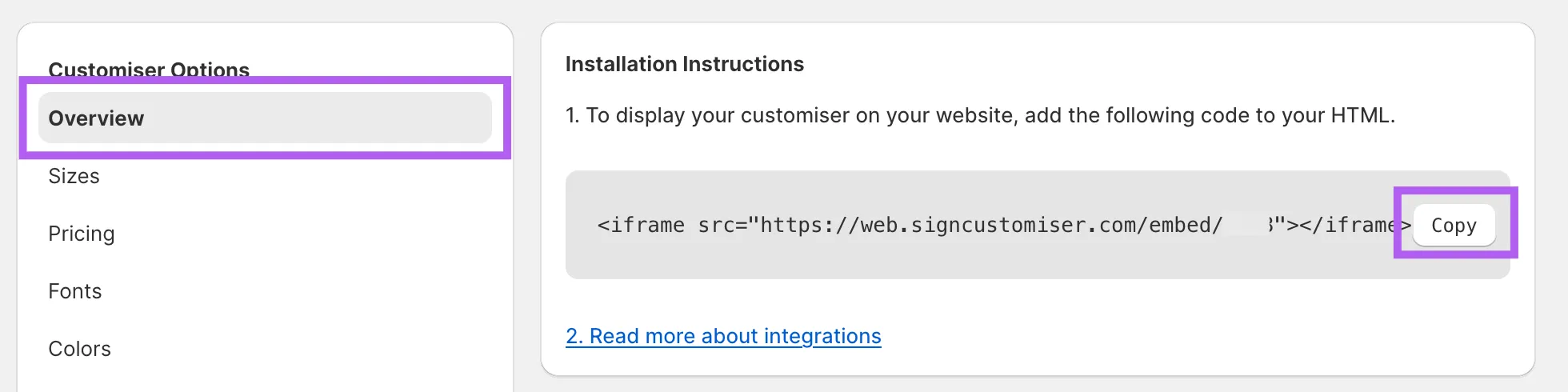
- Navigate to Overview settings in the menu of your customiser.
- Click Copy to copy the embed code.
Embedding Sign Customiser in Webflow
-
Log in to your Webflow account.
-
Create a new page or select an existing page where you want to display the customiser.
-
Add a section or container.
-
Click on Add Elements in the Webflow menu, then select and drag the Code Embed element (Webflow Custom Code Embed Guide) into your section or container.
-
Paste the copied embed code into the Code Embed window and save your changes. (Optional) If the customiser does not fill the container, ensure your iframe includes width and height styling. Replace YOUR_CUSTOMISER_ID with the actual ID of your customiser:
<iframe src="https://web.signcustomiser.com/embed/YOUR_CUSTOMISER_ID" style="width:100%; height:100%"></iframe>For help finding your ID, refer to our guide: Find Your Sign Customiser ID.
Consult our Webflow Integration guide for further details.
