Sign Shop Software That Actually Works for Custom Signs
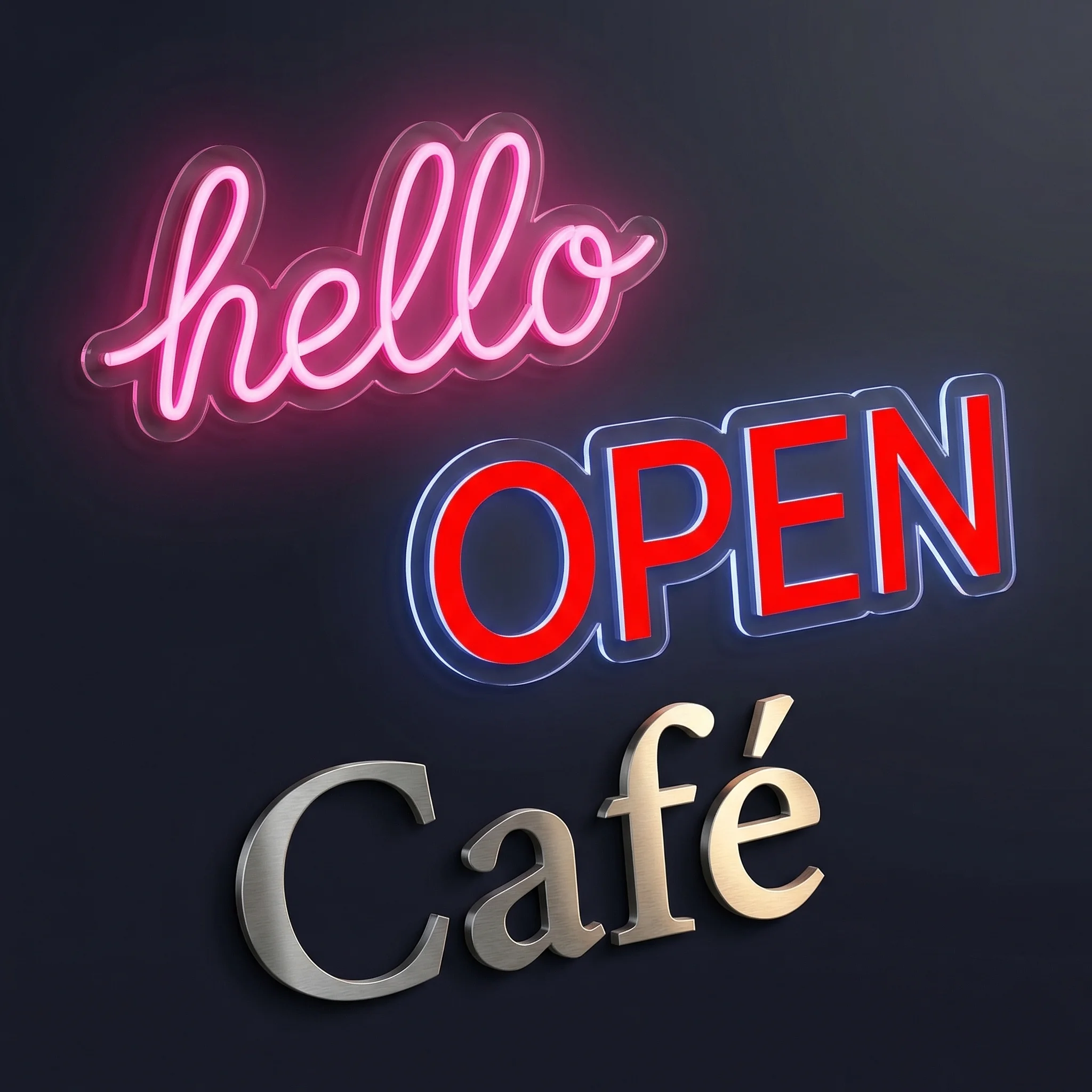
Generic e-commerce platforms fail sign businesses. A customer types “Happy Birthday Sarah” and expects to see exactly what they’re ordering - the neon glow, the font curves, the mounting hardware. Standard product pages show a stock photo and hope for the best.
Sign shop software solves this. Over 300 sign businesses use Sign Customiser on Shopify to let customers design signs in real-time, see accurate pricing as they type, and generate production-ready files automatically.
This guide covers everything: installation, pricing configuration, order automation, and scaling. Whether you’re launching a neon sign business or moving an existing shop online, you’ll have a working store by the end.
Install Sign Customiser Free
Chapter 1: Why Shopify Beats Etsy and Amazon for Signs
Selling custom signs on marketplaces costs you in three ways:
Fees eat margins. Etsy takes 6.5% transaction fees plus listing fees. Amazon’s referral fees hit 15%. On a $300 sign with $80 production cost, you’re handing over $20-45 per order.
Customers belong to the platform. You can’t email past buyers about new designs. You can’t retarget them with ads. Every sale starts from zero.
Customisation is limited. Marketplaces weren’t built for products where every order is different. Customers fill out forms, hope they described their vision accurately, and wait for a proof.
Shopify costs $39/month flat. No transaction fees on Shopify Payments. You own your customer list. And with the right sign shop software, customers design their exact sign before checkout.
The numbers: Sign businesses that move from Etsy to Shopify report 15-25% higher margins just from fee savings. Add the email list value and it’s not close.
Learn more: Why Shopify is the Best Platform for Sign Businesses
Chapter 2: Installing Sign Shop Software in 10 Minutes
Installation takes less time than reading this chapter.
Step 1: Add Sign Customiser from the App Store
Go to the Shopify App Store, click “Add app”, and approve the permissions. The app needs access to products (to create variants) and orders (to attach sign specifications).
Step 2: Create Your First Customiser
The setup wizard walks you through:
- Sign type - Select neon, acrylic, metal, or lightbox
- Font library - Choose from 200+ built-in fonts or upload your own
- Colour palette - Define your available neon colours or material finishes
- Size limits - Set minimum and maximum dimensions
- Pricing model - Pick how prices calculate (more on this in Chapter 4)
Step 3: Add to Your Product Page
Modern Shopify themes (Dawn, Sense, Craft) support app blocks. Open your product template in the theme editor, add the “Sign Customiser” block where you want it, and save.
No theme editing. No code. Drag, drop, done.
Step 4: Test the Customer Experience
Open your product page incognito. Type some text. Change fonts. Watch the preview update. Check the price. Add to cart. Verify the order captures all specifications.
This whole process takes 10 minutes. Most stores spend another hour fine-tuning fonts and colours.
Learn more: How to Install Sign Customiser on Shopify
Chapter 3: Configuring Your Customiser for Your Business Model
A well-configured customiser reduces support tickets by 70%. Customers see exactly what they’re ordering. No surprises, no refund requests, no “that’s not what I expected” emails.
Essential Configuration
Font Selection
Fonts make or break sign designs. Upload fonts you own the commercial license for, or use the built-in library. Group fonts by style (script, block, display) so customers can browse easily.
Limit choices to 15-20 fonts. More than that overwhelms buyers and slows decisions.
Colour Options
For neon signs: 15-20 colours is standard. Include warm white, cool white, and the classic neon colours (pink, blue, red, orange). Name colours descriptively - “Champagne Pink” sells better than “Colour #7”.
For acrylic: Offer finish options (matte, gloss, brushed) alongside colours.
Size Constraints
Set realistic limits. If your manufacturer can’t produce signs wider than 150cm, don’t let customers design 200cm signs. If signs under 30cm look bad in certain fonts, set that minimum.
The customiser enforces these limits automatically, preventing impossible orders.
Preview Quality
The preview is your salesperson. Configure it with:
- Realistic glow effects for neon
- Accurate shadows and depth for acrylic
- Proper lighting that shows how the sign looks on a wall
High-quality previews convert. Generic mockups don’t.
Learn more: Setting Up Your First Sign Customiser
Chapter 4: Getting Pricing Right (The Make-or-Break Decision)
Pricing determines profitability. Get it wrong and you’ll either lose sales (priced too high) or lose money (priced too low on complex orders).
Sign Customiser offers four pricing models. Here’s when to use each:
Fixed Width Pricing
Best for: Shops that want simple, predictable pricing.
You define price tiers by sign width:
- Up to 40cm: $149
- 40-60cm: $199
- 60-80cm: $279
- 80-100cm: $359
Customers pick a size, type whatever they want within that size, done. Simple for you, simple for them.
Downside: A customer typing “I” pays the same as one typing “CONGRATULATIONS” at the same width. You might overprice simple orders or underprice complex ones.
Material Length Pricing
Best for: Neon sign shops that want accurate, per-character pricing.
The software calculates exactly how much neon tubing each design requires. “LOVE” in a simple font might need 80cm of tubing. “Happy Birthday” in a script font might need 300cm.
You set price per unit of material (e.g., $2.50 per centimetre of neon). The price updates in real-time as customers type.
This is what 70% of neon sign shops use. It’s accurate, fair, and customers understand why complex designs cost more.
Frame Fit Pricing
Best for: Signs that fit in a frame or backboard.
Price is based on frame dimensions, not text complexity. A 50x30cm lightbox costs the same whether it says “OPEN” or “Welcome to Mike’s Amazing Coffee Shop”.
Works well for:
- Lightbox signs
- Backboard-mounted neon
- Standard frame sizes
Per-Letter Pricing
Best for: Channel letter signs where each letter is a separate unit.
Each letter has a fixed price regardless of which letter it is. Simple math: 5 letters = 5x your letter price.
Learn more: Sign Pricing Models Explained
Chapter 5: Selling Signs Internationally (Multi-Currency Setup)
Custom signs ship worldwide. A 60cm neon sign weighs 2-3kg and ships for $30-50 internationally. With $200+ margins, global selling is pure upside.
But showing US dollars to UK customers kills conversions. Nobody wants to do currency math during checkout.
Using Shopify Markets
Shopify Markets handles international selling natively:
- Automatic currency conversion - Show prices in local currencies
- Duties and tax estimation - No surprise fees at delivery
- Localised checkout - Payment methods customers trust
Sign Customiser integrates directly with Shopify Markets. When you set prices in USD, they display in GBP, EUR, AUD, or CAD based on customer location.
Currency App Alternatives
If you need more control, apps like Vitals or Currency Converter Plus work alongside Sign Customiser. They handle display; Shopify handles the actual transaction.
Pricing Strategy for International
Two approaches:
Market-based pricing: Set different prices per market. UK customers might pay £199 while US customers pay $249.
Exchange rate pricing: Let Shopify convert automatically. Simpler to manage, but you absorb currency fluctuations.
Most shops start with exchange rate pricing and switch to market-based once they have enough data to optimise.
Learn more: Multi-Currency Setup for International Sign Sales
Chapter 6: Automating Orders (Stop Copying and Pasting)
Manual order processing is the bottleneck nobody talks about. Every order requires:
- Extracting customer specifications
- Creating production files
- Emailing the manufacturer
- Tracking production status
- Coordinating shipping
At 5 orders per day, this is a full-time job. At 20 orders per day, it’s impossible.
Automated Manufacturer Emails
Configure Sign Customiser to email your manufacturer automatically when orders come in. Each email includes:
- Production-ready SVG file
- Customer’s text and specifications
- Size and colour details
- Shipping address
- Any special instructions
Your manufacturer receives everything they need. You don’t touch a thing.
SVG File Generation
Every design generates an SVG file suitable for:
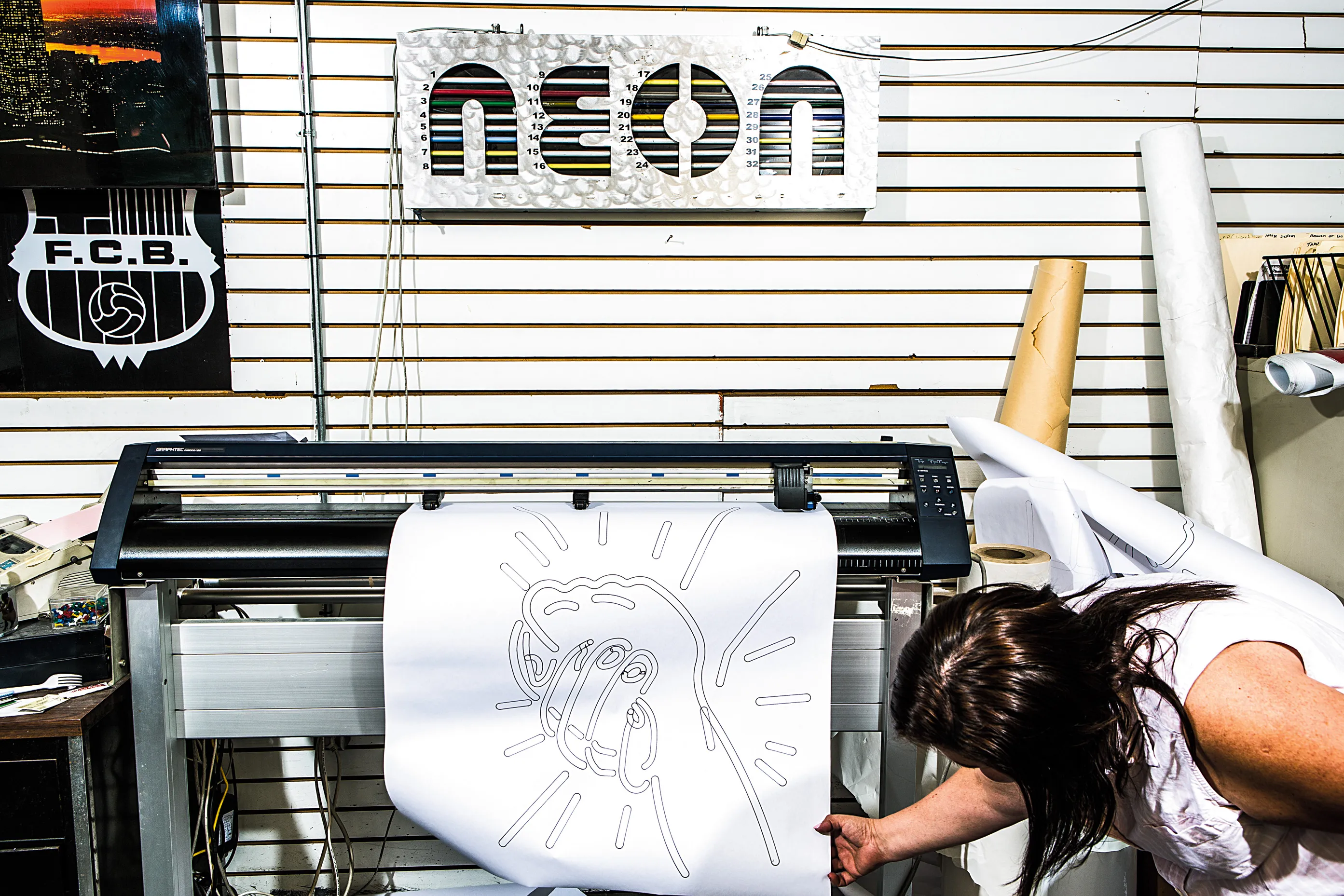
- CNC router cutting
- Laser cutting
- LED neon bending guides
- Manufacturer specifications
Files download automatically or attach to orders. No manual file creation.
Order Notes and Metadata
All sign specifications attach to the Shopify order automatically. Your fulfilment team sees everything in the order admin - no separate systems, no lost details.
Webhook Integrations
Connect to Zapier, Make (Integromat), or custom systems:
- New order triggers Slack notification
- Order complete updates your project management tool
- Shipping confirmation syncs to customer service platform
Automation transforms sign businesses from self-employment into scalable operations.
Learn more: Automating Your Sign Shop
Chapter 7: Converting Visitors Into Buyers
Traffic means nothing without conversions. A sign customiser is powerful, but the surrounding experience matters just as much.
Page Speed
Sign customisers load WebGL graphics and font files. On a bloated theme, this creates 5+ second load times. Every extra second costs 7% of conversions.
Fix it:
- Use a modern theme (Dawn loads fastest)
- Compress images
- Remove unused apps
- Enable lazy loading
Target under 3 seconds on mobile.
Mobile Experience
62% of your traffic is on phones. The customiser must work flawlessly on small screens - pinch to zoom, thumb-friendly controls, readable preview.
Test every change on mobile. What looks perfect on desktop often breaks on iPhone.
Trust Signals
Custom signs cost $200-500+. That’s a significant purchase from a store customers might never have heard of.
Build trust with:
- Customer reviews (photo reviews convert 3x better)
- Trust badges (secure checkout, money-back guarantee)
- Clear shipping and refund policies
- Real contact information (phone number, physical address)
Realistic Previews
The preview is your primary conversion tool. Customers who see exactly what they’re ordering buy with confidence. Customers who have to imagine the final result hesitate.
Configure your previews with:
- Actual glow effects (not flat graphics)
- Real wall backgrounds (not white voids)
- Proper scale reference (so 60cm looks like 60cm)
Clear Pricing
Display the total prominently as customers design. No hidden fees revealed at checkout. If shipping costs extra, show estimated shipping early.
Price transparency builds trust. Surprises kill sales.
Learn more: Conversion Rate Optimisation for Sign Stores
Chapter 8: Driving Traffic with Content Marketing
Paid ads work but cost money. Content marketing takes longer but builds compounding traffic that doesn’t disappear when you stop paying.
Sign Idea Galleries
Create collections of sign designs for specific use cases:
- Wedding neon signs
- Home bar signs
- Bedroom wall signs
- Business storefront signs
- Event and party signs
Each gallery targets customers searching for ideas. They browse, get inspired, and design their own.
How-To Guides
Educational content attracts links and establishes authority:
- How to choose the right neon sign size
- Neon sign colour guide for different rooms
- Installing neon signs safely
- Caring for LED neon signs
These rank for informational queries and build brand awareness.
Customer Showcases
Real photos of installed signs are your best marketing asset. Ask customers to share photos. Feature them on your site with their permission.
User-generated content converts better than stock photos. It proves your signs look good in real spaces.
Local SEO
If you offer local installation, optimise for “[city] neon sign maker” searches:
- Create location pages for service areas
- Claim Google Business Profile
- Get reviews mentioning your city
- Join local business directories
Local customers often have higher order values (commercial signage, large installations).
Learn more: Content Marketing for Sign Businesses
Chapter 9: Handling Custom Design Requests
Not every customer uses the customiser. Some have logos, specific designs, or requirements that need human review.
Setting Up a Custom Design Form
Create a form that captures:
- Design description or file upload - What do they want?
- Intended use case - Home, business, event?
- Location and size - Where will it go, how big?
- Budget range - Sets expectations early
- Timeline - Do they need it for a specific date?
Sign Customiser’s quote request feature syncs submissions to your Shopify customer list. You can follow up, convert, and track these leads.
Pricing Custom Work
Quote custom designs 20-30% higher than standard customiser prices. Customers pay for personal service, design consultation, and the back-and-forth revision process.
Your time has value. Custom work uses more of it.
Managing the Design Process
For custom orders:
- Receive request and acknowledge within 24 hours
- Create a mockup for approval
- Get written sign-off before production
- Send progress updates
- Confirm before shipping
Document everything. “That’s not what I wanted” disputes vanish when you have approval emails.
Learn more: Handling Custom Design Requests on Shopify
Chapter 10: Troubleshooting Common Issues
Every sign shop encounters these problems. Here’s how to solve them fast.
Theme Conflicts
Symptom: Customiser doesn’t load or displays incorrectly.
Cause: Some themes have aggressive JavaScript that conflicts with the customiser’s rendering.
Fix: Switch to app blocks (available on Online Store 2.0 themes). If you’re on an older theme, use the embed code option instead. Contact support if issues persist - they’ve seen every theme conflict possible.
Pricing Discrepancies
Symptom: Prices don’t match what you expected.
Cause: Usually a pricing model misconfiguration. Material length pricing requires accurate font files; if your fonts don’t have proper path data, calculations will be off.
Fix: Test with known values. Type “TEST” and manually calculate what it should cost. Compare to the displayed price. Adjust your pricing configuration until they match.
Slow Product Creation
Symptom: Products take minutes to create instead of seconds.
Cause: Shopify’s API has rate limits. During peak times or with complex products, creation slows down.
Fix: Enable “optimised product creation” in settings. This batches API calls and reduces creation time by 60-80%.
Mobile Layout Problems
Symptom: Customiser is cut off or controls are hard to tap on phones.
Cause: Your theme’s container is too narrow or padding is excessive.
Fix: Check your theme’s product page container width. The customiser needs at least 320px horizontal space. Remove excessive padding from the product section.
Font Rendering Issues
Symptom: Fonts look different in preview than expected.
Cause: Font files may be corrupted or have incomplete character sets.
Fix: Re-upload the font file. Ensure it’s a proper .ttf or .otf file with all characters your customers might use. Test with special characters and numbers.
Learn more: Troubleshooting Your Shopify Sign Store
Chapter 11: Scaling Beyond a Single Store
Once your sign shop is profitable, scaling multiplies that success.
Multiple Niches
Different sign types have different audiences. A bride searching for wedding signs doesn’t care about business signage. A bar owner doesn’t care about nursery decor.
Consider separate stores for:
- Wedding and event signs
- Home decor signs
- Business and commercial signage
- Specific aesthetics (minimalist, maximalist, retro)
Each store speaks directly to its audience. Marketing becomes easier. Conversions improve.
White-Label Partnerships
Interior designers, event planners, and wedding coordinators need custom signs for clients. They don’t want to manufacture them.
Offer wholesale pricing and white-label production:
- They sell to their clients
- You produce and drop-ship
- They get a markup for bringing the customer
- You get steady volume without marketing costs
International Expansion
Create region-specific stores:
- Local currency pricing
- Local payment methods
- Region-specific marketing
- Local SEO optimisation
A UK store ranks for UK searches. An Australian store captures that market. Each competes on its home turf.
B2B and Wholesale
Businesses buy signs in volume:
- Franchise signage
- Event companies
- Retail chains
- Corporate offices
Add wholesale pricing tiers. Offer bulk discounts. Create a separate checkout experience for registered business buyers.
Learn more: Scaling Your Sign Business
Chapter 12: Sign Customiser vs Generic Product Apps
Not all customiser apps work for signs. Here’s what separates sign-specific software from generic product personalisers.
Sign-Specific Pricing
Generic apps offer simple price additions: +$10 for extra text, +$20 for larger size. This doesn’t work for signs where material usage varies exponentially with design complexity.
Sign Customiser calculates material length from actual font path data. “LOVE” in Arial costs less than “LOVE” in a complex script because it uses less neon. The pricing is mathematically accurate.
Realistic Previews
Generic apps show flat text on a mockup image. Customers can’t see what their neon sign will actually look like - the glow, the colour, the depth.
Sign Customiser renders actual neon effects with WebGL. Customers see realistic glow, proper colour mixing where tubes cross, and accurate on/off previews. They know exactly what they’re ordering.
Production-Ready Files
Generic apps save a PNG image. That’s useless for manufacturing.
Sign Customiser generates vector SVG files ready for:
- CNC cutting
- Laser engraving
- Neon bending guides
- Manufacturer specifications
Files go straight to production without manual conversion.
Industry Workflows
Generic apps end at checkout. Sign Customiser continues:
- Automatic manufacturer emails
- Production tracking
- Order metadata for fulfilment
- Quote request management
It’s built for how sign businesses actually operate.
Check out our integration with Shopify for the complete feature list.
Learn more: Sign Customiser vs Generic Apps
Frequently Asked Questions
What does sign shop software cost?
Sign Customiser starts at $49/month after a 7-day free trial. Pricing scales with usage - higher tiers include more customisers, fonts, and automation features. Check pricing for current plans.
Can I sell signs without holding inventory?
Yes. Most sign businesses operate made-to-order. Customer places order, you send production files to a manufacturer, they produce and ship directly. Zero inventory, zero storage costs, no unsold stock risk.
How long does full setup take?
Basic installation takes 10 minutes. A fully configured store with multiple sign types, custom pricing, and automation takes 2-3 hours. Stores typically spend another few days refining fonts, colours, and preview settings before launch.
What sign type is best for beginners?
LED neon signs. High perceived value, reasonable production costs ($30-80 to manufacture, $150-400 retail), and customers love the real-time preview. Start with neon, expand to acrylic and metal once you have the business running.
Does Sign Customiser work with my Shopify theme?
Yes. It works with all themes built on Online Store 2.0 (the standard since 2021). Older themes work too via embed code. The app has been tested on 500+ different themes.
How do I handle returns on custom signs?
Most sign businesses have no-return policies on custom items - industry standard. The key is getting explicit approval before production. Sign Customiser shows customers exactly what they’re ordering, and you can require design approval before manufacturing starts.
Can I connect my existing manufacturer?
Yes. Configure automated emails with your manufacturer’s address. Each order sends them production specifications and files. Works with any manufacturer that accepts email orders.
What payment methods work for sign stores?
Shopify Payments handles cards in most countries. For high-ticket signs ($500+), enable Shop Pay Instalments to offer payment plans. PayPal and manual payment options available as needed.
How do rush orders work?
Create a “Rush Processing” product option with an upcharge. Configure your automation to flag rush orders for priority handling. Most shops charge 30-50% extra for rush production.
Can customers save designs and return later?
Yes. Sign Customiser includes save and share functionality. Customers get a unique URL for their design. They can return days later and pick up where they left off, or share the link for approval before ordering.
Start Your Sign Business Today
Sign shop software removes the technical barriers. You don’t need to build a custom website or figure out complex pricing formulas. Install Sign Customiser, configure your sign types, and start selling.
The 300+ sign businesses already using the platform include solo entrepreneurs and 50-person operations. The same software scales from first sale to thousands of orders per month.
What matters most is starting. Pick your niche, set up your customiser, and get your first sign in front of customers. Refine as you go.
Start Your Free Trial
Explore the chapter links throughout this guide for detailed tutorials on each aspect of running your Shopify sign store. Questions? Contact our team - we’ve helped hundreds of sign businesses launch successfully.