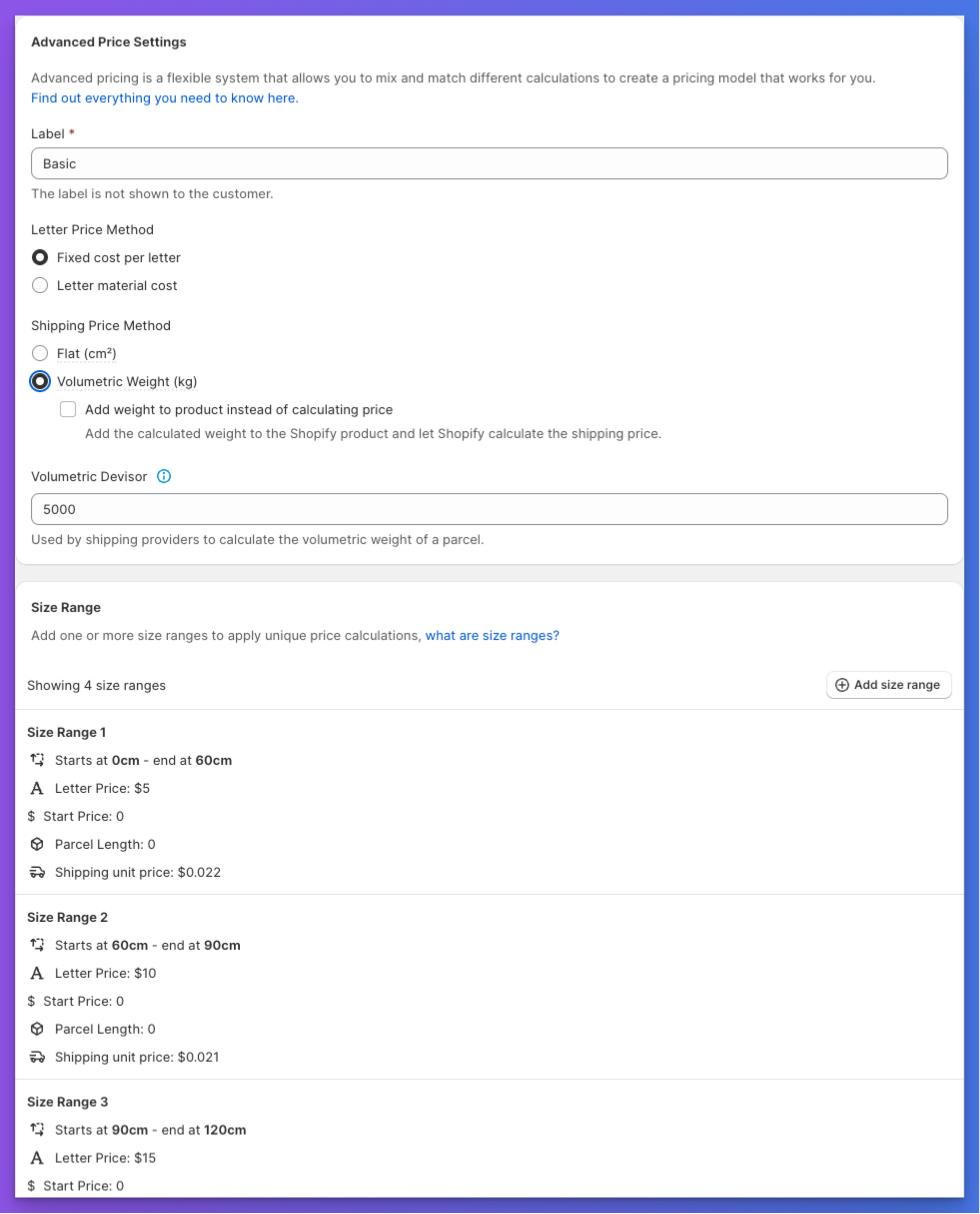
Several new options have been added to the advanced pricing rules that allow you to control the shipping price and how it is calculated. Our Advanced pricing model now includes the ability to select between a flat (cm2) or Volumetric weight calculation for the shipping price.
Volumetric weight
Volumetric weight is a pricing method used by couriers to account for the density of a package. It is calculated by multiplying the width, height, and depth of the package and then dividing by a volumetric factor. This allows you to charge more accurately for the space that a package takes up in a delivery vehicle such as a plane.
Until now, we could not determine the depth of a sign. This update lets you set a depth for each size range in the advanced pricing rules.
The width and height of a sign are automatically calculated by our app, however you can now add additonal padding to these two values to account for the packaging material.
Option 1. Add volumetric weight price to final product price
This option will calculate the volumetric weight in kilograms and multiply this value against a unit price that you set. This will then be added to the final product price.
Option 2. Let Shopify handle the shipping price (shipping price calculated at checkout)
This option will pass the calculated weight to the product in Shopify and let Shopify handle the shipping price. This is useful if you have a shipping app that can handle volumetric weight calculation.
Improved admin experience
Adjustments have been made to made our advanced pricing merchant admin UI to make it easier to use and see the changes you are making.