Changelog
Documenting our journey of creating a custom sign builder.

-
Slim lightbox designs with recessed borders
Sign Customiser now fully supports slim lightbox designs inside the customiser. If your lightbox signs only illuminate from one side — like a wall-mounted sign that doesn’t need a lit back panel — the 3D preview now accurately reflects this by showing the border trim on any disabled sides. You can also enable recessed borders for a cleaner, more modern look where the border sits flush with the face rather than overlapping it.
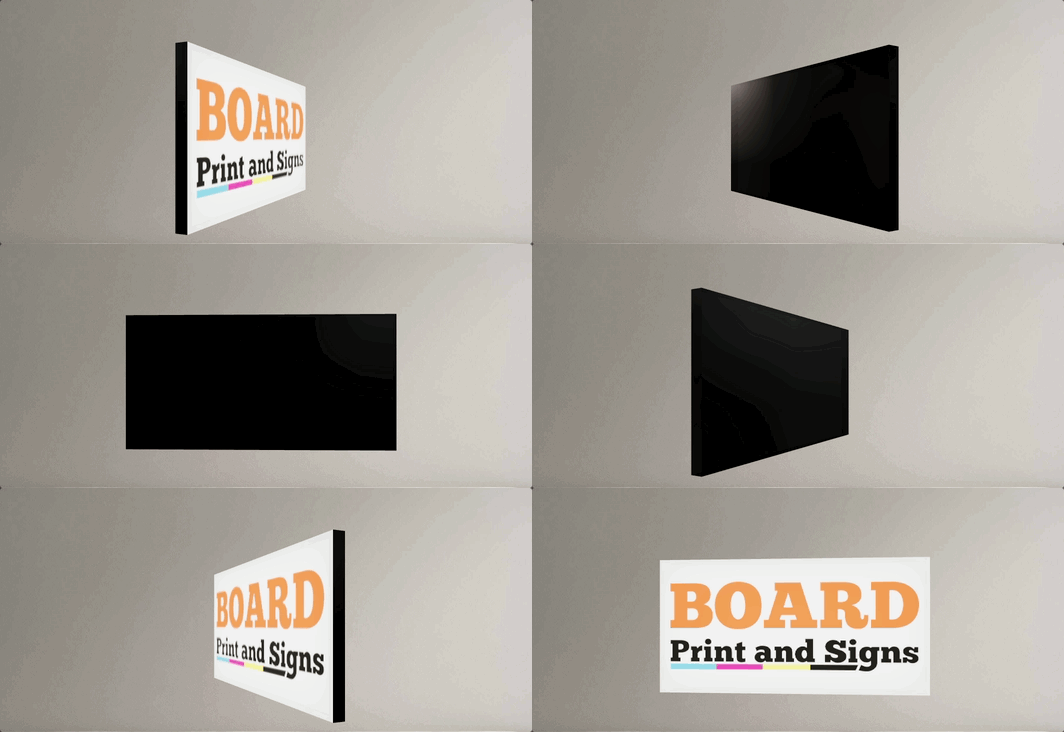
What’s Changed
- Slim (single-sided) lightbox support - Lightbox signs with inactive sides are now officially supported in the customiser. Disabled sides display the border colour instead of a lit panel, giving customers an accurate preview of how the finished sign will look
- Recessed border option - A new setting allows merchants to enable recessed borders on lightbox signs, removing the visible trim overlay from the face and back panels for a sleek, frameless appearance
- Accurate 3D preview - The lightbox renderer correctly hides glow effects and images on inactive sides, so the preview matches the real product — whether it’s a single-sided wall sign or a fully illuminated hanging lightbox
- Works across all lightbox shapes - Box, circle, and oval lightbox shapes all support inactive sides and recessed borders
- Automatic border trim enforcement - The admin and customiser now ensure lightbox signs always have the required border trim colour assigned, preventing incomplete configurations from reaching your customers
-
Enhanced admin UI for channel letter and lightbox signs
Sign Customiser has redesigned the merchant admin experience specifically for channel letter and lightbox sign configuration. The enhanced interface makes it easier to set up and manage the complex multi-component structure of illuminated signs with clearer terminology, nested navigation, and context-aware guidance.
What’s Changed
- Letter Components navigation - The “Letter Types” section has been renamed to “Letter Components” with new nested navigation, making it intuitive to configure the building blocks of channel letter and lightbox signs
- Clearer component structure - Better visual organisation helps you understand how face, sides, trim, back-lit (halo), borders, and internal lighting components fit together
- Context-aware setup guidance - Onboarding instructions now specifically explain how to configure channel letter components (like 3D Illuminated Letters with face, sides, trim) and lightbox components (face, back, sides, borders)
- Enhanced colour previews - Visual colour swatches now appear throughout the admin interface, making it easier to manage the multiple colour options available for different sign components
- Improved product type forms - The interface for assigning colours, materials, and pricing to individual letter components has been redesigned for better clarity
- Frame Fit pricing clarity - Setup instructions for lightbox signs now clearly explain the area-based pricing calculation (width × height) used for frame-focused designs
- Better visual hierarchy - Cards and tables have been refined to reduce clutter when working with multi-layered component configurations
