
NewTurn any image into a sign design.
Changelog

Changelog

Documenting our journey of creating a custom sign builder.

Filtered by:lightbox(7 updates)

Stay informed with updates every month

Or subscribe to ourRSS feed

Colour cards in the customiser sidebar

The customiser sidebar has a new layout for signs with more than one colour choice for their parts. Before, each choice was a small icon tile in a row. The name showed only in a tooltip and above the swatches of the selected choice.

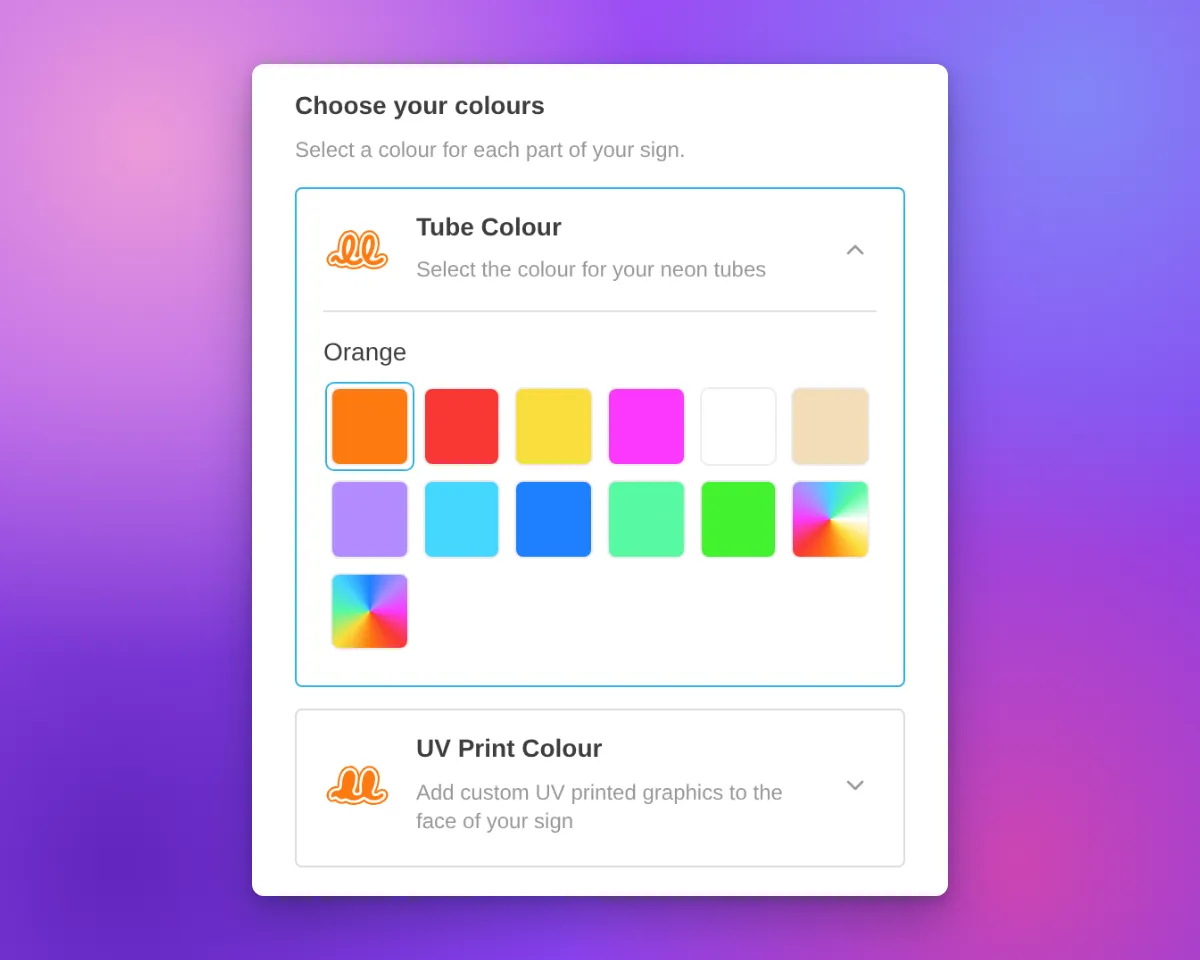
Now each colour choice has its own card. Most cards are for one part of the sign, such as the tube or the face. On a lightbox, the Face and Border parts can share one card when they have the same colour options. The card shows the name, an icon and an arrow. On neon and letter signs, the icon shows the current colour.

Only one card is open at a time. The open card contains the colour swatches for that choice. Customisers with only one colour choice for their parts keep the same colour section layout. Other colour sections, such as the backboard colour, also keep the same layout.
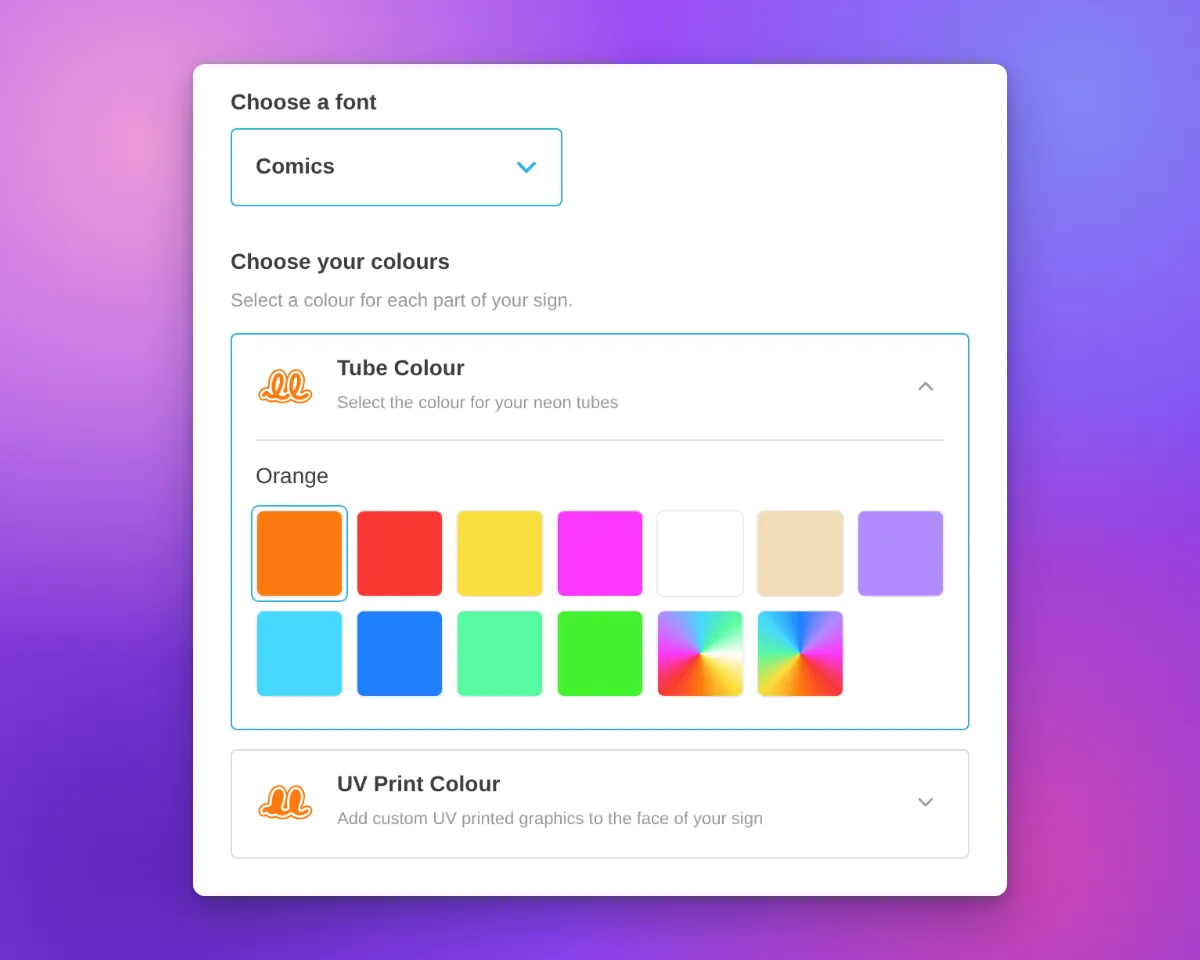
Neon customiser sidebar with the heading "Choose your colours", the Tube Colour card open to show its colour swatches, and the UV Print Colour card closed below it

Neon signs have new icons for the tube colour and UV print parts. The tube icon is a neon tube on a backboard outline. The UV print icon is the same backboard shape, filled with colour. Both icons change to the selected colour, including multi-colour options.

Icons in white and other very light colours have a thin grey outline. This outline keeps the icon visible on a white background. The Face, Side, Trim and Halo icons for letter signs also have this outline.
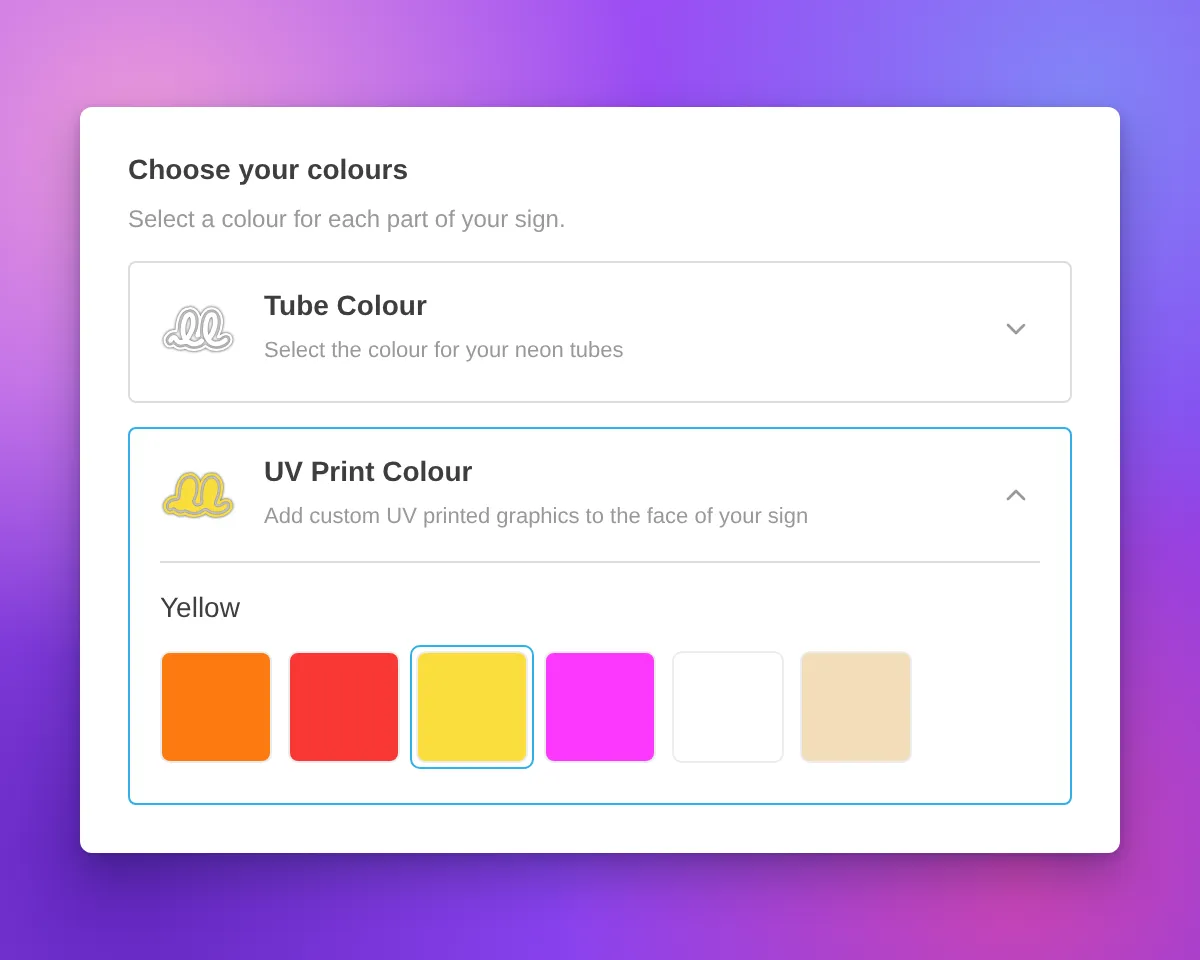
Neon customiser sidebar with the heading "Choose your colours", the UV Print Colour card open and Yellow selected, and a white tube icon with a thin grey outline on the closed Tube Colour card

When a part uses more than one colour, the card shows a badge with the number of colours.

For designs from the AI sign designer, the Restore original colours swatch now shows a palette with a reset arrow. Its three paint spots show colours from the original design. When a part uses its original colours, the swatch is selected and the colour name is “Original Colours”. This applies to the tube, UV print, face, trim and halo parts.
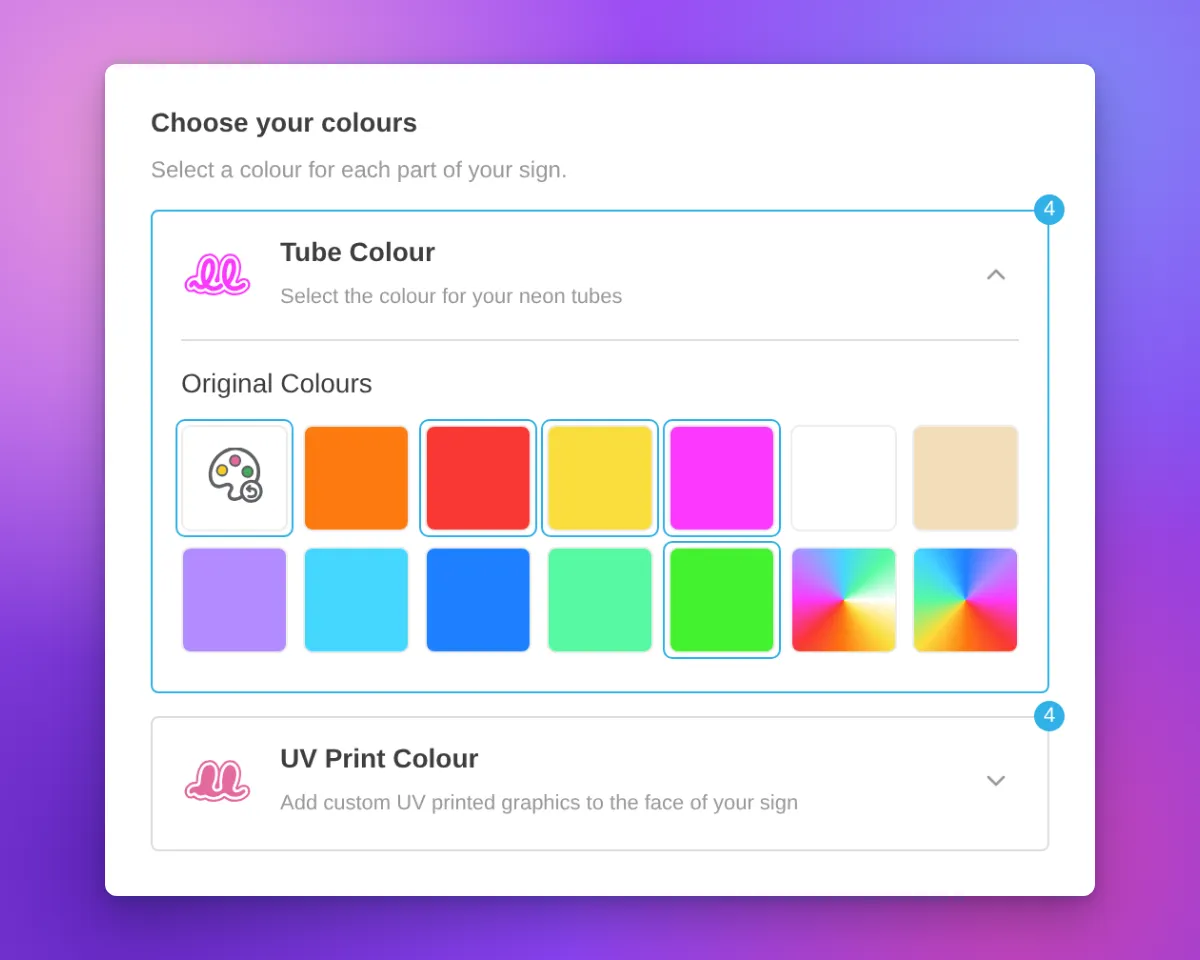
Neon customiser sidebar for an AI sign designer design with the Restore original colours swatch selected, the colour name "Original Colours", and a badge with the number 4 on the Tube Colour and UV Print Colour cards

The cards are available on neon, letter and lightbox signs with more than one colour choice for their parts. In our demo customisers, acrylic channel letters have Face Colour, Side Colour, Trim Colour and Halo Light cards. Metal signs have Face / Front Lit and Back Lit cards. Lightboxes have Face, Border and Internal Light cards.

Most cards use the title and description you set for that colour part. If you do not set a title, the card uses a default part name. A shared Face and Border card shows the Face description.

Above the cards, the sidebar shows a heading with a title and a description. We added default text for neon, letter and lightbox signs. For example, neon signs show “Choose your colours”, letter signs show “Choose your letter colours” and lightboxes show “Choose your lightbox colours”. When the customiser shows step numbers, the heading has one step number for all the cards. If you set a title or a description before this update, we did not change it.

To change the heading, open the colour page of a sign part, for example Tube Colors or UV Colors. Then edit the Colour heading title and Colour heading description fields. All colour parts of a customiser use the same heading. On letter signs, you can also edit the heading on the Letter Types page. On lightboxes, you can also edit it on the Lightbox Types page. If you delete the text in both fields, the heading does not show.
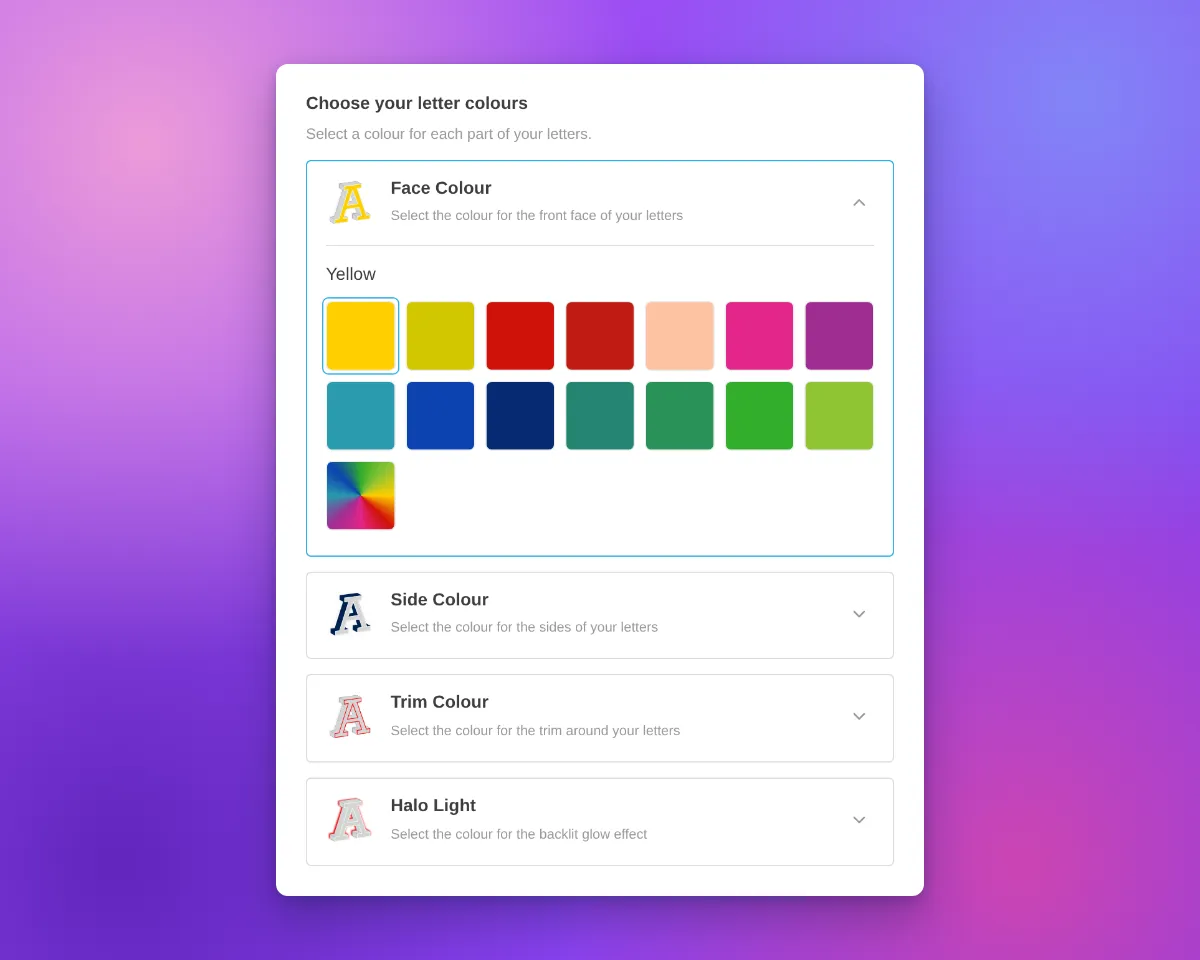
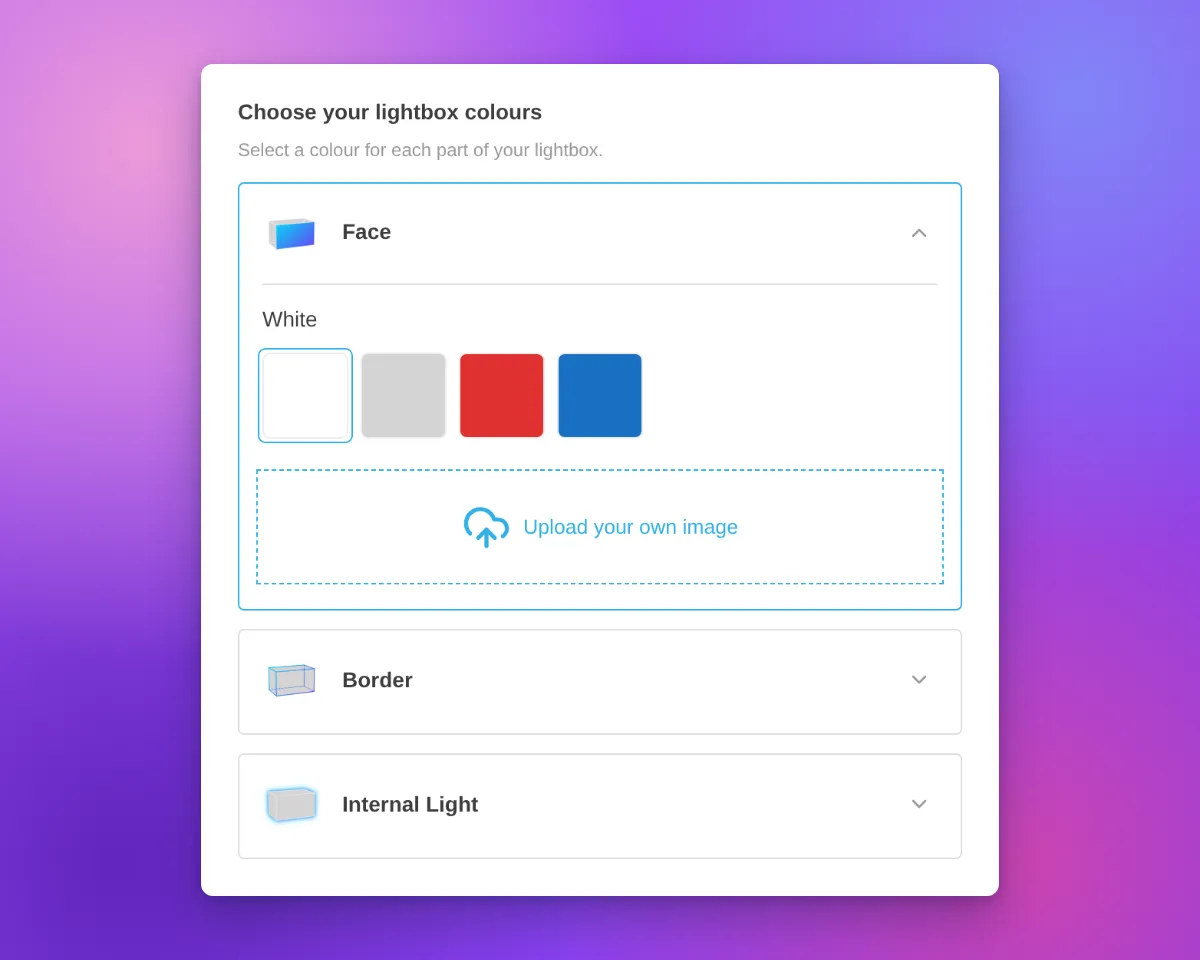
Channel letter customiser sidebar with the heading "Choose your letter colours", Face Colour, Side Colour, Trim Colour and Halo Light cards, and the Face Colour card openLightbox customiser sidebar with the heading "Choose your lightbox colours", Face, Border and Internal Light cards, and the Face card open with colour swatches and an image upload area

On phones, the cards use the same layout. On phones and tablets, we also removed extra space above the first sidebar section. This space showed when a section above it was empty.
Neon customiser on a phone-width screen with the Tube Colour card open and the UV Print Colour card below it

What’s Changed

  • One card for each colour choiceEach colour choice for a sign part has a card with a name and an icon. On neon and letter signs, the icon shows the current colour. On a lightbox, the Face and Border parts can share one card.
  • One open card at a timeCustomers open a card to see its swatches. The other cards stay closed.
  • Colour headingA heading with a title and a description shows above the cards. Neon, letter and lightbox signs have default text. You can change or delete this text on the colour page of each sign part.
  • Your titles and descriptionsMost cards show the title and description that you set for each colour part.
  • New neon iconsThe tube colour and UV print parts have new neon icons that change to the selected colour.
  • Outline for light coloursNeon and letter sign icons in white and other very light colours have a thin grey outline.
  • Colour count badgeA card shows the number of colours when its part uses more than one colour.
  • Restore original colours swatchFor AI sign designer designs, the swatch shows colours from the original design. When a tube, UV print, face, trim or halo part uses its original colours, the swatch is selected and the name is “Original Colours”.
  • Single colour choiceA customiser with only one colour choice for its parts keeps the same colour section layout.
  • Phone and tablet spacingWe removed extra space above the first sidebar section when a section above it was empty.
Categorised Shopify product types for generated signs

Sign Customiser now gives each newly generated Shopify product a product type that matches its sign category. This makes it easier to build collections, shipping rules and other Shopify automations for different kinds of signs.

What’s Changed

  • Product types now match the signNew acrylic, metal, stencil, wooden, aluminium, braille, wood-frame and lightbox products receive their own clear product type.
  • Neon remains familiarNew neon products keep the existing Custom Neon product type, so established neon workflows continue to work.
  • Existing products stay unchangedThe new product types apply when Sign Customiser creates a product. Products already in Shopify are not renamed.

Jul 7, 2026

2026.7

Lightbox signs that size themselves to your artwork

Lightbox signs are almost always made to specific dimensions, so we have made the size follow the artwork. When a customer uploads an image to the face of a lightbox sign, the sign now reshapes itself to match the image’s proportions, scaled to sit within the sign’s size limits. Customers get a result that matches what they uploaded, without working out the right dimensions by hand.

What’s Changed

  • Lightbox signs match your uploaded imageWhen a customer uploads artwork to the face of a lightbox sign, the sign’s custom width and height adopt the image’s proportions automatically, scaled to fit within the allowed size range. The size selection switches to Custom for them, so what they see on screen is what gets made.
  • Custom sizes by default for new lightbox signsNew lightbox customisers start in custom-size mode with no preset size tiers, matching how lightbox signs are really quoted and produced. You stay in control: your existing customisers are left exactly as they are, and you can still offer preset sizes whenever you want them.
  • Flexible artwork croppingCustomers can crop an uploaded image to any shape rather than being forced into a fixed square, which makes it far easier to fit logos and artwork to bespoke sign dimensions.
  • Uploads stay put when resizingArtwork a customer has already added is kept when the sign size changes, so adjusting the dimensions no longer clears the image they uploaded.

Apr 22, 2026

2026.4

Measurement labels on the lightbox 3D preview

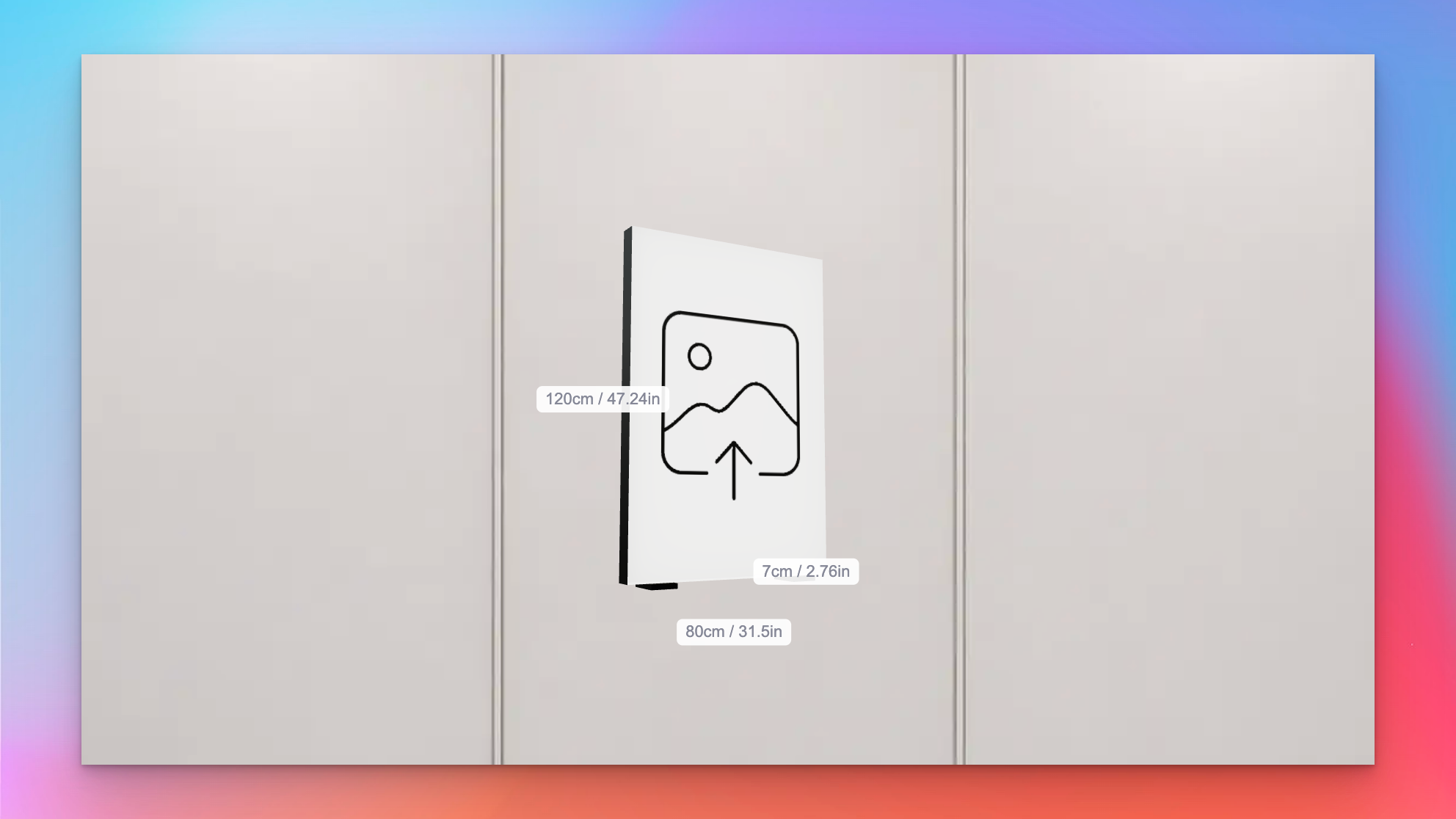
Sign Customiser now shows measurement labels on the lightbox 3D preview, so customers can see exactly how big their sign will be as they design it. Width, height, and depth sit alongside the relevant edges of the sign and update in real time whenever the size changes, removing the guesswork when someone is deciding between sizes.

Lightbox 3D preview showing width, height, and depth labels in centimetres and inches

What’s Changed

  • Live measurement labels on the 3D previewWidth, height, and depth float next to the matching edges of the lightbox, so customers can see the physical size of the sign while they rotate and customise it
  • Metric, imperial, or bothLabels respect the customiser’s measurement system setting and can display in centimetres, inches, or both side by side for stores that ship to mixed markets
  • Individually toggleableEach dimension can be shown or hidden on its own, so merchants can surface only the measurements that matter for their product — for example, hiding depth on very slim signs
  • Accurate for custom sizesThe frame-fit custom size branch now feeds the same measurements through to the preview, so bespoke dimensions appear on the labels instead of falling back to the last preset size

Apr 21, 2026

2026.4

Pedestal and sign feet mounting options for lightbox signs

Sign Customiser now supports floor-standing lightbox sign installations. Two new mounting visualisations — Pedestal and Sign Feet — render the sign the way it actually stands on the ground, so customers can picture a pylon-style sign on a forecourt or a freestanding lightbox on a counter before they buy. Merchants can fine-tune the proportions to match the hardware they ship.

What’s Changed

  • Pedestal mounting visualisationA vertical pole sits behind the lightbox with a base plate extending along the ground, giving customers a realistic preview of pylon-style and freestanding floor signs
  • Sign Feet mounting visualisationTwo feet mount under the lightbox, inset from each side edge, with base plates that extend in front and behind the sign for stability — ideal for countertop and tabletop lightboxes
  • Configurable dimensionsMerchants can tune the pedestal pole width and base depth, or adjust the sign feet base depth, post height, and inset from the edge, so the preview matches the mounting hardware they actually sell
  • Flush-mount sign feetSetting post height to zero renders feet flush against the bottom of the sign, supporting more compact tabletop designs
  • Accurate 3D previewThe new mounts render alongside the existing wall-mount and prong visualisations, giving customers a full picture of how their lightbox will look once installed

Apr 8, 2026

2026.4

Slim lightbox designs with recessed borders

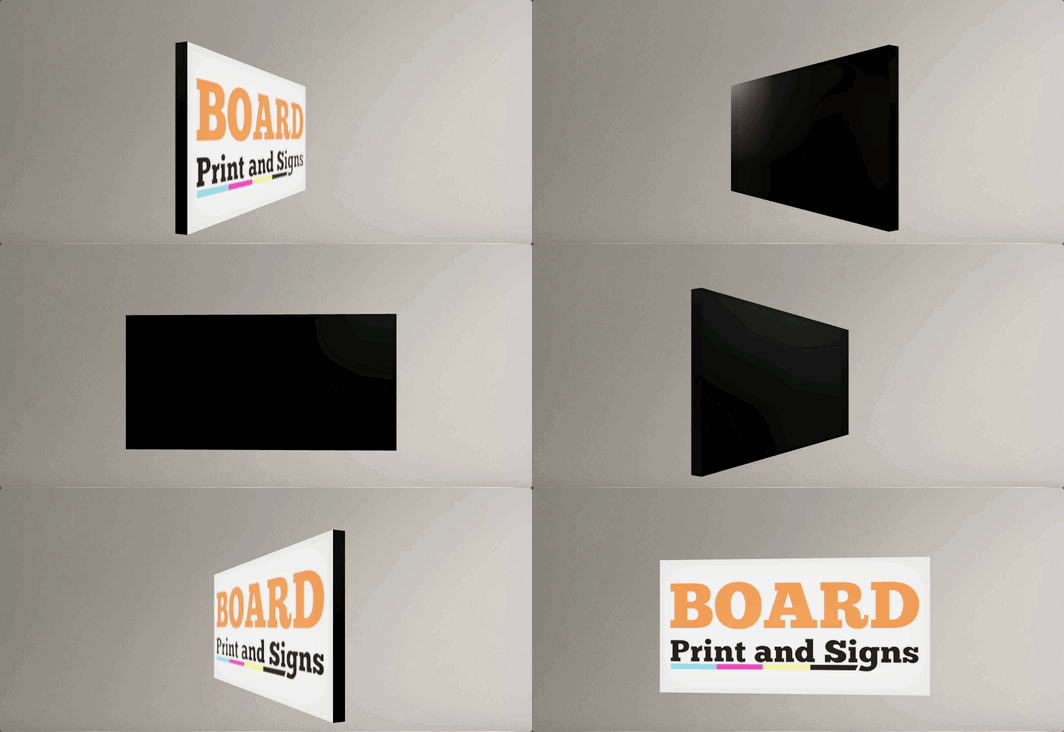
Sign Customiser now fully supports slim lightbox designs inside the customiser. If your lightbox signs only illuminate from one side — like a wall-mounted sign that doesn’t need a lit back panel — the 3D preview now accurately reflects this by showing the border trim on any disabled sides. You can also enable recessed borders for a cleaner, more modern look where the border sits flush with the face rather than overlapping it.

Slim lightbox sign preview in the customiser

What’s Changed

  • Slim (single-sided) lightbox supportLightbox signs with inactive sides are now officially supported in the customiser. Disabled sides display the border colour instead of a lit panel, giving customers an accurate preview of how the finished sign will look
  • Recessed border optionA new setting allows merchants to enable recessed borders on lightbox signs, removing the visible trim overlay from the face and back panels for a sleek, frameless appearance
  • Accurate 3D previewThe lightbox renderer correctly hides glow effects and images on inactive sides, so the preview matches the real product — whether it’s a single-sided wall sign or a fully illuminated hanging lightbox
  • Works across all lightbox shapesBox, circle, and oval lightbox shapes all support inactive sides and recessed borders
  • Automatic border trim enforcementThe admin and customiser now ensure lightbox signs always have the required border trim colour assigned, preventing incomplete configurations from reaching your customers

Oct 14, 2025

2025.10

Enhanced admin UI for channel letter and lightbox signs

Sign Customiser has redesigned the merchant admin experience specifically for channel letter and lightbox sign configuration. The enhanced interface makes it easier to set up and manage the complex multi-component structure of illuminated signs with clearer terminology, nested navigation, and context-aware guidance.

What’s Changed

  • Letter Components navigationThe “Letter Types” section has been renamed to “Letter Components” with new nested navigation, making it intuitive to configure the building blocks of channel letter and lightbox signs
  • Clearer component structureBetter visual organisation helps you understand how face, sides, trim, back-lit (halo), borders, and internal lighting components fit together
  • Context-aware setup guidanceOnboarding instructions now specifically explain how to configure channel letter components (like 3D Illuminated Letters with face, sides, trim) and lightbox components (face, back, sides, borders)
  • Enhanced colour previewsVisual colour swatches now appear throughout the admin interface, making it easier to manage the multiple colour options available for different sign components
  • Improved product type formsThe interface for assigning colours, materials, and pricing to individual letter components has been redesigned for better clarity
  • Frame Fit pricing claritySetup instructions for lightbox signs now clearly explain the area-based pricing calculation (width × height) used for frame-focused designs
  • Better visual hierarchyCards and tables have been refined to reduce clutter when working with multi-layered component configurations

Get started

Add Sign Customiserto your store today

Install now
36+ verified reviews

Login

Universal Sign In
  • WordPress
  • Wix
  • Etsy
  • Squarespace
  • Webflow

Or, if on Shopify, navigate to your store admin to login.