
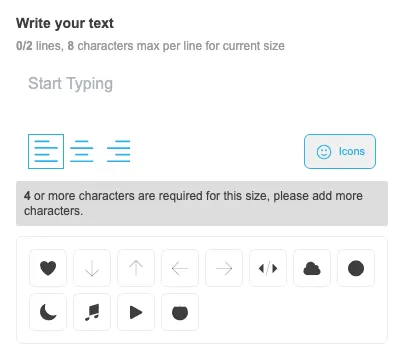
Sign Customiser now makes sign icons easier for customers to find while they are writing their sign text. The old compact icon control has been replaced with a labelled button and a tidy inline icon grid, so adding a graphic feels like part of the text editing flow instead of a hidden extra step.
What’s Changed
- Clearer icon buttonThe text editor now shows a bordered icon button with a short label, making the icon picker easier to discover
- Merchant-editable wordingStores can customise the button label from the Icons settings page to match their own language and product style
- Inline icon gridIcons now open in a compact panel beneath the text box, keeping the customer in context while they add graphics to their sign
- More stable toolbar layoutThe icon button sits neatly alongside the text controls and avoids overlapping the text field on narrower layouts
