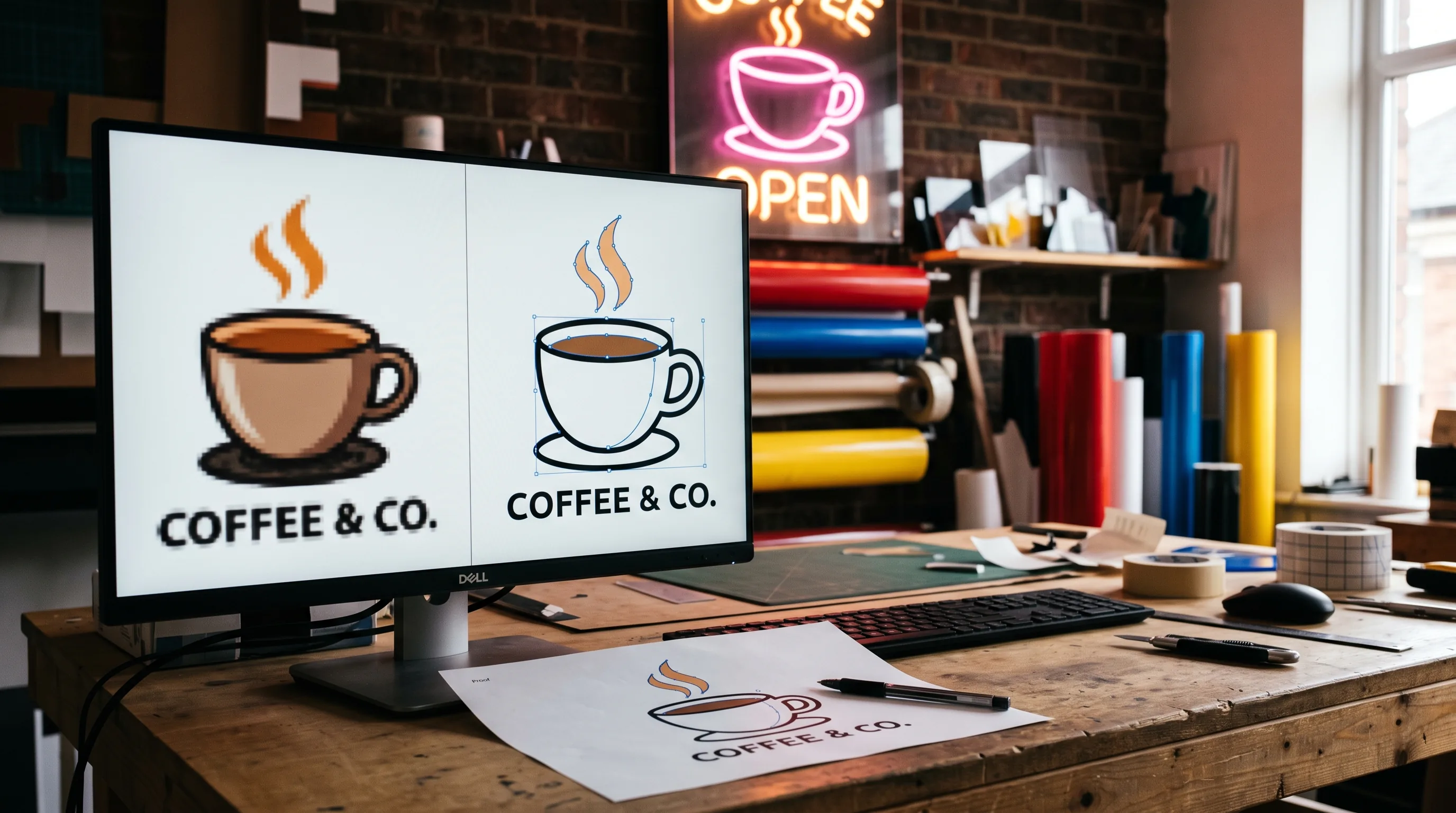

To handle a low-resolution or AI-generated customer file, divide its width in pixels by the sign’s width in inches, then decide by how the sign is made. Printed signs need enough pixels: print, upscale or redraw. Cut, routed or bent signs need vector paths: trace or redraw. Quote any art charge and proof at actual size.
Most customer files are not vector files. Sign Customiser counted 17,076 artwork files that customers attached to sign design and quote requests on 83 stores between 29 September 2025 and 28 September 2026, and 90% were PNG or JPG images. AI image tools add a new kind of file to that pile: often 1,024 pixels wide, full of shading and made-up lettering.
On 10 August 2026 the owner of a vector redraw service asked the signs101 forum whether shops print low-resolution AI art as it is, upscale it or turn the customer away. The thread ran to 37 posts. This guide turns the answers from that thread and others like it into a policy you can write down, quote from and paste onto your website.
We make Sign Customiser, software that lets a sign shop’s customers design and price a sign on the shop’s own website. The file counts come from stores that use it.
On this page:
- What customers send now
- Step 1: Check the file against the finished sign
- Step 2: Decide by how the sign is made
- Step 3: Pick the fix
- Step 4: Proof at actual size
- Extra checks for AI-generated art
- Who owns AI art, and why it matters to you
- What to charge for artwork
- A sample artwork policy you can copy
- When to bend the policy
- Where the AI Sign Designer fits
- How we counted
- Frequently asked questions
What customers send now
Most customers send a picture. Of the 17,076 files in Sign Customiser’s count, 49.1% were PNG, 41.3% were JPG, 6.8% were PDF (including Illustrator files) and 2.7% were SVG. Only about one file in ten could hold vector artwork at all, and a PDF can hold nothing more than a pasted-in JPG. Our guide to sign making software charts the full split.
AI-generated files are now part of that mix. In the 2026 Signs of the Times survey on AI, 35% of sign companies said they already use AI and 26% said they plan to soon. Their customers use it too. In a March 2026 signs101 thread called “AI Rant”, the same redraw service owner estimated that about 35% of the logos they receive are AI-generated, and that half of those cannot be traced or need heavy simplification. A redraw service sees the hardest files, so treat that as one supplier’s estimate. Sign Customiser found no survey that measures it, and our own count does not say which files were made with AI.
AI files have a size problem built in. Here is what the main tools output, from each vendor’s own documentation in September 2026:
| Tool | Standard square output | Largest output |
|---|---|---|
| Midjourney V8.2 | 1,024 × 1,024 px | 2,048 × 2,048 px square (HD or upscaled) |
| OpenAI GPT Image 1 models | 1,024 × 1,024 px | 1,024 × 1,024 px (1,536 × 1,024 px wide) |
| OpenAI GPT Image 2 models | 1,024 × 1,024 px, or any size divisible by 16 | 3,840 × 2,160 px wide (sizes above 2,560 × 1,440 px are experimental) |
| Google Nano Banana 2 and Pro (Gemini) | 1,024 × 1,024 px at 1K | 4,096 × 4,096 px square at 4K |
For images from the ChatGPT app, Canva or any other tool, check the file itself. One member of the August 2026 signs101 thread says they have to ask customers to download the actual file instead of sending a phone screenshot. If the customer made the image with an AI tool, ask them to download it again from the tool. Get the original before you do anything else.
Step 1: Check the file against the finished sign
Pixels per inch at final size is the number that matters. A file’s settings may say 72 or 300 dots per inch. That label changes nothing on its own: a 1,024-pixel image is 1,024 pixels whether its settings say 72 or 300. Only the pixel count and the size of the sign matter.
Find the pixel size. In Windows, right-click the file, open Properties, then Details. On a Mac, open it in Preview and choose Tools, then Show Inspector.
The formula: width in pixels ÷ finished width in inches = pixels per inch (ppi) on the sign.
A 1,024-pixel-wide AI logo printed 36 inches wide has 1,024 ÷ 36 = 28 ppi. Whether that is good enough depends on how close people stand.
How close is close enough. A common rule of thumb for what 20/20 vision can resolve is 3,438 ÷ viewing distance in inches. It gives about 95 ppi at 3 feet, 29 ppi at 10 feet and 6 ppi at 50 feet. Turned around, 3,438 ÷ ppi gives the distance from which a print looks sharp. That 28 ppi logo looks sharp from about 10 feet and soft from closer.
Treat that estimate as the minimum. Shop artwork guides ask for more. PromoteSigns, for example, asks for 300 dpi at finished size for signs up to 24 × 36 inches and 150 dpi for larger ones. Topaz’s upscaling guide (read September 2026) suggests 120 to 240 ppi for work seen across a room and 30 to 90 ppi for a sign or billboard seen across the street. These sources disagree, which is why an actual-size proof matters more than any rule. This guide uses 100 ppi as a working line for signs read up close. Our guide to sign production file formats sets a stricter line, with a table of minimum resolution by viewing distance.
Here is how big each common AI image size prints at three resolutions. This is plain arithmetic from the sizes above.
| Image width | At 150 ppi (sharp from about 2 ft) | At 100 ppi (about 3 ft) | At 50 ppi (about 6 ft) |
|---|---|---|---|
| 1,024 px | 6.8 in | 10.2 in | 20.5 in |
| 1,536 px | 10.2 in | 15.4 in | 30.7 in |
| 2,048 px | 13.7 in | 20.5 in | 41.0 in |
| 3,840 px | 25.6 in | 38.4 in | 76.8 in |
| 4,096 px | 27.3 in | 41.0 in | 81.9 in |
The point for your quotes: a standard AI image covers a small sign read up close, or a big sign read from across a room, but not a big sign read up close. A member of the August 2026 signs101 thread gave the example of a 3 × 2 inch AI graphic sent for a 24 × 36 inch sandwich board. People read a sandwich board from a few feet away, so that file needs work before it becomes a sign.
Step 2: Decide by how the sign is made
Many shop artwork guides give one resolution rule for every sign. How the sign is made changes that rule.
Printed signs (banners, printed panels, lightbox faces, printed graphics on channel letter faces, vehicle graphics) reproduce the pixels. Resolution is what decides the job. If the file has enough pixels for the size and the viewing distance, print it. If not, upscale it or redraw it, or print it after written approval of an actual-size proof. Printed signs also need bleed and a safe margin for text; use your printer’s own numbers and tell the customer what they are.
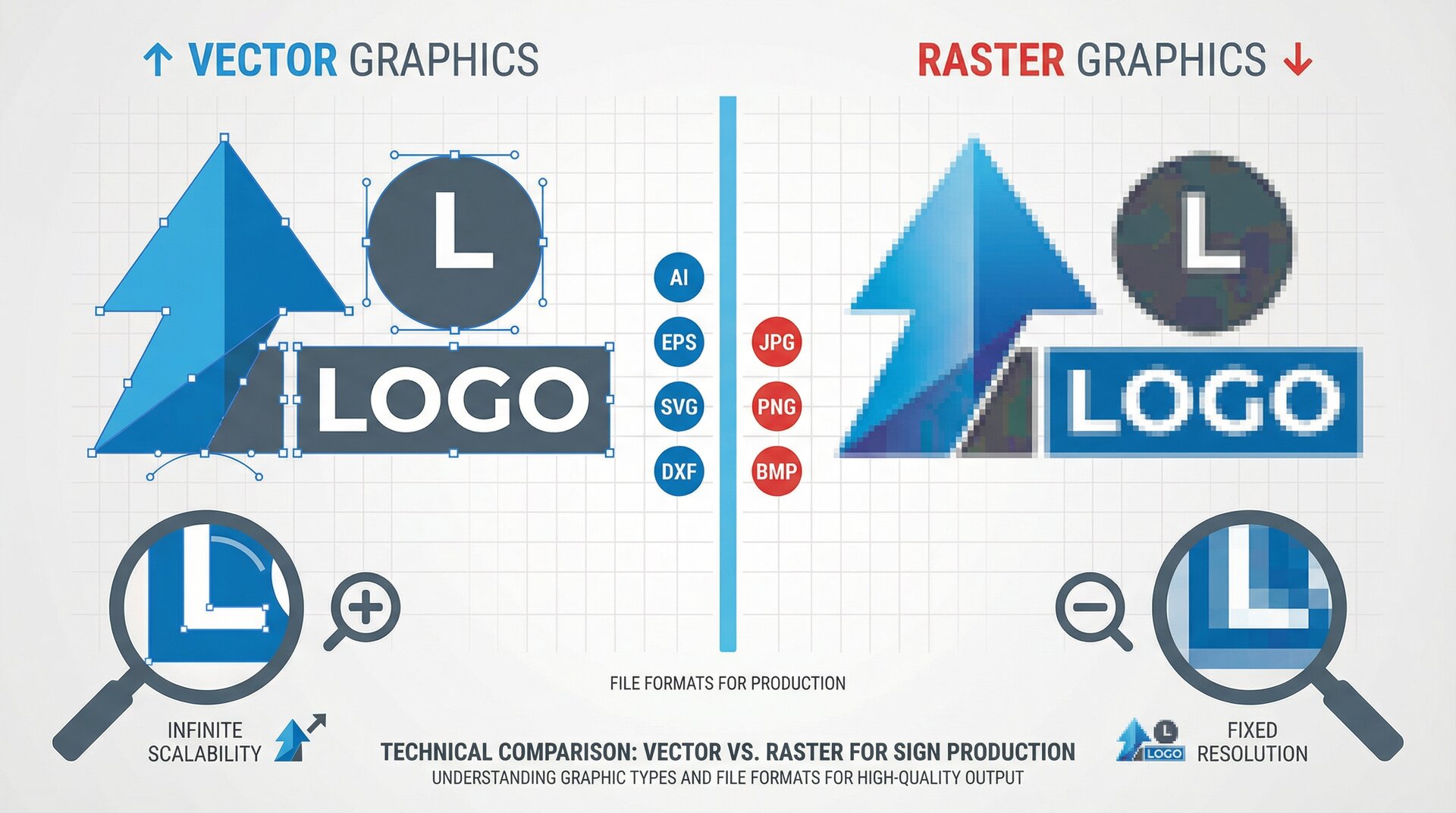
Signs made from paths (LED neon, the shapes of channel letters, cut vinyl, routed or laser-cut letters and shapes) do not print the image at all. The machine or the bender follows a line. A 4,096-pixel file is no more use to a router than a 1,024-pixel one; both have to become vector paths. For these signs, ask whether the shapes are clear enough to trace.
Online LED neon sellers already work this way. Custom Neon’s upload page says its designers “will work with whatever you have” and warns that “some very fine detail may be simplified to suit the flow of the LED tubing”. The Art Neon says “we adapt your artwork for clean, practical LED neon” and sends its own technical drawing. So for path-based signs, the customer’s file is a reference, and redrawing is part of the job.
One reply in the August 2026 signs101 thread spelled out the same split: vectorise when the job is routed, cut or built into channel letters. Others agreed that a print-only job needs an upscale, not a vector.
Step 3: Pick the fix
Pick one of five fixes.
1. Print it as it is. Right when the file has enough pixels for the size and viewing distance. If it does not, print it only after the customer has seen an actual-size proof and accepted a softer result in writing. The customer blames the sign, not the file.
2. Upscale it. Right for printed signs where the file is clean but small. By Sign Customiser’s reading of the August 2026 signs101 thread, this was the most common answer: most on-topic replies backed upscaling, and 13 of the 36 replies named Topaz. Two members upscale and print once the customer understands the limits, and one sometimes offers a small test print first. Topaz Gigapixel scales up to 6 times, according to its documentation, and Photoshop’s Super Resolution doubles the width and height. Midjourney’s own Upscale does the same doubling. An upscaler guesses the missing detail: Midjourney’s documentation says its Creative upscale adds new detail and changes the image. It will not turn made-up lettering into a real font. Show the upscaled file in the proof.
3. Auto-trace it. Right for path-based signs when the artwork is flat colour with clear edges. Illustrator’s Image Trace and Inkscape’s Trace Bitmap convert pixels to paths. Vectorizer.AI, a web service at $9.99 a month in September 2026, accepts images up to 3 megapixels and exports SVG, PDF, EPS and DXF files. In a January 2024 signs101 thread, posters said it did better than built-in auto-trace on simpler logos. Budget time to clean up every auto-trace: check the nodes, the corners and the letter shapes before anything goes to a machine.
4. Redraw it. Right when the file is too small or messy to trace, when letters are malformed, or when the design has gradients and effects that the sign cannot reproduce. Redraw means a designer builds new paths by hand, using the file as a reference. Tell the customer the result will be close but not identical, and charge for the time. The pricing section below has the numbers.
5. Decline. Right when the customer will not pay for the art the job needs, when the design cannot be made in the chosen material, or when the file copies someone else’s logo or character. Nobody in the August 2026 signs101 thread refused all AI art. One member tries an upscale first for a good customer and tells a new or low-paying customer that the art will not work. Decline only after you have offered a price for the fix.
Step 4: Proof at actual size
A proof on a phone screen hides flaws, because the phone shrinks the image. Show the customer what the sign will look like at its real size instead.
The simplest way comes from a 2025 signs101 thread on convincing a customer that their file is low resolution: enlarge the image on screen to about its finished size, take a screenshot of one section, and email it with a short explanation. Pick the busiest section, such as small lettering or a fine edge. For a job that matters, print that section at full size on paper, or make a small test print on the real material, and let the customer look at it from the distance people will read the sign.
Put the approval in writing: which file, which fix, what size and what the customer accepted. For a path-based sign, send the traced or redrawn outline with the finished width marked, so the customer approves the shapes the machine will follow.
Extra checks for AI-generated art
AI files fail in ways a scanned business card does not. Check these before you quote:
- The letters. AI tools often make words that look like a font but are not one, with letters that change shape within a word. You cannot match them to a real typeface, so the text will need to be redrawn or reset in a real font. Ask the customer which they want. For any file with real text, ask for the fonts converted to outlines, or the font names.
- The effects. Glows, gradients, reflections and “impossible lighting” (a phrase from the August 2026 signs101 thread) look good on a screen and cannot be cut, routed or bent. Decide what the sign will show: flat colour, a printed face, or a lit edge.
- The proportions. Many AI tools offer a set list of shapes, such as square, 3:2 and 16:9. A square image does not fit a long fascia. Check the aspect ratio against the sign, not only the pixel count.
- The fine detail. Thin strokes and tiny gaps that print fine may be too small to cut, route or follow with LED neon. Simplify before you quote.
- The colours. Screen colours are not ink or vinyl colours. Agree the colours on the proof, by name or code, before production.
- The version. Customers regenerate AI images and send a new one after the proof. One shop in the August 2026 signs101 thread tells clients it will fix their artwork once to make it printable or cuttable, and usually charges for changes after that.
- The source. Ask for the original download from the AI tool. It is usually larger than a screenshot of it.
Who owns AI art, and why it matters to you
This is general information, not legal advice. Ask a lawyer about your own terms.
In the US, a purely AI-generated image cannot be protected by copyright. The US Copyright Office’s January 2025 report on AI and copyright found that prompts alone do not give a person enough control over the result for copyright to apply. The US Court of Appeals for the D.C. Circuit held in Thaler v. Perlmutter in March 2025 that the Copyright Act requires a human author, and the Supreme Court declined to hear the case in March 2026. Work where a person selects, arranges or changes AI material can still be protected for the human part.
The customer can still use the image. OpenAI’s terms say the user owns the output and assign OpenAI’s rights in it to the user, while warning that output may not be unique. Midjourney’s terms give users ownership “to the fullest extent possible under applicable law”, but a company with more than $1 million a year in revenue must be on a Pro or Mega plan to own its images.
What this means for a sign shop:
- Tell the customer what they are getting. In the US, a logo that is purely AI-generated is not protected by copyright, so a competitor could copy it. Changes a designer makes can be protected if they add enough human creative expression. Agree in your terms who owns a redraw you make.
- Watch for other people’s marks. AI tools can reproduce existing logos, characters and brand styles. Printing someone else’s trademark on a sign can be infringement if it is likely to confuse people about who is behind it, which is the test the USPTO describes. The risk is the same whether the customer made the file with AI or copied it from the internet.
- Put it in your terms. Make the customer confirm they have the right to use the artwork they send. Signs.com’s terms, for example, make the customer responsible for the content of uploaded artwork and let the company refuse orders. Treat AI files the same way as every other customer file.
What to charge for artwork
Put the art on the quote. As a member of a 2025 signs101 thread put it, “vector or high resolution files tend to magically appear when an extra charge is mentioned”.
Your own design rate. In the 2026 Signs of the Times pricing survey, 25% of sign companies charged $75 to $99 an hour for design time and another 25% charged $100 to $124. About 1 in 12 charged under $50 an hour in the same survey. Our guide to pricing signs covers how to set that rate from your costs.
Outsourced redraws. Online vector services listed these prices when we checked in September 2026. VectorGurus charges $50 for a simple logo, $75 for a detailed one and $125 for a complex one, with a first proof within 24 hours. EmbPunch starts from $8 for simple designs and charges $21 to $50 for complex ones. VectorWiz, which sells to sign shops, starts from $19 a job. In an April 2026 signs101 thread, one member said their outsourced redraw costs about $30 and suggested charging the client $95 to $125. Whoever draws it, check the paths before production.
How to structure it:
- Build a small amount of art time into every quote, so simple fixes need no extra line.
- Charge the design rate above that, and estimate the hours on the quote. One member of the August 2026 signs101 thread quoted 8 to 10 hours at $110 an hour for a complex boat graphic, and the customer paid.
- Give two prices when the file is poor: one to work with the customer’s file as it is, and one to redraw it. The customer picks, and nobody is surprised.
- Say how many rounds of changes the art price includes.
A sample artwork policy you can copy
Put a short version on your quote form or artwork page, so customers see it before they upload. Change the numbers and the parts in square brackets to suit your shop.
Artwork we accept. Vector files (AI, EPS, SVG or PDF with vector artwork) are best. We also accept PNG and JPG images. Please send the original file, not a screenshot, and convert text to outlines or tell us the font names. We cannot use Word or PowerPoint files as artwork.
Printed signs. Your image needs about 100 pixels per inch at the finished size for signs read up close. For example, a sign 24 inches wide needs an image about 2,400 pixels wide. We will tell you if your file is too small and offer to upscale or redraw it. If you choose to print a small file as it is, we ask you to approve the proof in writing. We add bleed and keep text inside a safe margin.
Neon, cut and routed signs. We draw every design as paths for production. Simple artwork is included in the price. Complex artwork, unclear lettering or detail too fine to make is redrawn at our design rate of $[rate] an hour, and we will quote the time before we start. A redraw will be close to your image but not identical.
Colours. We agree colours with you on the proof, by [vinyl colour name or Pantone number].
AI-generated artwork. We welcome it as a starting point. AI lettering often needs resetting in a real font, and glows and gradients may be simplified to suit the sign. You must have the right to use everything in your design.
Proofs. We send a proof before production. The price includes [one] round of changes. New artwork after the proof is quoted again. [Artwork we draw remains ours / is yours once the order is paid.]
When to bend the policy
The strongest argument against a written policy is that it slows the quote and sends small customers to sellers who, in Custom Neon’s words, “will work with whatever you have”. Online LED neon sellers offer a free mockup from a JPG or PNG. AI tracers such as Vectorizer.AI trace clean artwork quickly. And a fee for a five-minute fix costs more goodwill than it earns.
That argument is mostly right for path-based signs. There, redrawing is part of making the sign, so treat simple artwork as included and keep the art fee for the jobs that need real design time: malformed lettering, heavy effects, and files that fail an auto-trace. The policy still earns its place for printed signs, where no redraw makes a 1,024-pixel photo sharp up close on a sign 6 feet wide, for customers who change the AI design after the proof, and for files that copy someone else’s brand. A policy you wrote in advance is easier to hold to than one you make up on the phone.
Where the AI Sign Designer fits
Sign Customiser’s AI Sign Designer handles the path-based case on customisers where you turn it on. A customer uploads a logo, a photo or a sketch (PNG, JPG, WebP, SVG or the first page of a PDF) in the customiser on your store. The designer redraws it as flat, solid-colour artwork, removing backgrounds, shadows and gradients, and traces that into an SVG outline. The customer can then adjust colours, size and options in the customiser, see the price, and order. You get the SVG with the order, plus EPS and Illustrator-compatible files if you turn them on.
It works on LED neon, channel letter and metal cut-out customisers. Each successful conversion uses one AI credit; failed attempts use none. You can also run it on files that customers attach to your quote forms.
It is a redraw, not an upscale, so the same rule applies as for a designer’s redraw: the result is a simplified version of the customer’s image, and the customer sees it before ordering. It does not make a low-resolution photo printable at a larger size. See how it works on the AI Sign Designer page.
How we counted
File types. Sign Customiser counted the artwork files that customers attached to custom-design and quote forms on stores using Sign Customiser, from 29 September 2025 to 28 September 2026. We excluded test, development and internal stores, and files the customiser makes itself, such as preview images. The count covers 17,076 files on 83 stores, by file extension: PNG 49.1%, JPG 41.3%, PDF including Illustrator files 6.8%, SVG 2.7%. Six other image files are not shown. Counted a second way, from the original file names of 13,005 files uploaded since 15 January 2026, 90.9% were PNG or JPG. No store accounts for more than 28% of any file type. The count does not include uploads to the AI Sign Designer. These are files sent to sign shops that sell online, and may differ from what walk-in customers bring.
What we did not measure. We did not open customers’ files, so this count says nothing about their pixel sizes or which were made with AI.
Print sizes. The pixel sizes come from Midjourney, OpenAI and Google documentation read on 29 September 2026. The print widths are the pixel width divided by the resolution. The viewing distances use the 3,438 ÷ distance rule of thumb for 20/20 vision.
Forum positions. The counts from the 10 August 2026 signs101 thread are Sign Customiser’s reading of its 36 replies. One reply can take more than one position, and about 14 replies were off-topic.
Frequently asked questions
Can a sign shop print AI-generated art?
Yes, if the file has enough pixels for the finished size and the customer has the right to use what is in it. The main AI image tools from Midjourney, OpenAI and Google output 1,024 pixels square at standard settings and up to 4,096 pixels square at higher settings (vendor documentation, September 2026). At 100 pixels per inch, 1,024 to 2,048 pixels prints sharp up to about 10 to 20 inches wide. Larger printed signs need an upscale or a redraw, and cut or bent signs such as LED neon and channel letters need vector paths.
What resolution does a sign need?
This guide uses about 100 pixels per inch at finished size as a working minimum for a sign read up close, and less will do for a sign read from further away. To check, divide the image’s width in pixels by the sign’s width in inches. Shop artwork guides ask for more: PromoteSigns asks for 150 to 300 dpi, depending on sign size. A common rule of thumb is that 20/20 vision stops seeing pixels at 3,438 divided by the viewing distance in inches, which is about 29 pixels per inch at 10 feet.
Is a PNG a vector file?
No. PNG and JPG files are raster images made of pixels. Vector files such as SVG, AI, EPS and many PDFs store shapes as paths, which a cutter, router or neon bender can follow. In Sign Customiser’s count of 17,076 artwork files customers attached to design and quote requests from September 2025 to September 2026, 90% were PNG or JPG.
How much does it cost to vectorise a logo?
When we checked in September 2026, online vector services listed prices from under $10 to $50 for a simple logo and from $21 to $125 for complex artwork, and VectorGurus promised a first proof within 24 hours. Sign shops that redraw in house charge their design rate: in the 2026 Signs of the Times pricing survey, half of sign companies charged $75 to $124 an hour for design time.
Who owns the copyright in an AI-generated logo?
In the US, a purely AI-generated logo cannot be protected by copyright, so the customer cannot own a copyright in it. The US Copyright Office said in January 2025 that prompts alone do not give enough human control, and a US appeals court held in March 2025 that a work needs a human author. The customer can still use the image: OpenAI’s and Midjourney’s terms give the user ownership of outputs where the law allows it. Competitors could copy an unprotected logo, and an AI image can still copy someone else’s trademark.
Should a sign shop charge to fix customer artwork?
Charge for anything beyond a small fix. A simple way is to build a small amount of art time into every quote and charge your design rate above that. Put the art charge on the quote before work starts, and say how many rounds of changes it includes, because customers with AI art often send a new version after the proof.
Can I upscale a low-resolution logo for a sign?
For printed signs, often yes. Upscalers such as Topaz Gigapixel and Photoshop Super Resolution add pixels and can make a soft image print cleanly, but they guess the missing detail. Show the customer an actual-size proof before you print. For cut, routed or bent signs, an upscale does not help: the job needs vector paths, so trace or redraw it.