
Sign Customiser now has separate measurement settings for the customiser and for the cart. Before this update, one setting controlled both, and the cart did not always follow it. With Show Only Width, the visualiser showed only the width, but the cart still showed the width, the height and the letter height. Now you can show the width in the visualiser and show no measurements in the cart. Your cart stays the same until you change the new settings.
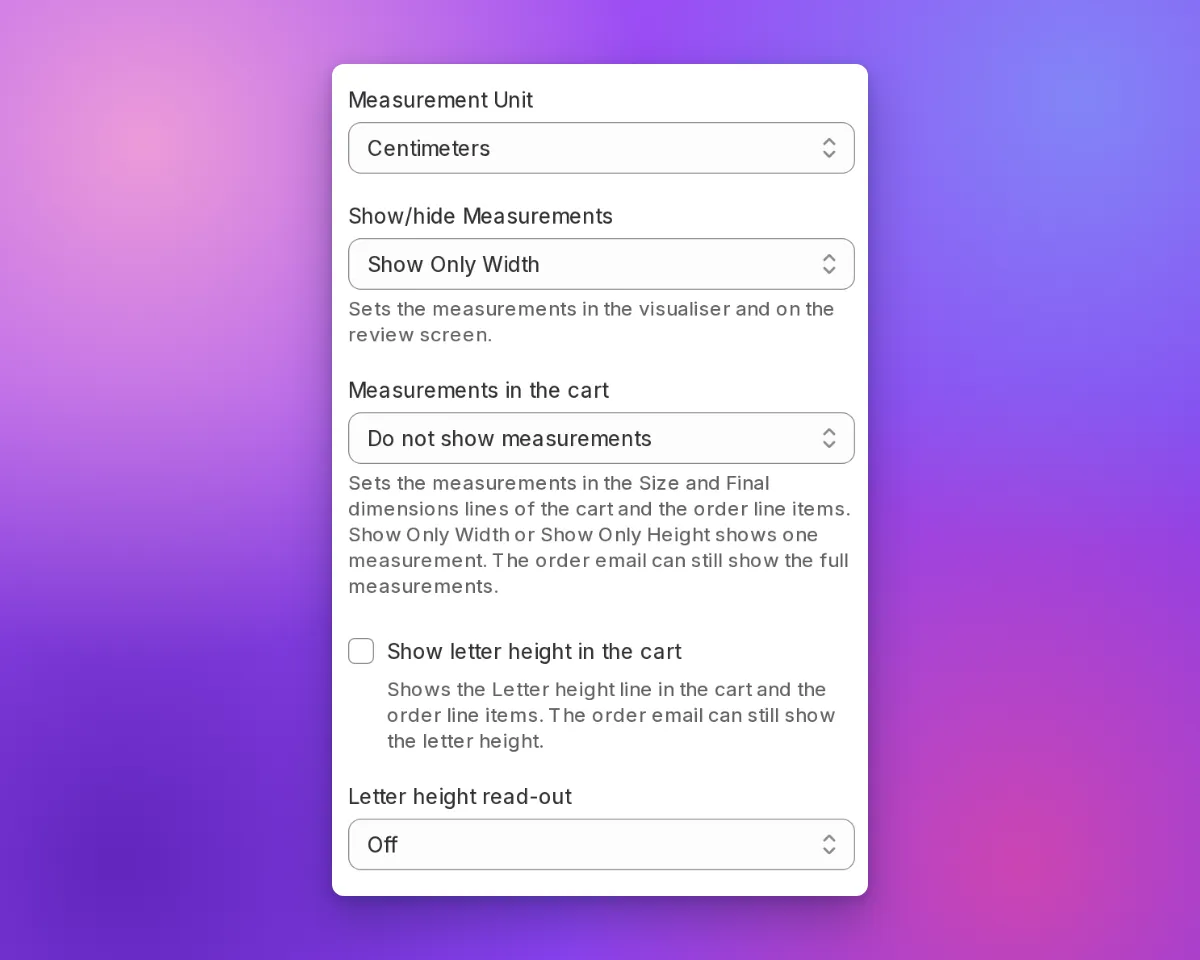
What’s Changed
- Show/hide Measurements controls the customiser. This setting controls the visualiser and the review screen. In the cart, it only limits the Size line. It has one Do not show measurements option instead of two.
- New Measurements in the cart setting. This setting controls the Size line and the Final dimensions line in the cart and in the order line items. Choose Show both width and height, Show Only Width, Show Only Height or Do not show measurements. With Show Only Width, the cart shows only the width, for example
Final dimensions: 118.11cm / 46.50in. Lightbox customisers have Show width, height and depth or Do not show measurements. Frame Fit customisers have Show width and height or Do not show measurements. - New Show letter height in the cart setting. Clear this setting to remove the Letter height line from the cart.
- The Size line follows both settings. The Size line shows a measurement only when both settings include it.
- Your manufacturer still gets the full measurements. When the cart shows fewer measurements, the order keeps the full measurements as hidden data. The order email can still show the full measurements and the letter height.
- Your current cart stays the same. We set the new settings to match your cart before this update. If you used Do not show measurements and hide from product options, both settings are now Do not show measurements, and the letter height does not show.
- API v3 support. The settings API has two new fields:
cart_measurement_displayandcart_letter_height_display.
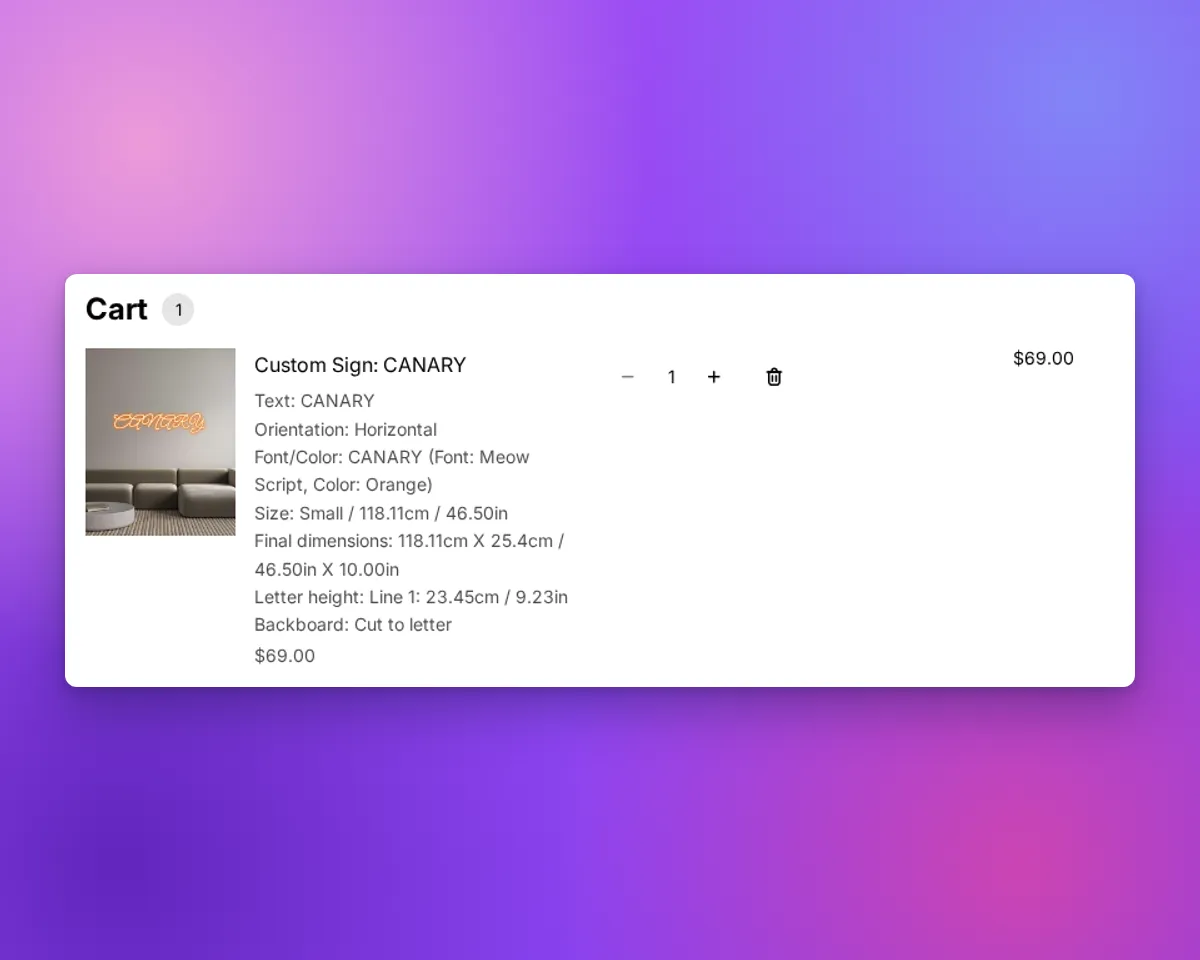
Before this update, Show Only Width still put the height and the letter height in the cart:
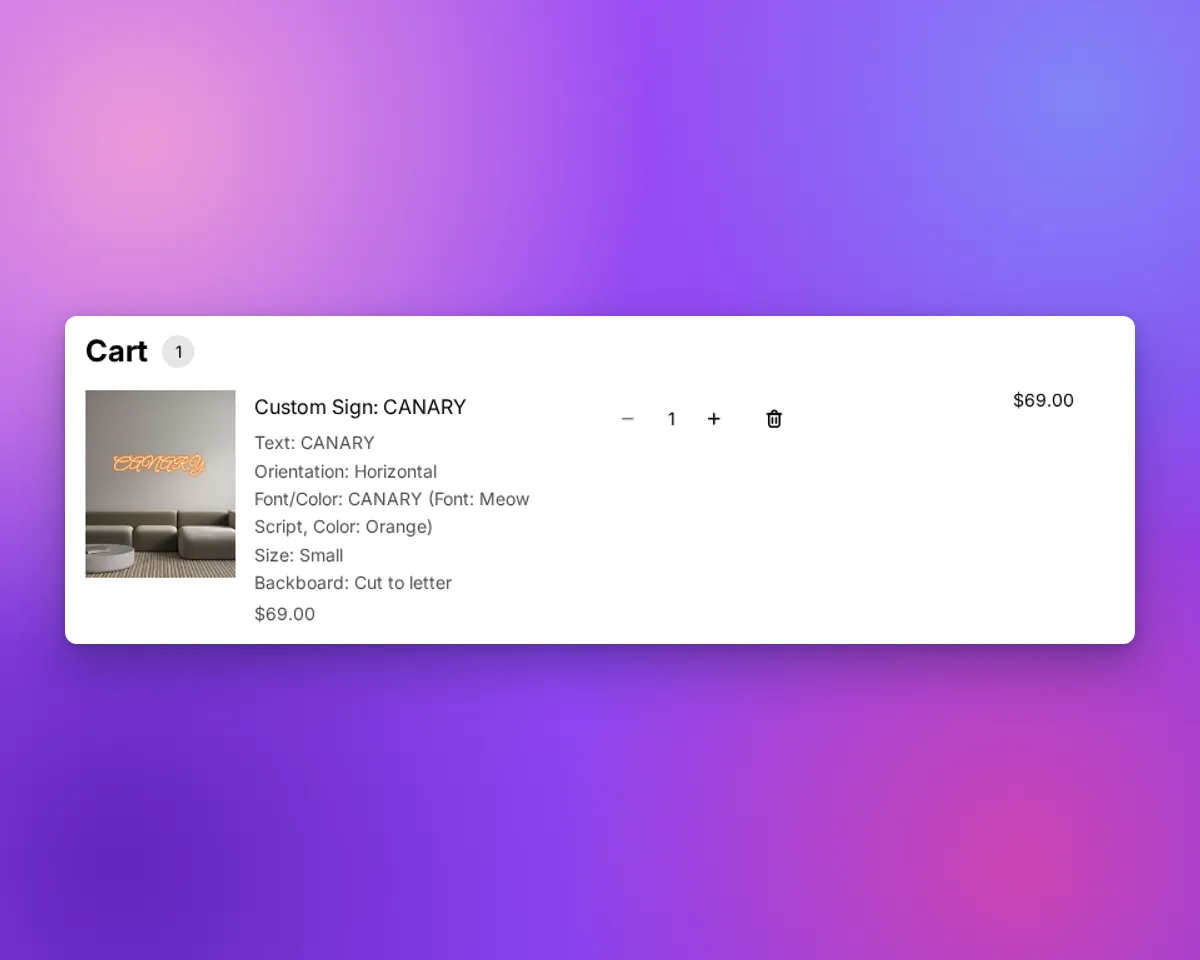
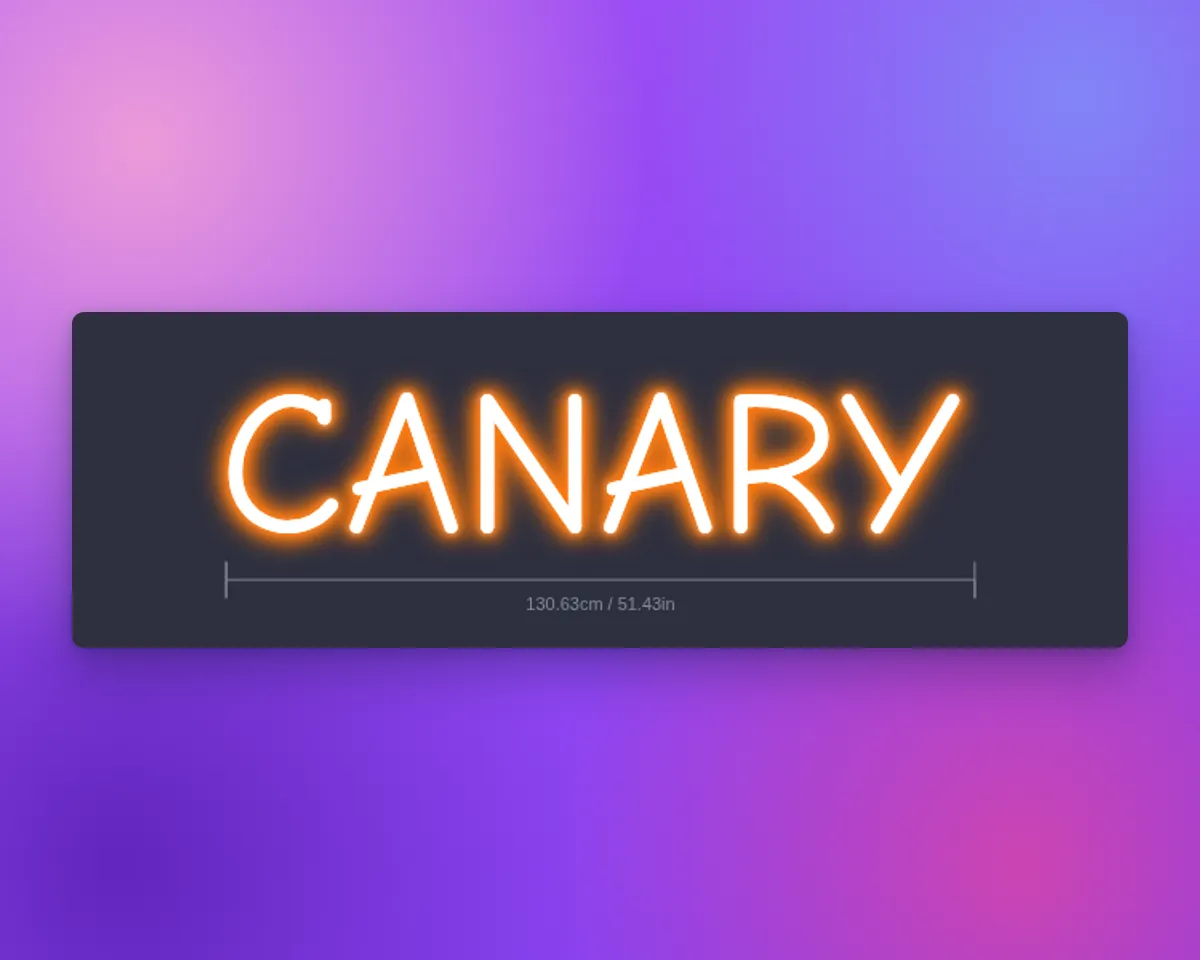
Now, with Measurements in the cart set to Do not show measurements and the letter height cleared, the cart shows only the size name. The visualiser still shows the width:
The settings are in Settings → General Settings → General Style Settings. The settings apply to designs that customers add to the cart after you save.
