
Sign Customiser now keeps each size and weight rate in the unit that you use to enter it. Your Store can use inches, pounds, centimetres or kilograms. After you save and reload, the merchant admin shows the value that you entered. Before this update, the merchant admin changed an inch size to centimetres when you saved it, and the value could change. Every Store has this update. New Stores have it from the start.
What’s Changed
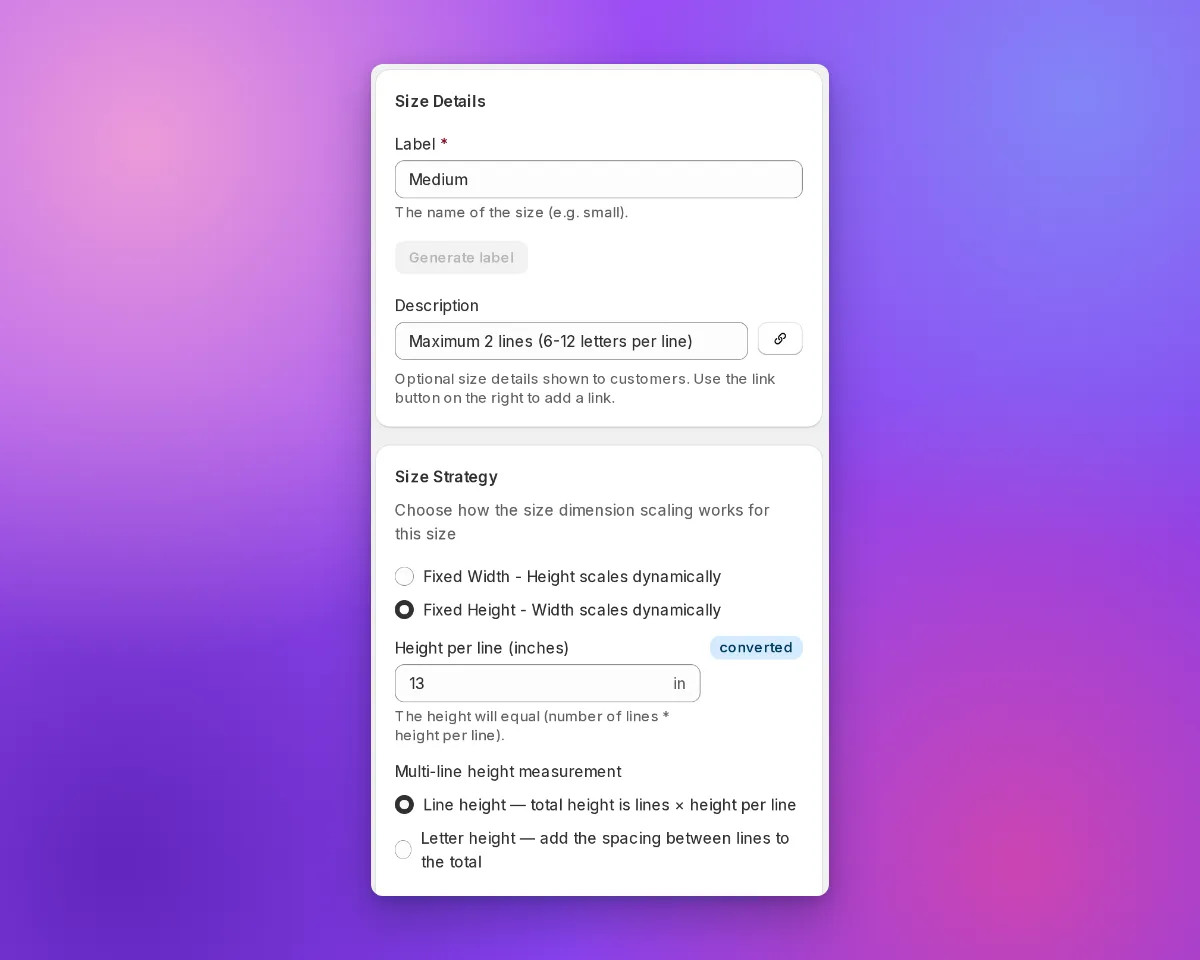
- Values stay in your Store unit. The merchant admin saves the size or weight rate that you enter, in your Store unit. It does not change the value to centimetres or kilograms first.
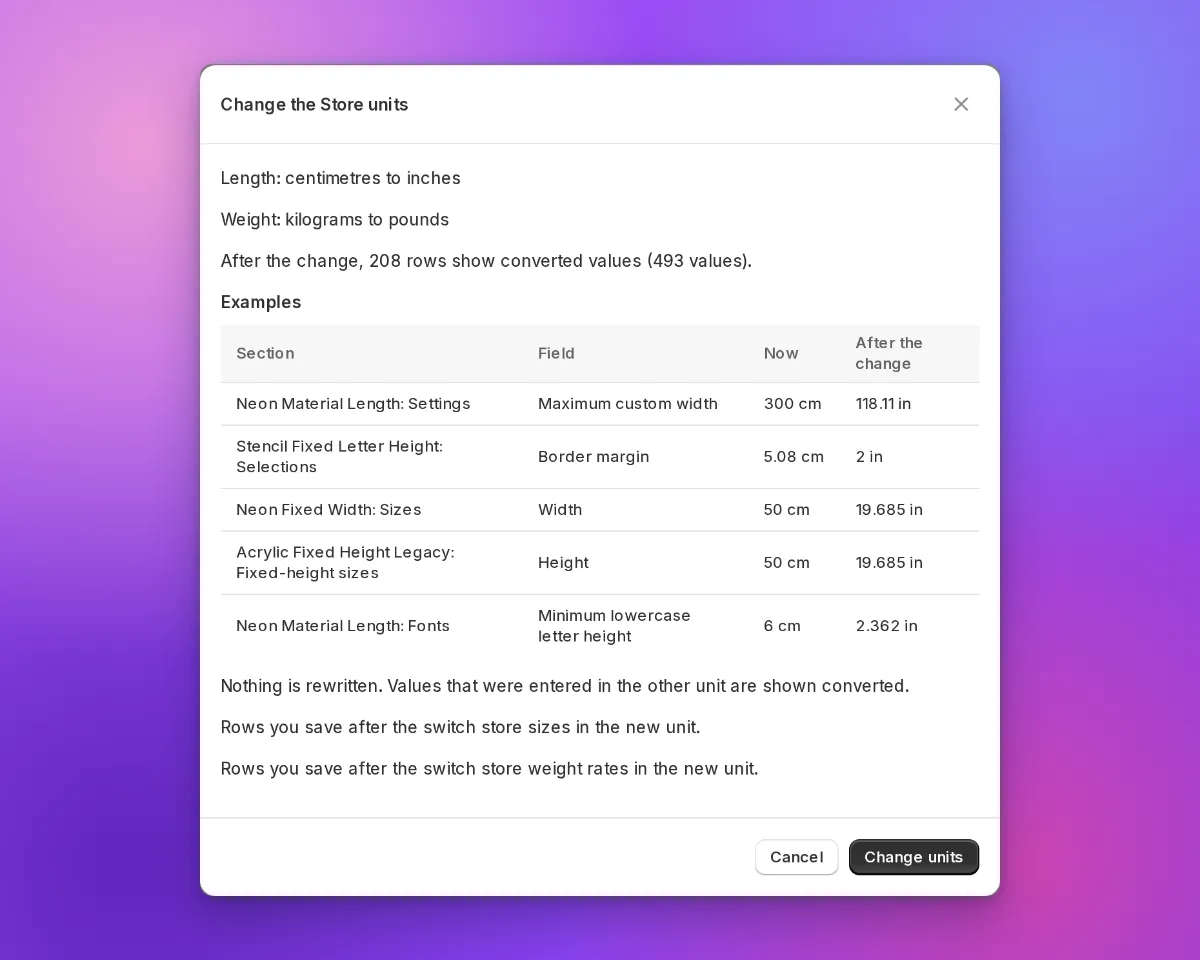
- A “converted” marker shows values from the other unit. In a Store that uses inches or pounds, the merchant admin shows a converted marker next to a value from centimetres or kilograms.
- Shoppers see your inch sizes. When a shopper reviews a design, the customer customiser shows the inch value that you entered for a preset size. It does not show a value that it calculates from centimetres. This does not apply to custom sizes, sizes with a border margin, or Advanced Letter and Frame Fit customisers.
- Pound Stores send pounds to Shopify. If your Store uses pounds, Sign Customiser sends the weight from Add weight to product instead of calculating price to Shopify in pounds.
- Preview a change of Store units. In Admin Settings, select the new units. Then select Review changes. The dialogue shows example values before and after the change. Sign Customiser does not change saved values. Values from the other unit show as converted.
- API v3 and MCP use the two unit systems. The API and the curated MCP tools accept and return centimetre and inch fields, for example
width_cmandwidth_in. Weight rates also have aprice_per_lbfield. - Prices round correctly at half a cent. A charge of $1.005 rounds to $1.01. The cart and product price is now the same as the price that the shopper sees. Before this fix, some products were one cent less than the shown price. This fix went live on 28 September 2026.
Read how to set your Store units for the steps. Read the earlier inch and pound update for the values that this update builds on.
