Sign Customiser now lets you control how the height of a multi-line sign is measured. When a size uses a fixed height, you can decide whether the height you set is the height of each line or the height of the letters themselves — so the measurements your customers see, and the sizes you send for manufacturing, match how you describe your signs.
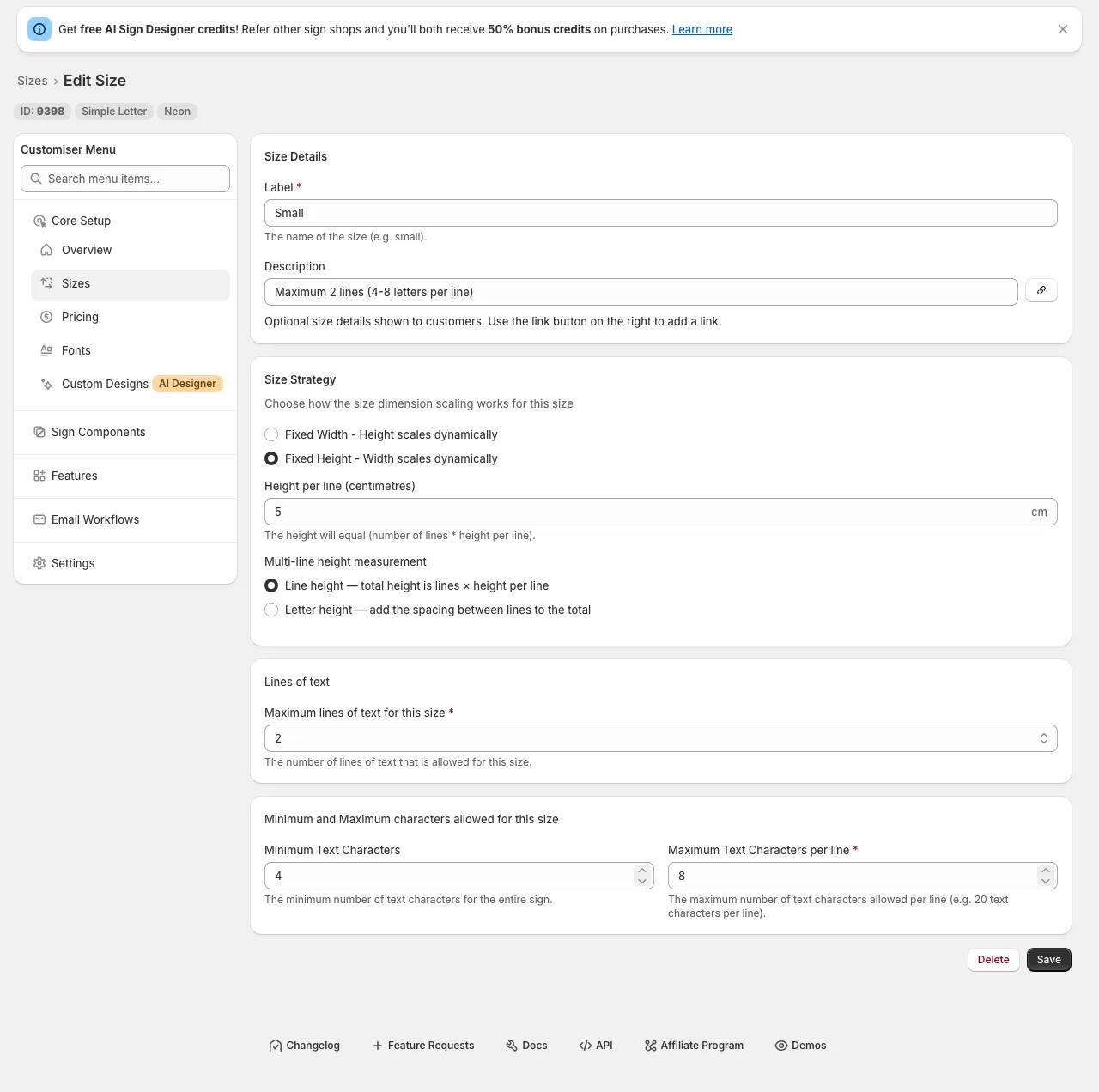
What’s Changed
- New height measurement choice - For any size that uses a fixed height, you can now choose between “Line height” and “Letter height” when setting the height per line.
- Letter height adds the line spacing - Choose “Letter height” and the gap between lines is added on top of the letters, so a multi-line sign measures taller — and scales slightly wider to stay in proportion — matching what customers expect when they picture the letter size.
- Line height stays the default - “Line height” keeps the original behaviour, where the total height is simply the number of lines multiplied by the height per line. Existing sizes are unchanged, so nothing moves unless you opt in.
- Clear impact, explained in the form - The measurement you choose flows through to the size shown in the customiser and the size sent for manufacturing, with an in-app note that letter height can also affect area-based shipping prices.