
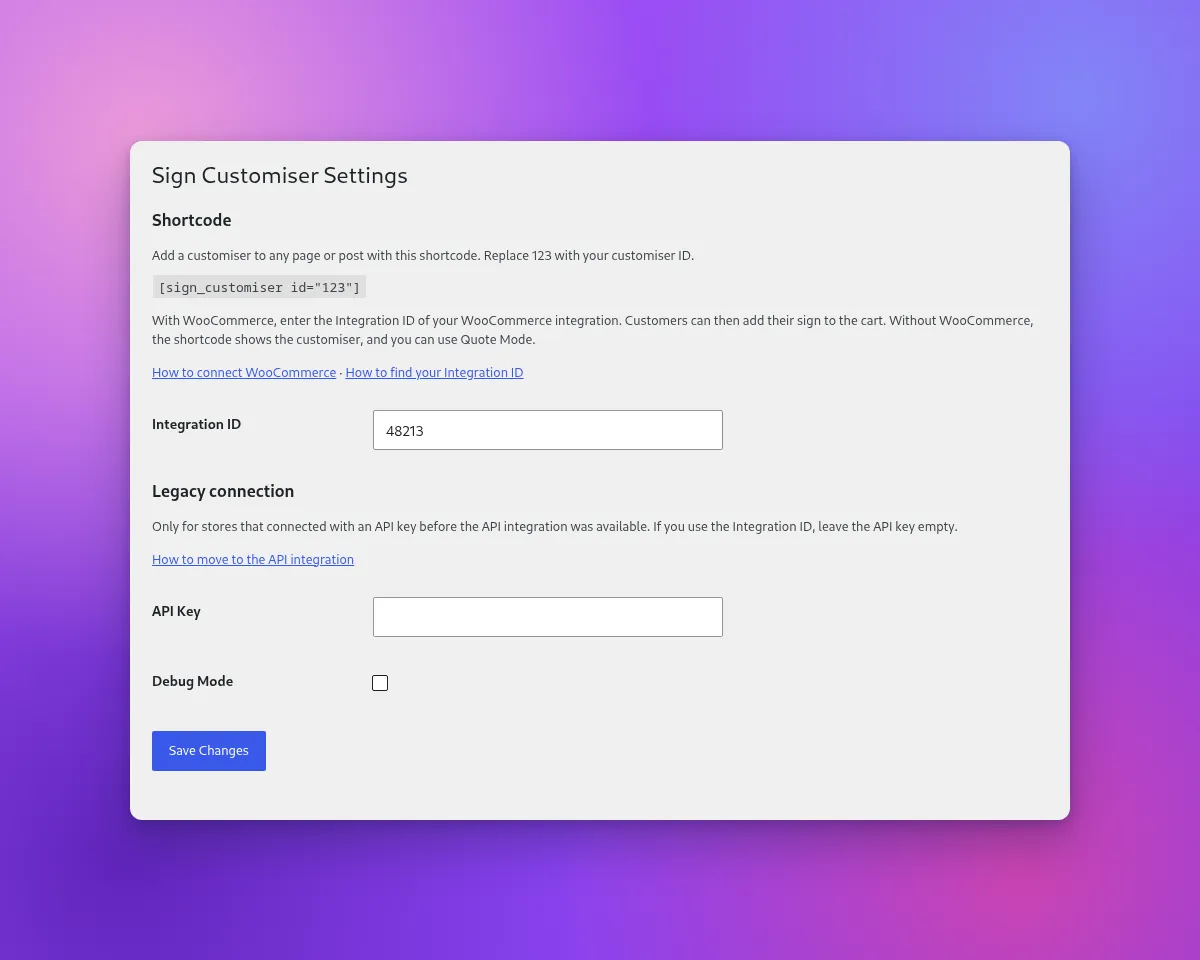
Version 1.7.0 of the Sign Customiser WordPress plugin adds the [sign_customiser] shortcode. When you put the shortcode on a page or a post, the customiser shows on that page. If your site uses WooCommerce, add your Integration ID to the plugin. Then customers can add their sign to the WooCommerce cart. Without WooCommerce, the shortcode shows the customiser for Quote Mode.
What’s Changed
- New shortcodeAdd
[sign_customiser id="123"]to a page or a post. Replace 123 with your customiser ID. The optionalheightattribute sets the height of the customiser in pixels when it shows without the WooCommerce cart. - Integration ID settingIn WordPress, go to Settings → Sign Customiser. Enter the Integration ID of your WooCommerce integration. Then the shortcode uses the API integration, and customers can add their sign to the WooCommerce cart.
- WooCommerce is optionalYou can install the plugin on a WordPress site without WooCommerce. The shortcode shows the customiser. With Quote Mode, customers send their design to you.
- Setup messages for administrators onlyIf the shortcode has no customiser ID, or WooCommerce has no Integration ID, site administrators see a message on the page. Customers do not see these messages.
- Legacy API key setups continue to workIf you connected the plugin with an API key, you do not need to change. To move to the API integration, add your Integration ID. Then replace your old embed code with the shortcode. When the WooCommerce order webhook of the API integration is active, the plugin stops sending orders.
- Tested with WordPress 7.1The plugin needs WordPress 6.5 or later and PHP 7.4 or later.
To set up the plugin, read Connecting WooCommerce with Sign Customiser. If you use the plugin with an API key, read Migrating from the legacy WordPress plugin.
