Changelog
Documenting our journey of creating a custom sign builder.
Page 7 of 18

Submit feature ideas directly from your dashboard
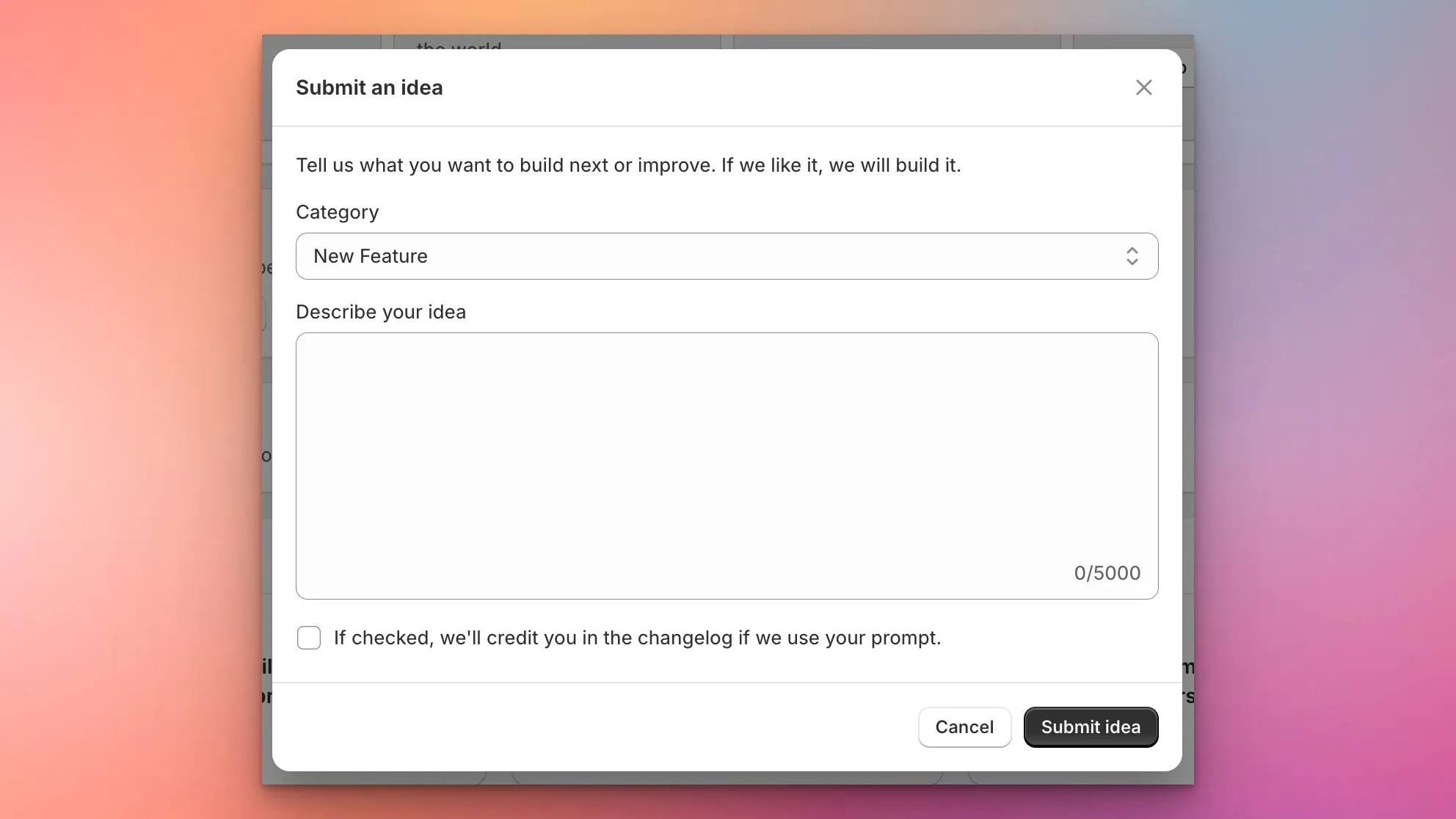
Sign Customiser now makes it easier than ever to shape the product roadmap. A new “Submit an Idea” card on your dashboard lets you describe the features, enhancements, integrations, or fixes you want to see — and our team will review every submission and create an implementation plan.
What’s Changed
- In-app idea submission - A new card on the dashboard opens a modal where you can describe your idea in detail, with up to 5,000 characters
- Categorised requests - Choose from New Feature, Enhancement, Integration, Bug Fix, or Other so your idea reaches the right team
- Automatic planning - Every submission triggers an internal review and implementation plan, so your ideas move from concept to action faster
- Changelog credit opt-in - A checkbox lets you opt in to being credited in the changelog if we ship a feature inspired by your idea
Customisable email templates for custom design submissions
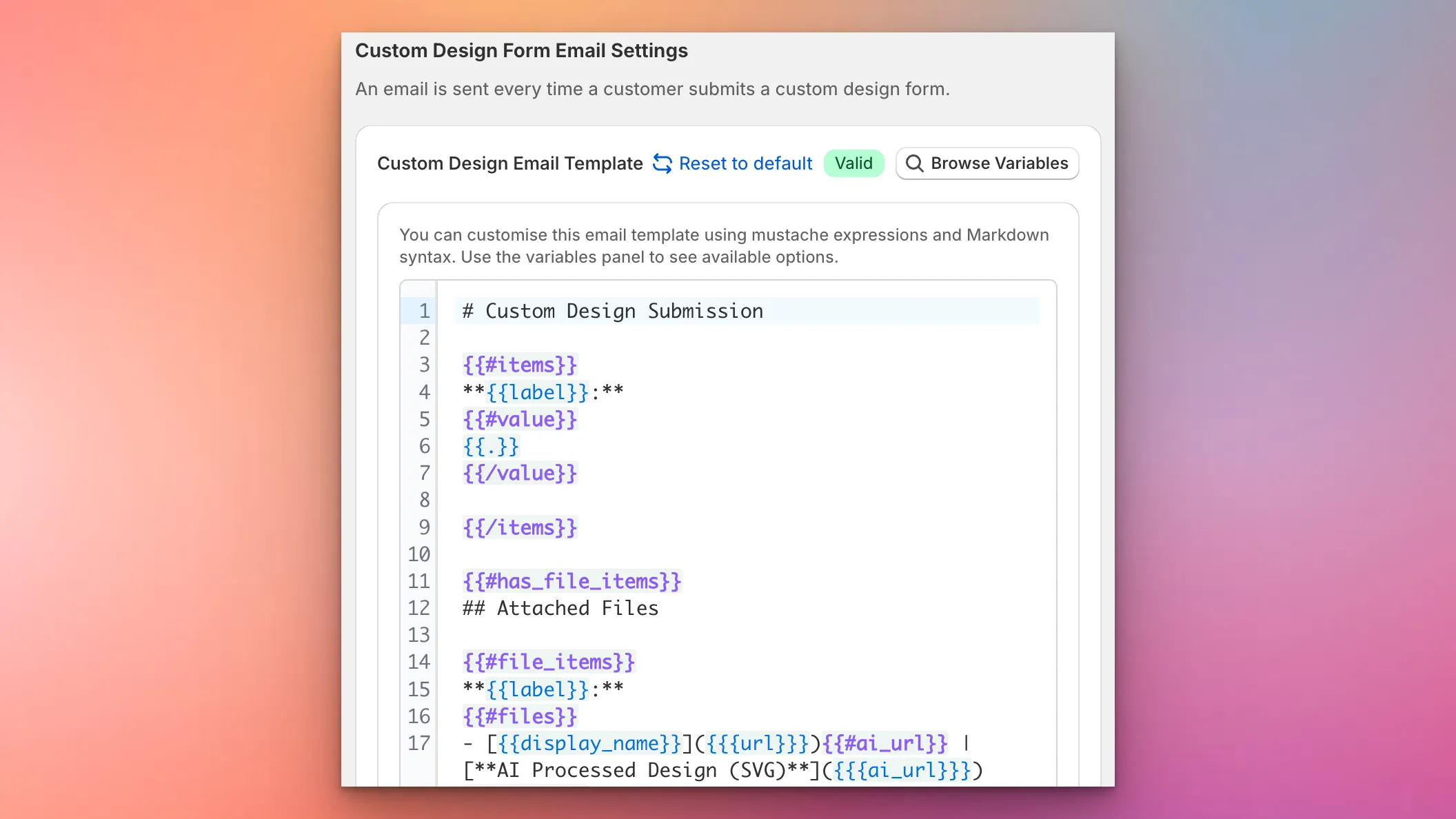
Sign Customiser now gives you complete control over the content and layout of custom design submission emails. Using a powerful template editor with Mustache syntax and Markdown support, you can structure these emails exactly how you need them for your workflow—whether that’s optimising for forwarding to manufacturers, integrating with your CRM, or simply making the information easier to scan.
What’s Changed
- Custom email template editor - A new template editor in the Custom Design Form settings lets you define exactly how submission emails are structured using Mustache expressions and Markdown
- Full variable support - Access all form field values, uploaded files, product images, and AI-processed designs through template variables
- Live validation - The editor validates your template syntax in real-time and highlights any errors before you save
- Variable reference panel - Browse all available template variables with examples and descriptions, making it easy to build your perfect email layout
- Reset to default - One click restores the default email template if you want to start fresh
- Graceful fallback - If there’s ever an issue with your custom template, emails automatically fall back to the default format so you never miss a submission
Improved logo upload reliability and Safari compatibility
Sign Customiser has improved the reliability of logo uploads and SVG conversions across all browsers. Safari users in particular will benefit from better memory management and smoother handling when switching between tabs or returning to the customiser after the browser has been in the background.
What’s Changed
- Cross-browser SVG compatibility - SVG elements are now correctly rendered in Firefox and Safari, fixing an issue where path length calculations could fail on detached elements
- Safari memory management - Logo uploads now use less memory on Safari by cleaning up image previews and file data after processing completes
- Reliable polling after tab switching - Returning to the customiser after Safari puts the page to sleep no longer stalls the logo conversion progress
- Eliminated duplicate processing - Fixed an issue where the logo upload status could trigger multiple conversion checks simultaneously, improving reliability and reducing unnecessary network requests
- Preserved logo data for cart - Logo URLs are now correctly retained through to checkout, preventing missing logo references when adding to cart
Fix quote mode form submissions after AI sign conversion
Sign Customiser has fixed an issue where quote request forms could fail to submit after using the AI sign designer. Customers who uploaded a logo and went through the AI conversion flow can now complete their quote request without running into errors.
What’s Changed
- Reliable quote form submission - Forms in quote mode now submit successfully after an AI sign conversion, regardless of whether the conversion completed, failed, or required manual processing
- Logo auto-populated in quote form - When the AI designer finishes converting a logo, the file is now automatically filled into the quote form’s upload field so customers don’t need to re-upload
- Fixed crash with logo-only signs - Quote submissions for logo-only designs (without text) no longer fail due to a missing font reference
Pricing Transparency and Custom Sizing Improvements
Sign Customiser now shows a detailed breakdown of material length and cost for each individual word when using the Advanced Letter (Material Length) pricing model. This gives merchants greater transparency into exactly how pricing is calculated. We’ve also added a visual indicator to help customers understand when they’ve modified their custom size.
What’s Changed
- Per-word material breakdown - The price display now shows each word with its material length and individual cost, making it easy to see exactly where the price comes from
- Accurate scaled pricing - Words that have been resized using drag-to-scale now correctly reflect their scaled dimensions in material length calculations
- Improved price transparency - Merchants can now see the total material length alongside individual word lengths, providing a clearer understanding of overall pricing calculations
- Custom size lock indicator - An animated lock icon now appears next to custom sizing options, showing when a size has been manually modified. Clicking the lock resets the size back to defaults
Custom branded emails for your sign business
Sign Customiser now lets you brand the order and design submission emails you receive. Upload your logo, set your primary colour, and add your website link so that when you forward these emails to manufacturers, suppliers, or team members, they arrive with your company’s branding rather than Sign Customiser’s.
What’s Changed
- Custom logo in emails - Upload your store’s logo and it will appear in the email header, ready for forwarding
- Brand colour theming - Set a primary colour that automatically applies to email buttons, links, and accents
- Website link in header - Emails link back to your own website instead of the default Sign Customiser URL
- One-click toggle - Enable or disable branded emails at any time from the new Brand section in Store Settings
- Professional sign-off - Emails close with your business name, with a subtle “Powered by Sign Customiser” in the footer
Improved Email Threading for Form Submissions
Sign Customiser now makes it easier to manage customer enquiries by including the customer’s email address in the sender name for custom design form submissions. This simple improvement helps you quickly identify who sent each request directly from your inbox without opening the email.
What’s Changed
- Customer email in sender name - Form submission emails now show the customer’s email address in the From field (e.g., “[email protected] via Sign Customiser”), making it easier to identify messages at a glance
- Better email organisation - Email clients can now group related conversations more effectively, helping you keep track of ongoing customer discussions
- Improved CRM compatibility - CRM systems that parse incoming emails can now more easily identify and associate leads with the correct contact record, streamlining your sales workflow
Redesigned customiser admin with live preview
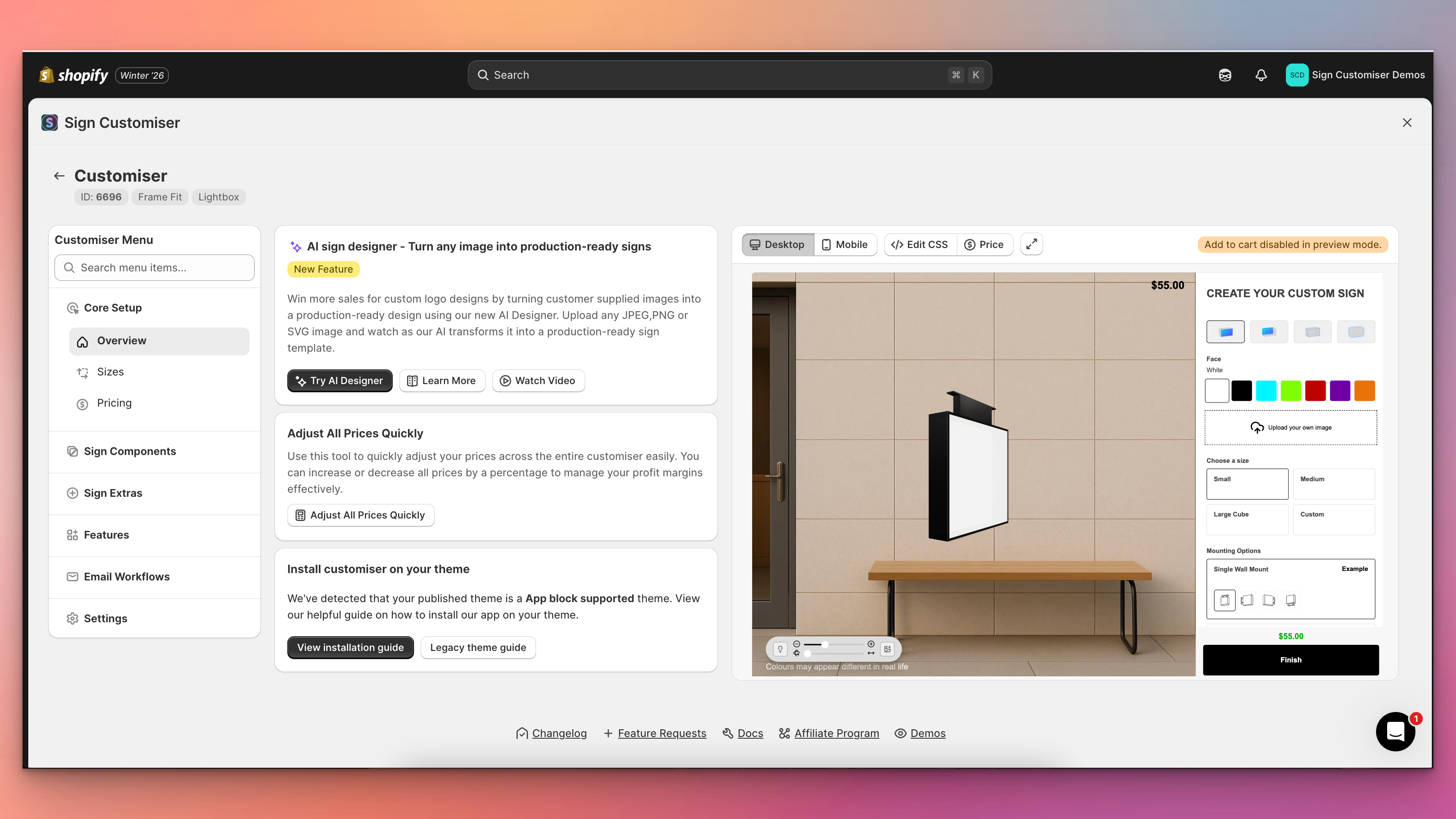
Sign Customiser’s admin experience has been transformed with a brand new three-column layout that puts your live customiser preview front and centre. You can now see exactly how your changes look in real-time without navigating away from your settings, making it faster and easier than ever to perfect your sign customiser.
What’s Changed
- Live preview panel - A persistent preview of your customiser now appears alongside your settings, automatically updating when you save changes to colours, fonts, sizes, materials, and other options
- Three-column layout - The new layout provides a collapsible navigation menu on the left, your current settings in the centre, and the live preview on the right for an efficient workflow
- Fullscreen preview mode - Click the expand button to view your customiser in a fullscreen modal for detailed inspection, with desktop and mobile view options
- Collapsible navigation - Menu sections can now be collapsed to focus on the areas you’re working with, and includes a quick search to jump directly to any setting
- Automatic preview refresh - Changes saved to forms, tables, and settings now automatically trigger a preview refresh, eliminating the need to manually reload
- Desktop and mobile preview switching - Easily toggle between desktop and mobile views directly from the preview controls bar to test your customiser on different devices
Add thumbnail images to selection buttons
Sign Customiser now lets you add thumbnail images to your selection buttons, making it easier for customers to visually identify different options at a glance. This works for materials (letter finishes), mountings, and backboard selections.
What’s Changed
- Button images for selections - Upload images that display directly on the selection buttons in the customiser sidebar
- Click to enlarge - Customers can click on button images to view them in a larger modal
- Easy management - Upload and manage button images from the material, mounting, or support editing screens in the admin
- Separate from popup images - Button images are distinct from the existing popup/example images that appear when customers click the info icon
Consistent OpenType Measurements
Sign Customiser now delivers more consistent measurements across devices, browsers, and operating systems when using the Advanced Letter (Material Length) pricing model. We’ve also improved how fonts with different minimum heights calculate dimensions when used together on the same sign.
What’s Changed
- Consistent cross-platform measurements - Sign dimensions now render reliably regardless of device, browser, or operating system
- Improved multi-font sizing - Fonts with varying minimum heights, including icon fonts, now calculate more balanced dimensions when paired together
- More intuitive sign proportions - Signs that previously grew disproportionately in size when mixing different font types now maintain more predictable dimensions
