
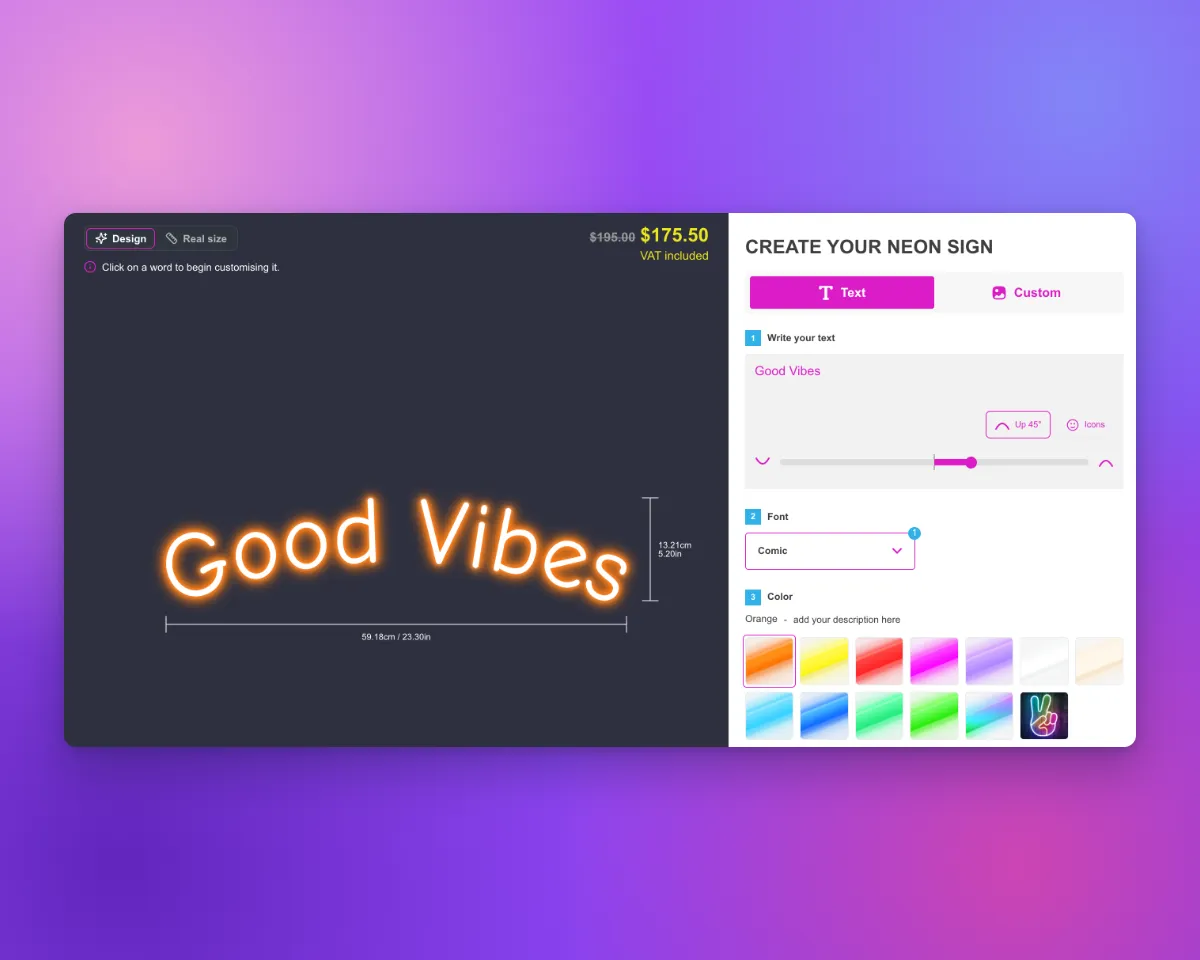
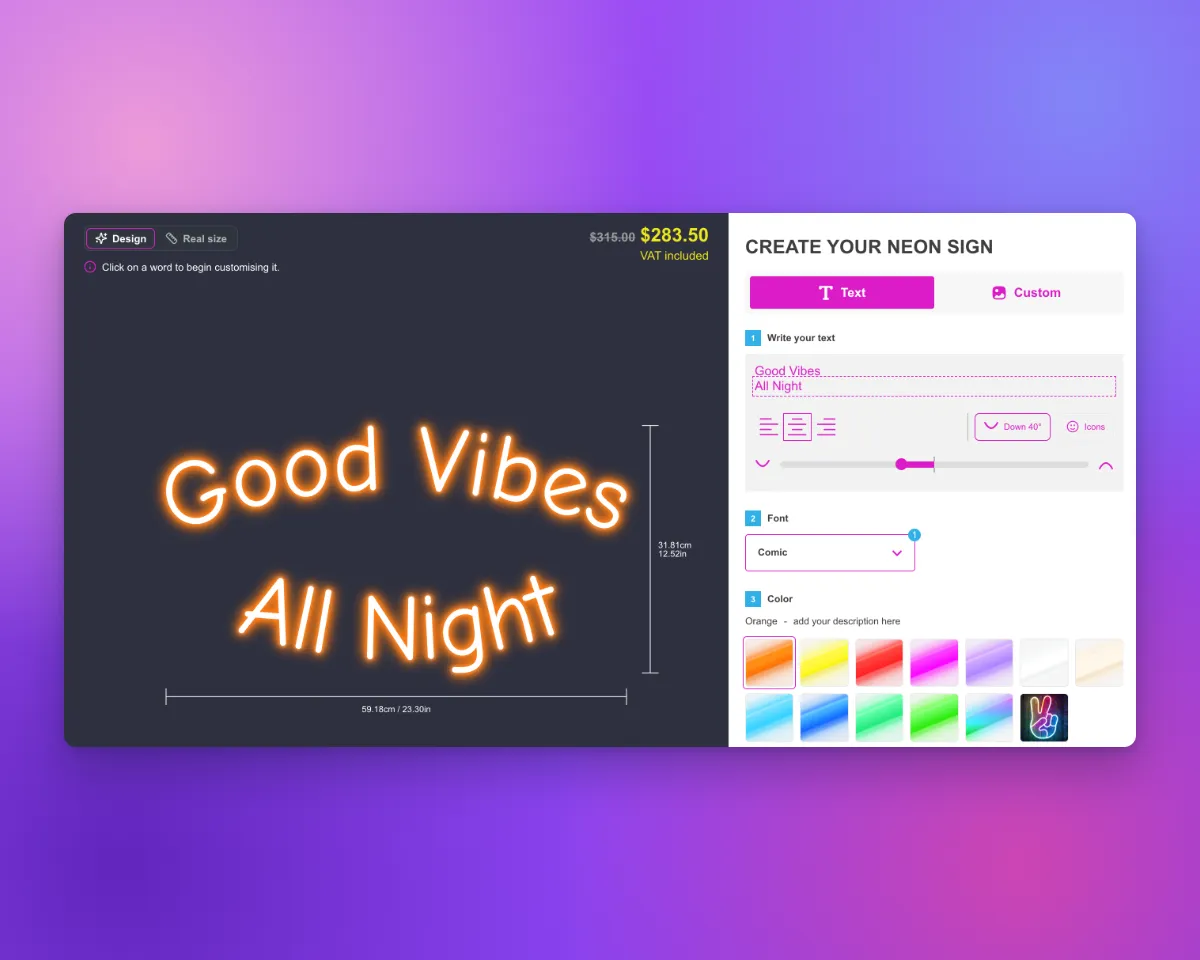
Sign Customiser now has curved text for LED neon signs. Your customers can bend each line of the sign. A line can curve up or curve down. Each line has its own curve. The preview shows the curved sign, and the sign size changes to fit the curved text. The curve is saved with the order, so you make the design that the customer approved.
Try curved text on the demo store.
What’s Changed
- Curve button in the text boxThe text box toolbar has a Curve button. When the customer clicks it, the curve slider shows.
- One slider for all linesThe slider bends the line that has the cursor. Move the slider to the right to curve the line up. Move the slider to the left to curve the line down. To curve a different line, the customer clicks in that line.
- Curve readoutThe Curve button shows the curve of the line, for example “Up 45°” or “Down 30°”. On a sign with two or more lines, a dashed outline shows the line that the slider bends.
- Snap to straightThe centre mark shows the straight position. When the customer releases the slider near the centre, the line snaps to straight.
- Curves that fitEach end of the slider is the tightest curve that the letters on the line can take. Short text gets a smaller range.
- Size follows the curveThe height of the sign changes to fit the curved lines. The selected width or letter height stays the same.
- Colours, fonts and backboardsEach word on a curved line can have its own colour and font. Cut-to-letter and cut-to-shape backboards follow the curve.
- Saved with the orderWhen the customer adds the sign to the cart, the exact curve is saved with the order. Product images use that saved curve.
- Off by defaultTo turn on curved text, open the LED neon customiser and go to General Settings. Select Let customers curve each line of text. You can also change this setting with API v3 or with the
update_customisertool of the MCP server. - Editable messagesThe curve labels and messages are on the Languages page of the customiser, in the Text editor section.
Before you start
- Curved text works only on LED neon customisers.
- Curved text does not work with these items:
- An icon on the same line
- Vertical text
- Right-to-left customisers
- Designs with SVG artwork, for example designs from the AI sign designer
For the full steps, read Let customers curve each line of neon text.
