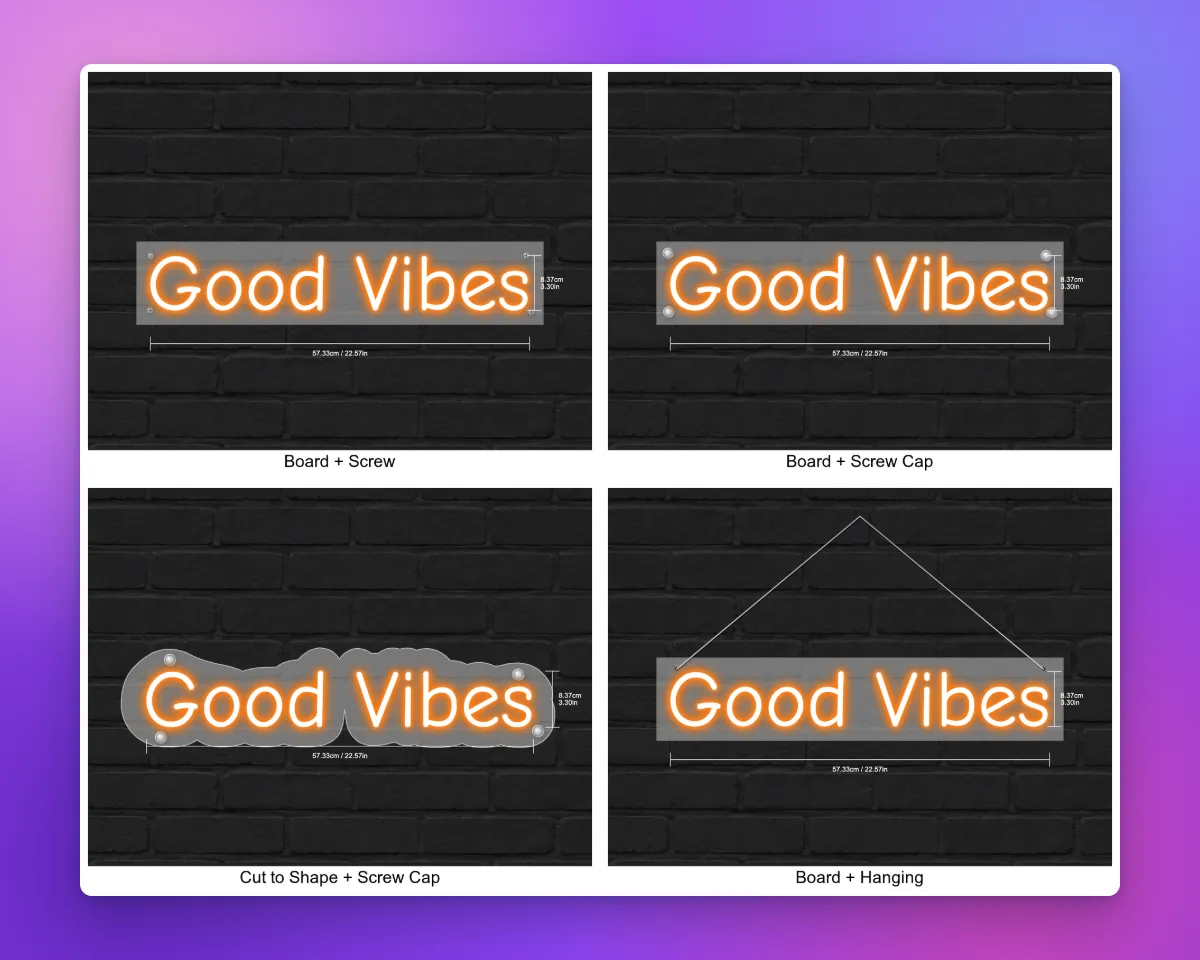
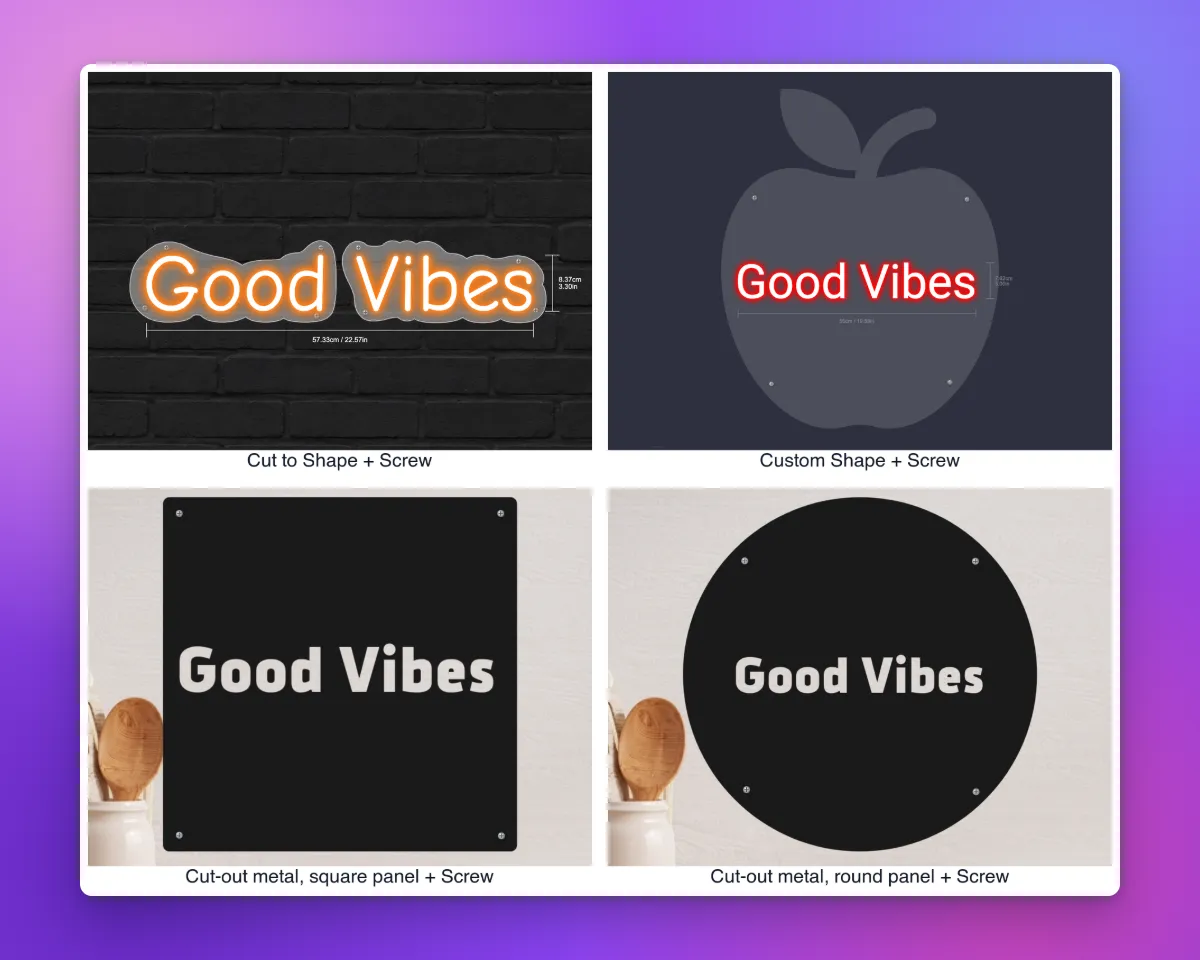
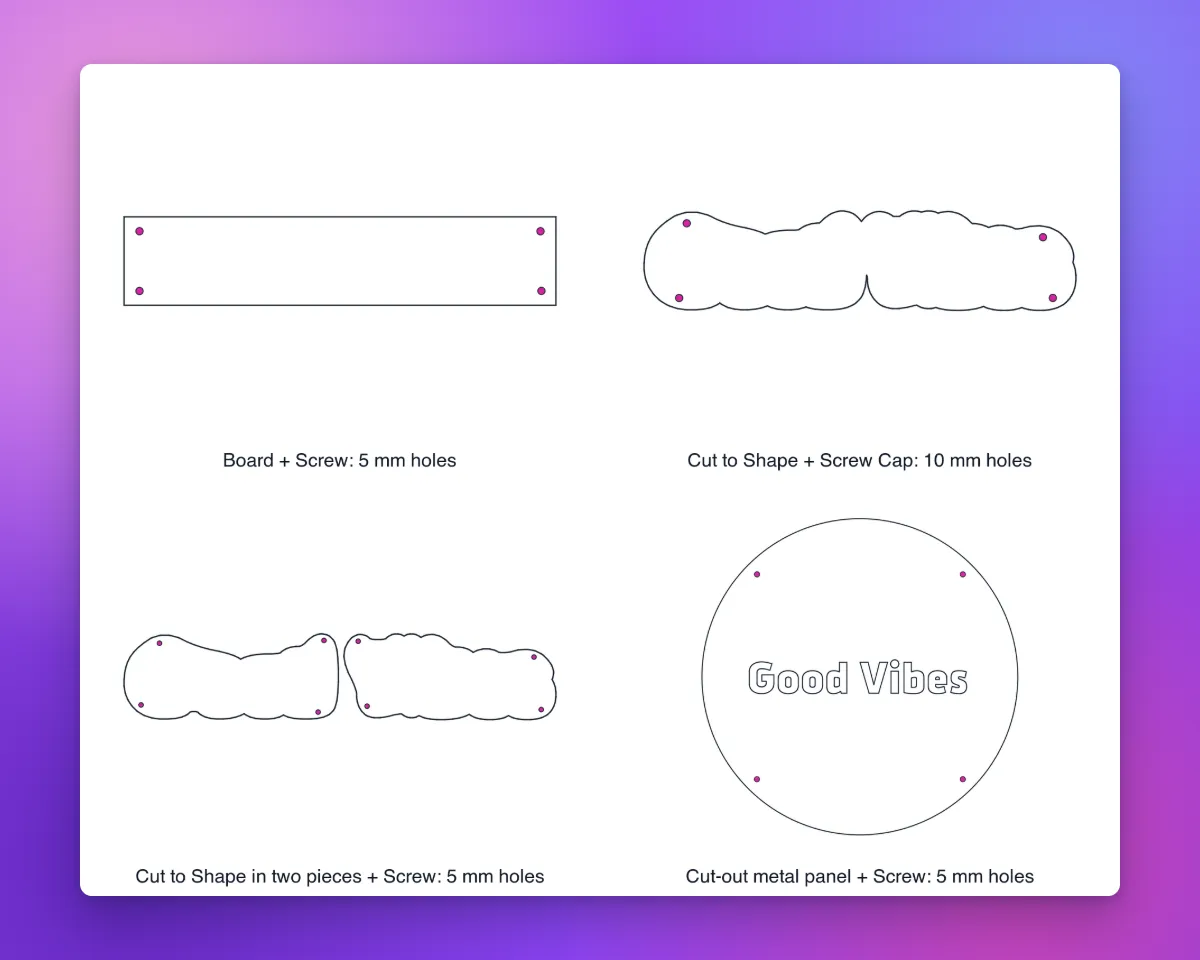
Sign Customiser now puts screws, screw caps, hanging points and key rings on the real shape of the backboard, not on the letters. The DXF cut files for neon backboards and cut-out metal panels now include the mounting holes, so your maker can drill the holes from the file.
What’s Changed
- Fixtures follow the backboard shapeThis applies to a Board, Cut to Shape, Cut To Letter, a Custom Shape and a cut-out metal panel. On Cut to Shape, each separate piece gets its own fixtures. Small pieces and thin parts get no fixtures.
- More board on Cut to ShapeWhen the mounting needs holes, the contour becomes larger to give the holes space. The preview and the cut file show the same contour.
- Cut To LetterA band with no space for a fixture gets no fixtures and no holes. To give the band more space, increase Backboard extension from letter. The Flag mounting does not show on Cut To Letter.
- Holes in the DXFThe Backboard outline (DXF) for neon and the Cut outline (DXF) for a cut-out metal panel include the holes. A Box keeps its standoff holes. A Stand gets no fixtures and no holes.
- Hole sizesScrew Cap holes are 10 mm. Screw, Hanging and Key Ring holes are 5 mm. Each hole centre is a minimum of 1.5 hole diameters from the cut edge.
- All the holes or noneIf one hole has no space near its fixture, the cut file gets no holes.