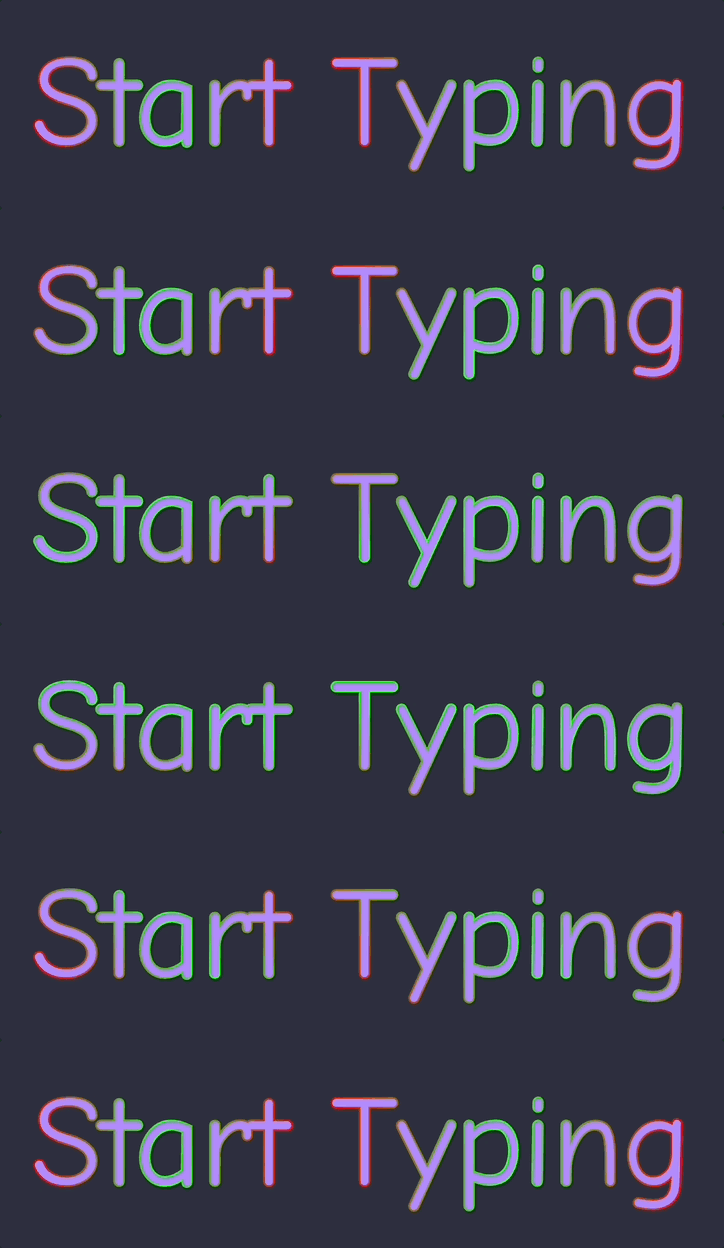
NewTurn any image into a sign design.
Changelog

Changelog

Documenting our journey of creating a custom sign builder.

Filtered by:neon(16 updates)Page 2 of 2

Stay informed with updates every month

Or subscribe to ourRSS feed

May 4, 2026

2026.5

Vertical writing for Chinese-Japanese-Korean signs

Sign Customiser now supports proper top-down vertical writing for multilingual signs. Merchants can configure whether vertical columns read right to left or left to right, so customers can type natural multi-line text while the preview and manufacturing output keep the intended layout.
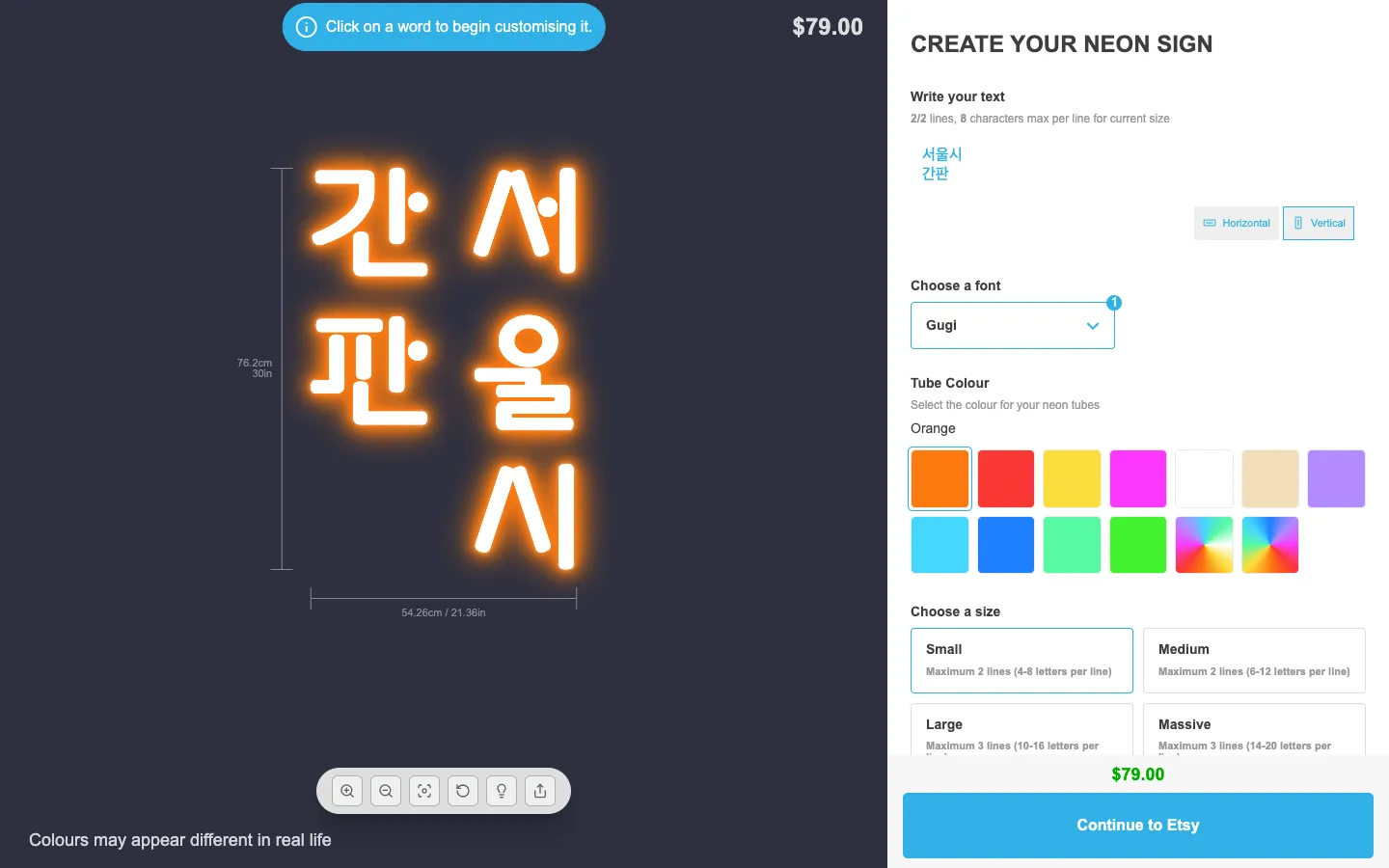
Customiser preview showing Korean text rendered in two top-down right-to-left columns beside the Vertical orientation controls

What’s Changed

  • Multi-column vertical textEach typed line becomes its own top-down column, making vertical Japanese, Traditional Chinese, Korean, and traditional Mongolian layouts practical for customer-facing customisers
  • Merchant-controlled column directionChoose right-to-left columns for Japanese, Traditional Chinese, and Korean signs, or left-to-right columns for traditional Mongolian signs
  • Natural order detailsCart details, order data, and exports keep the customer’s original typed text instead of replacing it with a generated column representation
  • Pricing stays logicalBase line pricing follows the typed input lines while letter charges still apply to each visible character
  • Font guidance in settingsThe admin settings now remind merchants to upload fonts with the glyph coverage needed for their target language
Mar 5, 2026

2026.3

Improved cut-to-shape backboard rendering

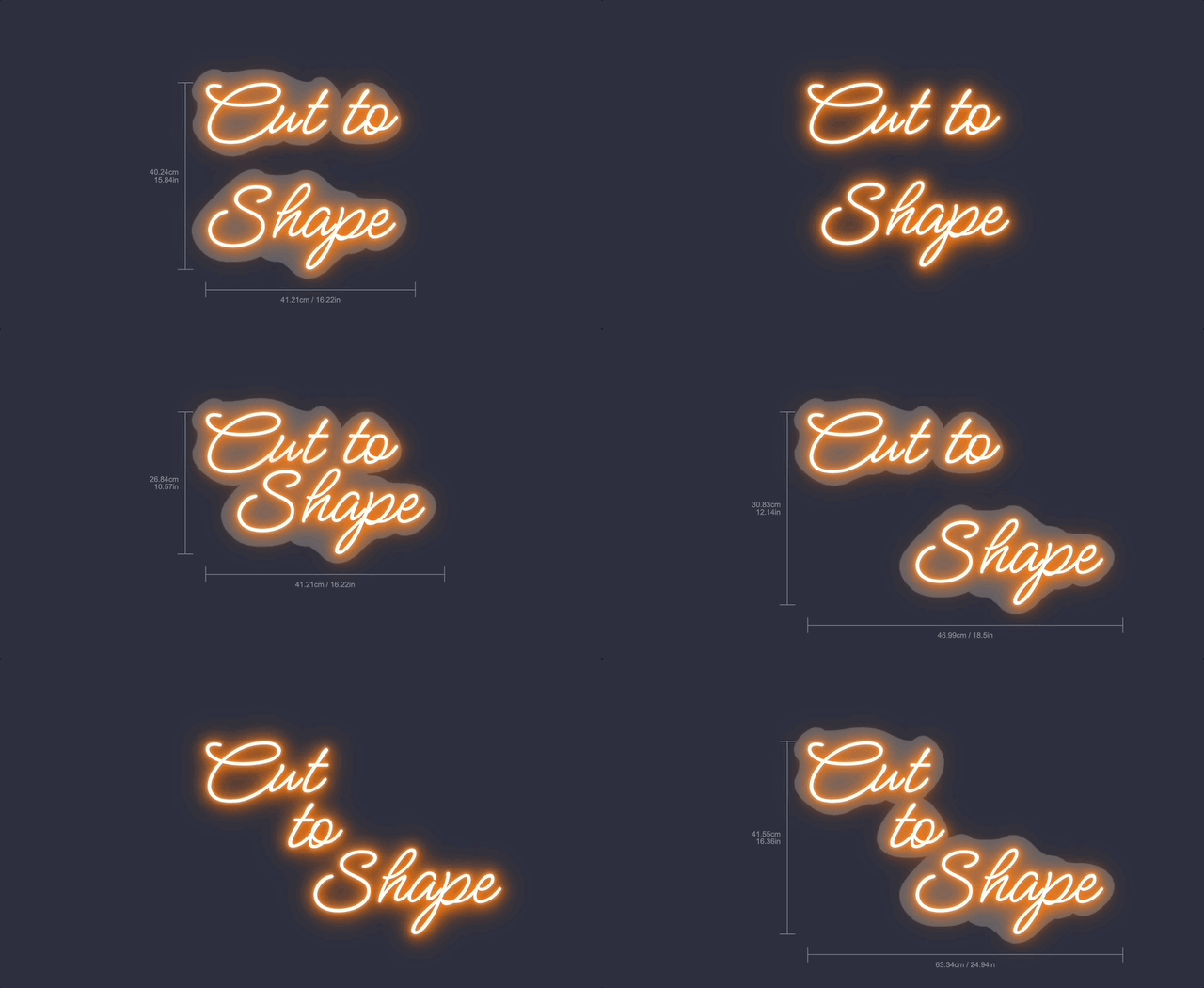
Sign Customiser’s cut-to-shape backboard has received a major rendering upgrade. Backboards now merge together into a single piece instead of overlapping, the shape hugs much more tightly around your text and logos, and visual artifacts have been significantly reduced. The result is a preview that closely matches what your customers will receive in real life.

Improved cut-to-shape backboard rendering

What’s Changed

  • Merged backboardsCut-to-shape backboards now combine with adjacent backboards into one unified piece, just like they would be manufactured in real life, rather than awkwardly overlapping
  • Tighter shape wrappingThe backboard outline now follows the contours of your letters and shapes much more closely, giving a realistic cut-to-shape appearance
  • Reduced visual artifactsRendering glitches and edge artifacts have been cleaned up for a smoother, more polished preview

Mar 4, 2026

2026.3

RGB flow glow effect with spatial gradient animation

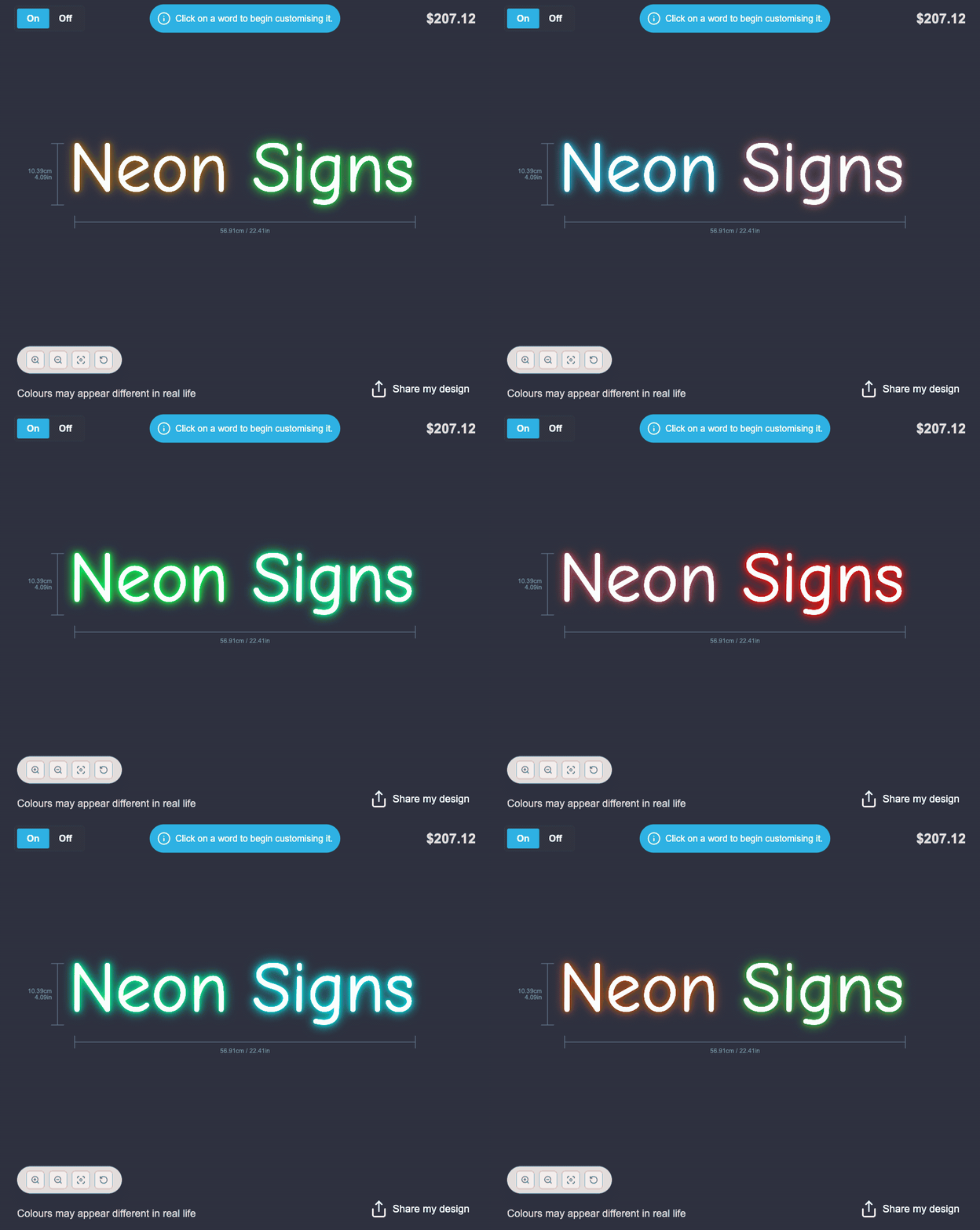
Sign Customiser’s Flow RGB effect now produces a beautiful, realistic neon glow that flows across your entire sign. Each word is lit with a smooth colour gradient that shifts naturally based on its position, creating the appearance of real RGB LED tubing cycling through colours in sequence.

RGB flow glow effect in action

What’s Changed

  • Multi-layer neon glowFour glow layers create a rich, realistic neon tube appearance with soft light falloff that closely mimics real RGB LED signage
  • Spatial gradient animationColours flow smoothly across words based on their position on the canvas, so multi-word signs display a natural colour wave rather than each word changing independently
  • Optimised for all devicesFrame throttling and reduced glow layers ensure smooth performance on mobile devices and Safari, without sacrificing visual quality
  • White face with coloured glowThe text itself remains crisp white while the surrounding glow cycles through your chosen RGB colours, just like real neon tubing

No action is needed on your end — this effect applies automatically to any customiser that already uses the Flow RGB colour effect.

Jan 11, 2026

2026.1

Flow RGB animated outline effect

Sign Customiser’s Flow RGB effect has been completely redesigned. Instead of filling the entire shape with animated colours, the effect now animates along the outline of your text and logo designs. This creates a more realistic neon tube simulation and unlocks the ability to use Flow RGB alongside a face colour for the first time.

Flow RGB animated outline effect

What’s Changed

  • Animated outline effectThe Flow RGB colours now cycle smoothly along the stroke/outline of text and SVG shapes, creating a realistic flowing neon tube appearance
  • Works with UV coloursYou can now combine Flow RGB with a solid UV colour, where the animated gradient appears as an outline around the filled shape
  • AI sign design supportAI sign designs now display the same animated outline effect with thicker, more visible strokes optimised for complex shapes

Oct 13, 2025

2025.10

UV print on neon signs

Sign Customiser supports UV printing on neon signs, but UV print works differently from tube colours. Tube colours are still a manufacturer-defined LED palette. UV print is the printed face layer.

Update, 1 October 2026:From 1 October 2026, AI Sign Designer V2 does not add a UV print to new neon designs. Designs that already have a UV print keep it. The manual UV print options do not change. See AI neon designs now show as lit tubes.

For AI Sign Designer uploads, Sign Customiser now preserves the original artwork colours on the printed face instead of remapping them to merchant UV swatches. This keeps logos and multi-colour artwork accurate while still matching glow and tube effects to the nearest supported LED tube colour.

That means UV palette colours now have a narrower purpose: they are manual preset swatches for workflows where you intentionally want customers choosing from predefined UV print options. They are no longer the source of truth for AI artwork face colours.

What’s Changed

  • Preserved AI artwork coloursAI logo uploads keep their original face colours as printed UV data instead of being snapped to a UV palette
  • LED-safe glow matchingTube and halo colours still match to the nearest supported LED tube colour for accurate illuminated previews
  • Hidden UV workflow supportMerchants can keep UV print available as a hidden print capability without exposing manual UV palette choices in the main neon editor
  • Manual UV presets still availableUV palette entries remain useful for merchant-managed manual UV print presets and legacy face workflows
  • Clearer display valuesWhen preserved artwork colours appear in admin or order data, they are labelled as Custom UV (#HEX) so they are not confused with palette selections

AI Sign Designer enhanced logo and image editing capabilities

Sign Customiser’s AI Sign Designer now features powerful image editing capabilities with significant performance improvements and enhanced functionality.

Key Enhancements

Transparency Support Fixed

Critical issues with generating images containing transparency have been resolved. Logos with transparent backgrounds are now handled correctly, maintaining their intended visual appearance across all sign materials including neon and acrylic.

Improved Shape Interpretation for Complex Images

Enhanced shape detection algorithms now provide superior interpretation of busy and complex images. The AI Sign Designer can better distinguish between overlapping elements, handle intricate patterns, and accurately identify shapes in visually dense designs. This improvement ensures that even the most detailed logos and graphics are converted with precision, maintaining the integrity of complex brand elements.

Open original

Get started

Add Sign Customiserto your store today

Install now
36+ verified reviews

Login

Universal Sign In
  • WordPress
  • Wix
  • Etsy
  • Squarespace
  • Webflow

Or, if on Shopify, navigate to your store admin to login.