Changelog
Documenting our journey of creating a custom sign builder.
Sign boards now match the sizes you enter
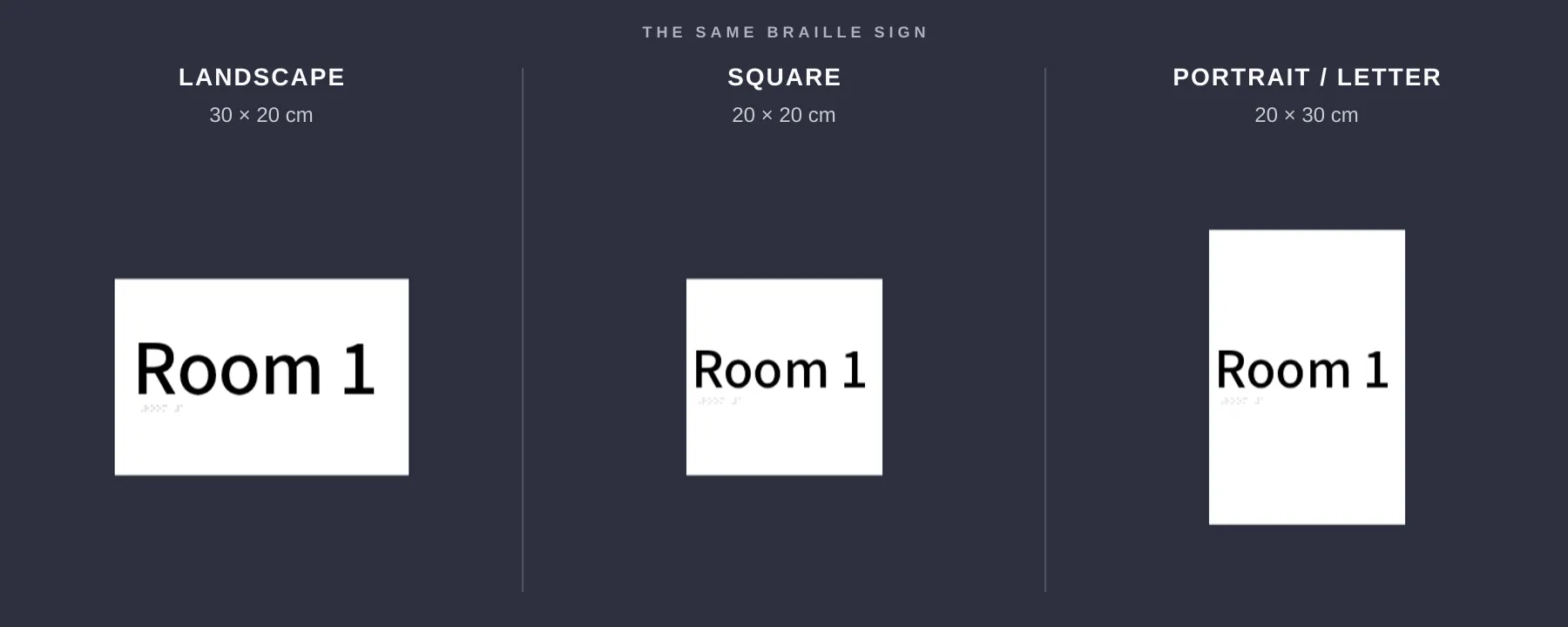
Sign Customiser now draws rectangular boards, boxes and stands in the proportions of the width and height your customer chooses. A 20 × 20 cm plate looks square, portrait sizes look portrait, and the same geometry carries into newly generated product images. Pricing has not changed because it already used the selected or entered dimensions.

What’s Changed
- Boards match entered sizes. Square, portrait and landscape plates now keep the proportions of the selected preset or custom width and height.
- Boxes and stands follow the same base size. The main face matches the entered proportions, with box depth and stand feet built around it.
- Previews and product images agree. The customer customiser and newly generated product images use the same board geometry, so the design stays representative through checkout.
- Measurements line up with the board. Dimension arrows span the plate itself and show the width and height the customer selected.
- Eligible customisers update automatically. Frame Fit customisers with a rectangular board, box or stand and an explicit width and height now use this geometry without any merchant reconfiguration.
- Prices stay the same. Pricing was already calculated from the width and height customers selected or entered. This release corrected the geometry, not the price.
Categorised Shopify product types for generated signs
Sign Customiser now gives each newly generated Shopify product a product type that matches its sign category. This makes it easier to build collections, shipping rules and other Shopify automations for different kinds of signs.
What’s Changed
- Product types now match the sign - New acrylic, metal, stencil, wooden, aluminium, braille, wood-frame and lightbox products receive their own clear product type.
- Neon remains familiar - New neon products keep the existing
Custom Neonproduct type, so established neon workflows continue to work. - Existing products stay unchanged - The new product types apply when Sign Customiser creates a product. Products already in Shopify are not renamed.
Accurate sizing and pricing for custom shape signs
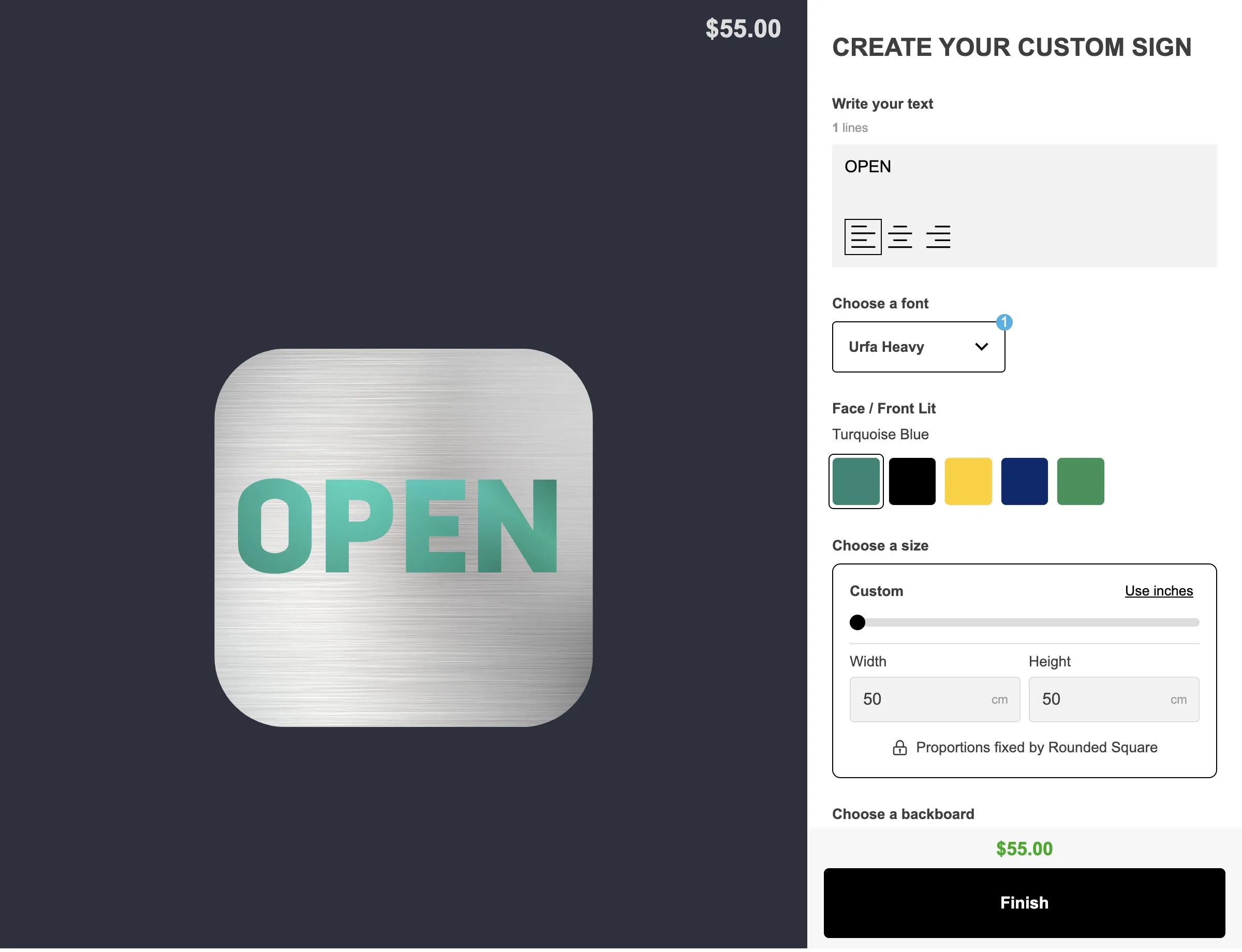
Sign Customiser now measures every custom shape you upload — plaques, circles, stars, pill shapes — and uses its real proportions everywhere: on screen, in the price, and in the file your manufacturer cuts from. Upload any outline and trust that what your customer sees is what they get — a rounded square looks genuinely square, a circle is truly round, and the preview matches the finished sign.

What’s Changed
- True to real-life dimensions - A rounded square is now genuinely square on screen, not a stretched rectangle wearing the name. Every shape is drawn at the exact proportions it will be manufactured at, so the preview, the quoted size and the sign that arrives all agree.
- Pixel-accurate to the shape you upload - Every custom shape is measured against its true outline, so the shape your customer sees in the customiser matches the file you uploaded exactly. No more small drifts between the preview, the quoted size and the finished sign.
- Proportions are never distorted - A custom shape owns its own ratio. Your customer sets one dimension and the other follows automatically, so a circle stays a circle and a star stays a star at every size — there is no way to stretch or squash a shape out of proportion.
- Custom sizing only for shapes - Preset size cards no longer appear once a custom shape is selected, because a preset would either have to match the shape’s ratio or distort it. Customers drag the size slider or type a width or height, and a padlock confirms the proportions are fixed by the shape they chose.
- Pricing that matches the real shape - Signs priced by area are now worked out from the shape’s true measured dimensions rather than an approximation, so the quote reflects the material actually being cut.
- Manufacturing files that match the design - Orders for a custom shape include a precise cut path for the exact outline and size the customer chose, with lettering converted to clean cut lines — ready to go straight to production.
- Clearer guardrails when you set a shape up - Border margins and custom shapes are mutually exclusive, because a shape already owns its proportions, and the size settings now say so plainly instead of quietly ignoring the value. If a shape’s padding or your minimum and maximum size limits leave it with no usable size, Sign Customiser names the shape and tells you what to change.
- Shape wording in your own voice - The new customer-facing messages — the finished size readout, the note that proportions are fixed by the chosen shape, and the size-adjustment prompts — are all editable per customiser and translatable like every other label.