NewTurn any image into a sign design.
Changelog

Changelog

Documenting our journey of creating a custom sign builder.

Filtered by:feature(179 updates)Page 13 of 18

Stay informed with updates every month

Or subscribe to ourRSS feed

Jan 14, 2025

2025.1

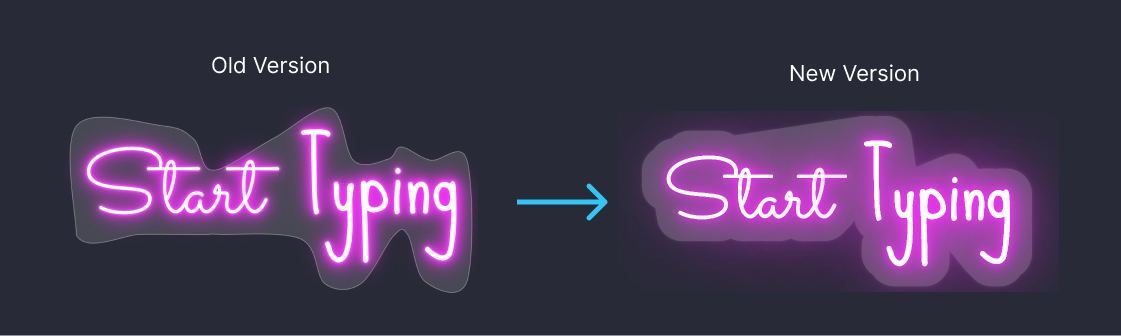
Cut to shape backboard visual update

Updated the visuals of the cut to shape backboard to present more similar to how it would look in real life. This visual update performs better in almost all cases and works with our new drag, scale and rotate features.

This new visual update is only available by enabling the experimental flag, learn how to enable experimental flag.

Improved cut to shape backboard sign visual effect

Dec 16, 2024

2024.12

Improved backboard color UX

A new setting has been added to move the backboard color selection inline with the chosen backboard. This change is more intuitive for your customers as they are prompted to choose the colour immediately after selecting their desired backboard.

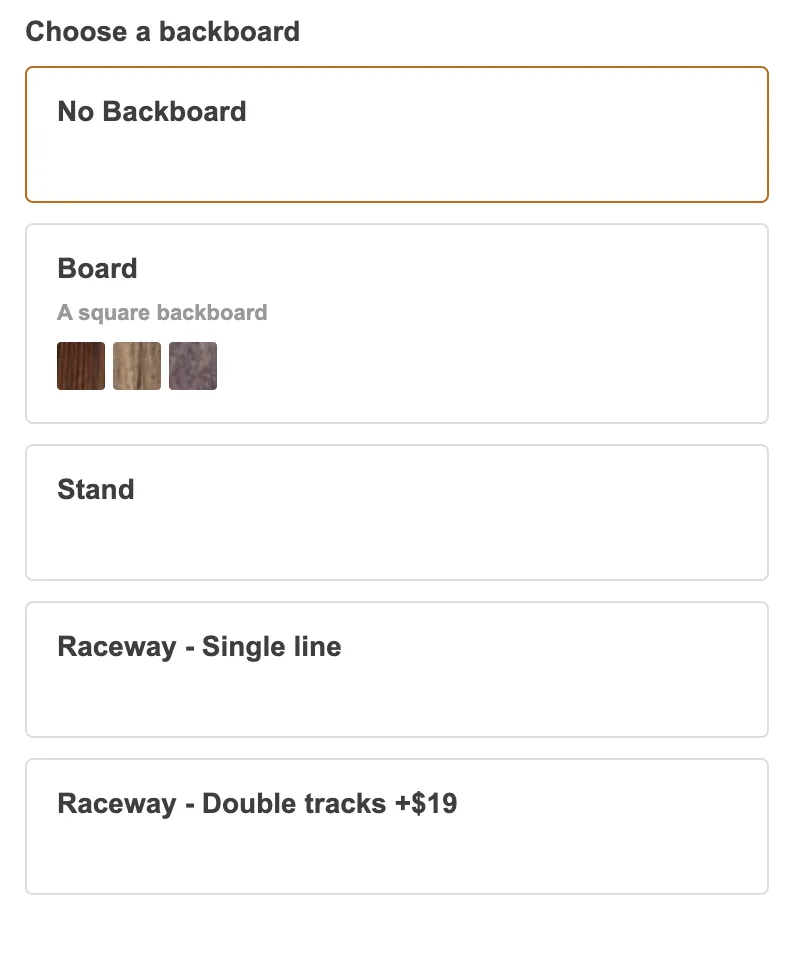
When the backboard is not selected the colors and materials show as previews inline:

Backboard option that is not selected showing colour and material previews

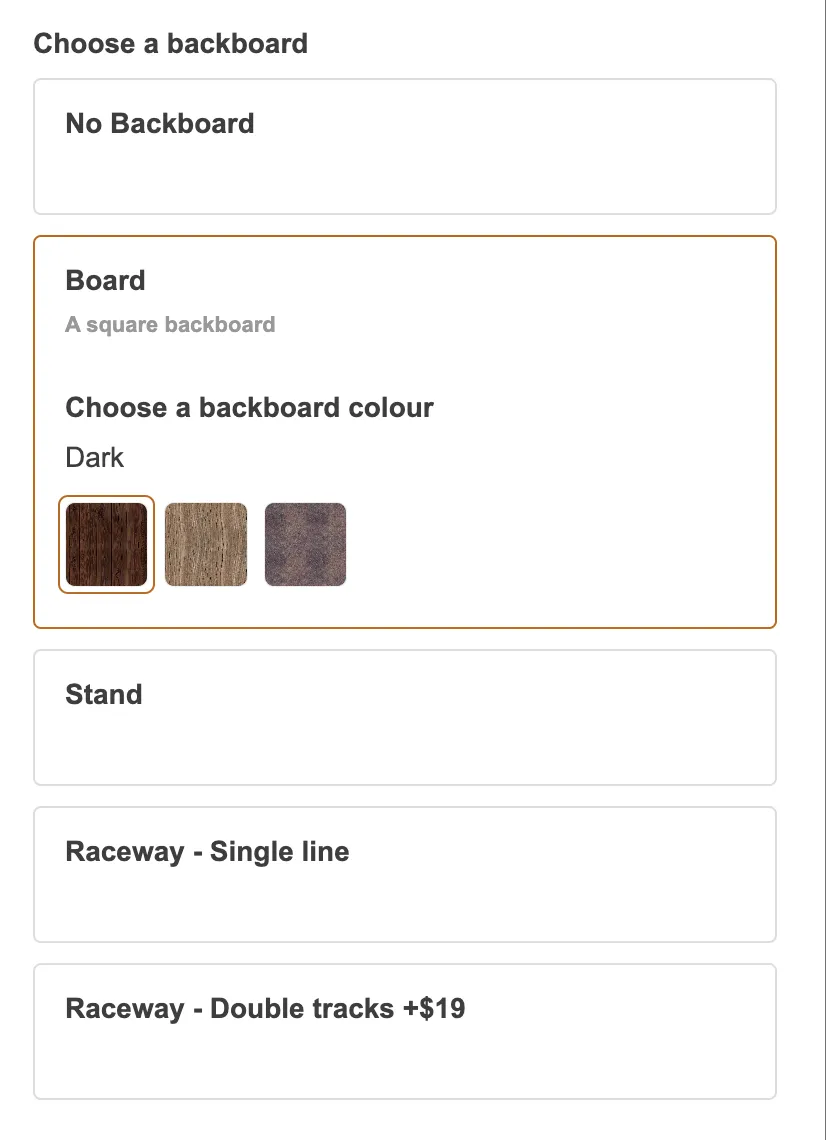
Once the customer selects the backboard they are able to switch between the different options:

Backboard option that is selected showing colour and material choices

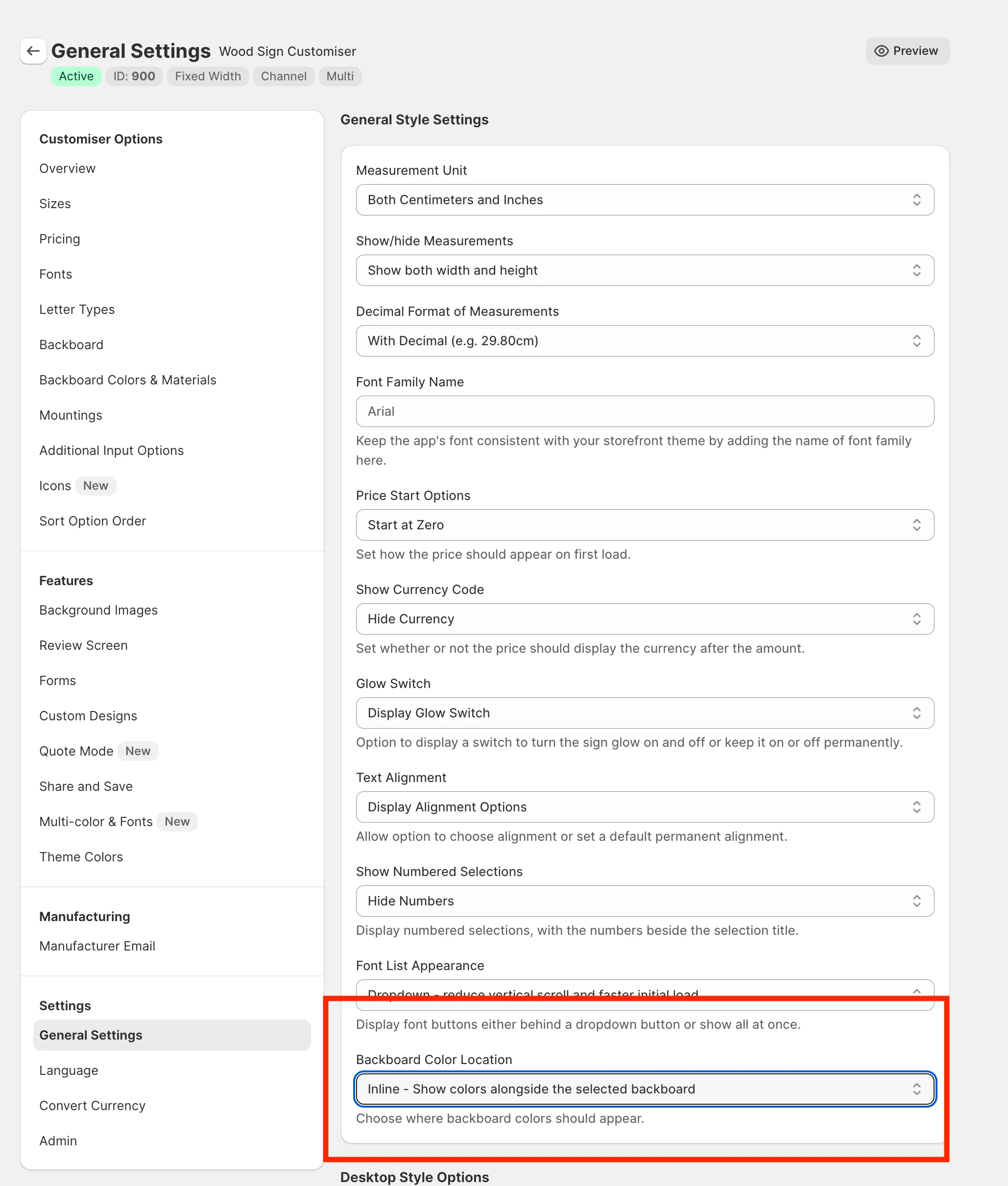
You can enable this feature in the settings page of your customiser:

Customiser admin area showing where to find the new setting

Dec 16, 2024

2024.12

User uploaded backboard images - Canvas and UV Printed sign support

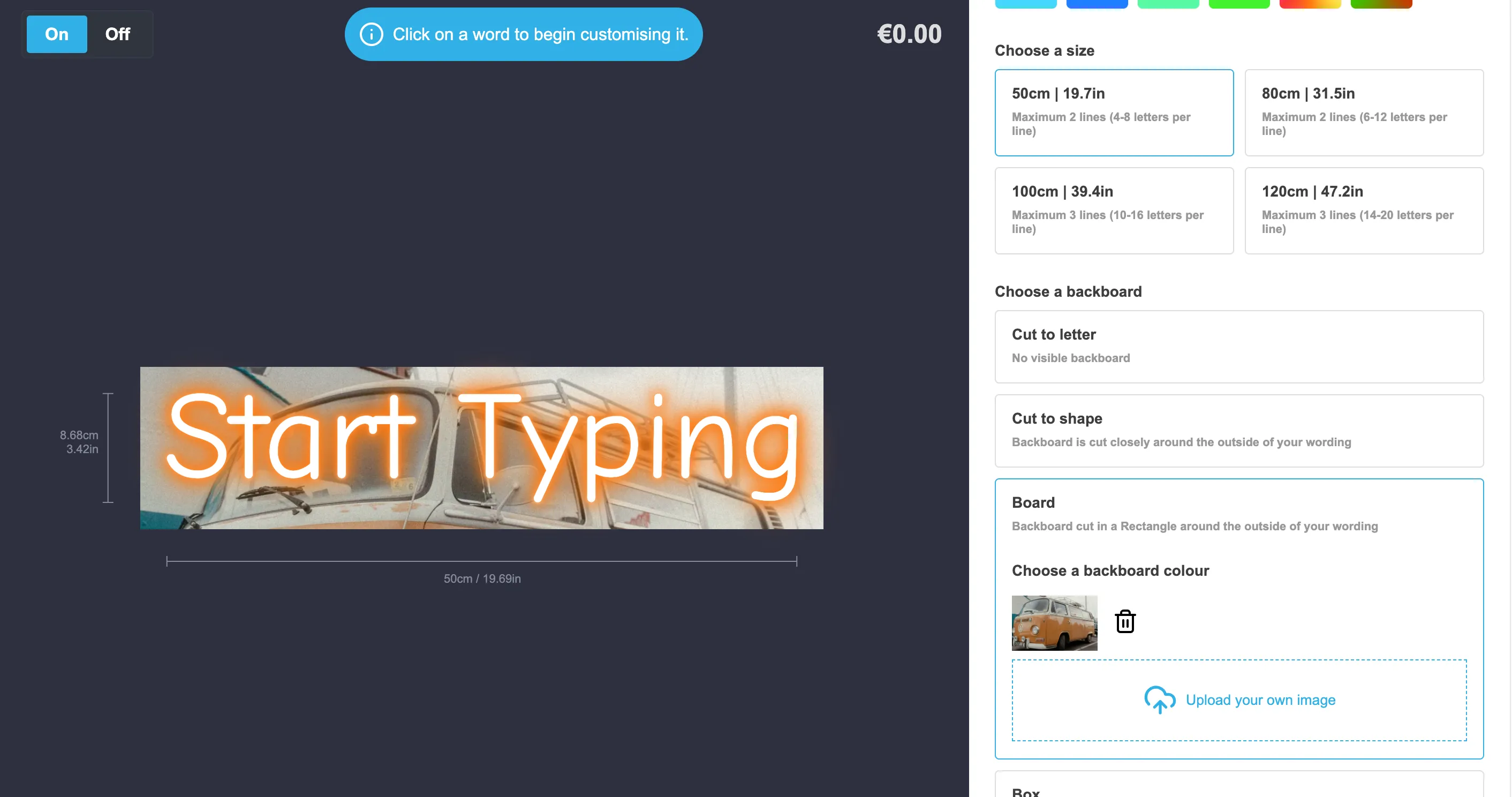
You can now let your customers upload their own images to use with a backboard. This feature is perfect for UV printed signs or what some call in the industry canvas signs.

Customiser visualisation showing custom backboard image

These images will be shown on the sign visualisation (configurable via a setting) and included in the created product for you to download.

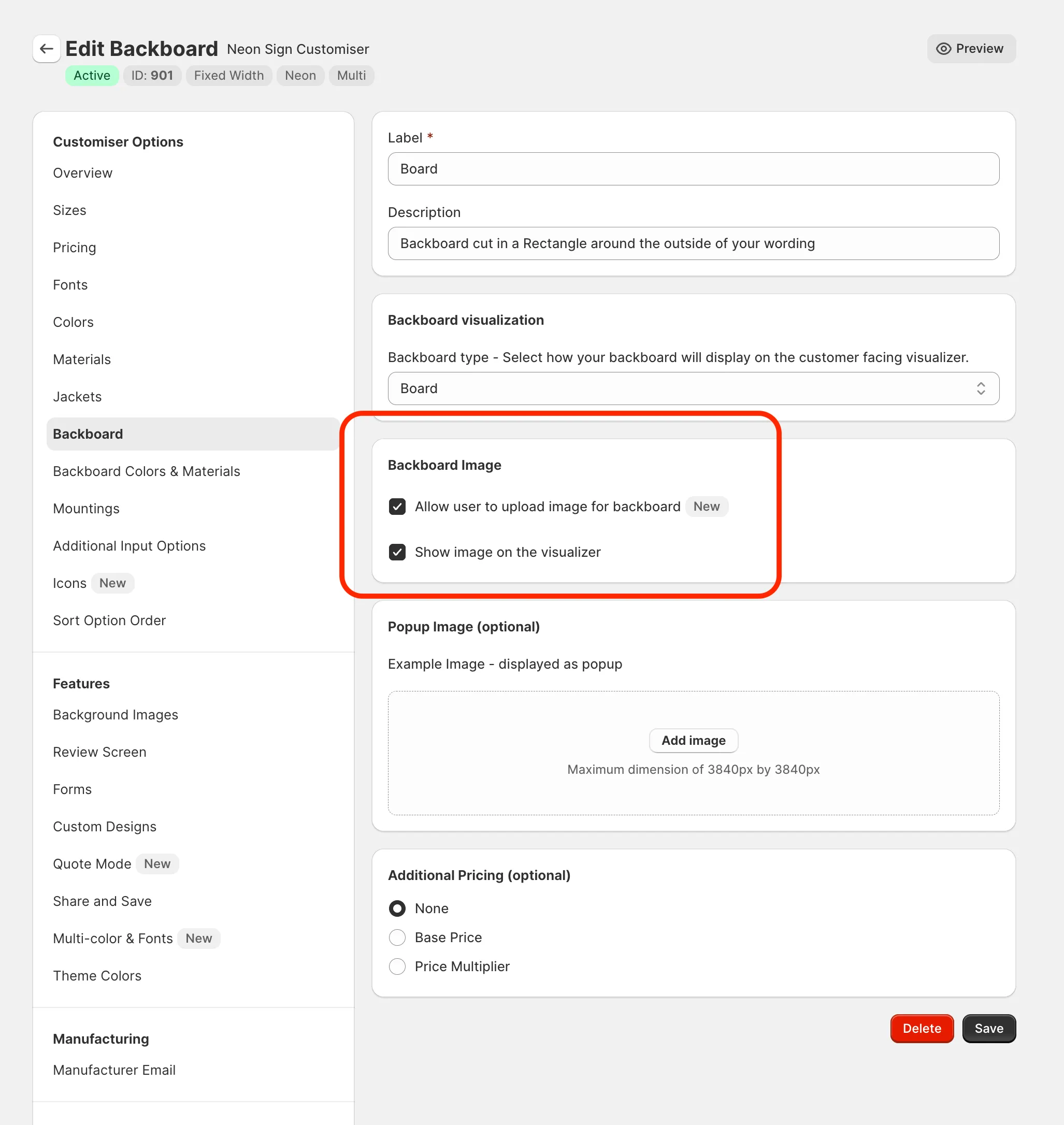
To enable this setting, find these checkboxes in your chosen backboard in your customiser admin:

Customiser admin backboard form showing new checkboxes to enable custom backgrounds

Dec 10, 2024

2024.12

Mounting visualisations

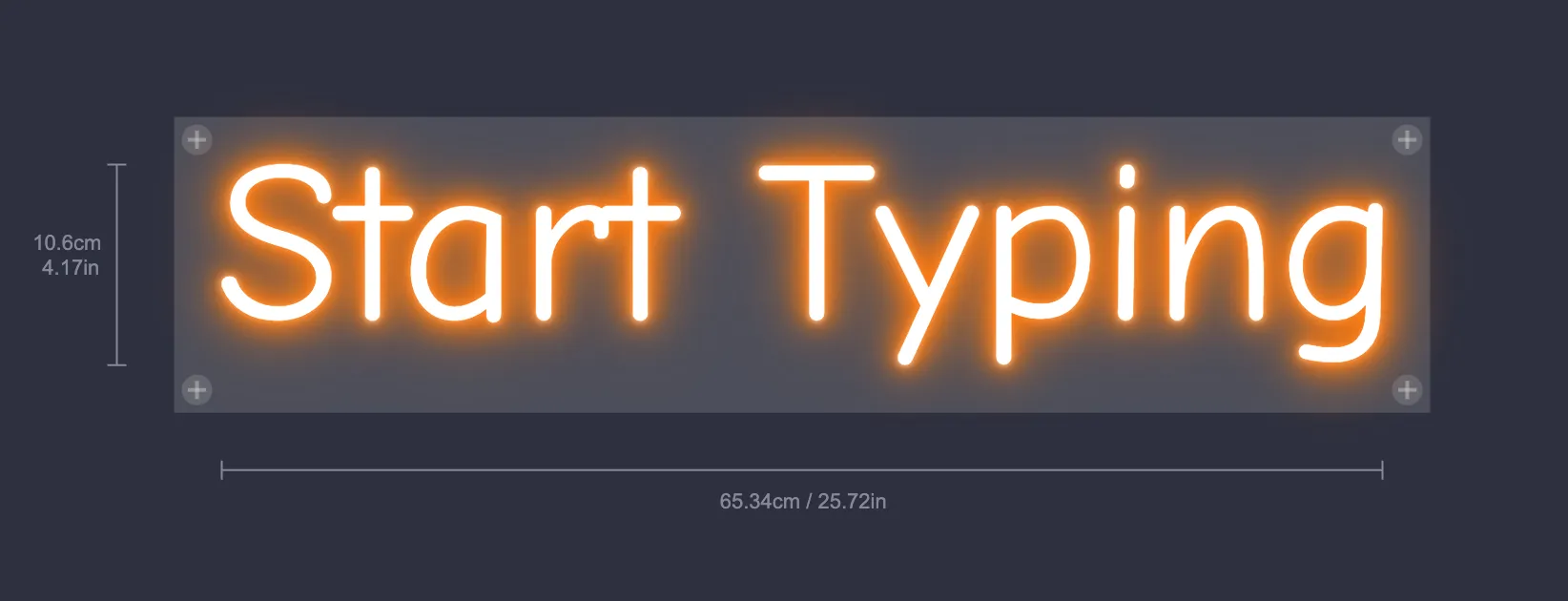
You can now enable different visualisations for your mounting options. This feature allows your users to see how the mounting would look once purchased.

Currently only the “Board” backboard type is supported.

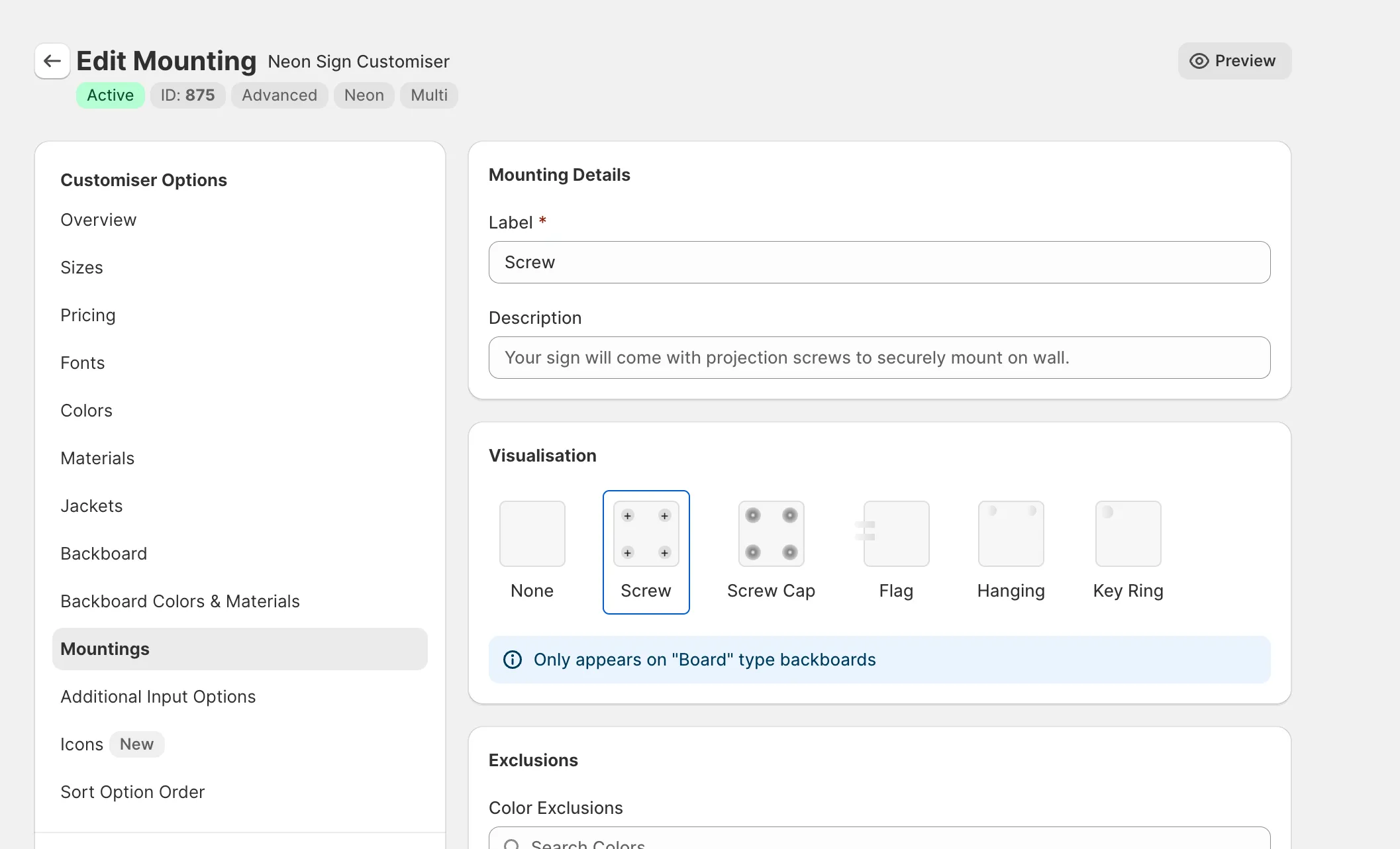
You can enable the different visualisations by visiting the “Mounting” area of the Sign Customiser admin area.

Mounting visualisation admin areaMounting visualisation client view

Dec 9, 2024

2024.12

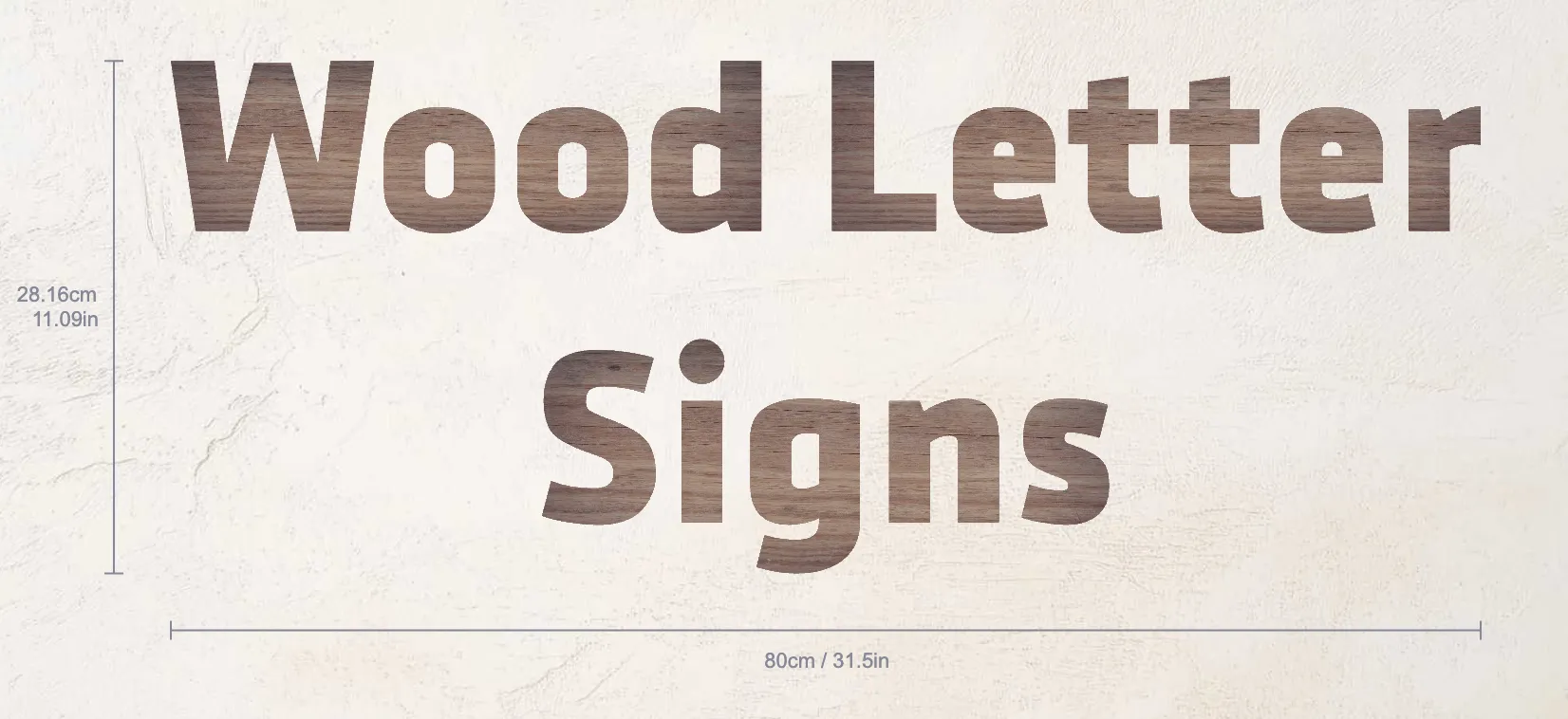
Wood Letter Signs Now Available

You can now start selling wood letter signs on your store with Sign Customiser, view a demo here.

We have updated our channel letter customiser type to support wood textures. This feature gives your letters a grainy wood texture and is tinted by the colour of your choice.

Wood Texture Text

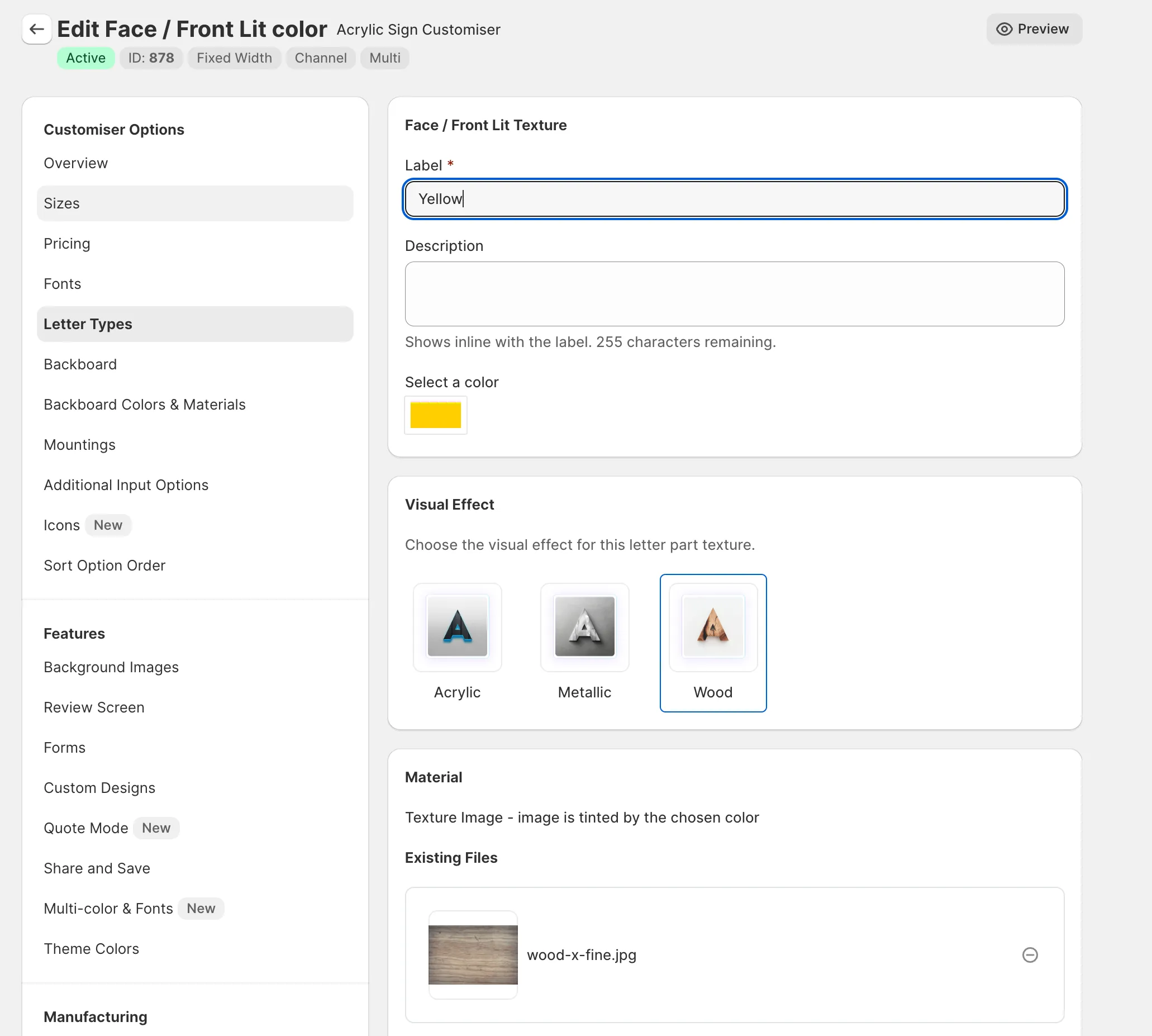
You can enable this feature by editing the face colours of your channel customiser and selecting the wood option in the “Visual Effect” card.

Wood Texture Settings

To learn more about how to control letter parts on channel customiser types, read our documentation here.

Nov 29, 2024

2024.11

Add customiser to Shopify collection pages

Previously you could only add a customiser to a product/page or homepage template on Shopify. This new update allows you to add customisers on the Shopify collection template as well.

Use this new feature to sell custom signs above or below the products in a Shopify collection page template.

Nov 12, 2024

2024.11

Show custom design form as initial screen

We have added the ability to show the custom design screen as the initial screen for your customiser.

This feature allows you to have links on your website that open both directly to the visualisation and to the custom design screen, generating you more custom design leads.

Read more about how to use this new feature in our documentation:

/help/ai-sign-designer/set-the-custom-design-form-as-the-initial-screen/

Nov 6, 2024

2024.11

WordPress Order Syncing

We are excited to announce a major update to our Sign Customiser WordPress plugin, bringing a highly requested feature to the table: WooCommerce Order Sync! This powerful new capability allows you to seamlessly connect your WooCommerce store with your Sign Customiser account, making it easier than ever to manage your sign orders.

What’s New?

With this update, the plugin will now automatically sync your WooCommerce orders to our system the moment a new order is placed. Along with the sync, manufacturer emails are instantly sent out containing all the critical sign details, ensuring that your production process is streamlined from the get-go.

Why :

  1. Hands-Off Order Management: No more manual copy-pasting of order information. Our plugin now automatically transfers all order details, saving you time and reducing errors.
  2. Instant Manufacturer Notifications: Your production partners will receive all the sign details they need as soon as a customer places an order, reducing delays and ensuring quicker turnaround times.
  3. Seamless Integration: Fully integrated with WooCommerce, this feature makes managing your sign orders a breeze, allowing you to focus more on growing your business and less on administrative tasks.

Get Started

Make sure to update your WordPress plugin to the latest version via the WordPress admin panel.

Read our documentation on how to set everything up:

  • /help/integrations/connecting-woocommerce-with-sign-customiser/
  • /help/universal-app/how-to-create-an-api-token/

Nov 2, 2024

2024.11

Start selling signs in minutes

Dropshippers can now start selling signs in a matter of minutes with Sign Customiser.

In just a few clicks you can have your customiser setup with your desired profit margin and all the options already added for your store.

How it works

This new process is the easiest and fastest way to start selling custom signs for your business.

All you need to do is:

  1. Select the manufacturer
  2. Select the sign type
  3. Enter in your profit margin
  4. Start Selling

This revolutionary process is a first of its kind for the sign industry and one we think is going to be a game changer.

Oct 30, 2024

2024.10

CSS support for universal app customisers

This update now makes it possible for universal app customisers to have support for custom CSS.

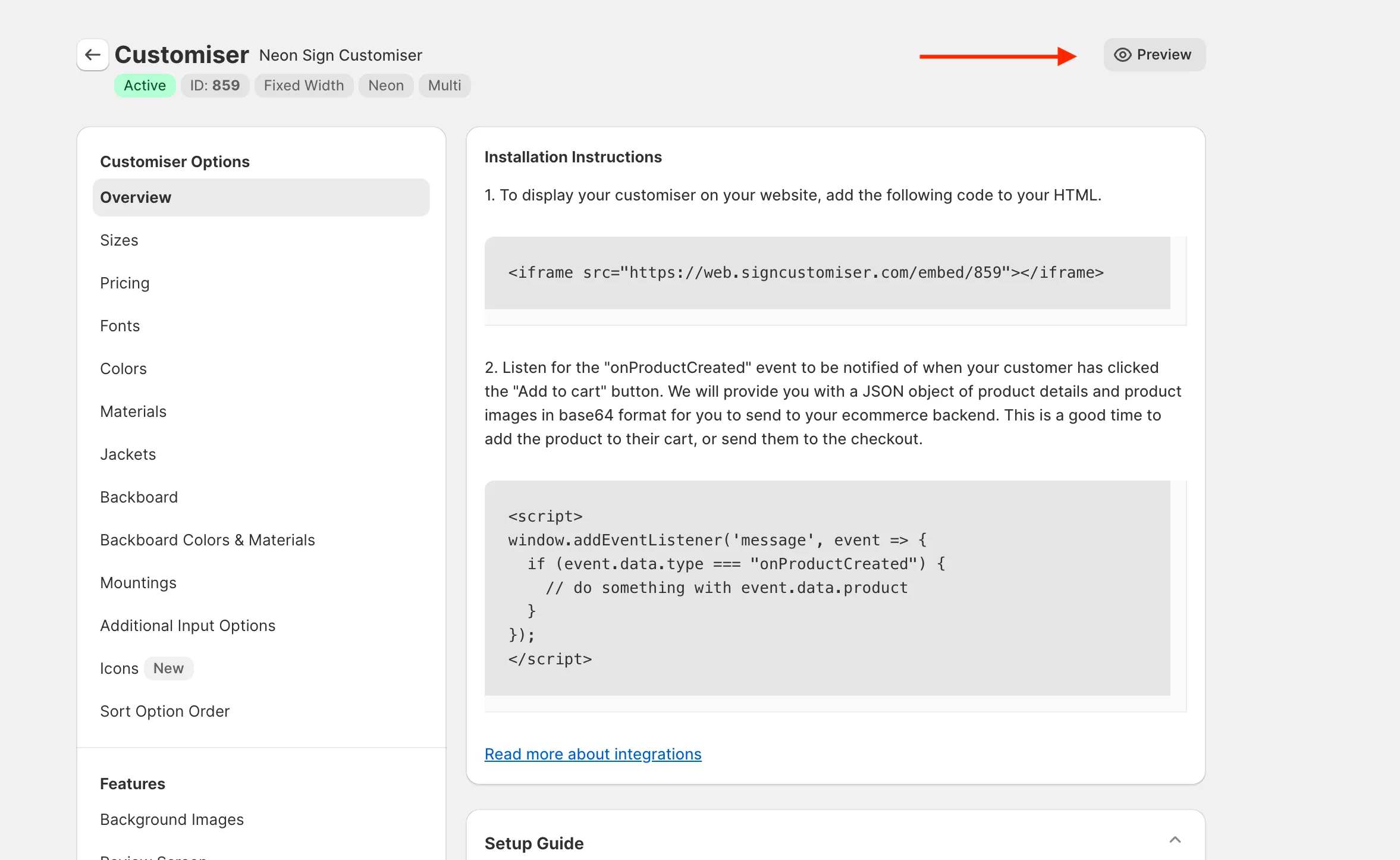
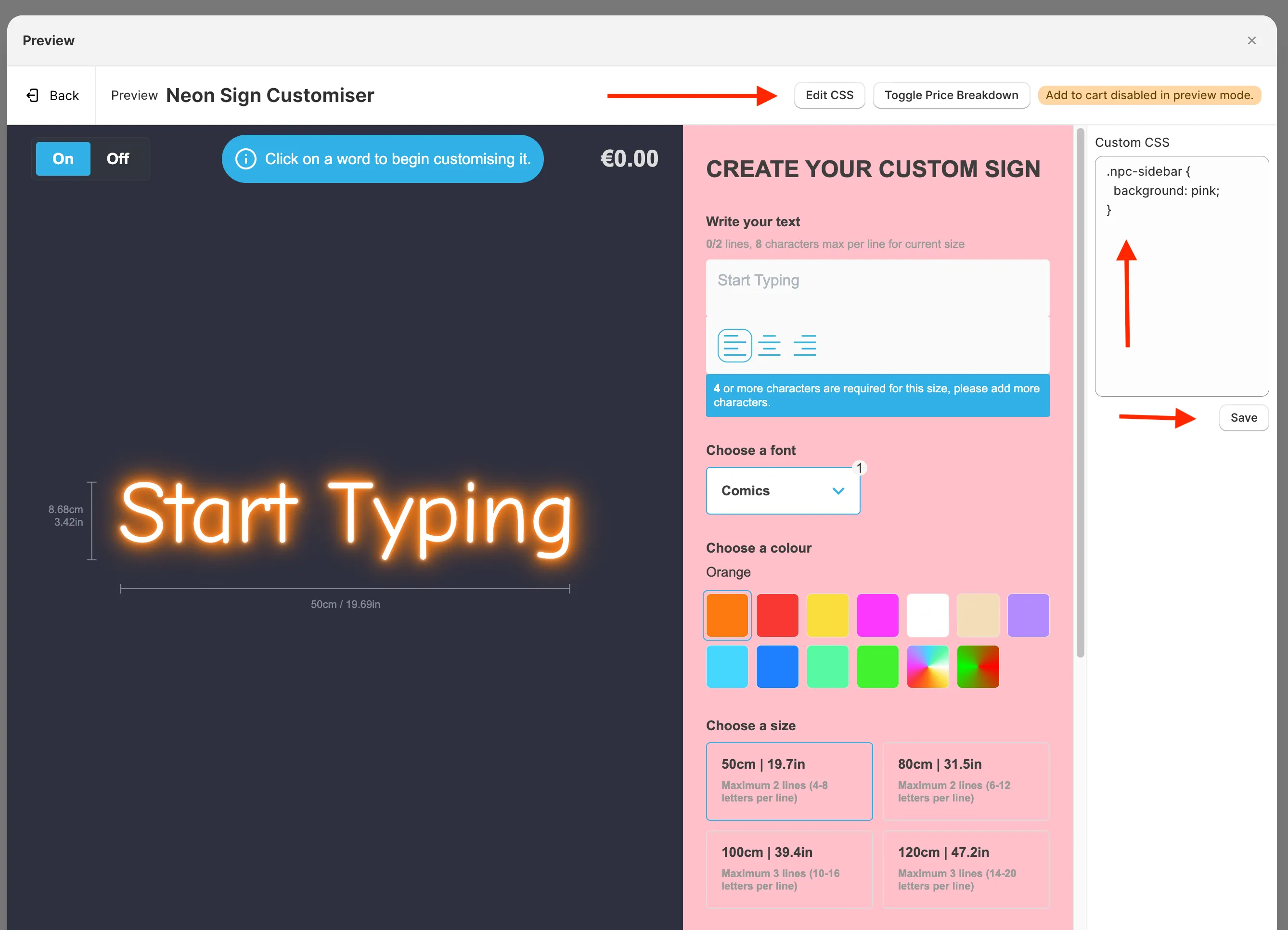
You can now edit the CSS of your customiser while you are previewing it in our admin application.

Previously, CSS could only be applied by editing the shopify theme itself, which made it impossible for universal app customisers to applly custom css.

This feature makes it even easier to have your customiser match your brand and style.

Custom CSS in adminCustom CSS in admin

Read more about how to use this new feature in our documentation:

/help/customise/custom-css/

Open original

Get started

Add Sign Customiserto your store today

Install now
36+ verified reviews

Login

Universal Sign In
  • WordPress
  • Wix
  • Etsy
  • Squarespace
  • Webflow

Or, if on Shopify, navigate to your store admin to login.