Changelog
Documenting our journey of creating a custom sign builder.
Page 3 of 18

Braille signs
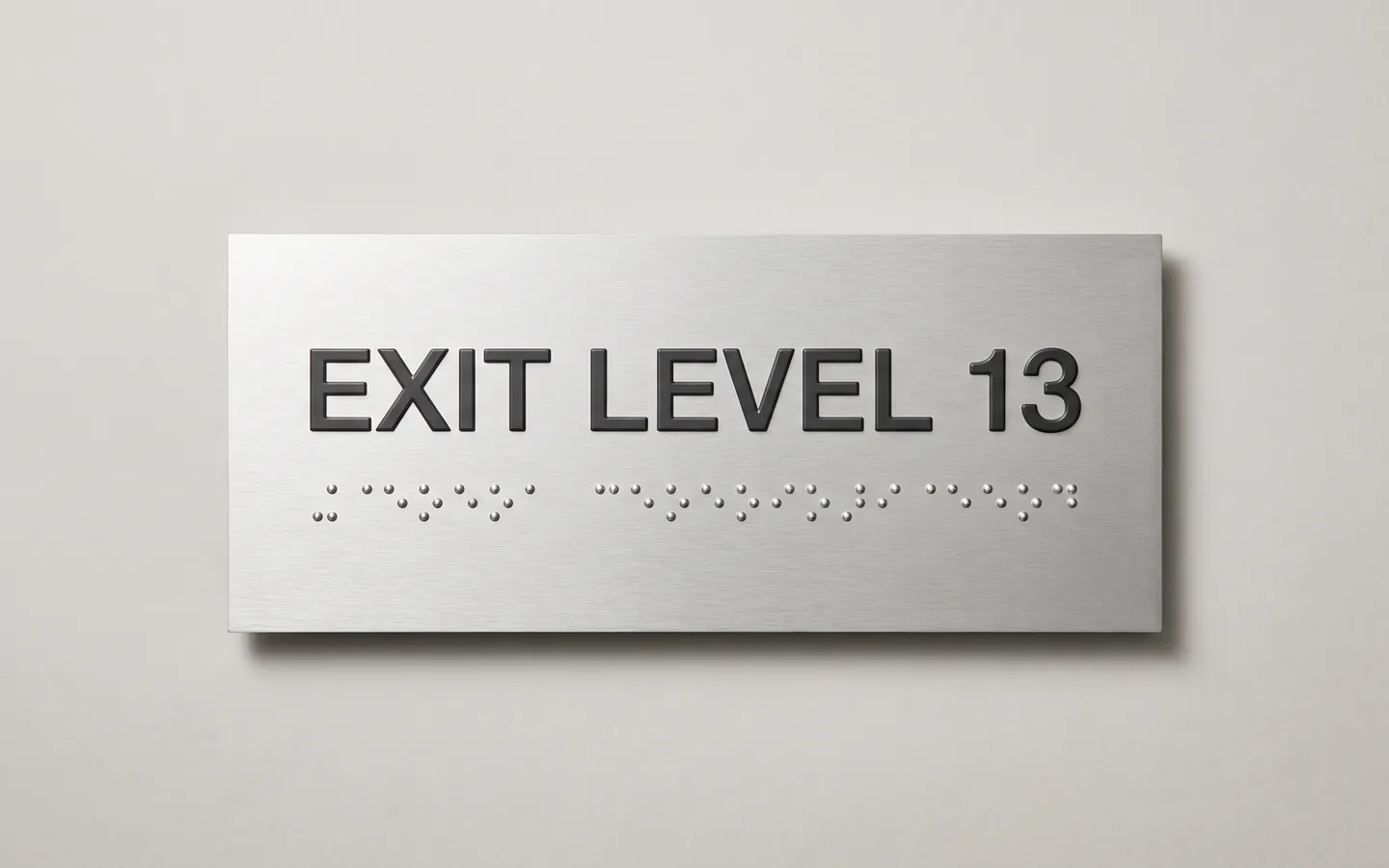
Sign Customiser now supports Braille Signs, a new plate-style product type for merchants selling accessibility and wayfinding signage. Customers type the printed wording, see a live braille row appear underneath it, and the same braille data flows through checkout, product images, manufacturer emails, and production files.
What’s Changed
- New Braille Signs product type - Pick “Braille Signs” in the customiser create flow to start from a complete plate-sign setup with demo sizes, colours, fonts, plate options, and mountings.
- Automatic braille translation - Customer wording is translated into braille automatically as they type, with country-based table defaults and a merchant override when a project needs a specific braille table.
- Honest language tiers - The 14-table support matrix is backed by the same registry used by the app, with included, review-recommended, and not-supported tiers so merchants know when to proof output or route the customer to a quote path.
- Standards-exact dot geometry - Braille dots keep their physical size when the plate changes, with ADA and AU geometry presets feeding the preview, measurements, validation, and fulfilment data.
- Manufacturing-ready vector output - SVG, EPS, and Illustrator-compatible files include the braille dots as exact vector circles, so production teams get usable artwork instead of a visual-only preview.
- Included in current plans - Braille signs are part of the current Sign Customiser plan system with no braille-specific surcharge.
Lightbox signs that size themselves to your artwork
Lightbox signs are almost always made to specific dimensions, so we have made the size follow the artwork. When a customer uploads an image to the face of a lightbox sign, the sign now reshapes itself to match the image’s proportions, scaled to sit within the sign’s size limits. Customers get a result that matches what they uploaded, without working out the right dimensions by hand.
What’s Changed
- Lightbox signs match your uploaded image - When a customer uploads artwork to the face of a lightbox sign, the sign’s custom width and height adopt the image’s proportions automatically, scaled to fit within the allowed size range. The size selection switches to Custom for them, so what they see on screen is what gets made.
- Custom sizes by default for new lightbox signs - New lightbox customisers start in custom-size mode with no preset size tiers, matching how lightbox signs are really quoted and produced. You stay in control: your existing customisers are left exactly as they are, and you can still offer preset sizes whenever you want them.
- Flexible artwork cropping - Customers can crop an uploaded image to any shape rather than being forced into a fixed square, which makes it far easier to fit logos and artwork to bespoke sign dimensions.
- Uploads stay put when resizing - Artwork a customer has already added is kept when the sign size changes, so adjusting the dimensions no longer clears the image they uploaded.
Charge for backboards by the sign's area
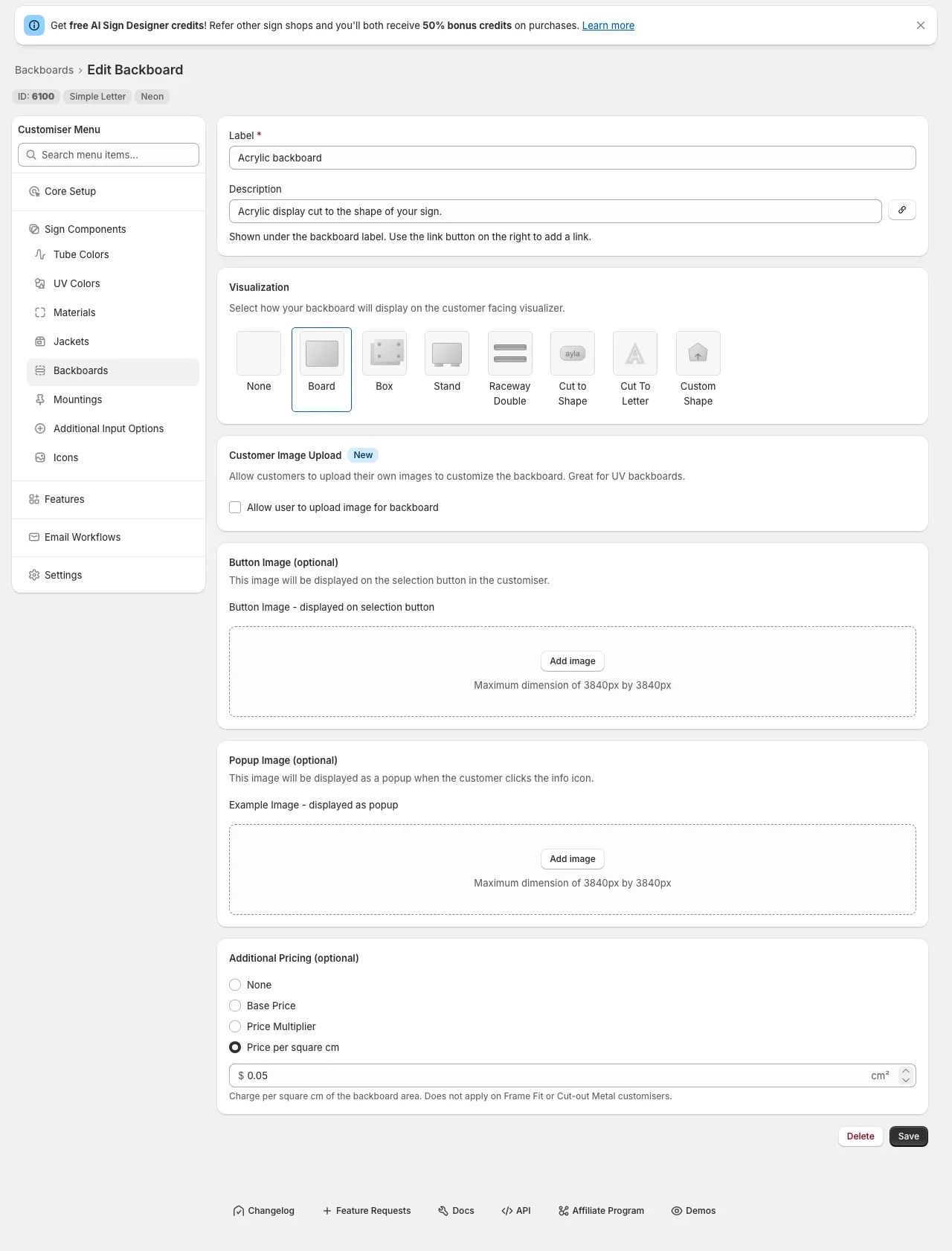
Sign Customiser now lets you price a backboard by the area of the sign. Instead of a single flat fee, you can set a rate per square inch (or per square centimetre) so bigger signs are charged proportionally more for their backboard — a fairer way to recover material costs that grow with size.
What’s Changed
- Area-based backboard pricing - On any backboard, choose “Price per square in/cm” under Additional Pricing and set a rate. The charge is the sign’s width × height × your rate, added automatically to the customer’s quote.
- Clear customer breakdown - When an area rate applies, customers see a dedicated “Backboard area” line in their price breakdown showing the dimensions, the rate, and the resulting charge.
- Follows your measurement unit - Enter the rate per square inch or per square centimetre to match your store’s settings; the customiser handles the conversion for you.
- Works with bulk price adjustments - The area rate scales alongside your other prices when you apply a global price adjustment or switch currency, so nothing is left behind.
- Off by default - Existing backboards are unaffected; pricing only changes once you set a rate. The option is hidden on Frame Fit and Cut-out Metal signs, which already price the whole sign by area.
Sell custom signs in every active Shopify market
If your Shopify store uses Markets to sell across multiple countries or regions, Sign Customiser now publishes each generated custom sign product to the shopper’s active market automatically. Previously a custom design could be created in a market where it wasn’t yet available for purchase, leaving some shoppers unable to complete checkout. Now the product is made available in the right market behind the scenes, so more customers reach the checkout no matter where they’re buying from.
What’s Changed
- Automatic publishing to active markets - Custom sign products are now added to the catalogues of your active Shopify Markets when a design is created, so they’re available to buy in every region you sell to.
- Guided Markets access setup - A new banner in the Shopify admin lets stores using Markets approve the optional access Sign Customiser needs, with a single click and clear explanation of why it helps.
- More reliable checkout - The customiser and add-to-cart flow now stay resilient when market or cart information is incomplete, so shoppers still get a smooth path to checkout instead of an error.
- Works quietly in the background - Stores that don’t use Shopify Markets see no change, and there’s nothing extra to configure — everything happens automatically once access is approved.
Backlit glow for cut-out metal signs
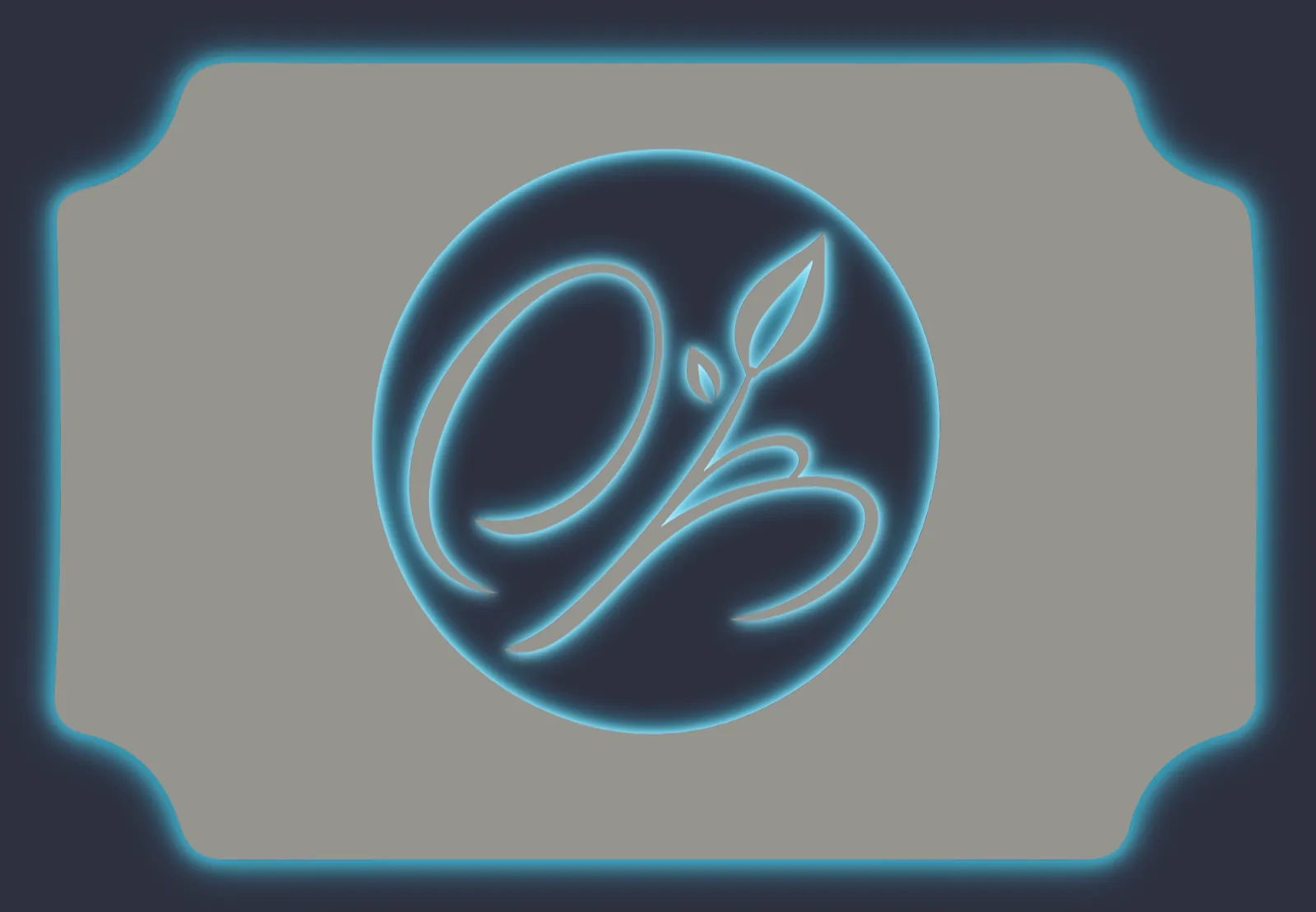
Sign Customiser now lets you offer a backlit glow on cut-out metal sign customisers. Add a backlight option and your customers can switch the lighting on, pick a colour, and watch the preview update live — light blooming around the panel edge and through the inside of every cut-out shape, just like a real LED-backlit sign lit up against a wall.
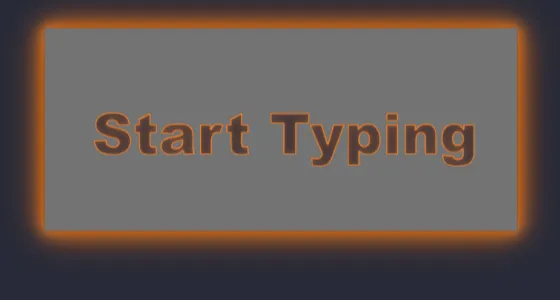
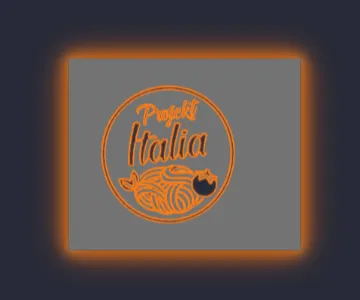
The same glow follows any design. Whether your customer types their own text or uploads a logo through the AI Sign Designer, the shape is cut from the panel and lit around every edge.
What’s Changed
- New backlight option - Add a backlight selection to any cut-out metal customiser so customers can choose to light their sign up.
- A range of glow colours - Offer warm white, amber and other single colours, or multi-colour RGB and Flow effects — each with its own optional price adjustment.
- Works for text and logos - Customer-typed text and AI Sign Designer logos are both cut from the panel, with the glow tracing every edge of the design.
- True-to-life glow preview - The light blooms softly out from the panel edge and the inside edge of every cut-out shape, with see-through centres, instead of a hard painted outline.
- Carried right through to the order - The selected backlight and its price flow into the live quote, the product image, the cart and the manufacturer’s order details.
Reliable add to cart on Shopify's newest themes
Sign Customiser now adds custom signs to the cart correctly on Shopify’s newest theme family — Horizon and Vision, the successors to Dawn. Previously, when a shopper finished designing a sign on a store using one of these themes, the cart drawer wouldn’t open and the sign could be added twice, leaving customers with a doubled quantity and no confirmation that their design had been saved. Both issues are now resolved, so the add-to-cart experience is smooth and accurate across every supported theme.
What’s Changed
- Support for Shopify Horizon and Vision themes - Custom signs now add to the cart and slide open the cart drawer correctly on Shopify’s latest themes, giving shoppers instant confirmation that their design is saved.
- No more doubled quantities - A custom sign is now added to the cart exactly once on every theme, so customers always see the correct quantity and price at checkout.
- Fewer abandoned carts - With the cart drawer opening every time, shoppers are no longer left wondering whether their order went through, helping more designs make it to checkout.
- Broader theme compatibility - We reworked how the cart refreshes across Dawn, custom-built, and other themes so the cart panel always updates reliably without re-adding the product.
Upload PDF files to the AI Sign Designer
The AI Sign Designer now accepts PDF uploads, making it even easier for your customers to turn artwork they already have into a custom sign. PDFs are one of the most common formats designers and businesses use for logos and brand artwork, so this removes a frustrating extra step for customers who previously had to convert their files before uploading.
When a customer uploads a PDF, the AI Sign Designer processes it automatically, just like a photo or image, producing a sign-ready preview and the production files you need to fulfil the order.
What’s Changed
- PDF uploads now supported - Alongside JPG, PNG, SVG and photos, customers can now upload PDF artwork directly into the AI Sign Designer
- Automatic conversion - Uploaded PDFs are turned into a sign-ready design with no extra effort from your customer
- Larger files welcome - PDF artwork can be up to 25MB, comfortably covering the high-resolution files designers typically supply
- Clear feedback on problem files - Unreadable or password-protected PDFs are handled gracefully, so customers get a helpful message instead of a broken upload
Choose how multi-line sign height is measured
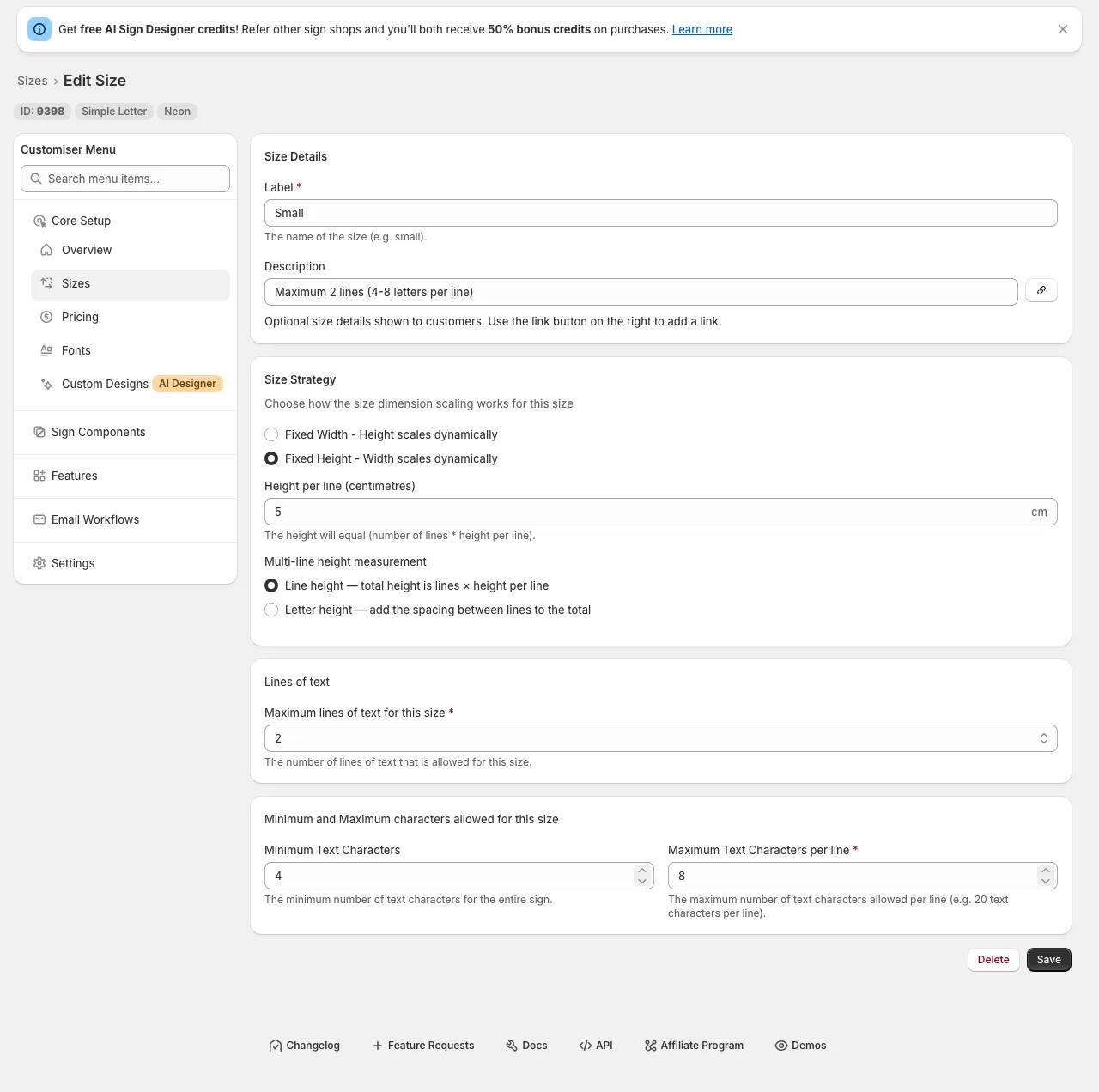
Sign Customiser now lets you control how the height of a multi-line sign is measured. When a size uses a fixed height, you can decide whether the height you set is the height of each line or the height of the letters themselves — so the measurements your customers see, and the sizes you send for manufacturing, match how you describe your signs.
What’s Changed
- New height measurement choice - For any size that uses a fixed height, you can now choose between “Line height” and “Letter height” when setting the height per line.
- Letter height adds the line spacing - Choose “Letter height” and the gap between lines is added on top of the letters, so a multi-line sign measures taller — and scales slightly wider to stay in proportion — matching what customers expect when they picture the letter size.
- Line height stays the default - “Line height” keeps the original behaviour, where the total height is simply the number of lines multiplied by the height per line. Existing sizes are unchanged, so nothing moves unless you opt in.
- Clear impact, explained in the form - The measurement you choose flows through to the size shown in the customiser and the size sent for manufacturing, with an in-app note that letter height can also affect area-based shipping prices.
More realistic clear acrylic cut backboards
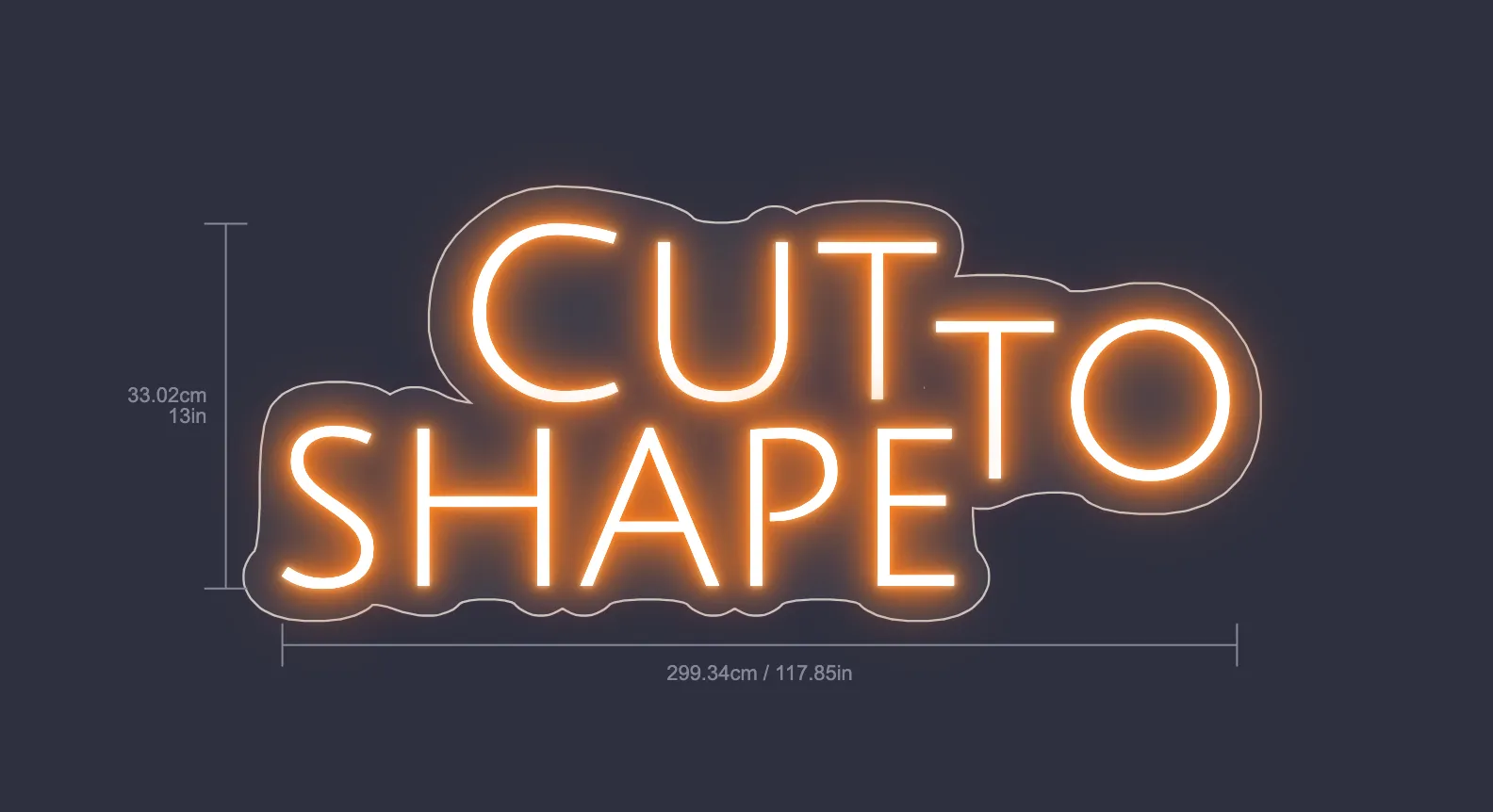
Cut-to-shape and cut-to-letter backboards now look like the real thing in the customiser. When no backboard colour is selected, Sign Customiser previews the backing as clear acrylic with a crisp cut edge that follows your design — matching how a finished neon sign actually looks — instead of a flat grey panel.
What’s Changed
- Clear acrylic by default - With no backboard colour chosen, cut-to-shape and cut-to-letter backboards now render as clear acrylic rather than a solid grey shape.
- Visible cut edge - A clean cut line traces the outer edge of the design — the whole silhouette for cut-to-shape, and each letter for cut-to-letter — just like light catching the edge of real acrylic.
- A more accurate preview - Customers see a truer representation of their finished neon sign, helping them feel confident in their design before adding it to the cart.
Clearer icon picker for custom sign text
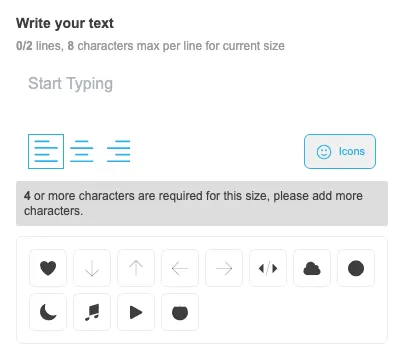
Sign Customiser now makes sign icons easier for customers to find while they are writing their sign text. The old compact icon control has been replaced with a labelled button and a tidy inline icon grid, so adding a graphic feels like part of the text editing flow instead of a hidden extra step.
What’s Changed
- Clearer icon button - The text editor now shows a bordered icon button with a short label, making the icon picker easier to discover
- Merchant-editable wording - Stores can customise the button label from the Icons settings page to match their own language and product style
- Inline icon grid - Icons now open in a compact panel beneath the text box, keeping the customer in context while they add graphics to their sign
- More stable toolbar layout - The icon button sits neatly alongside the text controls and avoids overlapping the text field on narrower layouts
