
NewTurn any image into a sign design.
Changelog

Changelog

Documenting our journey of creating a custom sign builder.

Filtered by:AI Sign Designer(16 updates)Page 2 of 2

Stay informed with updates every month

Or subscribe to ourRSS feed

Metal cut-out signs

Sign Customiser now ships a dedicated Metal Cut-Out Signs product type. Customers pick a panel shape and type or upload their design, and the sign is rendered as a clean negative-space cut-out from a metal panel — ready to send straight to the laser cutter.
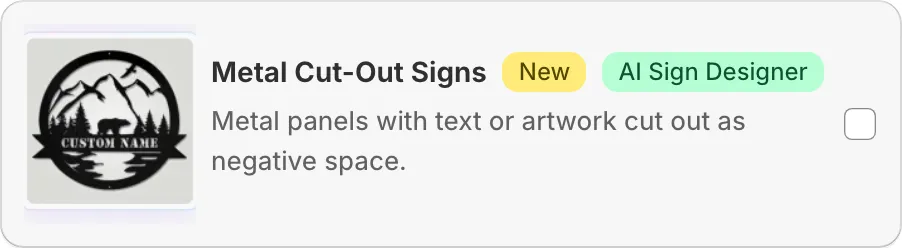
New Metal Cut-Out Signs product card in the customiser create flow, with cut-out bear and mountain artwork

What’s Changed

  • New Metal Cut-Out Signs product typePick “Metal Cut-Out Signs” in the customiser create flow alongside neon, channel letters, lightbox, wood, and address numbers. Onboarding seeds a complete starter customiser with panels, panel colours, mountings, and an outdoor finishing extra so the new product is ready to sell as soon as it’s created
  • Six pre-built panel shapesRectangle, rounded rectangle, circle, oval, classic plaque, and banner panels are included out of the box, each with sensible text padding so the cut-out design always sits comfortably inside the panel edge
  • AI Sign Designer supportCustomers can upload a logo or describe the sign they want and the AI Sign Designer generates clean stencil-style artwork shaped to the selected panel, ready to be cut from metal in a single piece
  • Panel colour and material libraryA starter library of panel finishes — including raw steel — applies across the visualiser so shoppers see their cut-out design on the actual material they’ll receive
  • Mounting and finishing optionsWall standoffs and pre-cut hanging holes ship as mounting choices, with an optional outdoor clear coat extra for signs that need extra protection against the weather
  • Frame fit pricing built inCut-out signs use area-based frame fit pricing, so quotes scale naturally with panel size using the same pricing model already powering backboards and lightbox signs
A quality leap for AI-generated neon sign designs

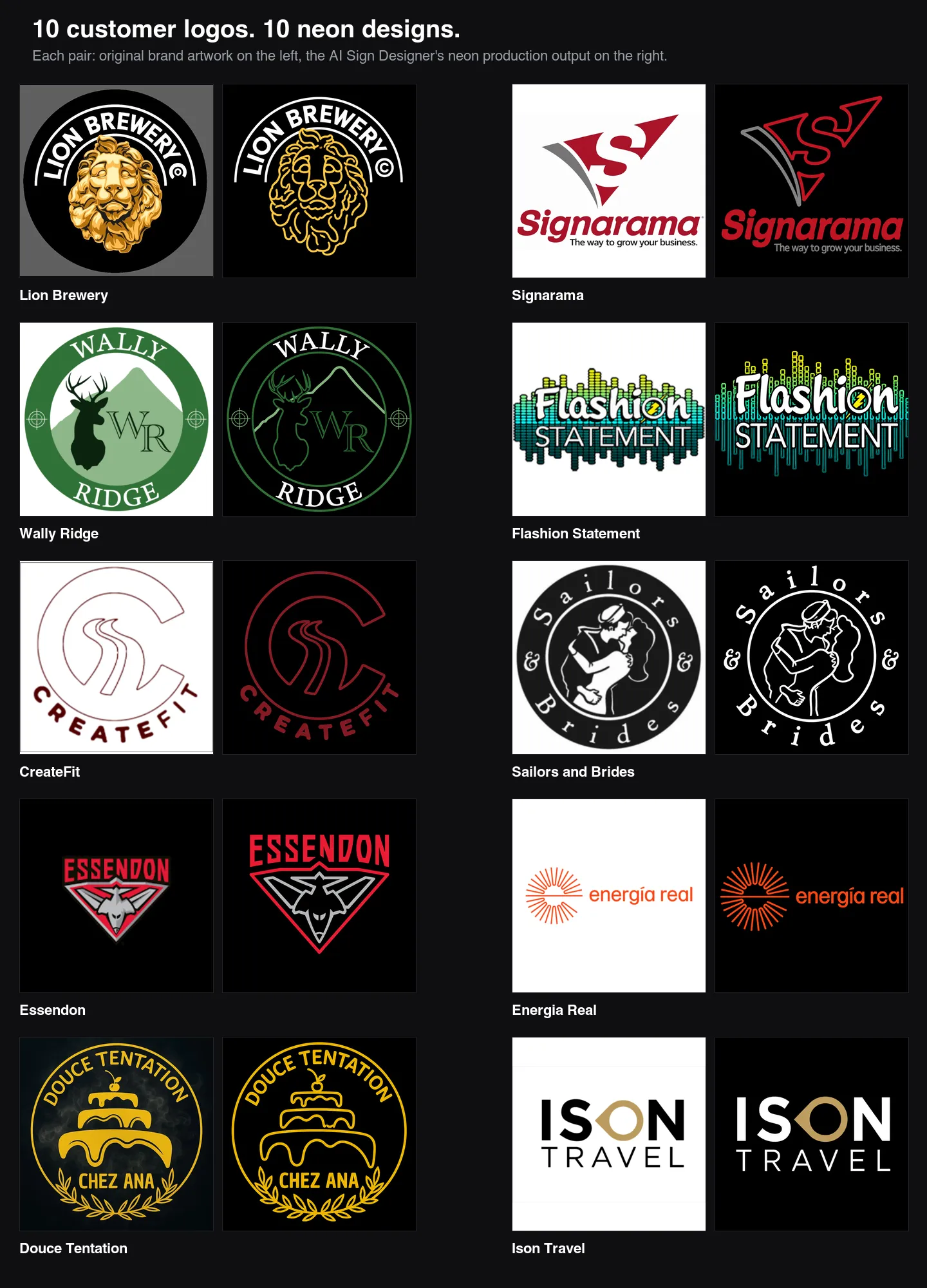
The AI Sign Designer has taken a significant step forward at converting customer-supplied logos into neon production artwork. When shoppers upload a brand logo and ask for a neon sign, the output now looks like a clean tube layout your shop could quote and build, with the original wordmark, colours, and proportions intact.

Grid of ten customer logo uploads paired with their AI-generated neon production designs, including Lion Brewery, Signarama, Wally Ridge, Flashion Statement, CreateFit, Sailors and Brides, Essendon, Energia Real, Douce Tentation, and Ison Travel — each output preserves the source wordmark, brand colours, and layout while rebuilding the graphics as flat tube paths

What’s Changed

  • Brand typography is now preserved exactlyWordmarks are traced from the original glyphs, so the source font weight, letter spacing, terminals, and curved baselines come through instead of being replaced by a generic neon script
  • Source colours map to tube coloursBrand reds, greens, blues, and other colours from the customer’s logo carry through to the neon tubes rather than collapsing to a single white tube
  • Backboards and filled badges are stripped outSolid discs, shields, dark colour fields, and panel backgrounds behind a logo are removed automatically, leaving only the foreground tubes and lettering a sign shop would actually fabricate
  • Flat production artwork instead of a glowing previewOutputs are now unlit, hard-edged, vector-style tube proofs with no halos, bloom, or photographic glow effects, so what you see is what you’d quote
  • Taglines and small lettering surviveThin, light, or widely spaced text is no longer fattened or regularised; small straplines like “The way to grow your business” remain readable and on the right baseline
  • Cleaner separation of text and graphicsLetters stay solid filled, while icons, animals, and decorative shapes are rebuilt as sparse tube paths with negative space between them — matching how a real neon sign is built
  • More consistent results from the same uploadNeon prompts now run with tighter generation settings, so re-running the same logo produces noticeably less variation between attempts

Apr 5, 2026

2026.4

AI Sign Designer now supports Material Length pricing

The AI Sign Designer just got a major expansion. Merchants using the Material Length pricing model can now offer AI-powered sign design directly in their customisers, opening up precise, path-based pricing for customer-uploaded artwork and AI-generated designs. We’ve also expanded Channel Letter sign support and made it faster than ever to get started with new demo templates.

Update, 1 October 2026:From 1 October 2026, AI Sign Designer V2 does not add a UV print to new neon designs. Designs that already have a UV print keep it. The manual UV print options do not change. See AI neon designs now show as lit tubes.

What’s Changed

  • Material Length pricing meets AI Sign DesignerCustomisers using the Material Length model can now accept AI-generated SVG designs with accurate per-letter measurements and pricing. Customers upload an image or describe their sign, and the AI produces a design that’s measured and priced using your existing material length rules
  • Channel Letter signs work with AI Sign DesignerChannel Letter product types are now fully supported in the AI Sign Designer flow, including face and halo colour effects, RGB options, and UV print colour preservation
  • UV print colours preserved from AI artworkWhen a customer uploads a multicolour design, the original fill colours from the AI artwork are automatically carried through as UV face print data, so what the customer sees in the preview matches what goes to production
  • New demo templates for faster setupThe customiser creation flow now includes AI Sign Designer demo data for eligible product types, so merchants can launch a fully configured customiser with AI design capabilities in just a few clicks
  • Streamlined onboardingThe standalone onboarding card has been replaced with an integrated setup experience that seeds AI Sign Designer settings alongside your demo data, reducing the steps needed to go live

Feb 27, 2026

2026.2

Major upgrade to AI Sign Designer image capabilities

The AI Sign Designer has received its biggest image processing upgrade yet. Our underlying models have been significantly improved, delivering noticeably better results across virtually every type of image your customers upload.

Whether it’s a photograph, a hand-drawn sketch, a detailed graphic logo, or a simple wordmark, the AI Sign Designer now interprets and converts images with greater accuracy and fidelity than ever before.

What’s Changed

  • Better photographic image handlingPhotos and real-world images are now interpreted with far greater detail, producing cleaner and more accurate sign-ready conversions
  • Improved logo and graphic interpretationComplex multi-element logos, icons, and brand graphics are converted more faithfully, preserving fine details and maintaining the integrity of the original design
  • More accurate shape detectionIntricate patterns, overlapping elements, and visually dense designs are now handled with significantly improved precision
  • Broader image type supportFrom minimalist line art to richly detailed illustrations, the AI Sign Designer now handles a wider range of visual styles with consistently better output
  • Higher quality results overallEvery conversion benefits from the upgraded models, meaning your customers see better previews and you receive more production-ready files

AI Sign Designer enhanced logo and image editing capabilities

Sign Customiser’s AI Sign Designer now features powerful image editing capabilities with significant performance improvements and enhanced functionality.

Key Enhancements

Transparency Support Fixed

Critical issues with generating images containing transparency have been resolved. Logos with transparent backgrounds are now handled correctly, maintaining their intended visual appearance across all sign materials including neon and acrylic.

Improved Shape Interpretation for Complex Images

Enhanced shape detection algorithms now provide superior interpretation of busy and complex images. The AI Sign Designer can better distinguish between overlapping elements, handle intricate patterns, and accurately identify shapes in visually dense designs. This improvement ensures that even the most detailed logos and graphics are converted with precision, maintaining the integrity of complex brand elements.

Jan 19, 2025

2025.1

Auto-process form submissions with AI Sign Designer

Sign Customiser now lets you automatically process image uploads from custom design form submissions using the AI Sign Designer. When enabled, every image file submitted through your forms is instantly converted into a production-ready SVG, with a link included in the submission notification email.

What’s Changed

  • Automatic AI processingEnable auto-processing in the “Custom designs” tab of your admin to have all uploaded images automatically converted to SVGs
  • SVG links in emailsEach submission email now includes direct links to the generated SVG files, making it easy to review and download designs
  • Credit-based usageEach processed file consumes one AI credit from your account, giving you full control over usage
  • Manual processing optionPrefer to review uploads first? Leave auto-processing off and manually select “Generate AI Design” for specific files from the “Form Submissions” tab

This feature streamlines the custom design workflow by eliminating manual conversion steps, allowing you to respond to customer enquiries faster with production-ready files already in hand.

Open original

Get started

Add Sign Customiser to your store today

Install now
36+ verified reviews

Login

Universal Sign In
  • WordPress
  • Wix
  • Etsy
  • Squarespace
  • Webflow

Or, if on Shopify, navigate to your store admin to login.