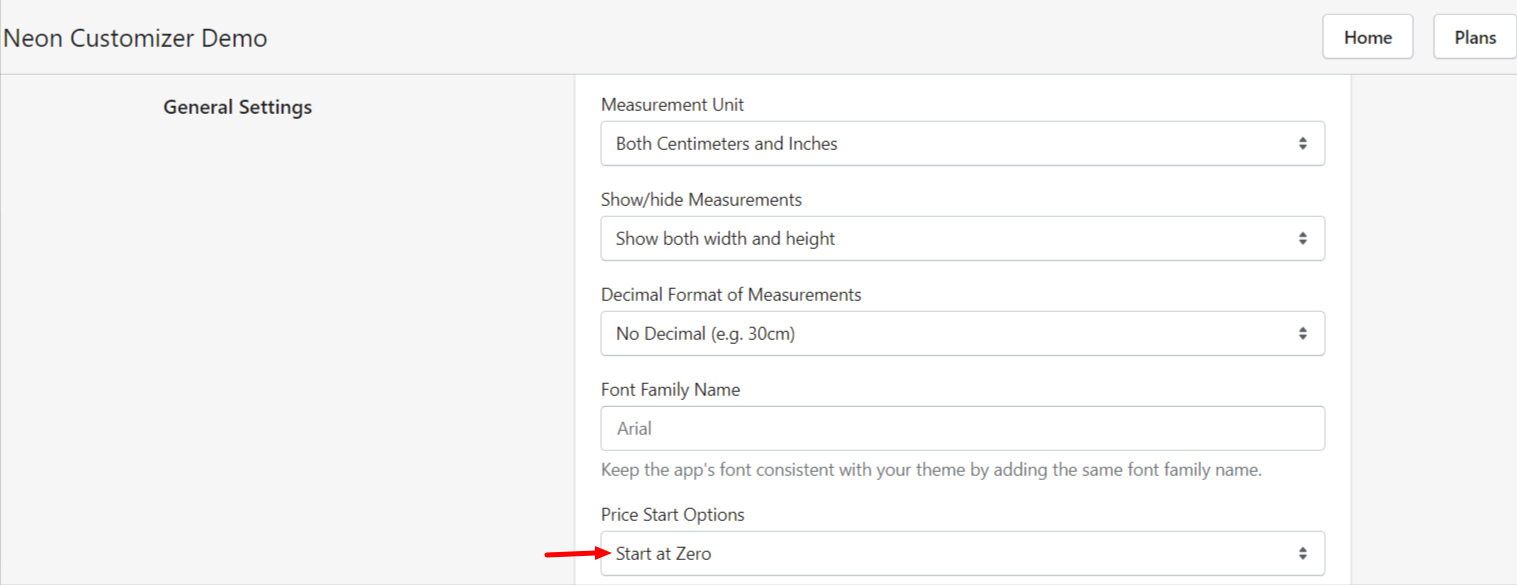
Price display on first load
Select how to display the price on the customiser, useful for marketing such as Google products.
Last updated:
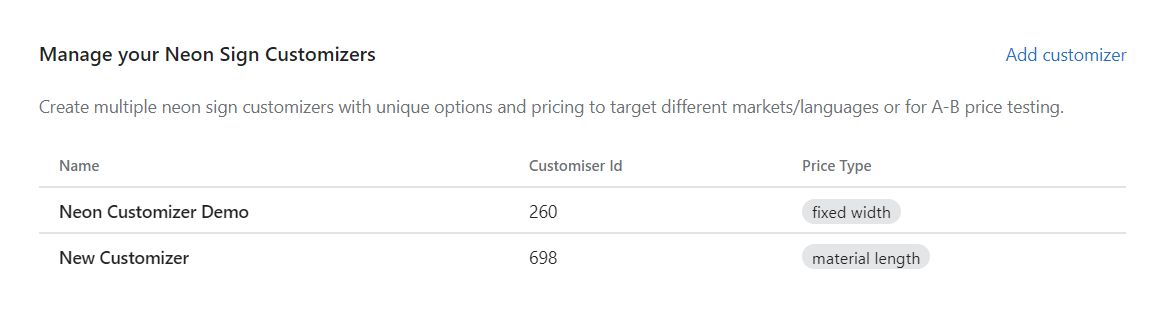
1. In the app dashboard, please click on Customiser which you want to edit:
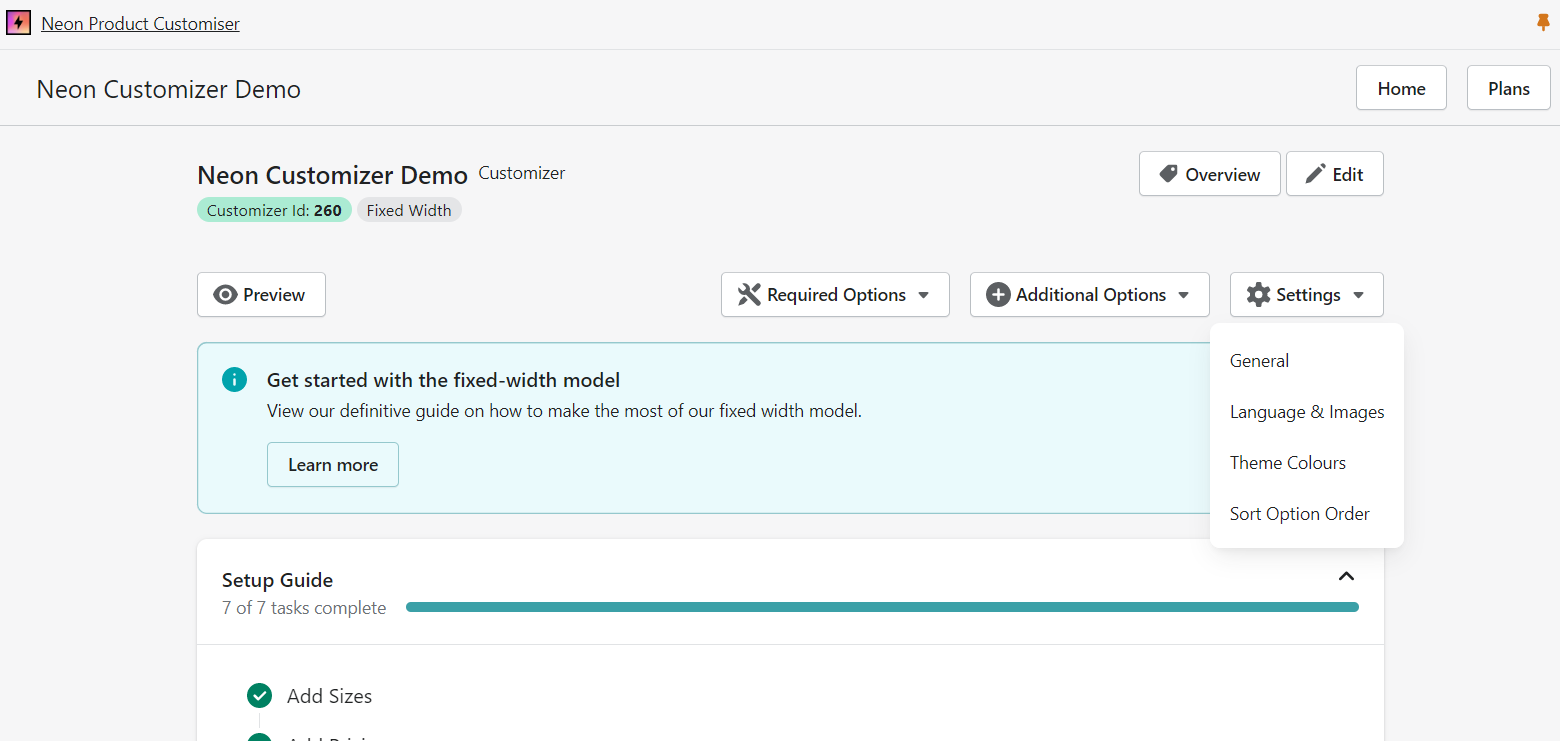
2. On the Customiser Page, click on Settings on the right side of the screen and click General:
3. Scroll down to the Price Start Options section, click the dropdown menu to choose the preferred option and click Save at the end of the page: