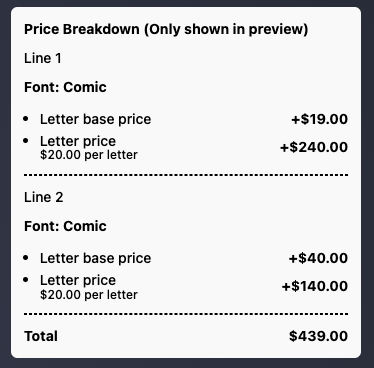
Review product pricing
Last updated:
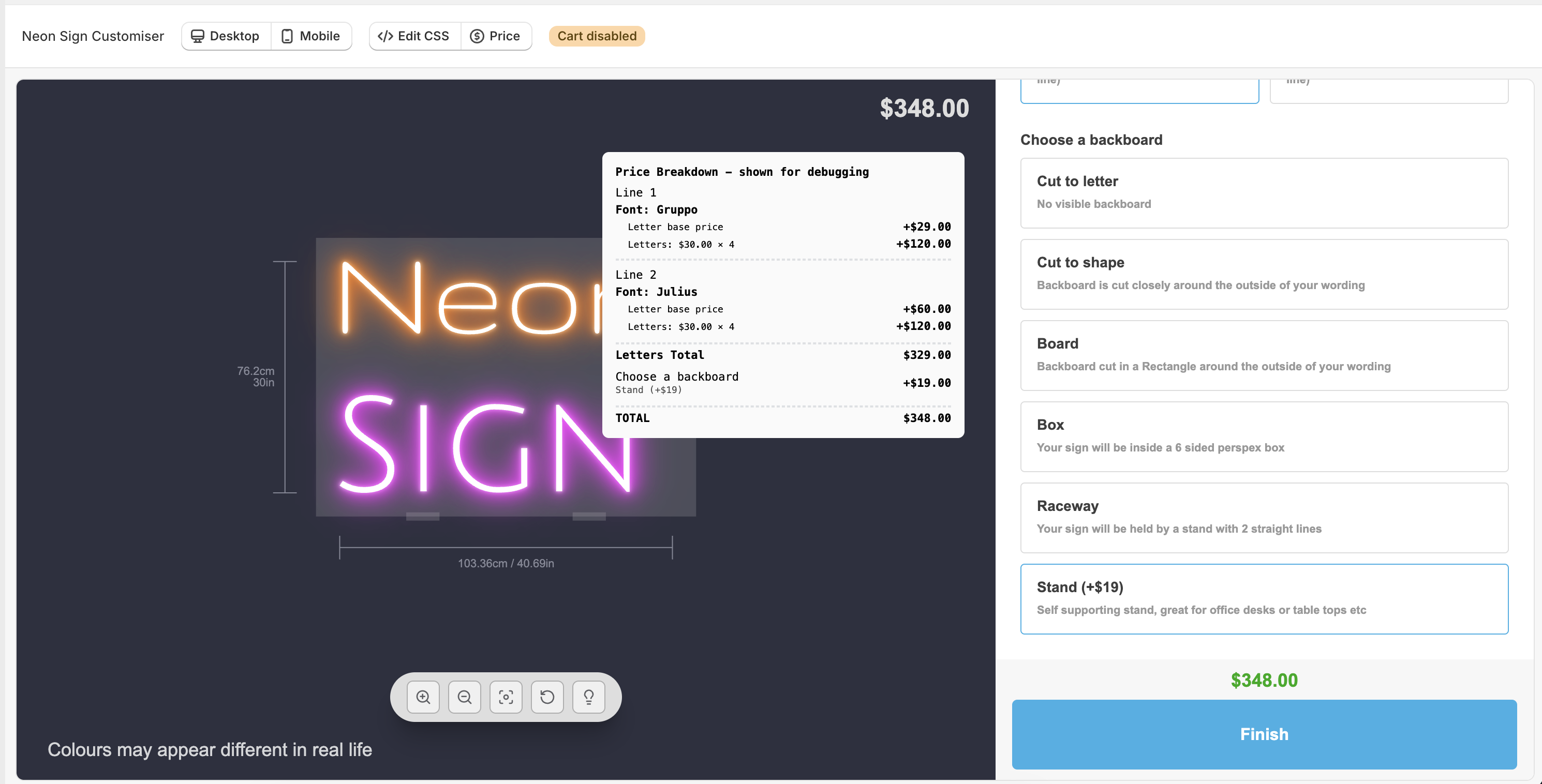
In the admin, you can review all the pricing options you have added and how they affect the final price of the sign product when different options are selected. The product pricing screen will appear in preview mode only when the “Price” button is selected.
To review product pricing of a customiser, do the following:
-
Navigate to Sign Customiser admin.
-
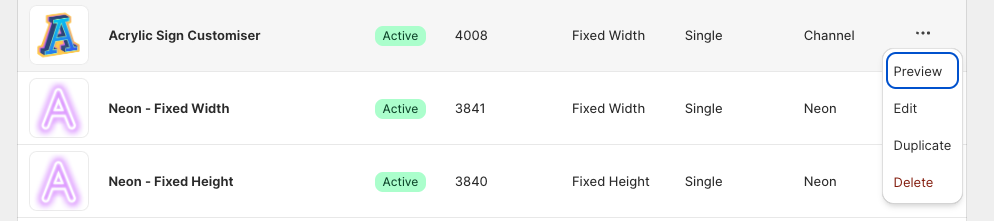
Click on Customisers found in the home screen. You can open the customiser preview by doing either of the following.
-
Click on the three dots … of the customiser you wish to preview
-
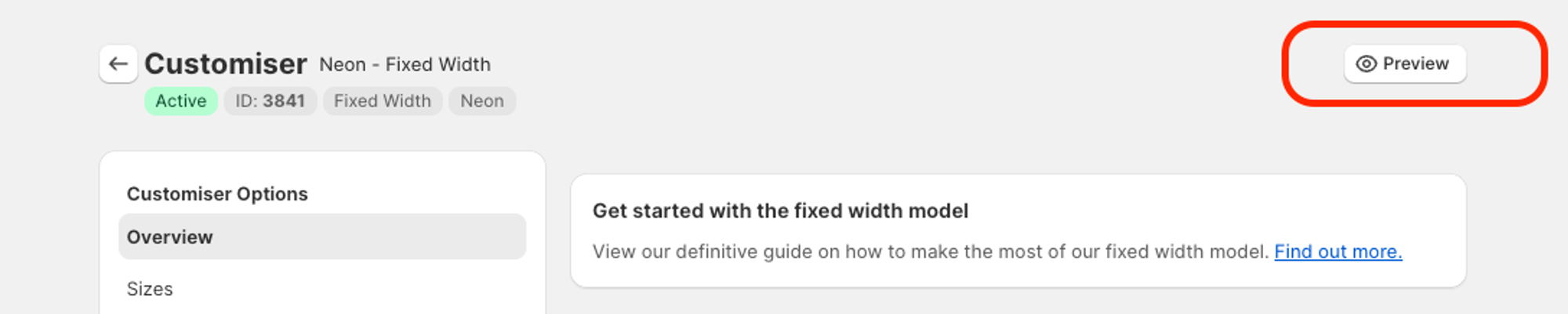
Alternatively, when you are on one of the edit customiser pages, you can preview the customiser by clicking the preview in the top-right corner.
-
-
Both options will open the preview modal
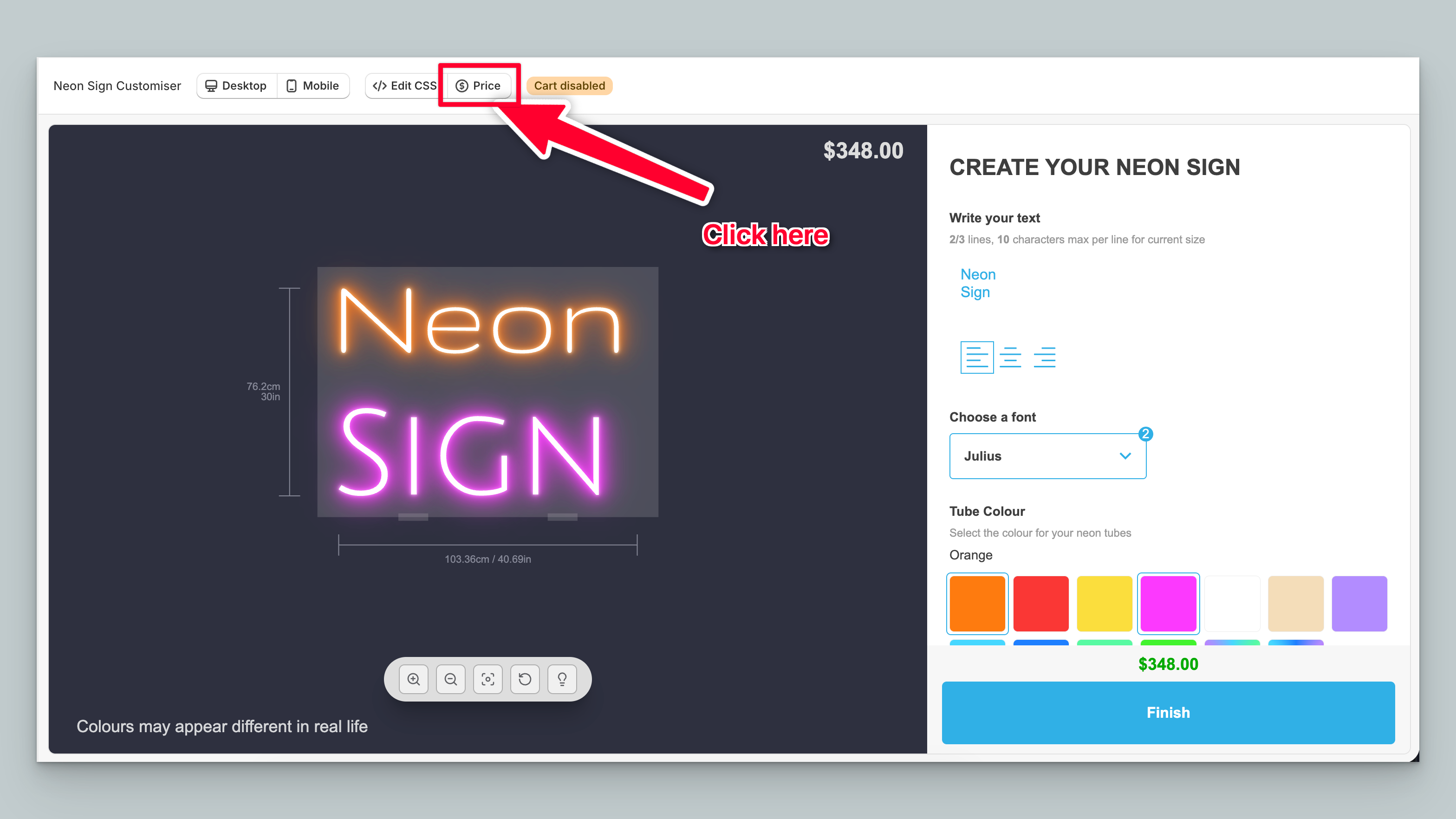
-
A white box with a breakdown of pricing and options, shown just like the one below, will display. Selecting different options that affect the price such as sizing/backboards or anything else that affects price will show in this window.