

Preview Customiser
Last updated:
In the admin, you can preview the customiser at any time after you save changes to it. Use the preview to test a customiser. Add to cart is disabled in the preview.
Building and previewing do not need a subscription. Your customiser appears on your own site only when your Store has an active subscription, or a trial with a payment method on file. For more information, read Subscribe to Sign Customiser.
In the preview, you can also see the price breakdown. To open it, select Price in the preview toolbar.
On a wide admin window, most customiser pages show the preview to the right of the Customiser Menu, as in the example below. To open the preview full screen, select the expand icon in the preview toolbar.
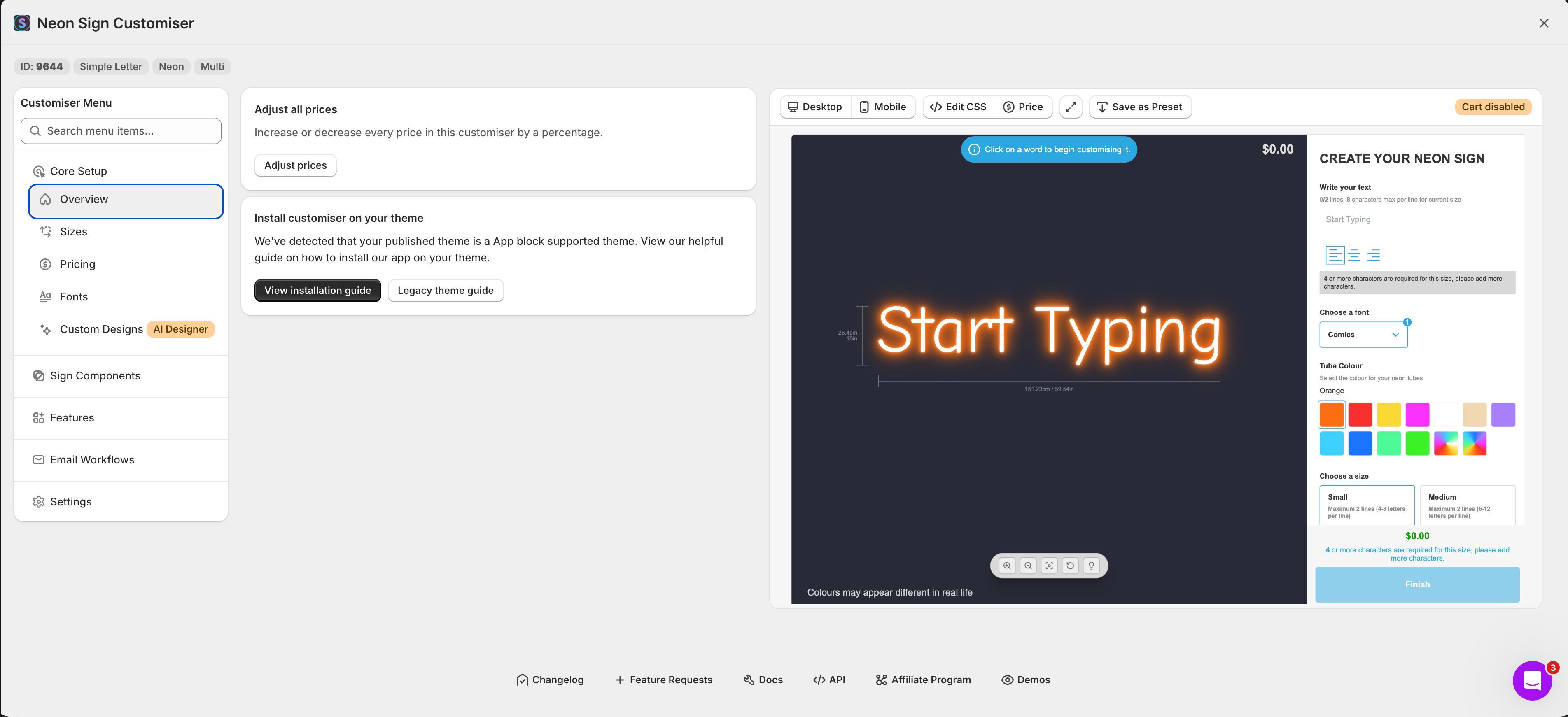
To preview a customiser in the admin, do the following.
-
Navigate to Sign Customiser admin.
-
Select Customisers in the sidebar menu. You can open the preview in one of two ways.
-
Click the three dots … at the end of the row of the customiser. Then click Preview.
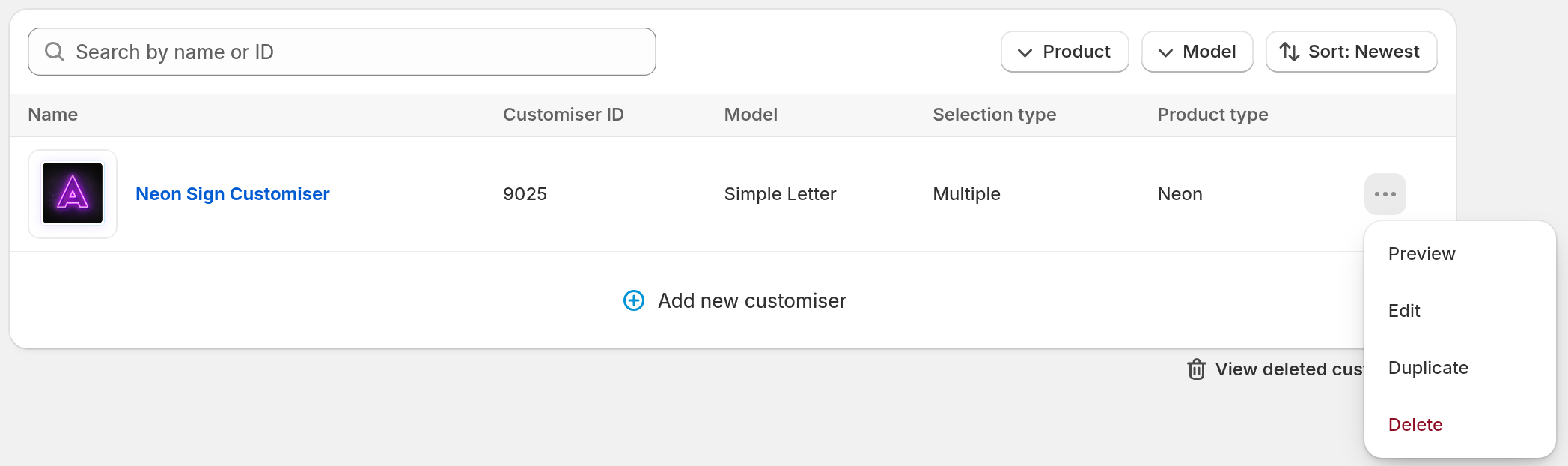
-
Open a customiser page, such as Overview. Then click Preview in the top-right corner. On most customiser pages, this button shows only on a narrow admin window. On a wide window, most customiser pages already show the preview on the page. The Edit Customiser Settings page has no Preview button. The sign area and size background image pages show it at every window width.

-
Both ways open a full-screen preview, as in the picture below.
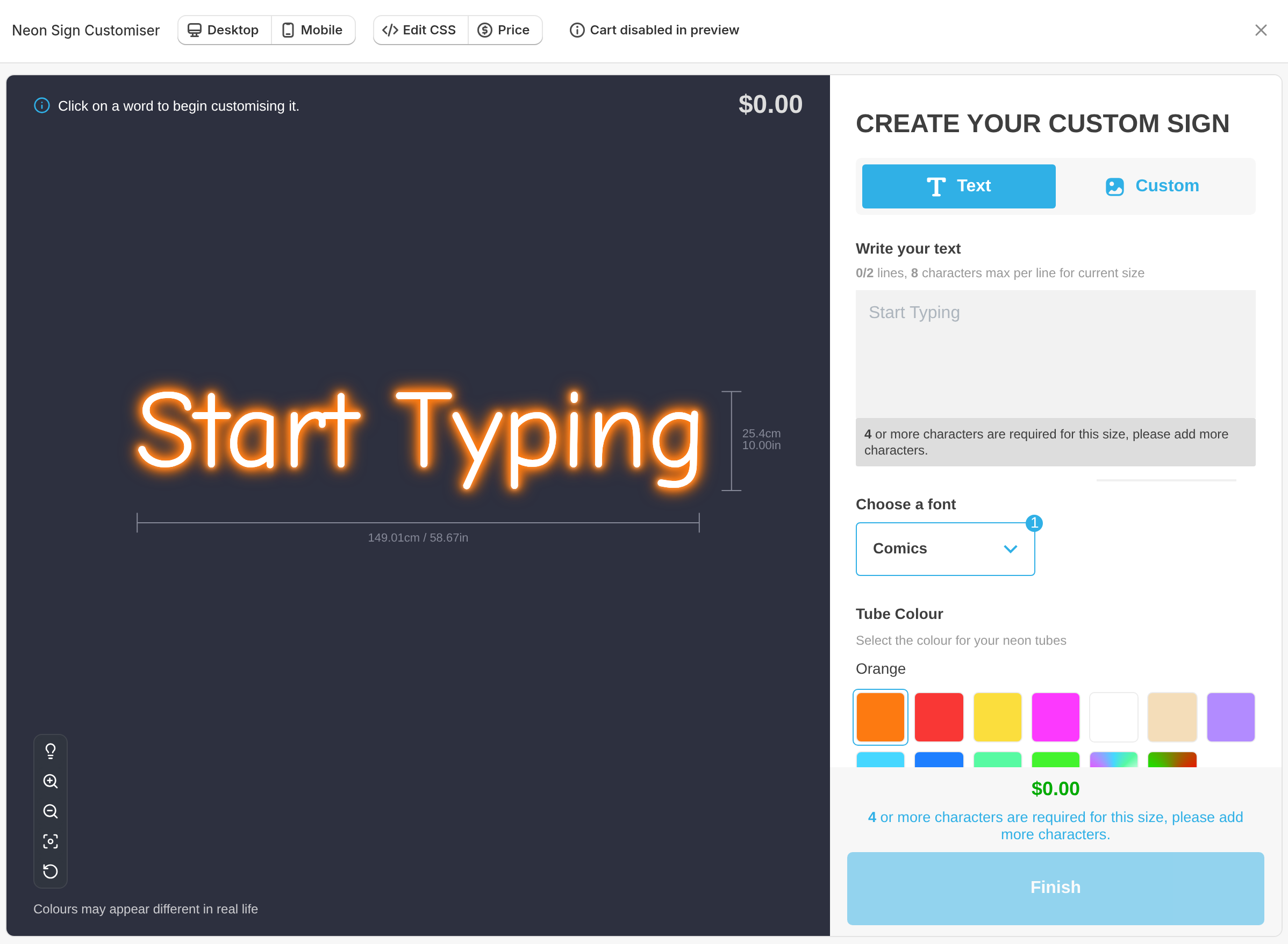
The preview toolbar
The preview toolbar can have these controls. Which controls show depends on where you open the preview.
-
Desktop and Mobile: show the customiser at desktop width or phone width.
-
Edit CSS: add custom CSS and see the result in the preview.
-
Price: show the price breakdown.
-
Save as Preset: save the current design as a preset. This button does not show in the preview from the row menu.
-
Cart disabled in preview: shows that customers cannot add to cart in the preview.
-
Customers upload first: shows when the AI sign designer is on. It shows in the preview to the right of the Customiser Menu on a wide window, and in that preview’s full-screen view. It does not show in the preview from the row menu or from the Preview button on a narrow window. Customers can upload an image when your Store has AI credits.
The expand icon shows only on the preview to the right of the Customiser Menu on a wide window. The close button closes a full-screen preview.