Disabling additional options
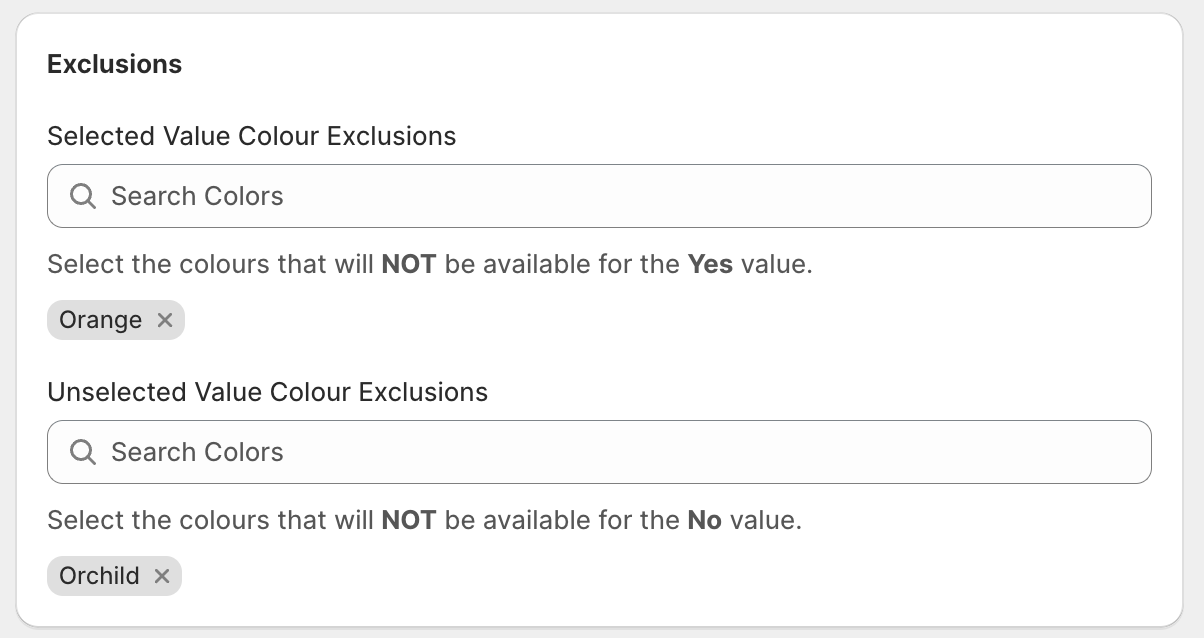
For the Yes/No button type - certain colours when selected can disable this type of button on the customiser.
Last updated:
You can prevent customers from selecting the yes / no button types in additional options when an incompatible colour is selected.
This feature is only available for the Yes / No button type.
Follow these steps to do so:
-
Navigate to the admin of Sign Customiser for your store
-
Click on “Customisers” in the home menu
-
Click on the customiser you want to edit
-
From the left-hand menu, go to Sign Components → Additional Input Options.
-
Create or click on an existing “additional option”.
-
While creating or editing an additional option in the admin, simply select the incompatible colours and backboards from their respective dropdown inputs with labels “Colour Exclusions” and “Backboard Exclusions” (cut-out metal customisers will see “Panel Exclusions” instead of “Backboard Exclusions”).