

Supplier / Manufacturer Emails
Last updated:
Yes. You can use Sign Customiser when another company makes your signs. When an order is created from your store, Sign Customiser can send the order email automatically. It sends the email to the Receiver Email address set for that customiser.
The supplier receives an ordinary email. The supplier does not need a Sign Customiser account. You keep control of the customer, the supplier relationship, the approval process and the delivery.
How outsourced production works
-
The customer designs and orders the sign on your website.
-
Sign Customiser records the sign text, dimensions, colours, backboard, mounting and other selected options.
-
The order email goes to the recipient set for that customiser. The recipient can be an outside supplier, your own production team or your inbox for approval first.
-
The email can include the sign preview and available SVG, EPS, Illustrator-compatible PDF or DXF links. The links depend on the sign type and your file settings.
Each customiser has its own recipient and email template. If different product lines go to different suppliers, use separate customisers. Send each customiser to the correct address.
Modify Email Template
Every customiser has its own email template. A change affects only that customiser.
If the page shows the badge PRO plan required, you cannot change these settings. Receiver Email, Order Email Template and Save are disabled.
To change the order email template, do these steps:
-
Open the Sign Customiser admin for your store.
-
Click Customisers.
-
Click the customiser you want to edit.
-
If your window is narrower than 799 px, click Menu first. Then, in the menu, under Email Workflows, click Manufacturer Email. If the menu has the heading Customiser Menu and Email Workflows is closed, expand Email Workflows first.
-
In the Receiver Email field, enter the address for supplier emails. For instructions, see Update manufacturer email address.
-
Change the content in the Order Email Template field. The template uses mustache, a logicless template language. You can add HTML and the email variables. Click Browse Variables to see the variables. Click Reset to default to restore the standard template.
-
When you finish, click Save at the bottom of the form.
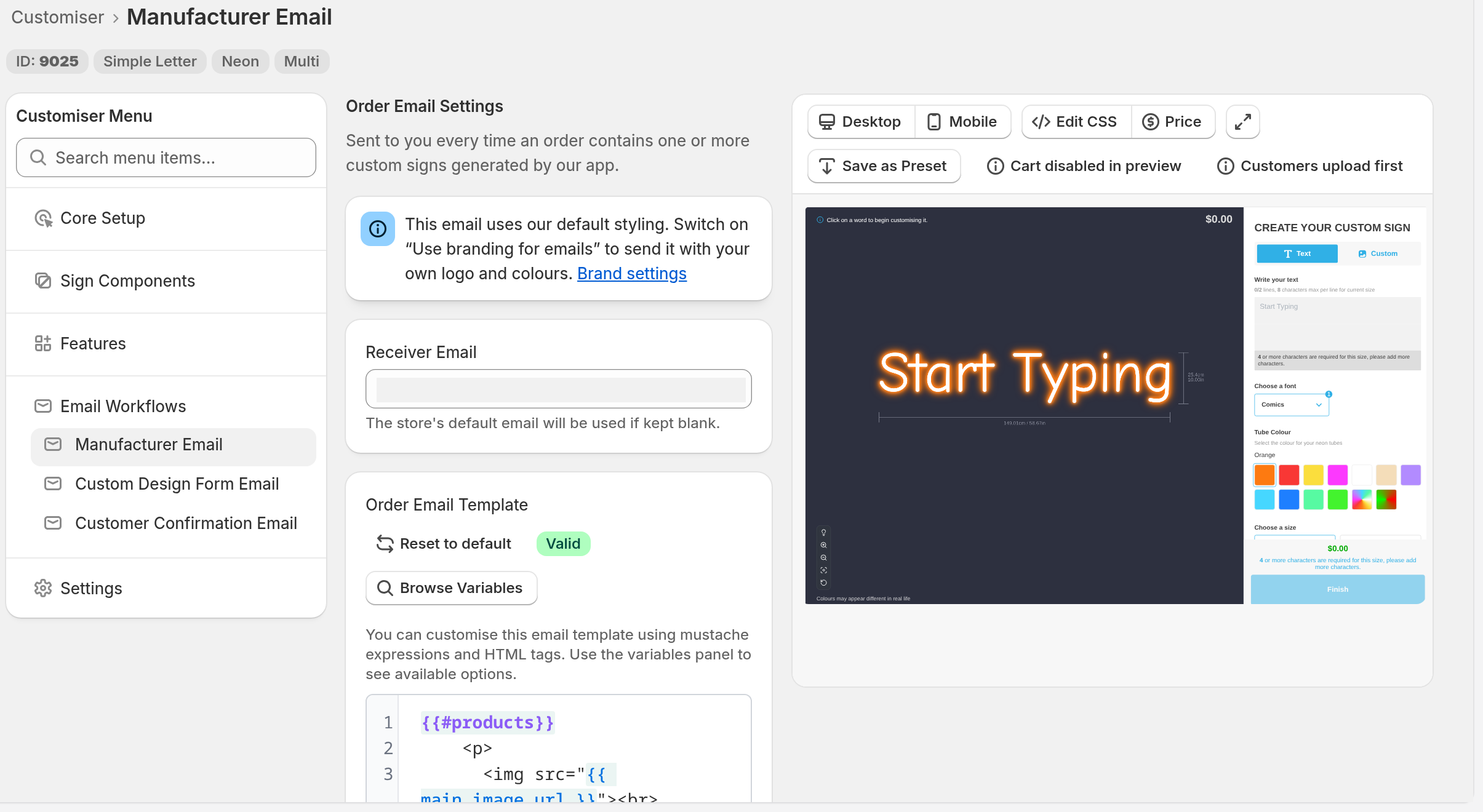
If you leave Receiver Email blank, the order email goes to the manufacturer assigned to the customiser, if there is one. If there is no assigned manufacturer, the email goes to your Store email address (Shopify stores) or to the email address of the Store owner’s account (Universal stores). You can enter more than one address. Separate the addresses with commas.
If a manufacturer is assigned to the customiser, Sign Customiser adds a read-only Manufacturer Email Template block to the end of the email. You cannot edit this block.
The page also shows if the email uses your branding. To send the email with your logo and colours, switch on Use branding for emails. This setting is in Store Settings, under Brand.
Resend a manufacturer email
Resend the email if the supplier did not receive it. Resend it also if you corrected the template after the order came in. You can resend from the Orders page. Sign Customiser sends the current template for the customiser of that order. It sends the email to the recipient set for that customiser.
-
Open the Sign Customiser admin for your store.
-
Click Orders.
-
Find the order in the table.
-
In the Actions column, click the ”…” button on the row of that order.
-
Click Resend manufacturer email.
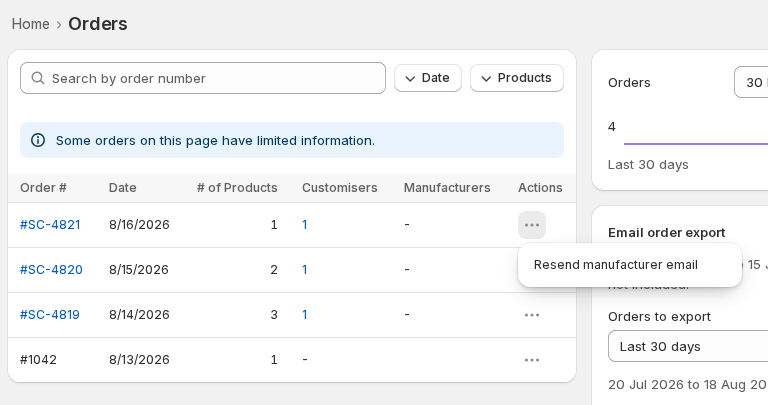
The message “Manufacturer email resent.” shows when Sign Customiser accepts the request. Sign Customiser sends the email a moment later. The message does not show that the supplier received the email.
You can resend two times each minute. If you click more often, Sign Customiser asks you to wait.
When the Orders page lists some orders with limited information, it shows the note “Some orders on this page have limited information.” For those orders, the resend option is grey.