
Understanding Font Measurements in the Advanced Letter Model
This guide explains how and what you need to consider when setting the minimum font size in the Advanced Letter model.
Last updated:
The Advanced Letter model uses font measurements to calculate the real-world dimensions of a sign. Unlike fixed-size models, the Advanced letter Model is fully scalable. This means the values you set for your font measurements become the foundation for how every sign using that font is calculated through relative scaling.
For this, you will need to set the following two measurement values:
-
Minimum Height of Smallest Letter
-
Minimum Height of Uppercase Letter
These values define the physical height of specific characters within the font.
Where is the setting for this?
You can find these settings in your customiser under:
Core Setup → Fonts → Minimum height of font letters.
How Does Minimum Height of Smallest Letter Work
This value defines the height of the smallest character in the font. The system uses this value as the primary reference point for scaling text.
This means:
-
A single lowercase character typed on its own will scale to the minimum height.
-
When multiple letters are combined, taller characters increase the total sign height proportionally relative to the smallest letter.
Example: Understanding Lowercase Scaling
Let’s take the word google as an example, and set Minimum Height of the Smallest Letter to 5 cm.
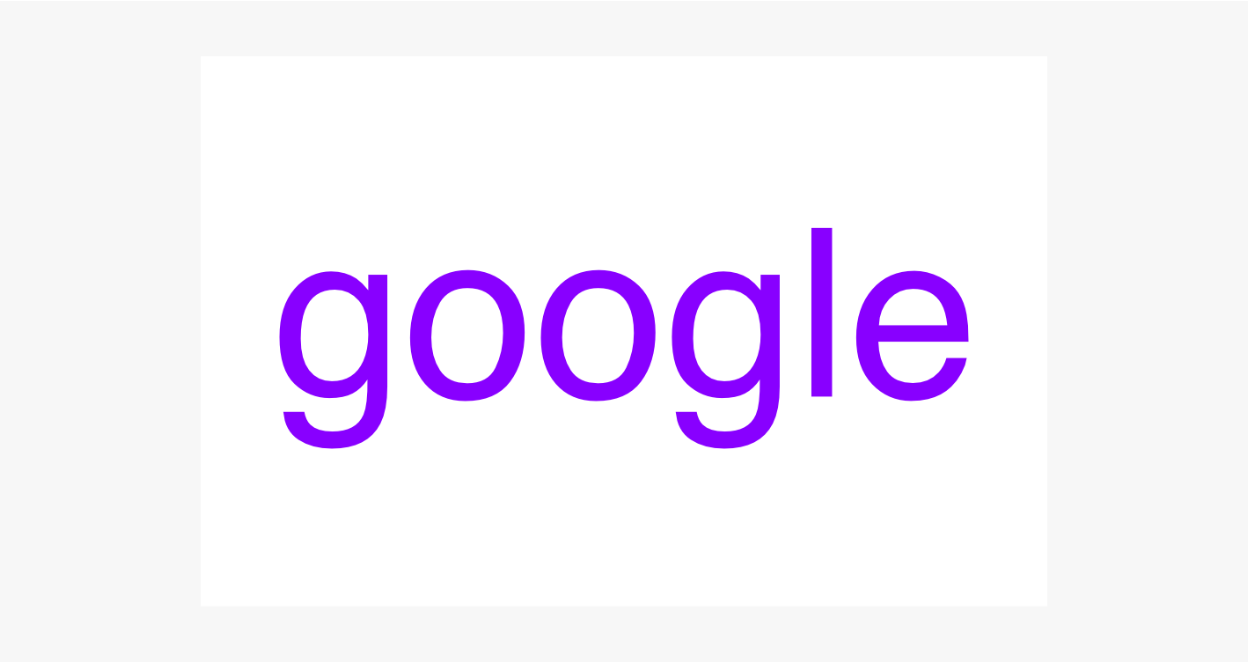
The word google contains the following:
-
Base letters
o, e -
Descenders:
g -
Ascenders:
l
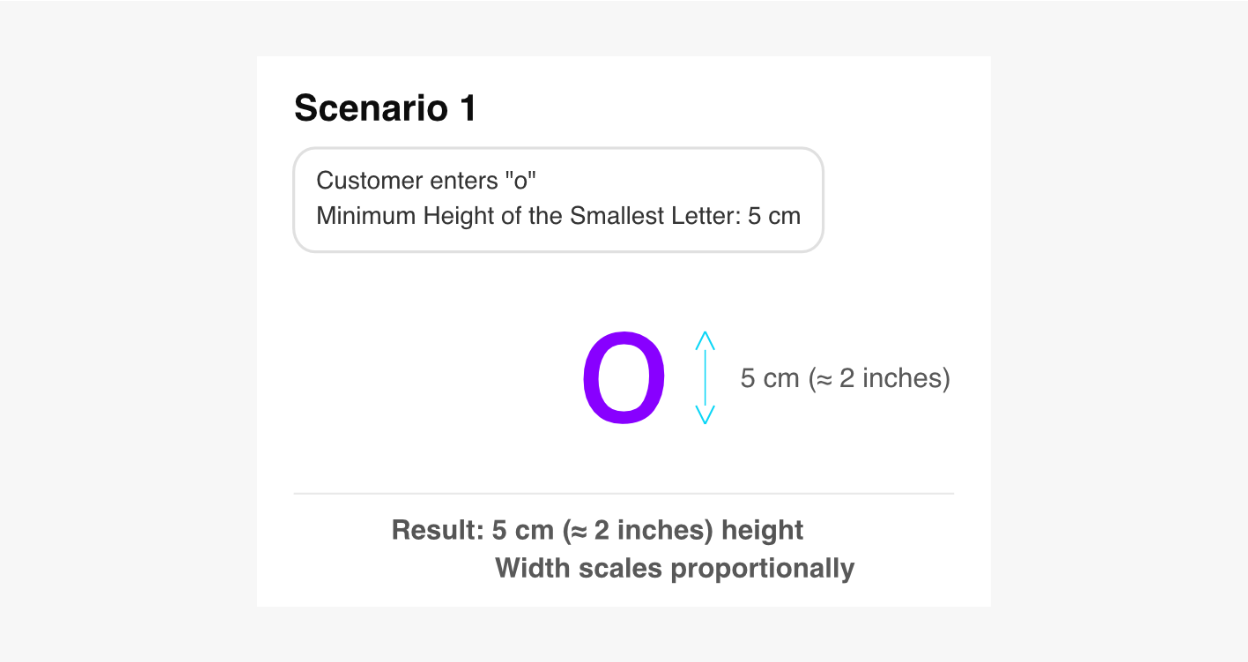
Scenario 1: Single Character
Text entered:
o
Result:
-
Height is 5 cm (≈2 inches)
-
Width scales proportionally
Explanation:
Since there is only one character, it automatically scales to the configured minimum height of the smallest letter.
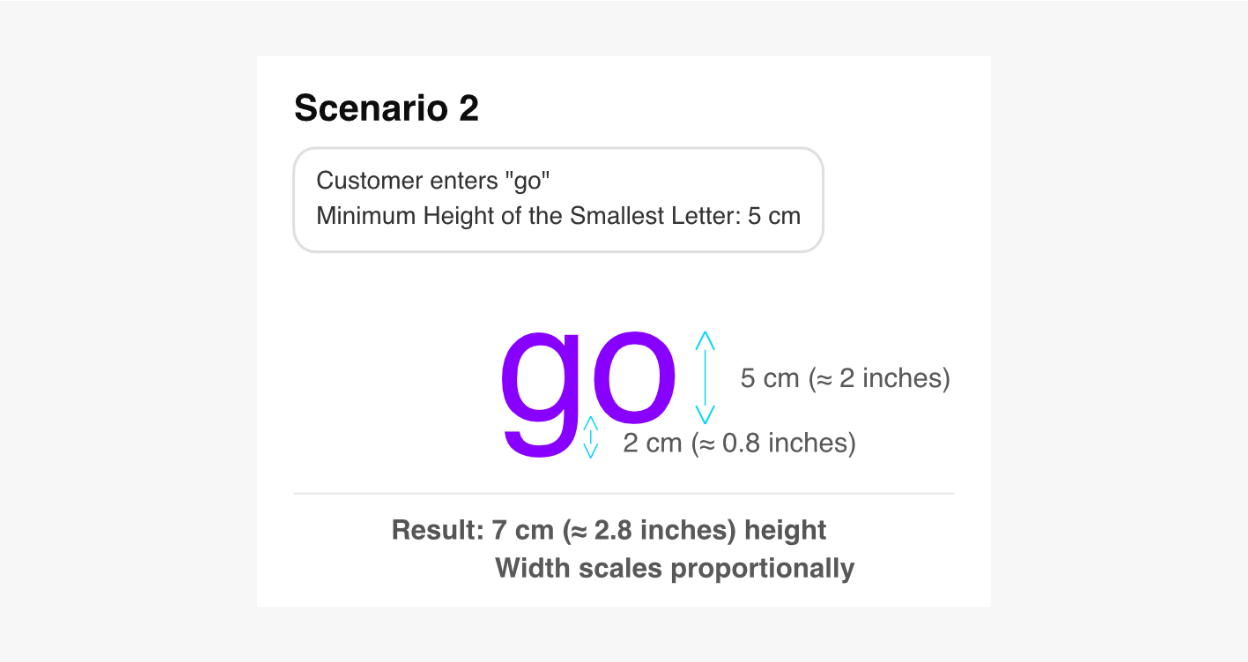
Scenario 2: Adding a Descender
Text entered:
go
Result:
-
Total sign height is 7 cm (≈ 2.8 inches)
-
Width scales proportionally
Explanation:
The o still represents the base lowercase height of 5 cm (≈ 2 inches), but the g extends below the baseline by an additional 2 cm (≈ 0.8 inches).
This means that the smallest possible height of the go sign is 7 cm (≈ 2.8 inches).
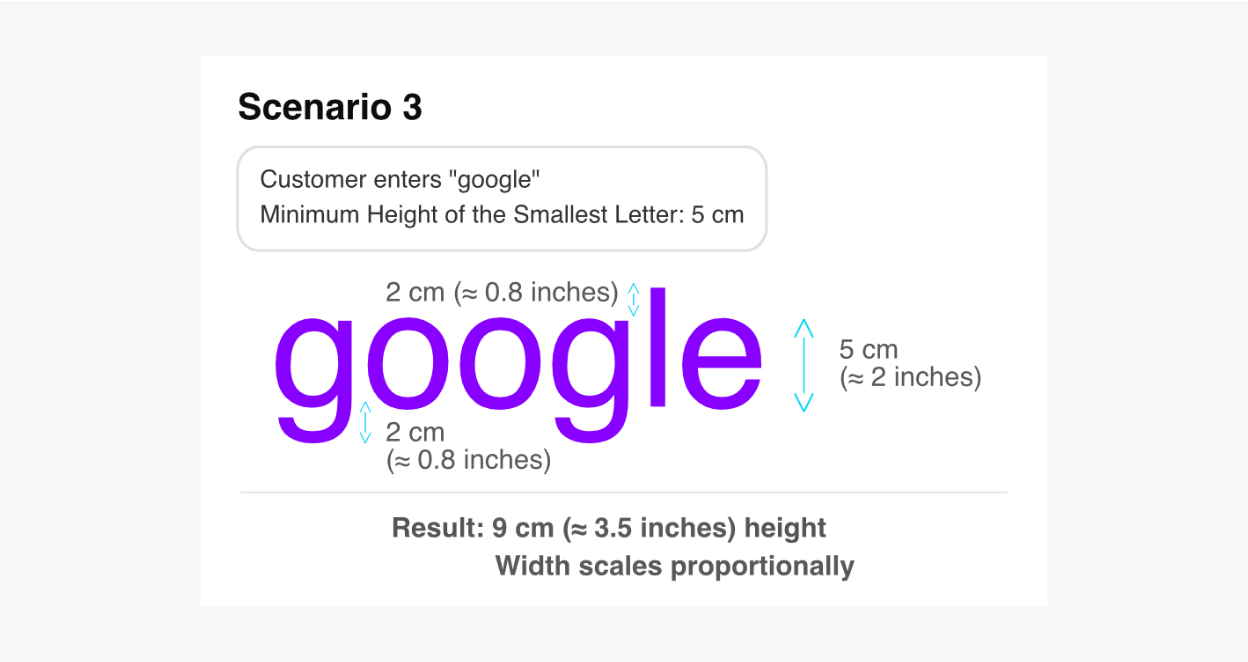
Scenario 3: Adding an Ascender
Text entered:
google
Result:
-
Total sign height is 9 cm (≈ 3.5 inches)
-
Width scales proportionally
Explanation:
The o still represents the base lowercase height of 5 cm (≈ 2 inches), while:
-
the
gextends below the baseline by 2 cm (≈ 0.8 inches), and -
the
lextends above the normal baseline by 2 cm (≈ 0.8 inches).
Together, these increase the overall sign height to 9 cm (≈ 3.5 inches).
This means that the smallest height the google sign can go is 9 cm.
How Does Minimum Height of Uppercase Letter Work
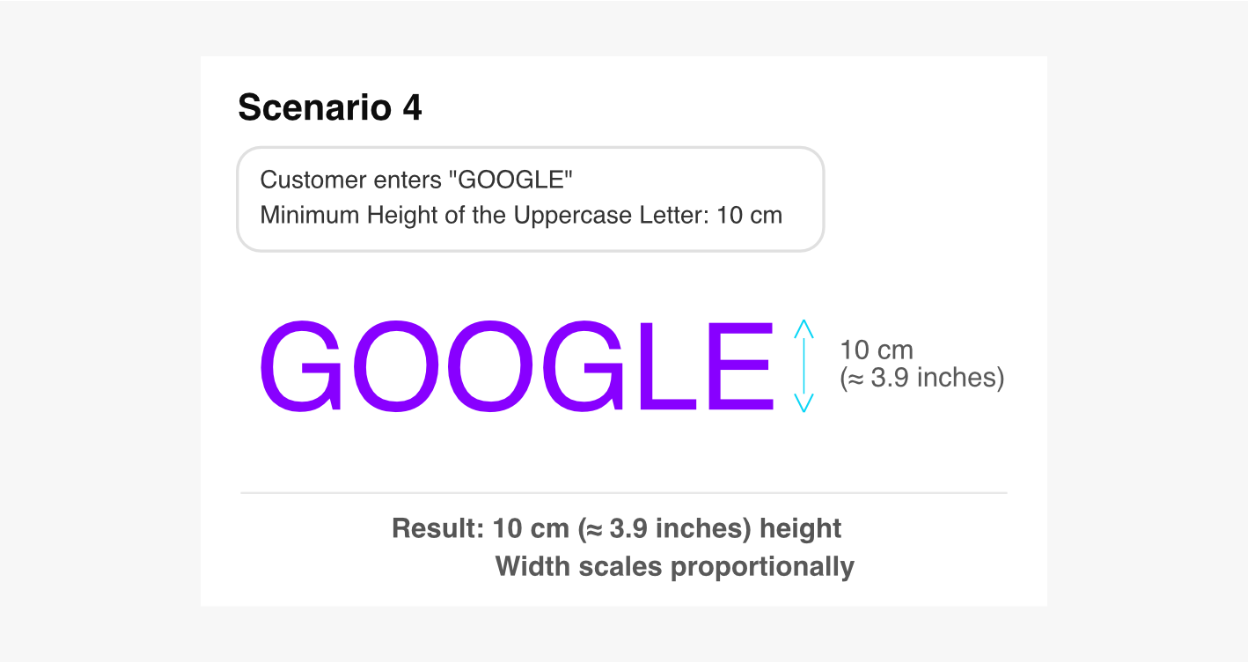
The Minimum Height of Uppercase Letter is only applied when the entire text is uppercase.
Let’s continue using the word google as an example, but now in uppercase, and set Minimum Height of the Uppercase Letter to 10 cm.
Example:
Text entered:
GOOGLE
Result:
-
Height is 10 cm (≈ 3.9 inches)
-
Width scales proportionally
Explanation:
Since all characters are uppercase, the system uses the configured uppercase height value of 10 cm as the scaling reference.
Mixed Uppercase and Lowercase Text
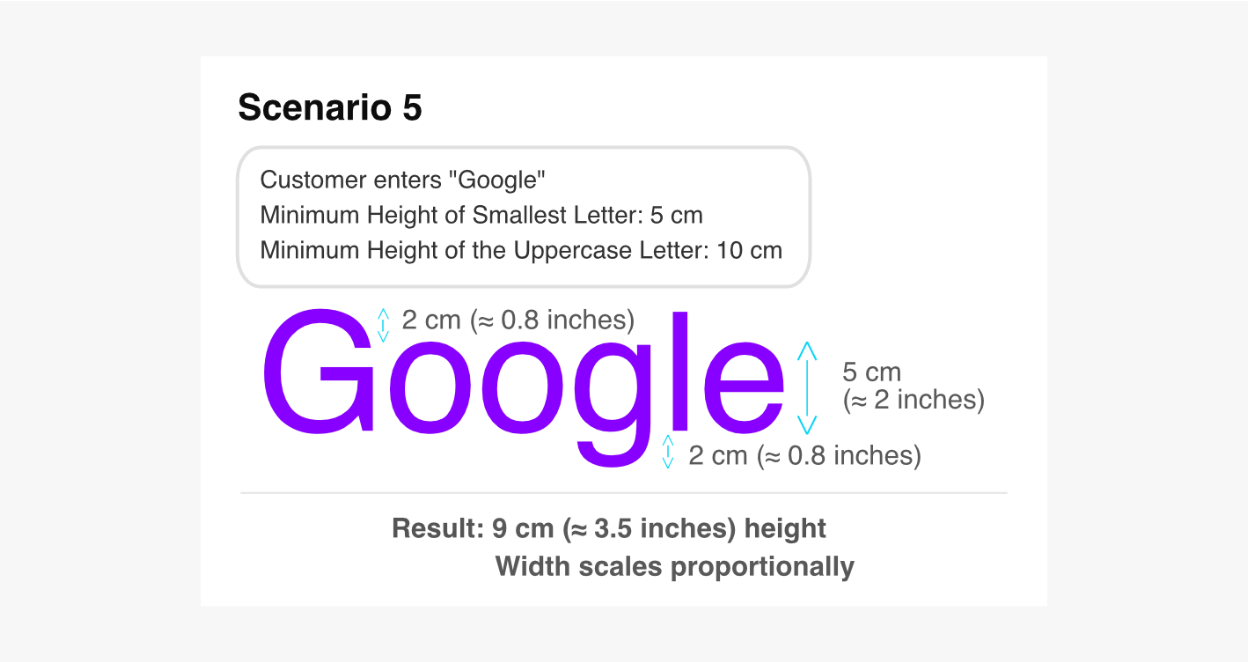
When uppercase and lowercase letters are combined, the system uses the value set in Minimum Height of Smallest Letter.
Example:
Text entered:
Google
Result:
-
Height is 9 cm (≈ 3.5 inches)
-
Width scales proportionally
Explanation:
As the text contains both uppercase and lowercase letters, the system uses only the value set in Minimum Height of Smallest Letter to determine the scaling behaviour.
The Minimum Height of Uppercase Letter setting is NOT used in mixed-case text.
Important Considerations When Setting Uppercase Heights
Be careful when setting the uppercase height value too small. If the uppercase height is smaller than the effective height created by the lowercase combinations with ascenders and descenders, you may get unexpected results, such as:
-
Smaller-than-expected uppercase signs
-
Lower material calculations
This is especially important when using Letter Material Cost pricing.
Recommended Starting Point
When initially configuring font measurements:
-
Set your smallest size multiplier to 1
-
Start with realistic lowercase and uppercase measurements
-
Test several text combinations before publishing
-
Test every font thoroughly
-
Compare generated SVGs against production software
-
Verify measurements with your manufacturer if required
Font Measurements for Dropshippers
If you are a dropshipper, your manufacturer is best positioned to determine the values of each font:
-
Minimum Height of Smallest Letter
-
Minimum Height of Uppercase Letter
Troubleshooting
When specifying the height of the smallest letter, shall we exclude symbols and characters, e.g. symbols like _ (underline) or . (period)?
Yes, symbols and other similar characters should be excluded.
Should uppercase and lowercase letters both be considered when finding the smallest letter?
Yes, if you can.
In most fonts, the smallest character will usually be lowercase. However, some fonts may contain only uppercase letters, so measurements should be adjusted accordingly.
When it says “smallest”, does it mean shortest, narrowest, or takes the least amount of space as a whole?
”Smallest” refers to the shortest character by height.