

Visually scale signs for size dimensions
Last updated:
You can give the visualiser the appearance of the sign getting bigger or smaller relative to the size the customer has chosen. This setting does not change lightbox signs.
Follow these steps to enable this feature:
-
Go to the Sign Customiser admin.
-
Select the customiser that you want to edit.
-
From the left-hand menu, go to Features → Scene Editor - Background Images.
-
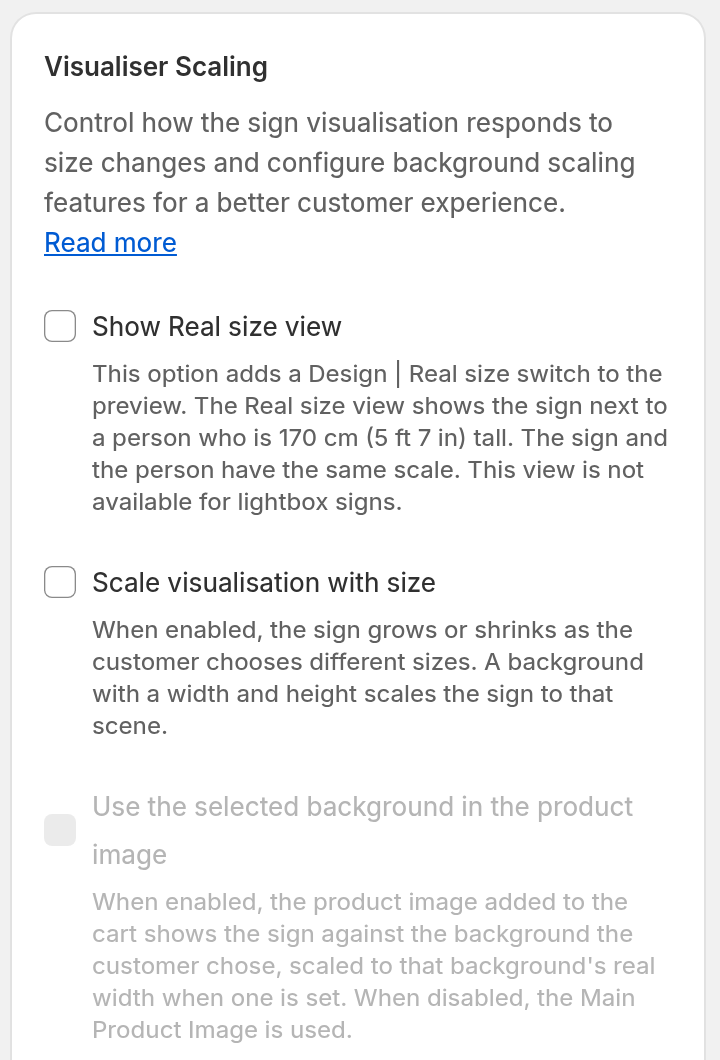
Enable Scale visualisation with size.
This setting is part of some plans. On a plan that does not include it, the checkbox is not available and the admin asks you to upgrade. To upgrade, go to Your Company → Billing. In the Shopify admin, open the app and select Subscription/Credit in the app menu.
The checkbox is also not available while Enable Dragging, Enable Scaling or Enable Rotation is on. These options are on the Drag, Scale, Rotate page in the Features menu. Turn off all three first.
-
Click Save.
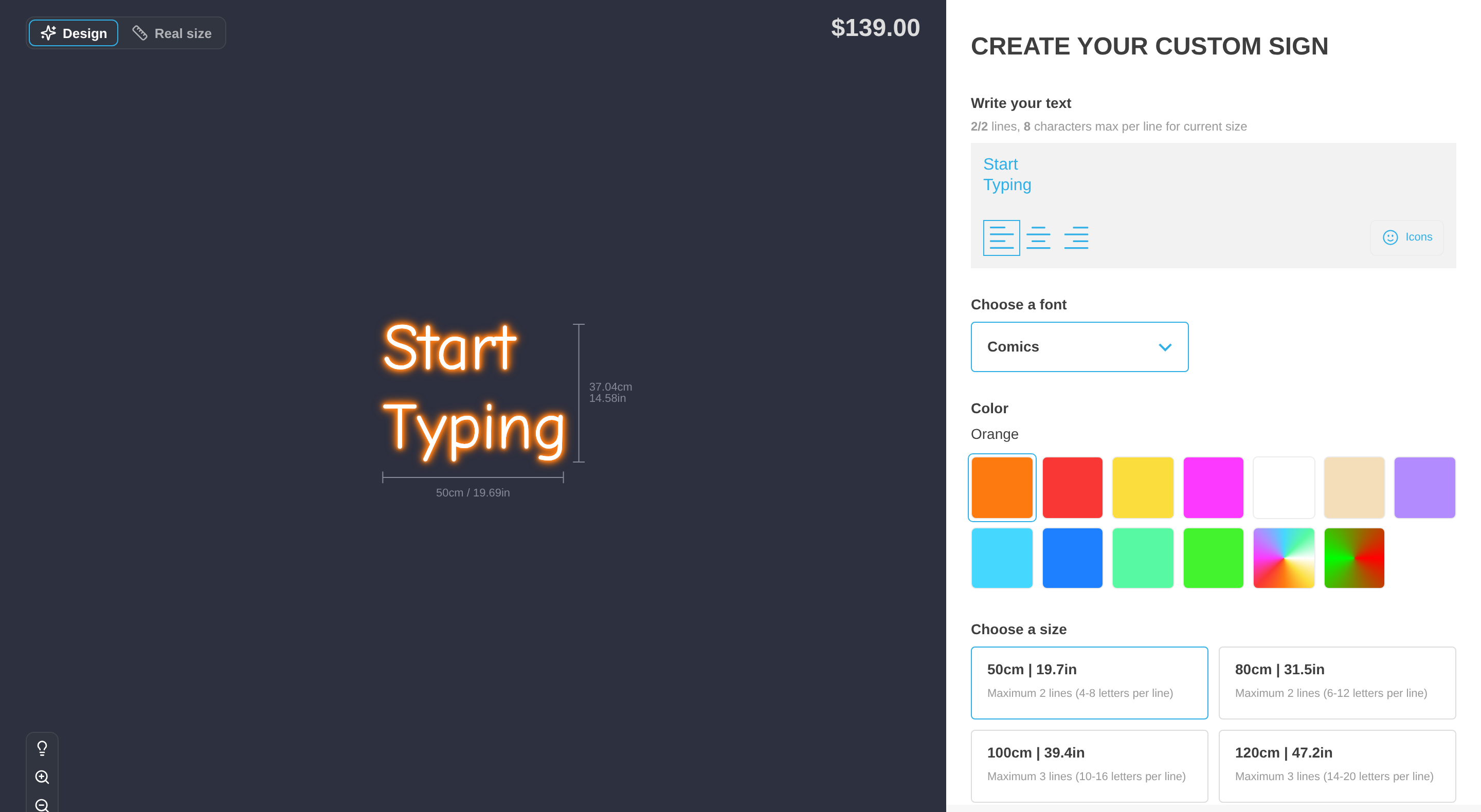
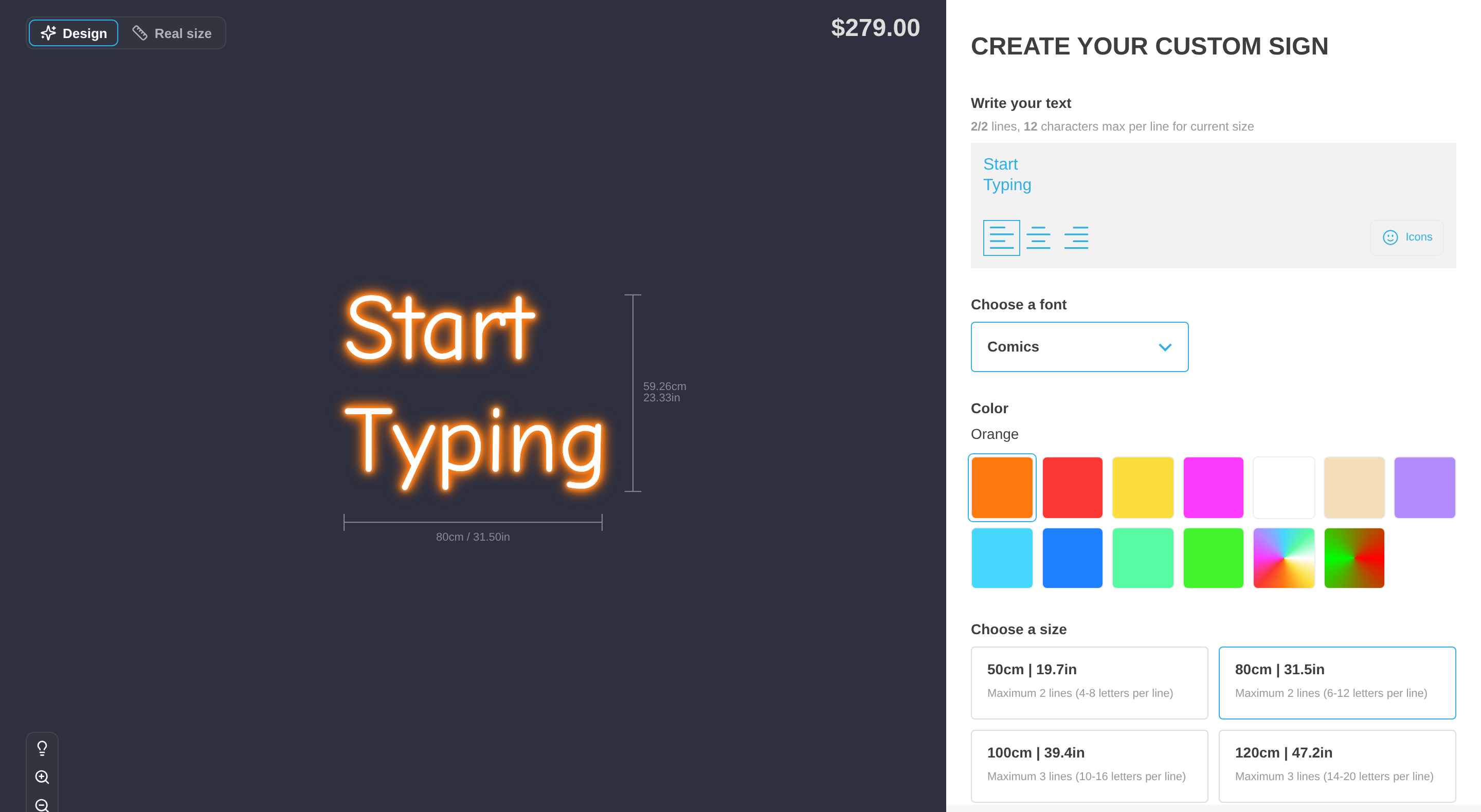
For signs other than lightbox, the visualiser now grows and shrinks the sign relative to the smallest and largest size.
Scale the sign against the built-in background
Use the Scene Editor article to set a real size for the built-in blue/grey background. For more detail, see Set a real size for the built-in background and use scenes in product images.
The fields appear only when all these conditions are true:
-
Enable Preview Images or Enable Review Screen Images is selected.
-
Display default blue/gray background image is selected.
-
Scale visualisation with size is selected.
-
Enable Dragging, Enable Scaling and Enable Rotation are all cleared.
If you have not saved a value, the corresponding field is blank. The placeholder shows our recommended width of 300 cm. It uses your Store’s measurement unit, for example 118.11 in. The placeholder does not set a size.
Enter and save a positive Default background width to scale the built-in background on the visualiser and Review screen. The width drives proportional scaling. The height is stored but does not control the scale ratio.
If you leave the width blank, the sign still changes size with the size that the customer selects, but it is not scaled against a real width. Merchant-uploaded backgrounds without a positive width behave the same way.
Use the selected background in product images
Enable Use the selected background in the product image under Visualiser Scaling.
When enabled and eligible, the product image for the cart and the order uses the selected background from your list. A positive real width scales the sign against that background.
When the selected background is the built-in blue/grey background, the image uses the colour scheme’s flat visualisation background colour. This feature requires Scale visualisation with size. Enable Dragging, Enable Scaling and Enable Rotation must be off. A background that the customer uploaded is not eligible. For more detail, see Set a real size for the built-in background and use scenes in product images.
This feature does not apply to Lightbox customisers. Lightbox uses Main Product Image when configured. If no Main Product Image is configured, the existing demonstration image is used.
When this option is disabled, the product image uses Main Product Image when configured. If no Main Product Image is configured, the existing demonstration image is used.
Compare the sign with a person
The Real size view shows the sign next to a person who is 170 cm (5 ft 7 in) tall. The sign and the person have the same scale. Customers open this view with the Design | Real size switch at the top left of the visualiser.
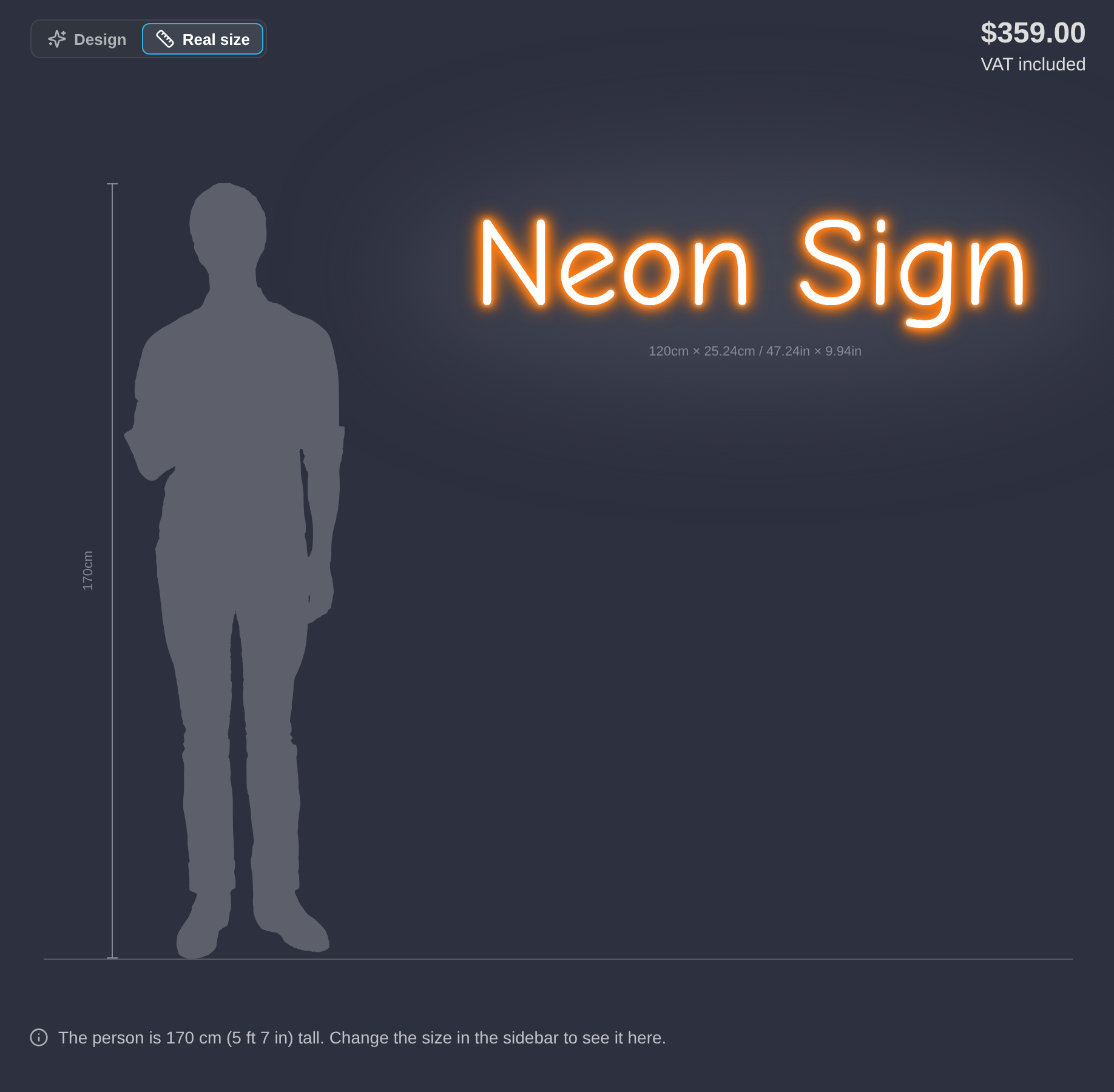
Scale visualisation with size is a different setting. It changes the size of the sign in the visualiser when the customer selects a different size. It does not change lightbox signs. The Real size view does not need this setting. You can use the two settings together.
New customisers show the switch by default. A customiser that you duplicate keeps the setting of the customiser that you copied it from. Customisers that existed before the Real size view was released start with it off. If you cannot see the switch, select Show Real size view under Visualiser Scaling. Then click Save. The switch is not available for lightbox customisers. For the full steps and the default settings, see Real size view.