

How to create an API key
Last updated:
API keys let another service use the public API of one Store. Older instructions call them API tokens. They are the same credential.
Create a separate key for each integration. Give each key only the access that the integration needs. Then you can identify each key and revoke one key without affecting another integration.
Open API Tokens
-
Universal: In the left sidebar, under Integrate, click API Tokens.
-
Shopify: In the Shopify admin, open this app from the Apps list. On the Home page, in the Menu card, click Tools & Settings. Click API Tokens. The Menu card appears after the Store has created its first customiser.
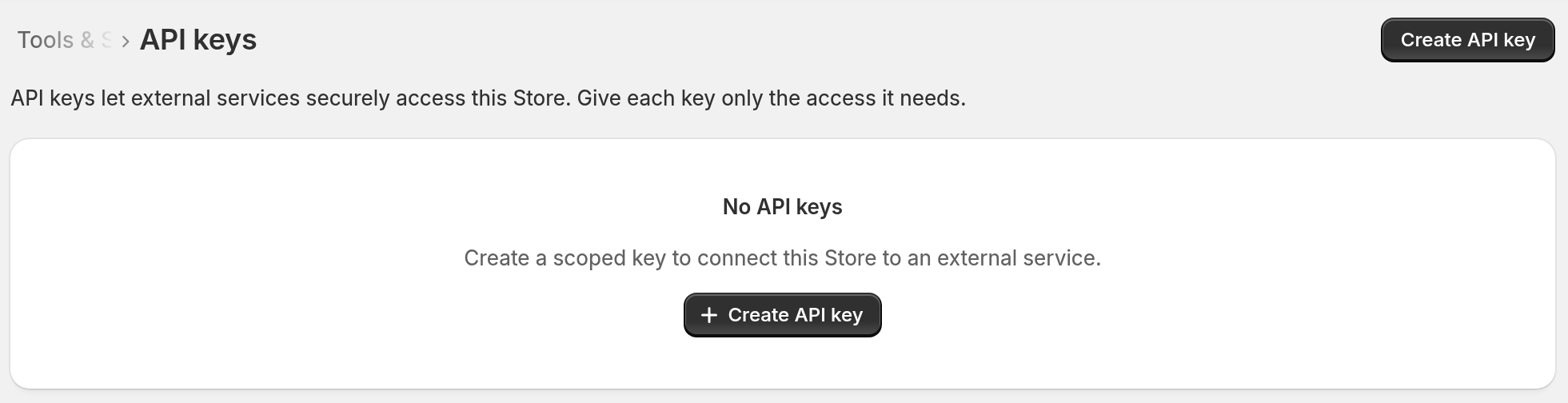
The API keys page opens.
Create an API key
-
Click Create API key.
-
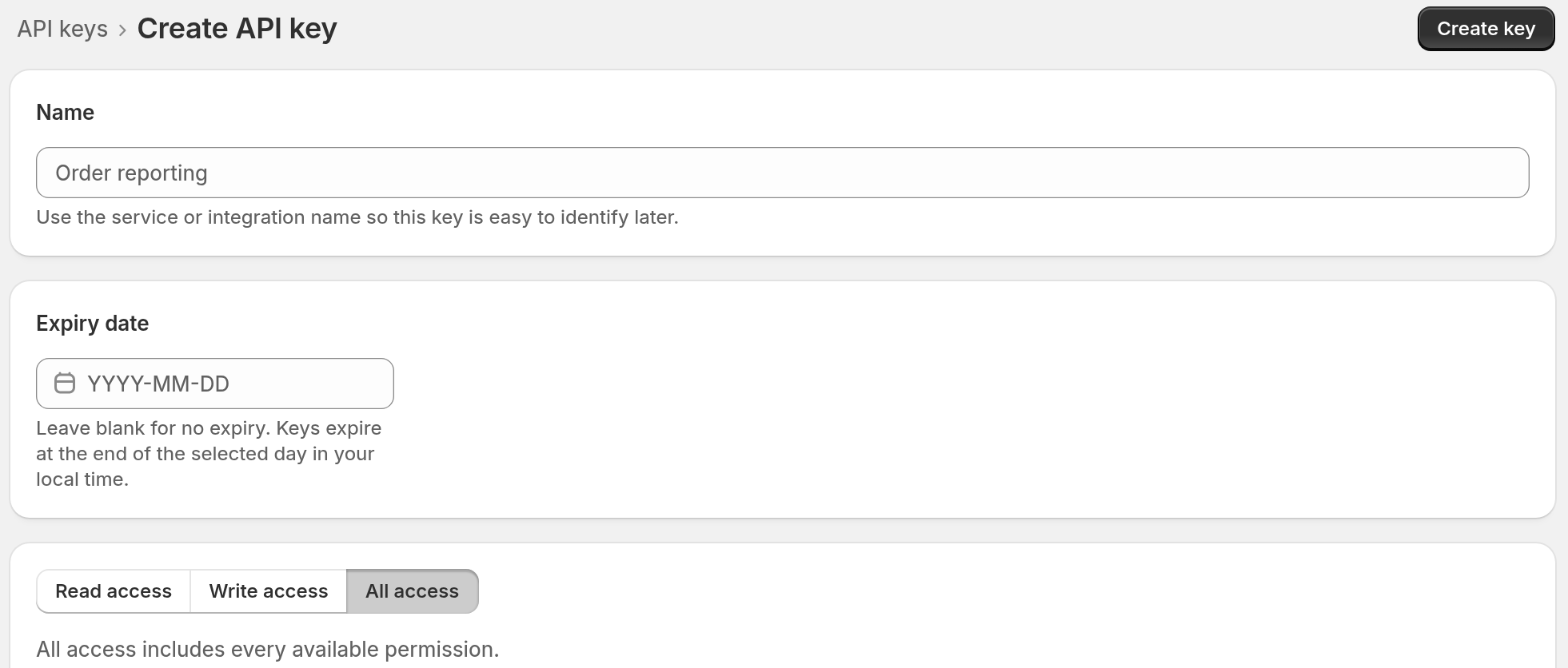
Enter a name for the key. Show the service and its purpose, for example WooCommerce orders or Monthly reporting.
-
Optional: choose an expiry date. The key expires at the end of that day in your local time. Leave the field blank for a key that does not expire.
-
Above the Access heading, click Read access, Write access, or All access. Read access selects every read permission. Write access selects every write permission. All access selects every permission.
-
Clear each checkbox for a permission that the integration does not need. You can also select single checkboxes. Select at least one permission.
-
At the top of the page, click Create key.
-
Click Copy. Store the key in your password manager or secrets manager.
-
When the key is safe, click I’ve saved this key, close window.
Important
The form opens with All access selected. If you enter only a name and click Create key, the key can use every permission. First, choose a preset or clear the checkboxes that you do not need.
Important
Sign Customiser shows the complete key one time. It cannot show the key again after you close the window. If you lose the key, revoke it and create a replacement.
Choose the right access
Use the setup instructions of the integration to find the permissions that it needs. Select write access only if the integration must create, update, resend, export, or delete data.
The Access list has one group for each resource, for example Orders or Quotes. Each group has a checkbox for read access, for example Read orders. Some groups also have a checkbox for write access, for example Write orders.
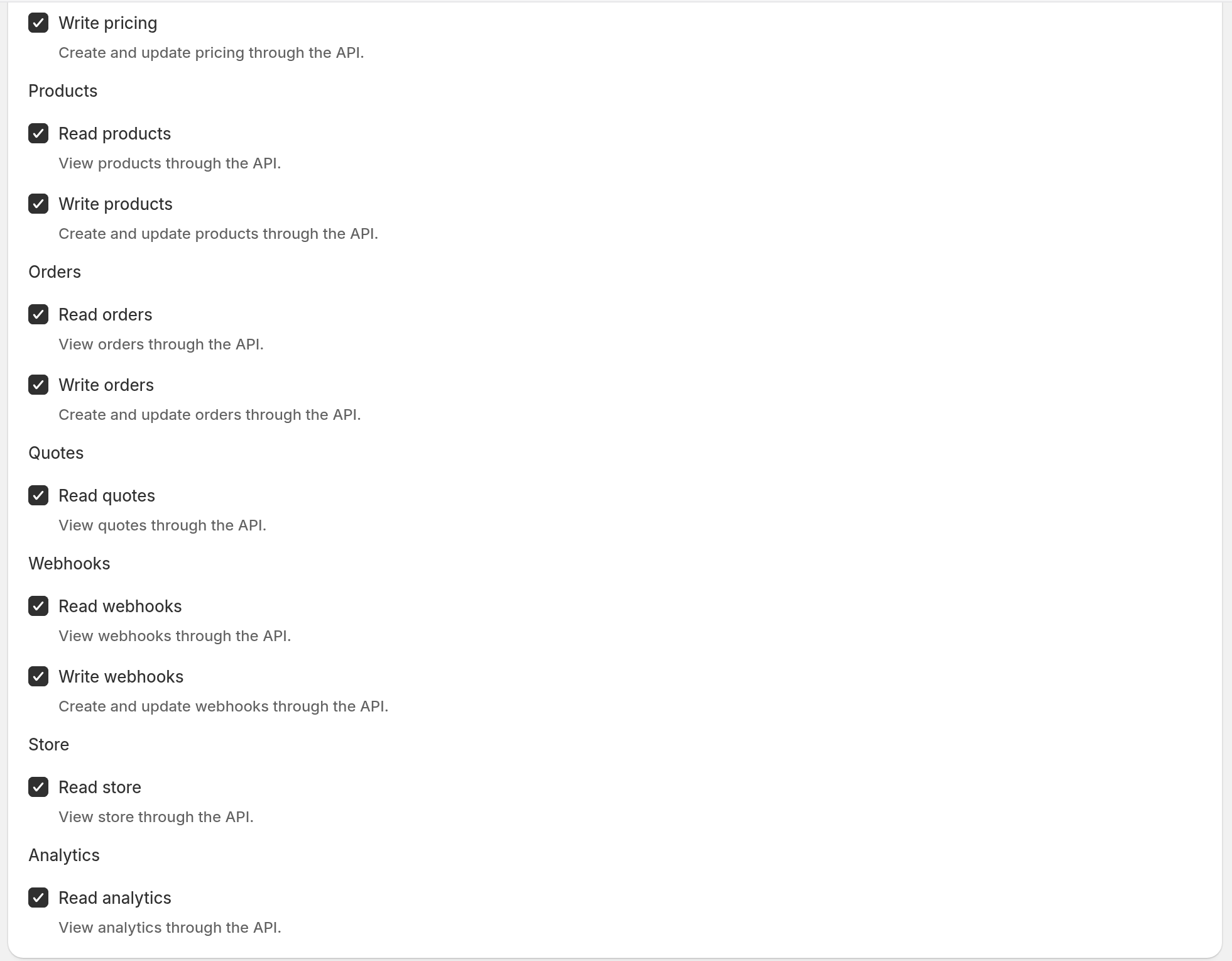
Read quotes lets the key read quote requests and custom design form submissions. These include the contact details of the customer and the files that the customer uploaded. Select Read quotes only for an integration that needs the submissions, for example a CRM sync.
You cannot change the permissions or the expiry date of a key after you create it. To change them, revoke the key and create a replacement.
Use the key
Paste the key into the integration that you created it for. For direct API requests, send the key as a Bearer token in the Authorization header. For endpoints and examples, see the Sign Customiser API documentation.
Revoke an API key
-
Return to API Tokens.
-
Click the delete icon beside the key.
-
Click Revoke to confirm. The key stops working immediately.
Older keys
Older keys can show the badge Legacy full access. These keys can use every API permission, including Read quotes. Create a scoped key to replace each legacy key. Test the new key. Then revoke the legacy key.