

Customiser status: active and inactive
How customiser status works, why a customiser can be inactive, and when activation is not the cause of an add-to-cart problem.
Last updated:
A customiser is active or inactive. The subscription of your Store decides if a customiser can be active. The API v3 custom integration also checks the status.
This article uses “Universal” for a Store in the Sign Customiser Universal app. A Shopify Store pays through Shopify.
How customiser status works
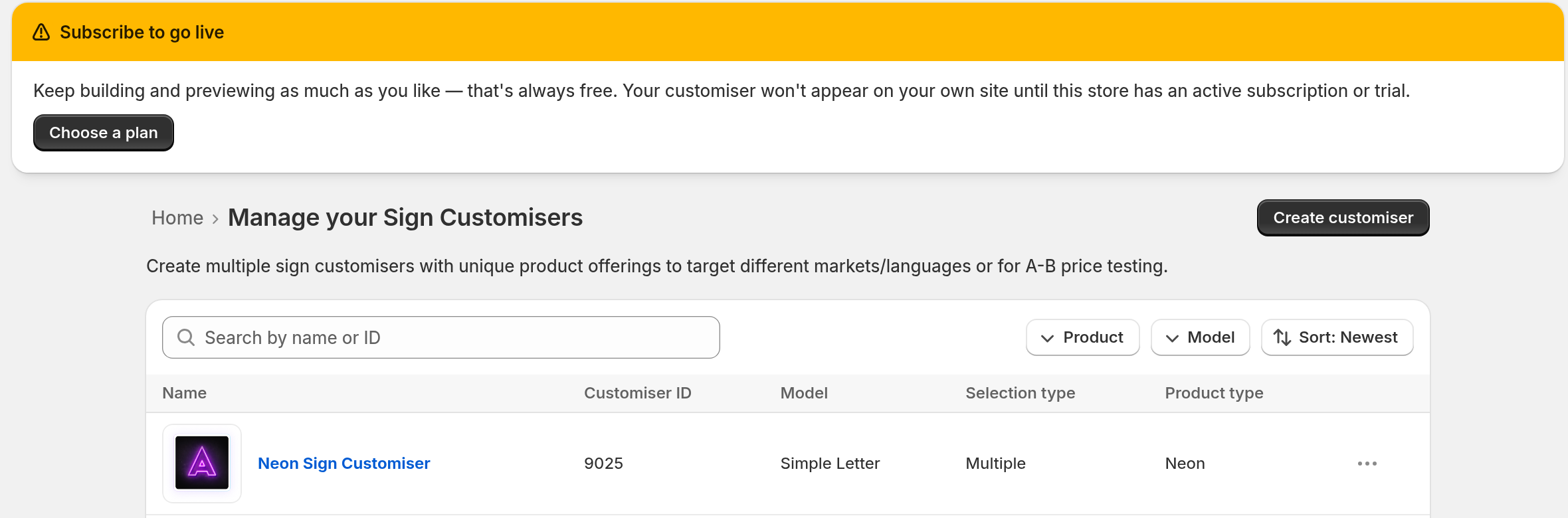
A new customiser is active only when your Store can go live. A Universal Store can go live with an active subscription, or with a trial that has a payment method. The trial of a Shopify Store runs inside its Shopify subscription. Before that, you can build and preview the customiser. On a Universal Store that cannot go live, the designer does not appear on your site.
If your Universal Store cannot go live, the admin shows a go-live banner on most pages. Its heading is Start your 7-day free trial to go live when your Store can still start a trial. Its heading is Subscribe to go live in all other cases, unless a payment has failed. If a payment failed, a payment banner shows instead. Its heading is Your payment failed. If a payment is incomplete and not yet past due, the payment banner has the heading Past Due Subscription. If your trial has no payment method, a trial banner shows instead. In the Shopify admin, these banners do not show.
These facts also apply:
-
A copy of a customiser keeps the status of the original customiser. If your Store cannot go live, the copy is inactive.
-
The Customisers list has no status column. The Deleted Sign Customisers page shows an Active badge or an Inactive badge. To open it, select View deleted customisers on the Customisers page. That button shows only when at least one customiser is deleted.
-
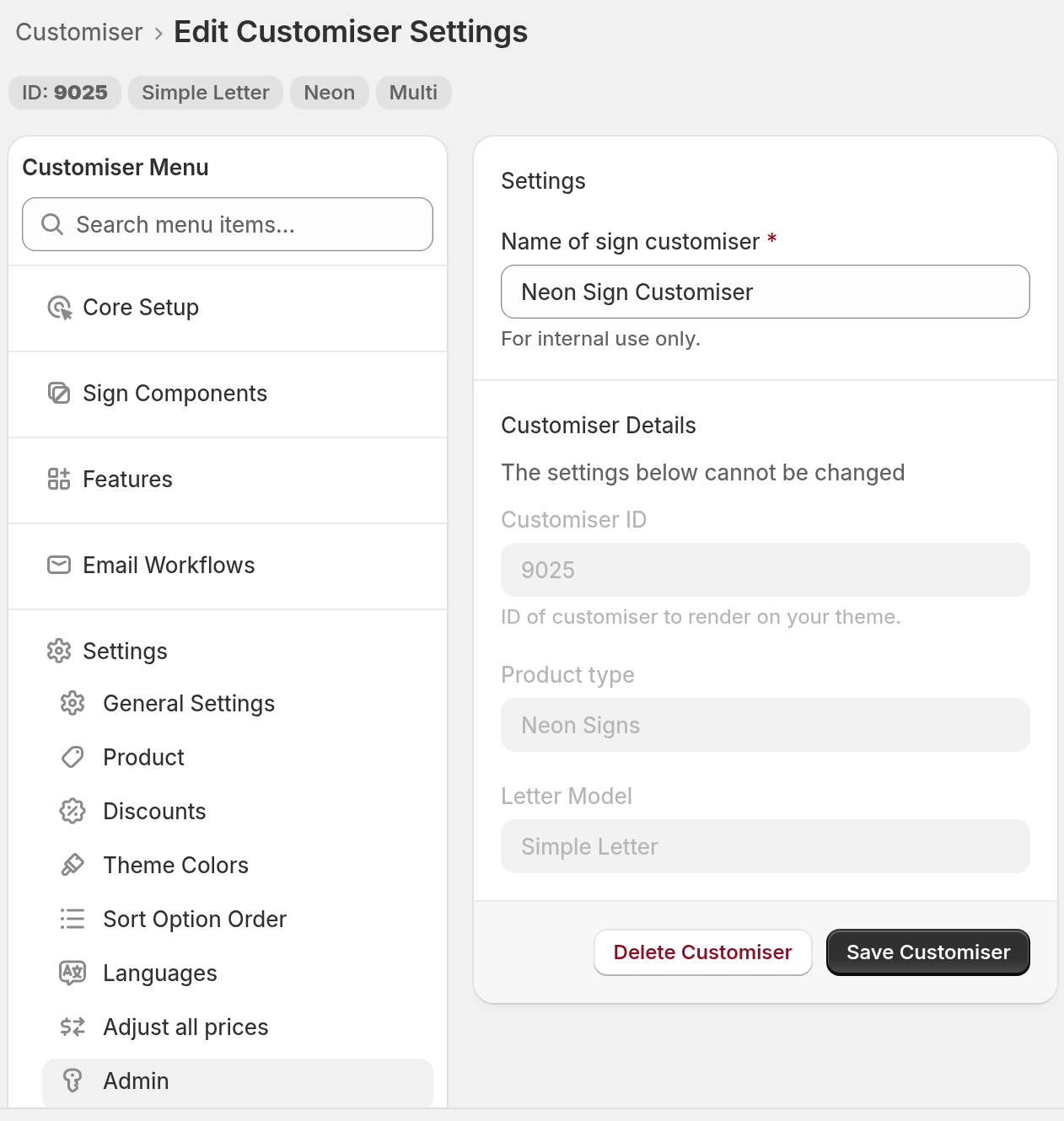
The Edit Customiser Settings page has no Activate customiser setting. To open the page, go to the menu on the left of the customiser page. Under Settings, select Admin.
You can also change the status through the Sign Customiser API v3. Use the activate operation or the deactivate operation. The API key needs the customisers:write scope.
If a customiser is inactive
A customiser can be inactive for these reasons:
-
Your Store could not go live when you created the customiser.
-
You created the customiser through the API v3 when your plan could not put it live. The live limit was reached, or the plan does not include Advanced Letter.
-
Your Universal Store has never subscribed, and it has no trial with a payment method. Sign Customiser then sets each live customiser to inactive.
-
The subscription of your Universal Store ended. Sign Customiser then sets each live customiser to inactive. It does not delete anything.
-
A payment for your Universal Store failed, and you did not fix it in five days. Sign Customiser then sets each live customiser to inactive.
-
You used the API v3 deactivate operation.
-
Your Universal Store has a legacy Starter or Launch plan. These plans allow one live customiser, so the API v3 does not make a second customiser live while another is live.
A customiser that uses Advanced Letter pricing cannot be made live through the API v3 on a plan that does not include Advanced Letter. Some legacy plans do not include Advanced Letter.
When your Universal Store subscribes again, Sign Customiser sets back to active the customisers that it switched off. An Advanced Letter customiser stays inactive if the new plan does not include Advanced Letter.
What shoppers see
When your Universal Store cannot go live, shoppers see a message instead of the designer:
-
On the designer on your own site, the message is Subscription Required or Start Your Free Trial.
-
On a Customiser Link page, the message is This designer isn’t available right now. A Customiser Link that you paste into an Etsy listing opens the same page.
What integrations do
Through an API v3 custom integration, an inactive customiser cannot create a product or take an order. If a custom API integration shows a product error or an order error, check the customiser status first. If a WooCommerce or Wix order fails, check that the subscription of your Store is active.
How to fix it
Subscribe on the Billing page of your Universal Store. If you need help, contact support. Give your Store name and the customiser ID.
Add-to-cart problems are separate
For an add-to-cart problem on a Shopify Store, do not look for an activation setting. The article that follows lists the Shopify causes: variant limits, shipping locations and Shopify Markets. See Why is add to cart not working?