

How to reduce TTF font file size
Last updated:
This guide shows how to make a TTF font file smaller. You remove the glyphs that you do not need. The admin accepts a .ttf file of 2 MB or less.
-
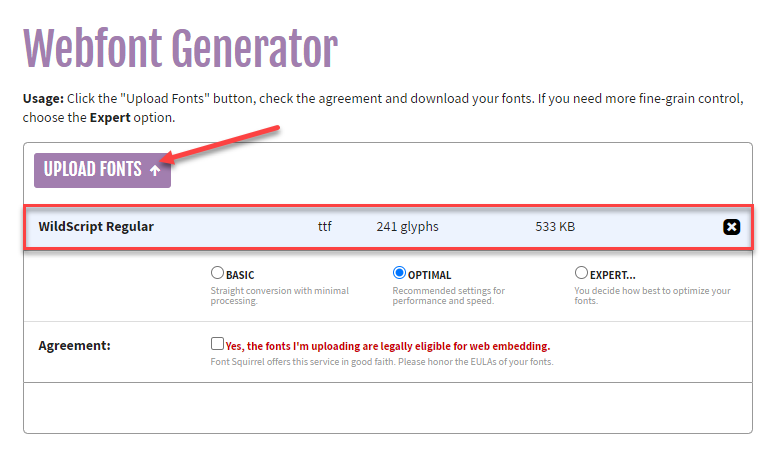
Go to the Webfont Generator tool from FontSquirrel. Select Upload Fonts. Choose the fonts that you want to make smaller. After the upload, each font shows its name, type, number of glyphs and size.
-
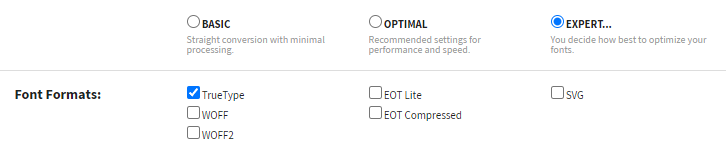
Select the EXPERT… option. The tool shows more settings. Use these settings:
-
Font Formats: TrueType. Sign Customiser accepts only files that end in .ttf. Select this option.
-
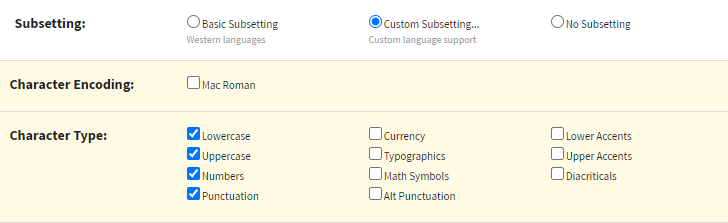
Subsetting: Custom Subsetting…
-
Character Type: Lowercase, Uppercase, Numbers, Punctuation.
-
Look at the Subset Preview row. It lists the characters that the subset includes.

Include each character that your customers can type. Examples are accents, currency symbols, other symbols and characters from other writing systems. Sign Customiser does not add a missing character to a font file. On an Advanced Letter customiser, a missing character blocks add to cart by default. Use the Subset Preview row to check the characters in the subset before you download the fonts. For more detail, see Why is add to cart blocked for some font characters?
-
-
Accept the Agreement. Download your font files.

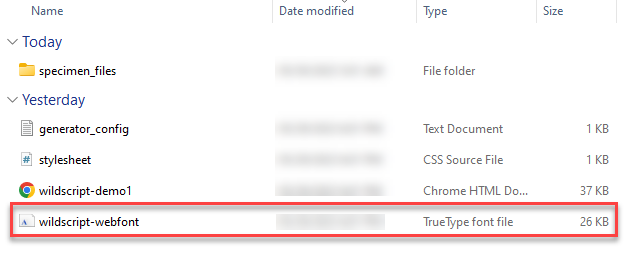
Extract the downloaded files. Find your optimised .ttf font file. Check the file size in your file manager. The file must be 2 MB or less.
-
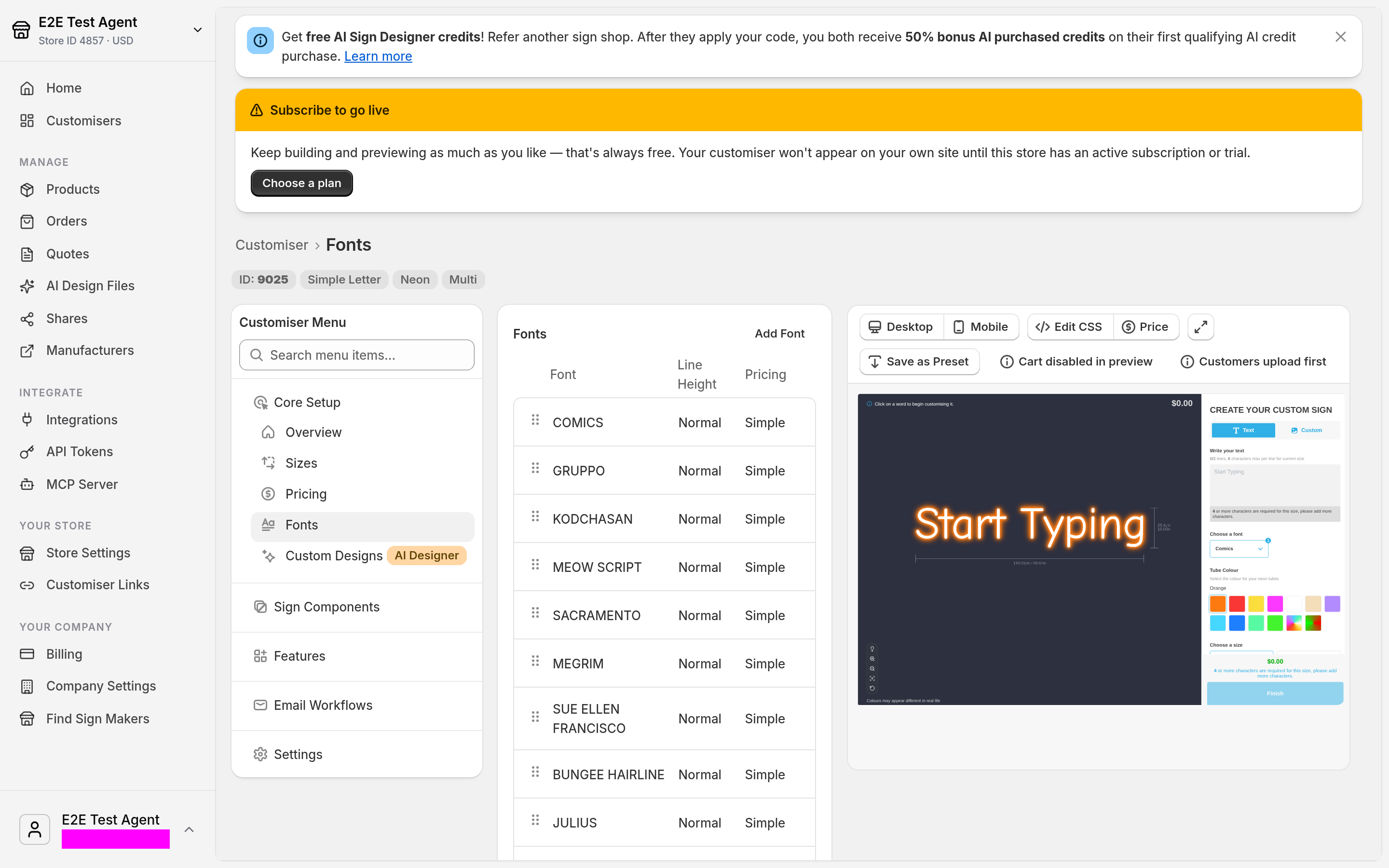
Open Sign Customiser. Select Customisers. Open your customiser. Under Core Setup, select Fonts.
-
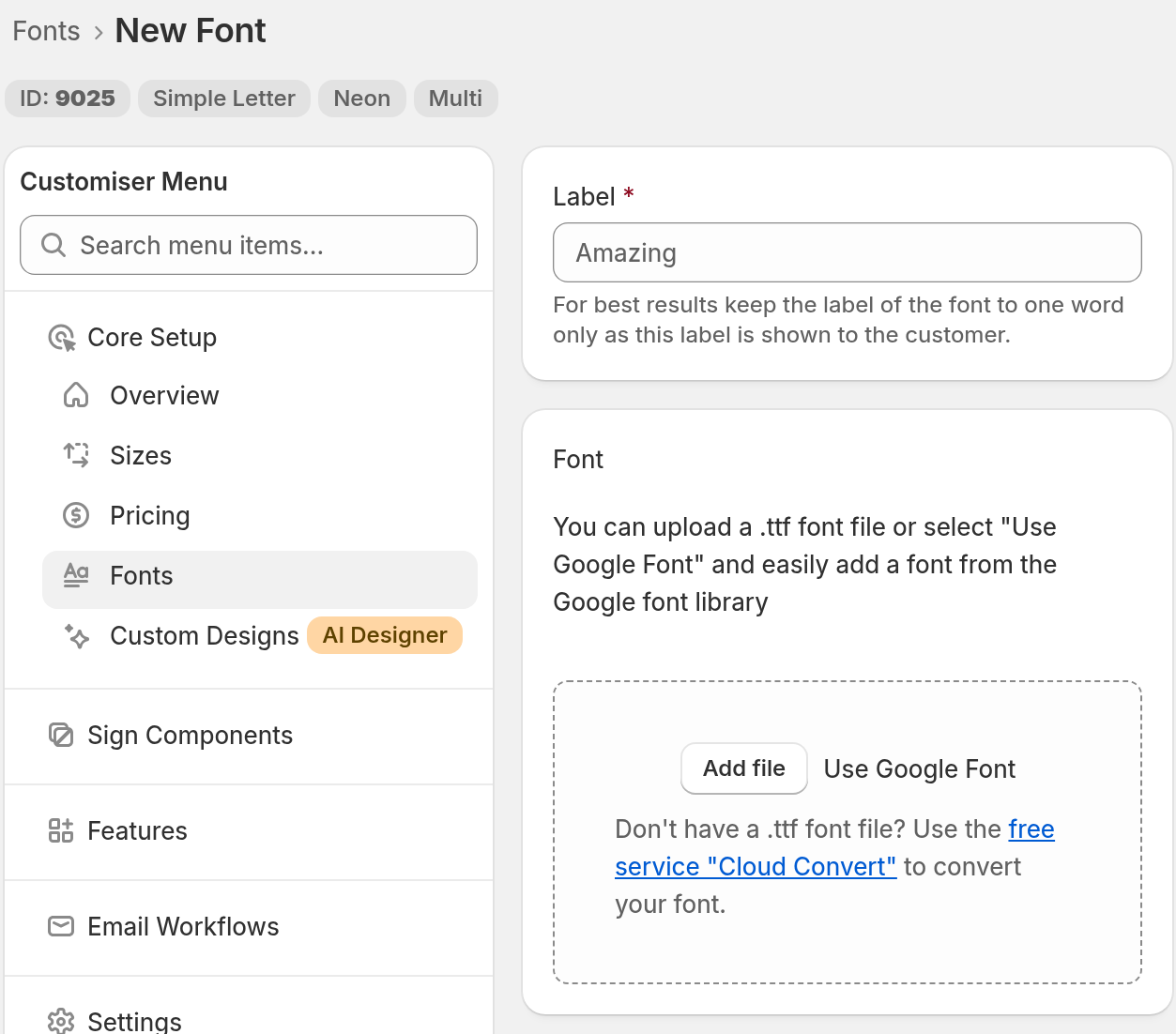
Select Add Font. To replace the file of a font that you already have, open that font. Then select the minus icon in the row under Existing Files to remove its current .ttf file. Enter a name in Label. In the Font section, select Add file. Choose your optimised .ttf file. Select Save. If the file is larger than 2 MB, the Font section shows “File must not exceed 2 MB.” Make the file smaller, or remove more characters.
Other ways to add a font
-
To use a font from the Google Fonts library, select Use Google Font in the Font section.
-
If you do not have a .ttf file, convert your font with the service CloudConvert. The Font section has a link to it.