

Letter Material Cost
Last updated:
Letter Material Cost is a pricing method used in the Advanced Letter Model. It calculates the price of letters from the calculated length of each letter’s path.
Key Benefits:
-
Path-length pricing: Charge based on the calculated path length of each letter.
-
Font-sensitive pricing: Fonts with longer letter outlines cost more.
-
Flexible pricing tiers: Set different material costs for different sign dimensions.
-
Real-time calculations: Prices update as customers change their text or fonts.
-
AI Sign Designer compatible: The same length and rate calculation works for AI-generated SVG designs.
How Letter Material Cost Works
The app measures the outline of each letter and takes half of that length. It then scales the result to the sign width. The result is the material length.
The letter price is the total material length of all letters, multiplied by your Letter Material Cost rate. By default, if you set a Sign Start Price for the size boundary, the app adds it once for each font used in the design. This means the price can vary depending on the font and design.

The app uses the same material length and rate calculation for designs from AI Sign Designer uploads. When a customer uploads an image, the app converts it to an SVG. It then measures the paths in the SVG. It multiplies the material length of each measured path by your Letter Material Cost rate, and adds the path prices. If the design has a printed UV face, the face adds no length price. Only its face colour can add a price.
If the size boundary has a Sign Start Price, the app also adds it one time for each logo. A logo with many paths gets only one Sign Start Price. For example, a logo has three paths that cost $25.00, $27.50 and $11.78. With a Sign Start Price of $60.00, the logo price is $64.28 + $60.00 = $124.28. Shipping, other options and discounts can change the final price.
On a customiser with multi-font or multi-colour selection, the pricing shows Start Price for Multi-selection. There, you can select Assign start price to each size (1 start price). When you select it, the app does not add the Sign Start Price. It adds one Start Price from the size boundary that fits the selected size. This rule applies to text designs and to AI Sign Designer logos.
For more information on AI Sign Designer with Material Length pricing, see the AI Sign Designer Guide.
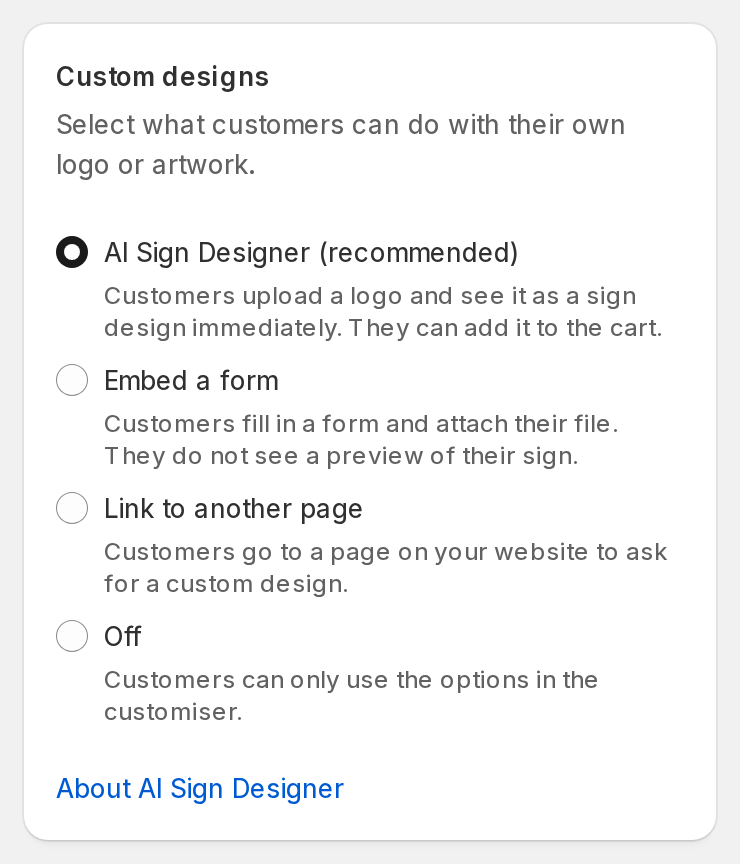
To use AI Sign Designer with this method, your Store needs a form with a File Upload field and a required Email field. When you select AI Sign Designer, the page selects an eligible fallback form for you. If your Store has no eligible form, select Create a fallback form in the Set up AI Sign Designer box. Then follow these steps:
-
Open Custom Designs in your customiser menu.
-
Under Custom designs, select AI Sign Designer (recommended).
-
Under Sign Dimensions, in Default sign size, enter a Default width and a Default height.
-
Under Minimum production height, enter a Minimum height.
-
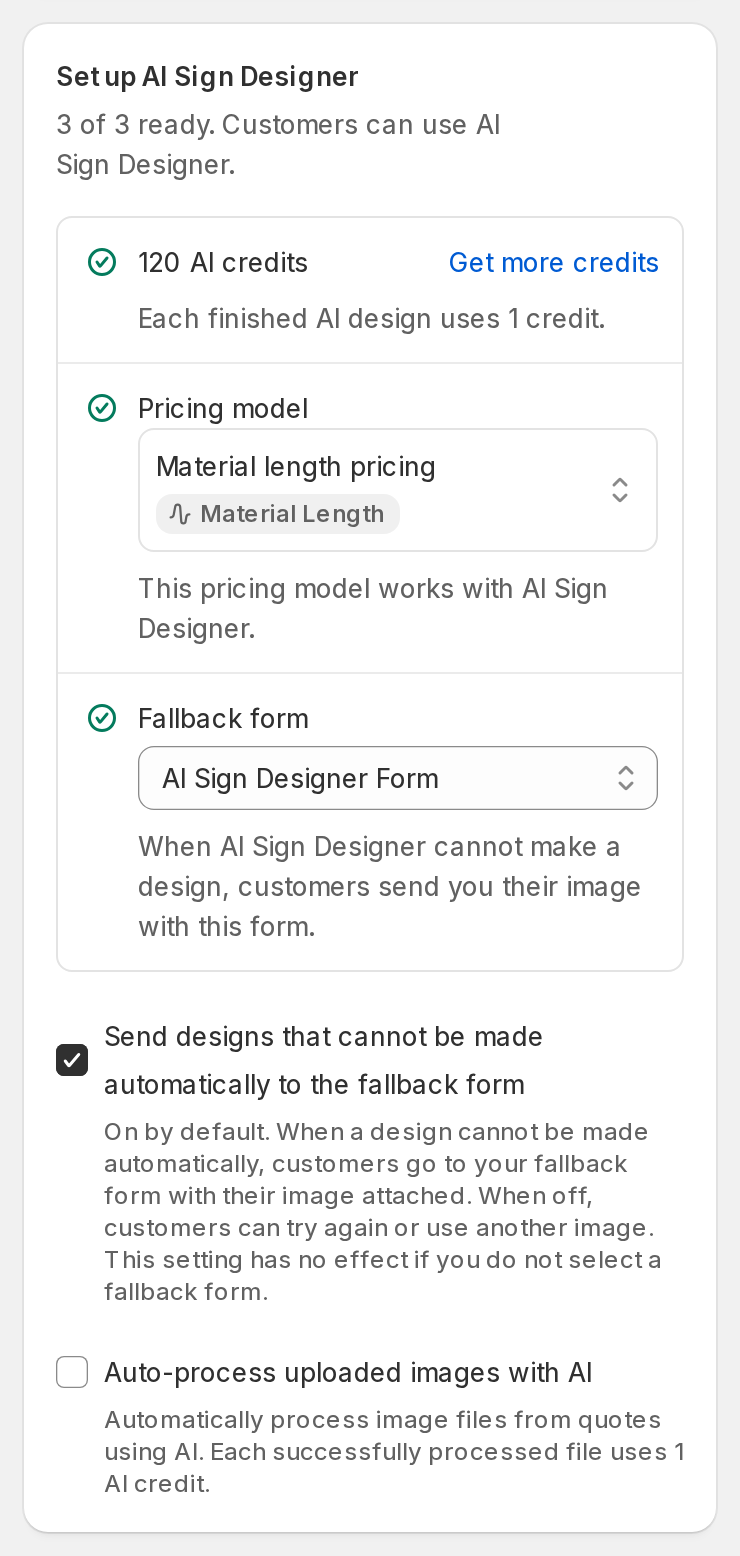
Under Set up AI Sign Designer, select a Pricing model that uses material length pricing.
-
Check the Fallback form. The form must have a File Upload field and a required Email field.
-
Select Save.
When all three items in the Set up AI Sign Designer box are ready, the box shows 3 of 3 ready.
AI Sign Designer does not work with Simple Letter pricing.
Where to Set Letter Material Cost
-
Open Customisers and select your Advanced Letter customiser.
-
Open Pricing. Select Add Pricing, or open an existing pricing.
-
In the pricing form, under Letter Pricing, select Letter Material Cost.
-
Open a size boundary. In the Letter Material Cost field, enter the price for each unit of material length.
-
Repeat step 4 for each size boundary.
Setting Your Material Cost
When deciding how much to charge per centimetre, consider:
-
Material cost: The cost of the raw materials, such as vinyl or metal.
-
Machine cost: The cost of cutting or machining.
-
Waste: Additional material that may be lost during production.
-
Profit margin: The amount you want to add as profit.
Example
If your costs are:
-
Material cost: $0.20/cm
-
Machine time: $0.10/cm
-
Waste factor: $0.04/cm
-
Profit: $0.18/cm
Your total price would be:
$0.52/cm
Which unit does the field use?
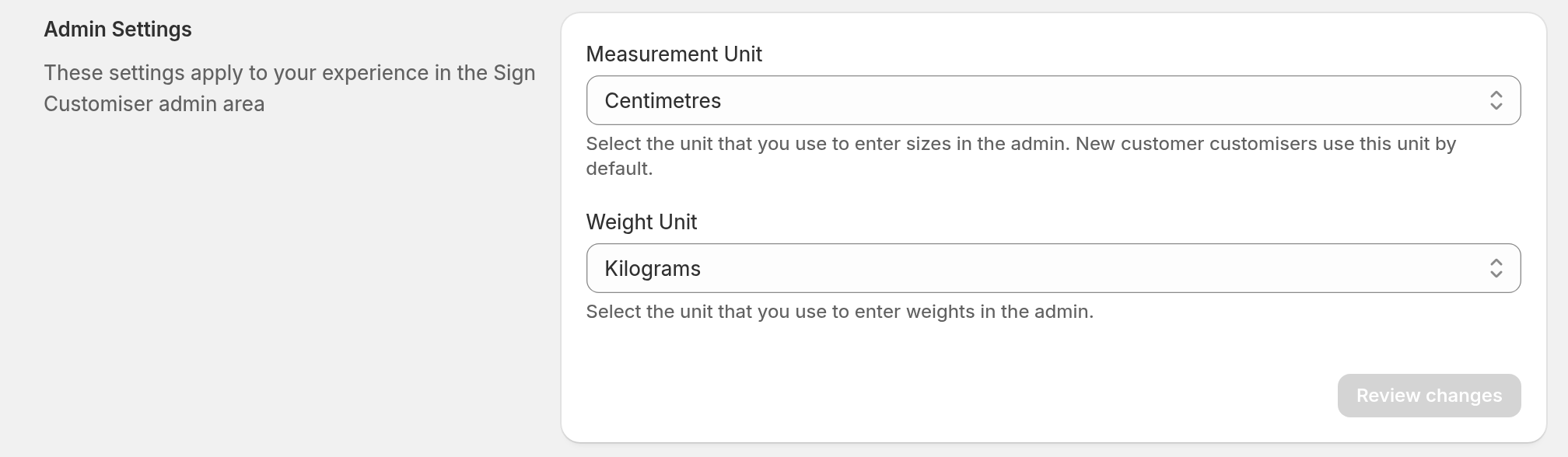
The Letter Material Cost field uses the Measurement Unit of your Store. The field shows per cm or per in after the price.
To check or change the unit, open Store Settings. In the Universal admin, select Store Settings under Your Store in the sidebar. In the Sign Customiser app in the Shopify admin, open Tools & Settings, then select Store Settings. Find Measurement Unit under Admin Settings.
If your Store uses inches, enter the price for each inch. Multiply the price for each centimetre by 2.54. For example, $0.52 per cm is $1.32 per inch. If you enter a price per centimetre in an inch Store, your prices are too low.
For more about Store units, see Admin measurement units.
When Should I Use Letter Material Cost?
Letter Material Cost is a good choice when:
-
You want the price to follow the outline length of the letters in each font.
-
You offer materials with different costs.
-
Customers frequently change text length and styling.
-
Your production costs depend on cutting or machining time.
-
You want to use AI Sign Designer with material-based pricing.
When Should I Use Fixed Cost Per Letter?
Use Fixed Cost Per Letter instead if:
-
Material usage is similar across different fonts.
-
You want a simple price that is easy for customers to understand.
-
You normally charge a fixed amount for each character.
-
Setup and production costs are more important than material costs.
With Fixed Cost Per Letter, you can also select Price by position. This sets a different price for each letter position. For example, you can include the first few letters at no extra cost.
Converting Material Costs to a Price per Centimetre
If your supplier gives you a price per metre or foot, you can convert it to a price per centimetre. If your Store uses inches, see Which unit does the field use? to convert the result to a price per inch.
Metres
If the material costs $20 per metre:
20 ÷ 100 = $0.20 per cm
Feet
If the material costs $15 per foot:
15 ÷ 30.48 = $0.49 per cm
What if My Supplier Gives Me an Average Cost Per Letter?
If your supplier gives you an average cost per letter, use the Simple Letter Model instead.
If you still want to use Letter Material Cost with the Advanced Letter Model, you must calculate the material cost of an average letter.
See this guide for further details: Determine Material Cost from Average Cost per Letter.