
Assign backboard colours & materials to backboards
Last updated:
Please follow the below instructions to assign/add colours to your backboards:
-
Navigate to the Sign Customiser admin on your store.
-
Click on “Customisers” in the home menu
-
Click on the customiser you wish to edit.
-
In the left-hand side menu click on “Backboard Colours & Materials”
-
Click on an existing backboard colour that you have already created.
-
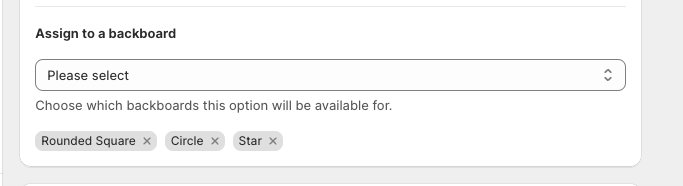
Scroll down untill you see “Assign to backboard”
-
Use the dropdown menu to select the existing backboards that you want this backboard colour & material to apply too.
-
Click on save at the bottom of the form to save.