
Share Custom Sign Designs
Generate unique urls of a sign design that can be shared across the web
Last updated:
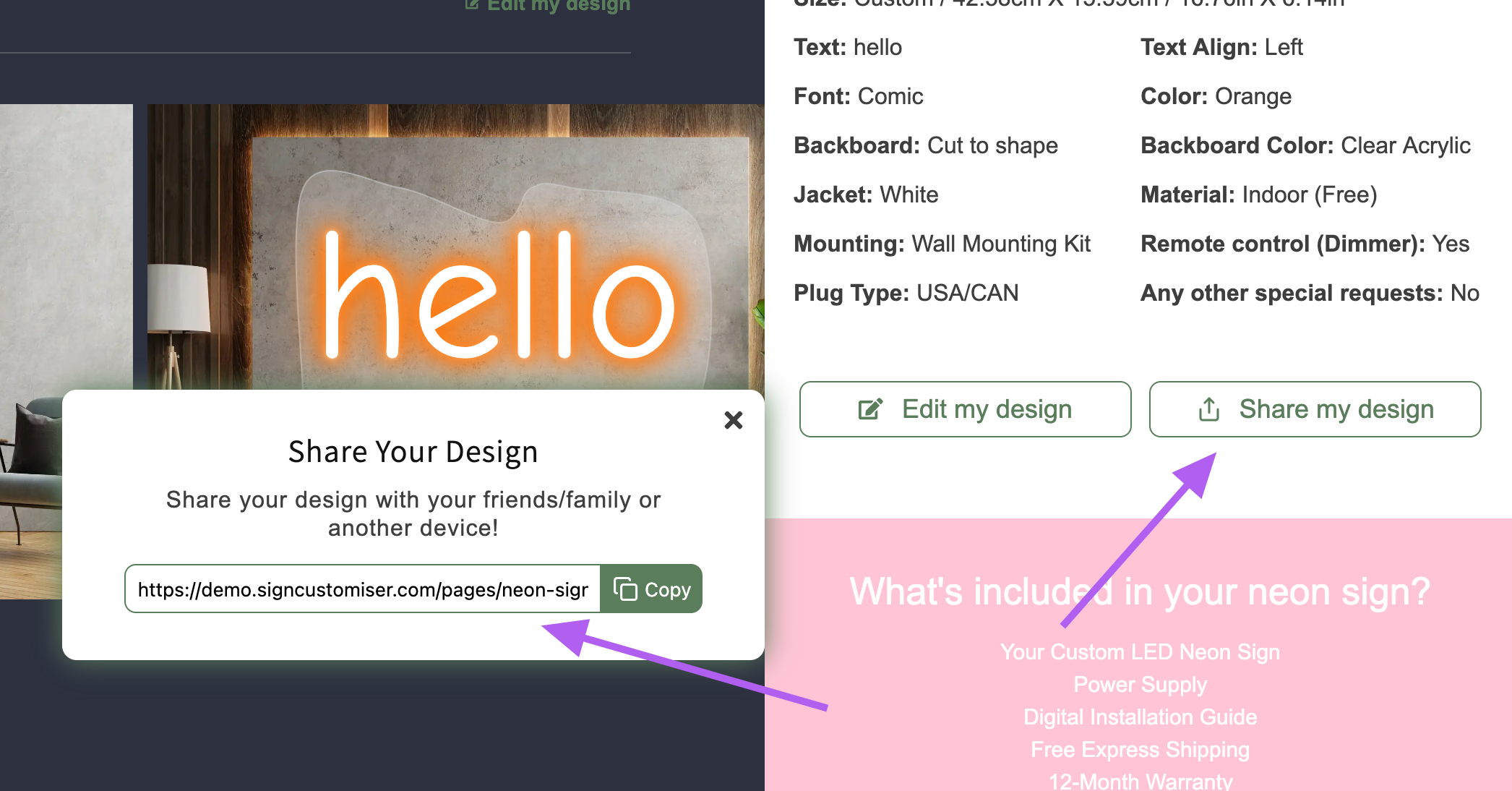
Customers can now share their current design with others or across different devices.
When they click the share option, a modal will appear with a unique URL that they can copy.
-
Anyone accessing the shared link will be taken to the customiser with the same selections.
-
Orders placed through shared links will be tracked in order details for analytics.
How to Enable the Sharing Feature
-
Go to the Sign Customiser Admin:
-
Universal subscribers: Go to Home in your account.
-
Shopify users: Navigate to Shopify admin → Apps → Sign Customiser.
-
-
Click on Customisers in the menu.
-
Select the customiser you want to edit.
-
From the left-hand menu, go to Save and Share.
-
In the Share Sign Location section, choose one of the following:
-
Disabled – Turn off the sharing feature.
-
Options screen & Review screen – Show the sharing button in both the visualiser and review screen (Review screen must be enabled).
-
Review screen only – Display the sharing button in the review screen (Review screen must be enabled).
-
-
Click Save.