
Single or two-prong mounting visualisations on the lightbox
Last updated:
You can follow the guide below to showcase a single or two-prong mounting for the lightbox.
This setting will enable a 3D visual of each option, show the mountings in the customiser visualiser, and generate product images for Sign Customiser.
-
Navigate to the admin of Sign Customiser for your store
-
Click on “Customisers” in the main menu on the home page
-
Click on the customiser you wish to edit
-
Click on “Mountings” in left hand the left-hand side menu
-
Click on the “Mounting” you wish to edit or create a new one.
-
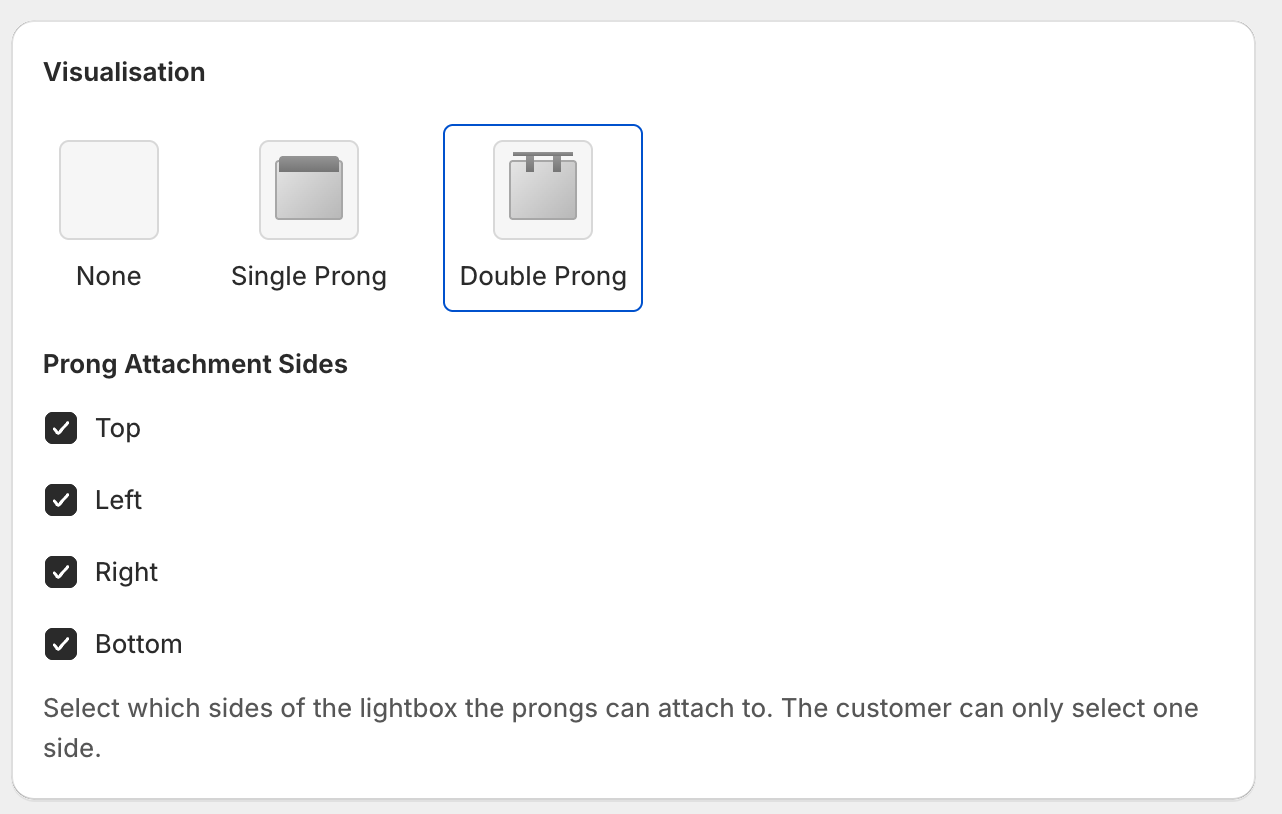
Scroll down until you see “Visualisation”
-
Select either Single prong or double prong for the mounting type you want to display.
-
Select the sides that you would like the customer to select from; these options will also update the visualisation when selected.
-
Click on save at the bottom of the form to update.