
Install Customiser on a Product or Page on your Shopify Storefront - App Blocks
Last updated:
This guide will explain how to add the Sign Customiser to either a page or a product page in Shopify.
Step 1: Create a Custom Template
-
From your Shopify admin, go to Online Store > Themes.
-
Click on Customise to open the theme editor.
-
In the top dropdown menu, select either:
-
Page > Create template (for adding the customiser to a page), or
-
Product > Create Template (for adding the customiser to a product page)
-
-
Click Create Template and give an appropriate name for your template (e.g. Custom Sign template).
Step 2: Add the Sign Customiser Section
Whether you want to add to a product or page template, the steps for adding the customiser are the same.
-
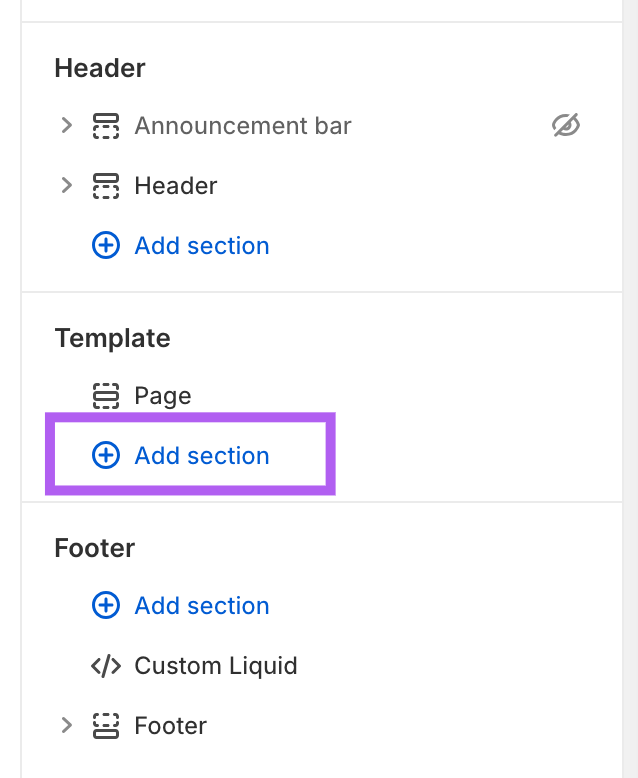
In the theme editor, under the Template section, click Add Section.
-
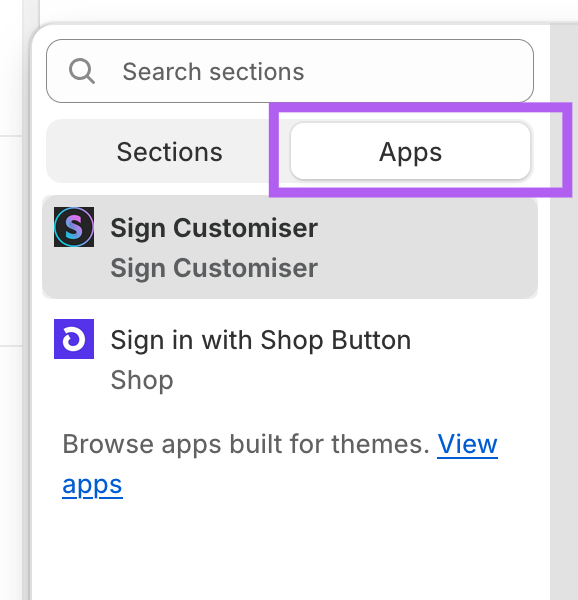
Click on the Apps tab and select Sign Customiser.
-
Click on the Sign Customiser section to configure its settings:
-
Sign Customiser ID: Enter your customiser ID (Need help finding your customiser ID? Follow our Find your Sign Customiser ID guide).
-
Formatting: By default, the app follows your theme’s formatting. Use this option to force RTL formatting if needed.
-
Click Save.
-
-
By default, the customiser matches the page width set in your theme. To make it full-width, click the App section containing the Sign Customiser app.
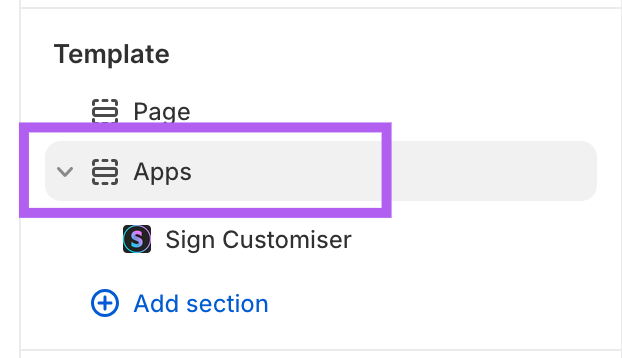
Uncheck Make section margins the same as theme option.
Step 3: Assign the Template
Once your template is ready, the final step is to create a page or product and assign the template to it.
If Adding to a Page
-
Go to Online Store > Pages and click Add Page.
-
Enter a page title.
-
Under Template, select the template you created.
-
Click Save.
If Adding to a Product
-
Go to Products and click Add Product.
-
Enter a product title.
-
Uncheck:
-
Charge tax on this product
-
Track quantity
-
This is a physical product
-
-
Set a default price to avoid zero-priced orders. See: Troubleshooting Zero-Amount Products Purchased on Shopify.
-
Set the product status to Active.
-
Under Theme Template, select the template you created.
-
Click Save.
You are all done! Your Sign Customiser is now live on your storefront.