How to include the SVG file for manufacturer emails
Last updated:
To include the SVG file in your supplier/manufacturer email please follow these instructions.
-
Navigate to Sign Customiser admin on your store.
-
Click on “Customisers” in the home menu
-
Click on the customiser you wish to edit
-
Click on “Manufacturer Email” in the lefthand side menu
-
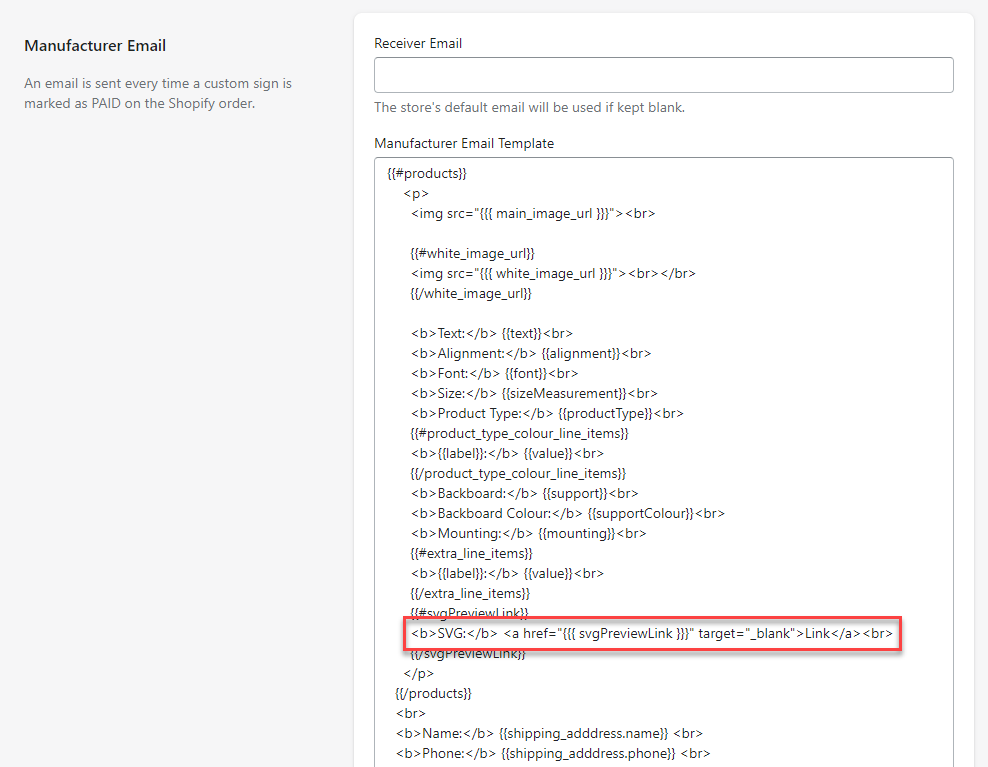
Paste the following code into the email template to display an SVG download link in the email:
<b>SVG:</b> <a href="##{{{ svgPreviewLink }}}" target="_blank">Link</a><br>This is what the email template should look like after you after you have pasted the code.
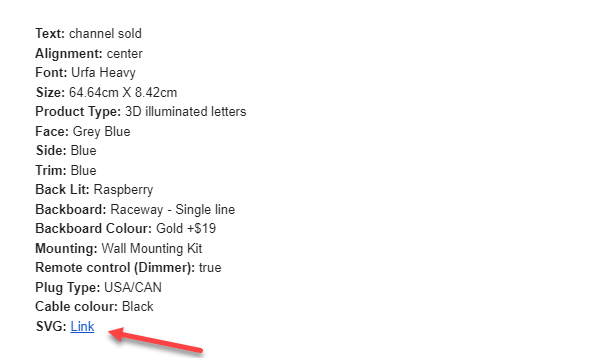
Here is an example of the Manufacturer email with an SVG download link.