
Advanced Model Measurement Calculations
Last updated:
Our advanced letter model sizing can be a bit confusing to set up and understand how it all ties together.
Let’s break down how the final measurements are calculated
Font Minimum Heights
When you create a font within our admin application you are required to enter the “Minimum Height of Smallest Letter and “Minimum Height of Uppercase Letter”
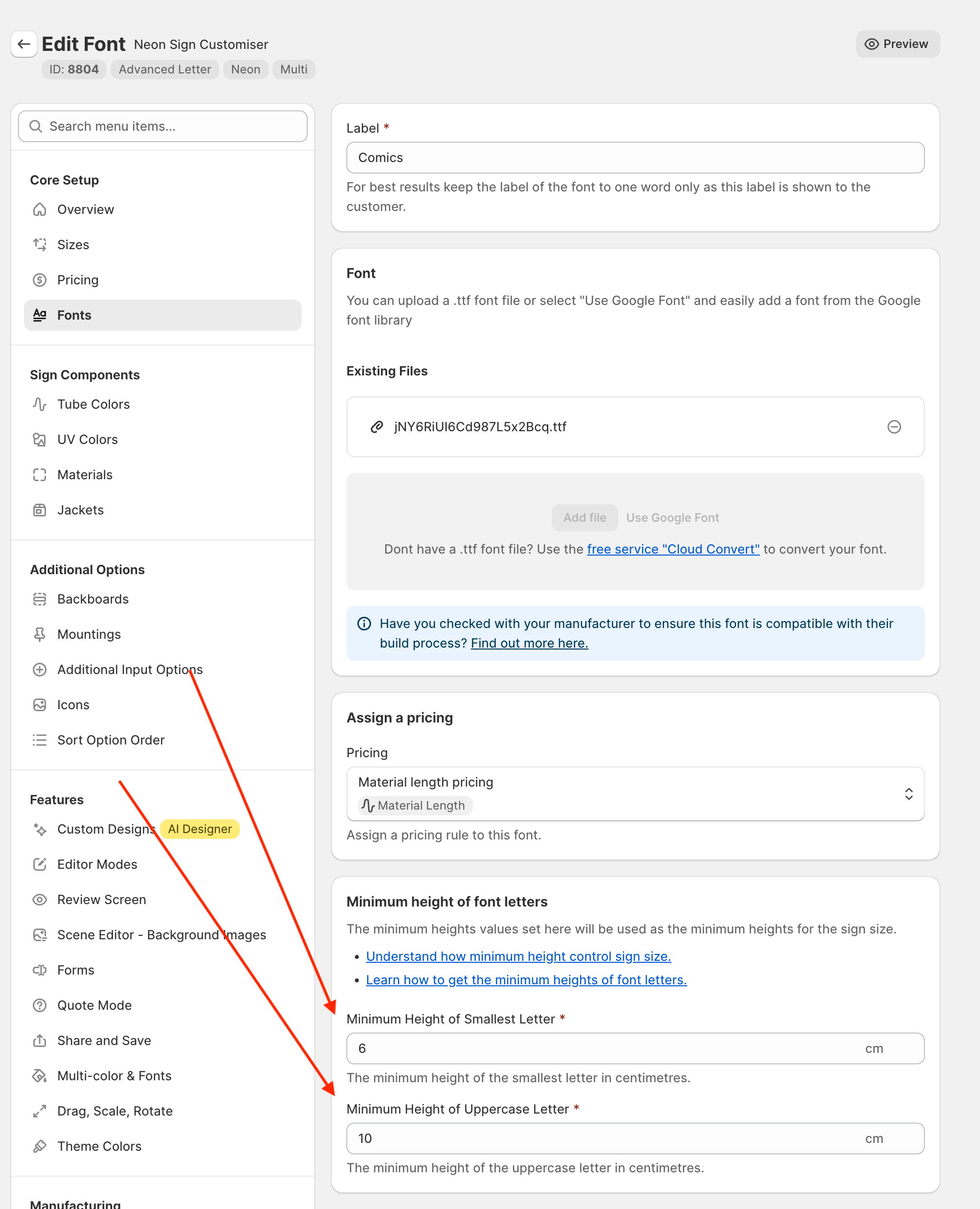
These values represent the smallest height you can physically manufacture of your signs. “Smallest Letter” refers to the smallest lowercase letter of your font set, e.g. for latin languages this could be “o”. “Uppercase Letter” refers to the smallest uppercase letter of your font set that can be made, e.g. “X”. These values must be set for each font individually, as it may very between them.
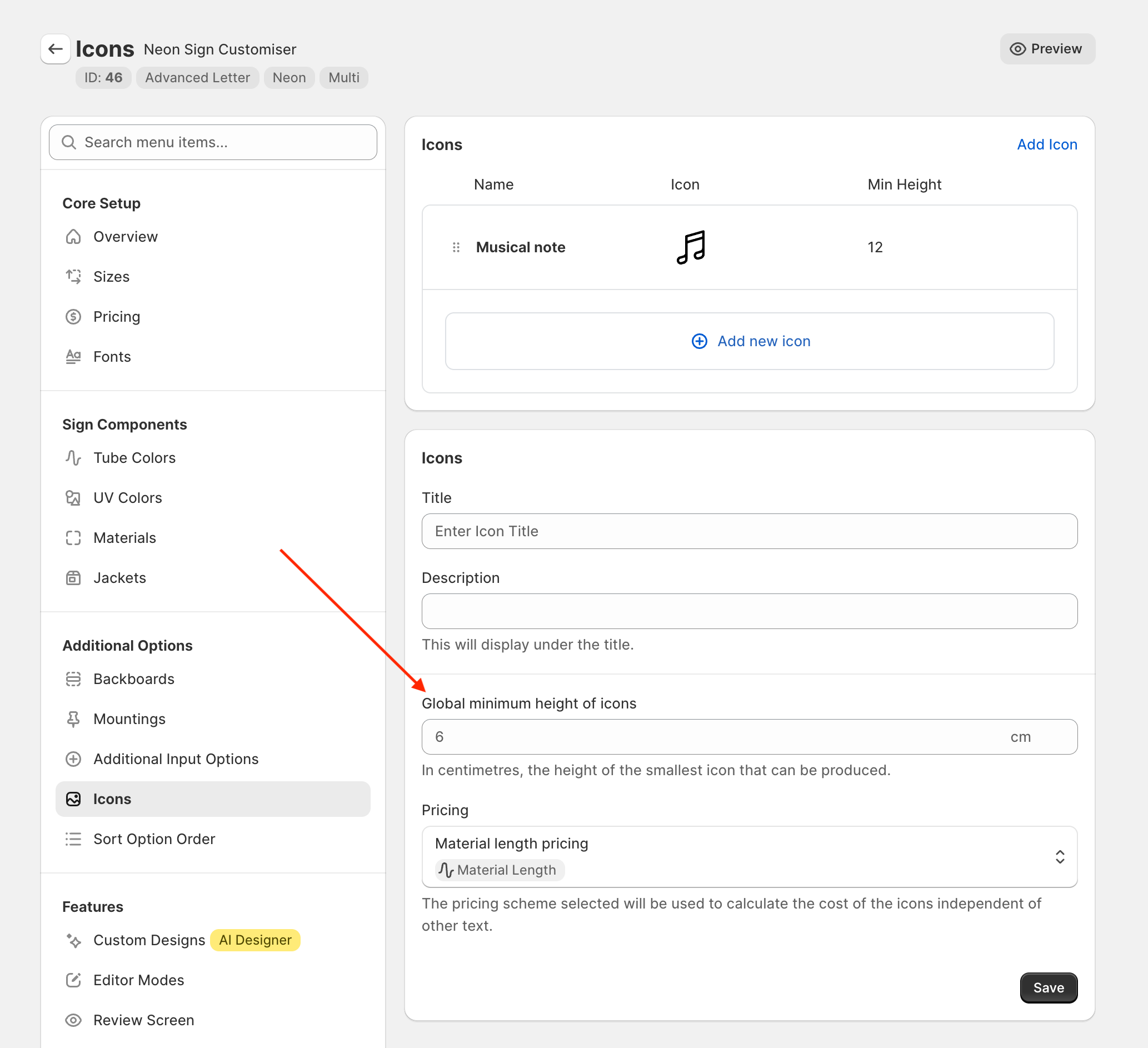
For Icons, there are two ways to configure this value. The first way is a global minimum height, configured on the icon listing page in the admin.
The second is on each individual icon itself:
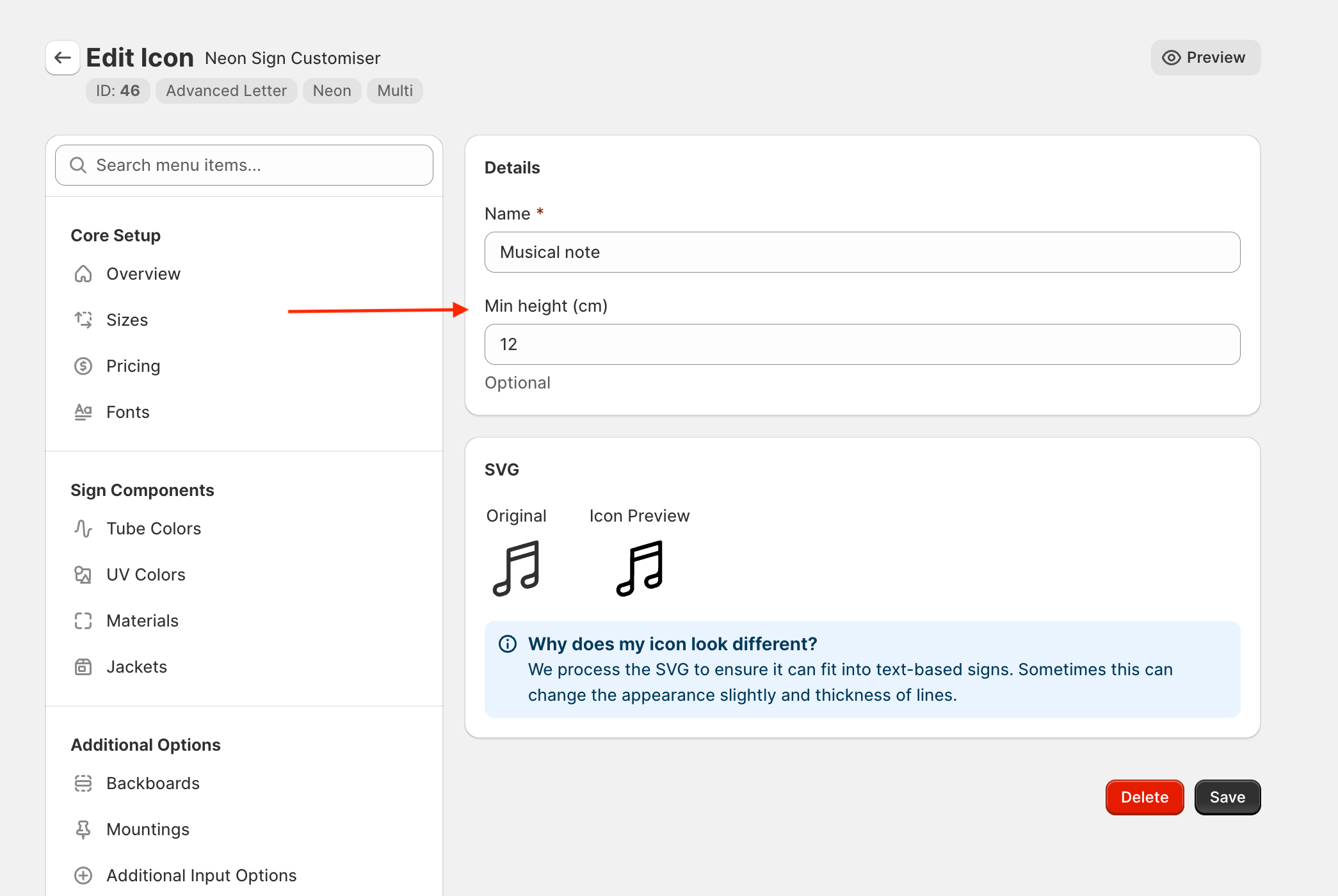
If a min height is not specified on the icon directly, it will use the global min height.
Calculating Sign Measurements
Now comes the question of “How do we translate what the customer has entered into the visualiser into real world physical dimensions?”.
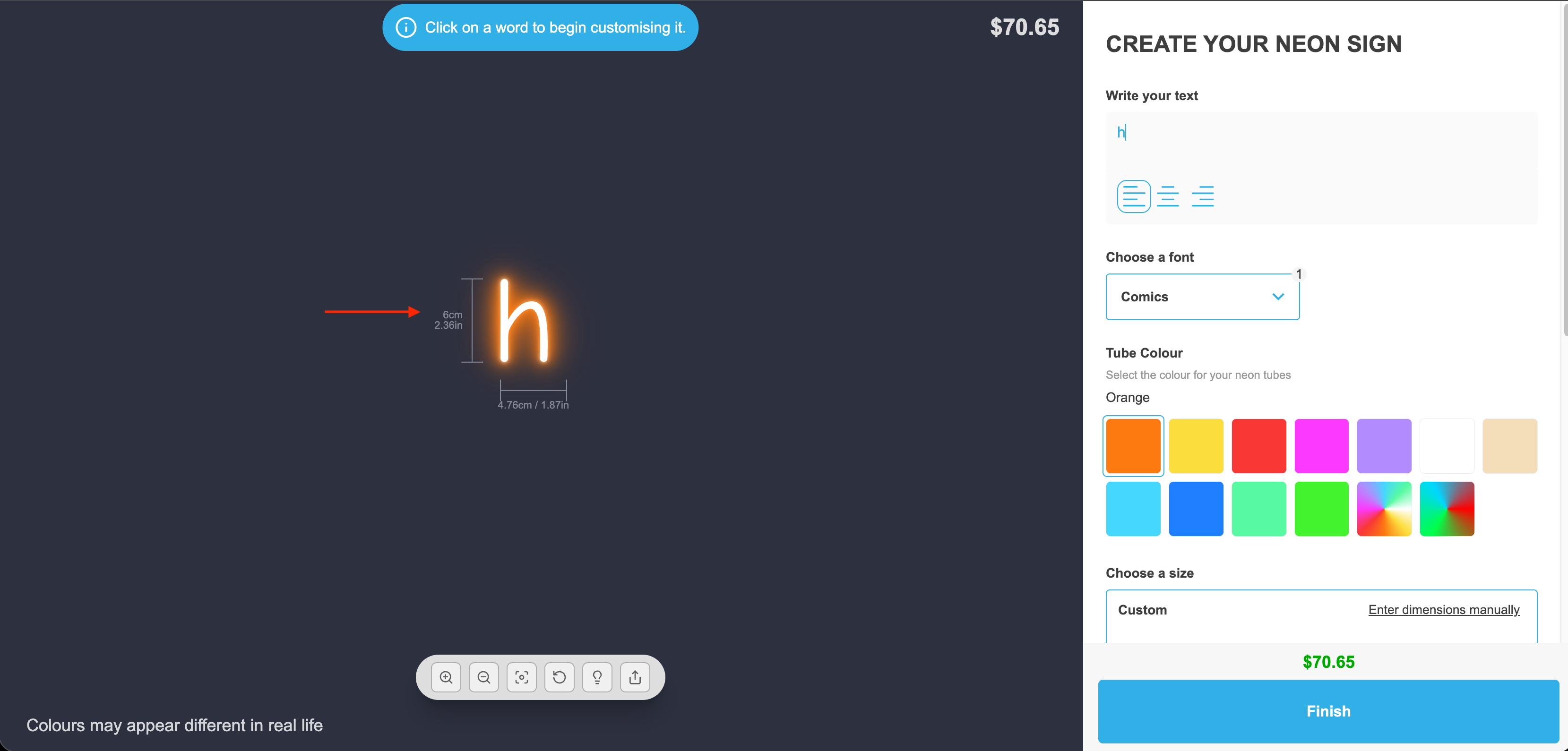
For the following example, we configured our “Comics” font to have a min lowercase letter of “6cm” and a min uppercase letter of “10cm”.
We can verify this on the customiser by typing a single lower case character and see its height as 6cm:
As well as typing an uppercase character and seeing it as 10cm:
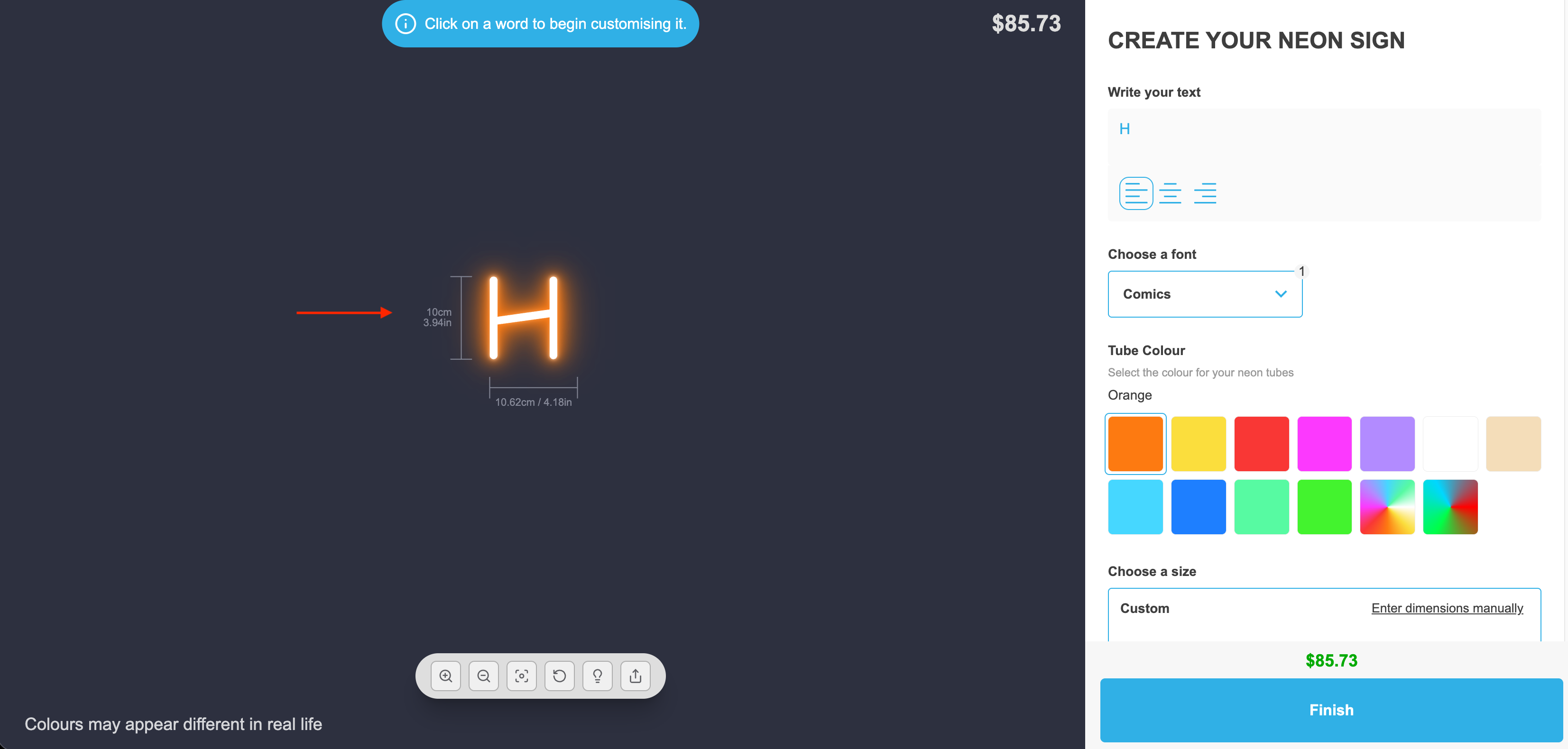
Now lets breakdown how we would calculate the sign “Hello” which is 26.7cm wide and 8.26cm tall:
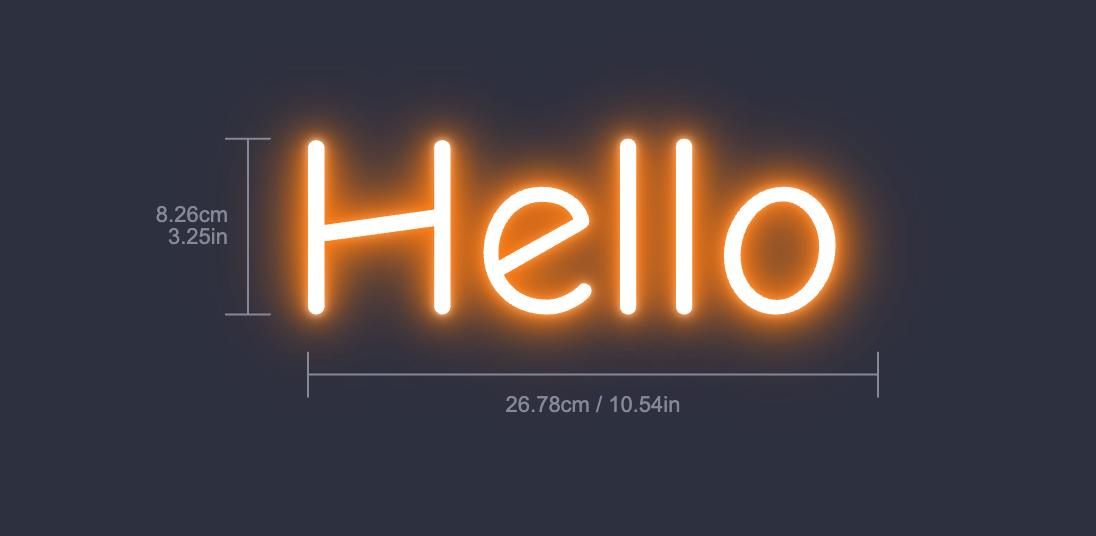
First we look at all of the text in the sign and find the letter with the smallest height in pixels. In this case it would be the “o”. We measure its pixel value and compare it with the cm value we configured in the admin. If our “o” is ~27.94px tall, we can then say that 27.94px = 6cm (or 1px = ~0.215cm).
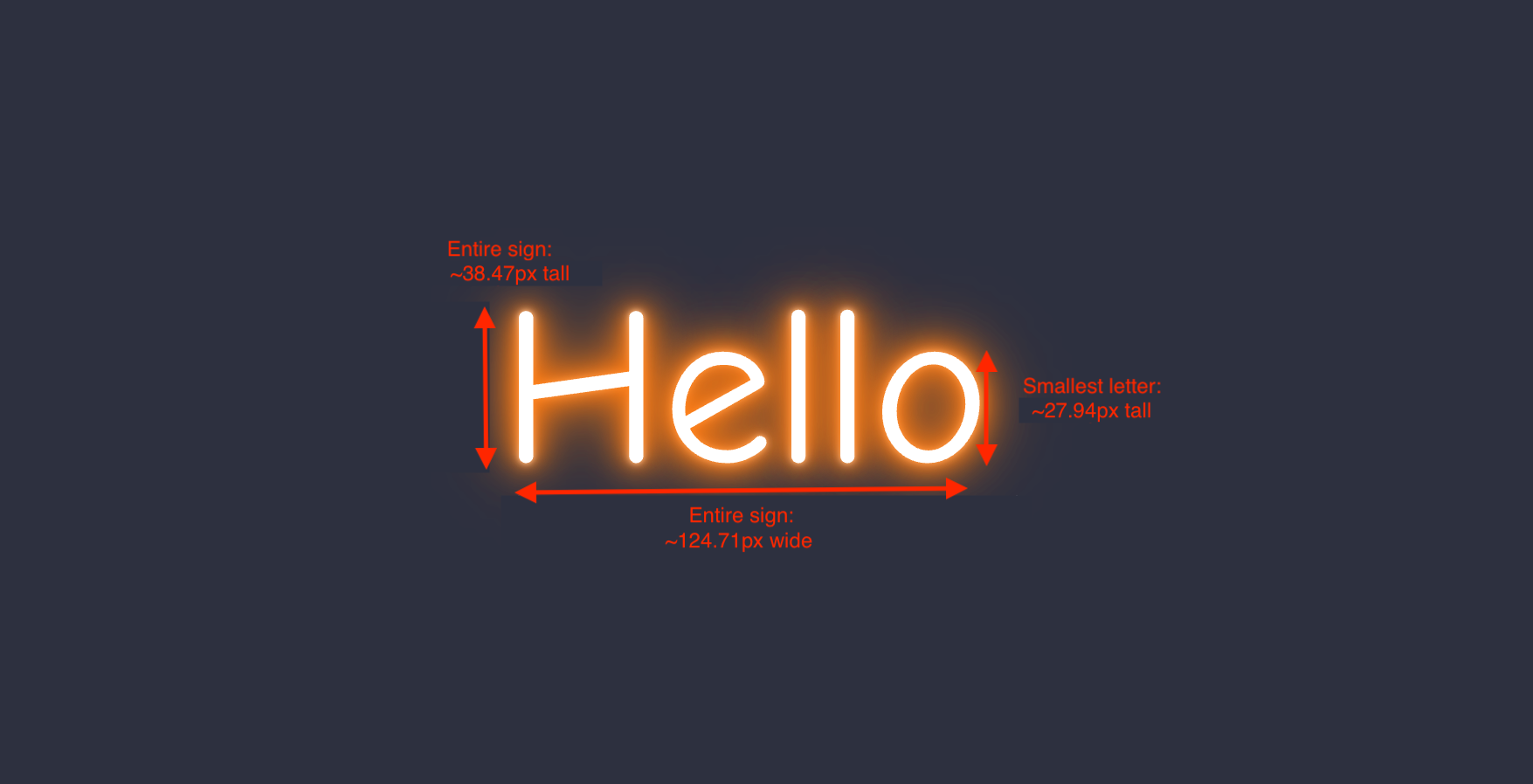
We then use that ratio to calculate the physical dimensions for the entire sign by looking at the overall sign pixel measurements.
If the sign is ~38.47px tall we can use our ratio to calculate the total sign height using: 38.47px = 38.47 × (6 ÷ 27.94) = 8.26 cm
And for the width we can do the same
124.71px = 124.71 × (6 ÷ 27.94) = 26.78 cm
Note that we are using the 6cm value we configured in the admin and not the 10cm one. We only use the “Uppercase Letter” value if the entire sign is in uppercase, e.g. “HELLO”