

Selected colour CSS variables
Mirror the colours a shopper picks in the customiser into your own storefront styling using the --sign-selected-colour CSS variables.
Last updated:
When a shopper selects a colour for a sign part, such as a neon tube or a lightbox face, the customiser publishes the colour to your custom CSS as a variable (CSS custom property). Metal Cut-Out and Stencil signs have no sign parts and publish no variable. Use var() to read the variable. You can use it to copy the colour of the shopper into the options panel. For example, you can fill a swatch or a label with the colour. The colour changes when the shopper selects a different colour.
Note: These variables are for your custom CSS. You can add custom CSS in Shopify or in Universal. If you did not use custom CSS before, read Custom CSS first. It tells you how to use the Edit CSS button and how to find element class names. Custom CSS changes the options panel and the UI around it. It cannot edit the text or the drawn shapes of the sign on the canvas in the visualiser.
The steps and the admin screenshots in this article are from the Universal admin. The colour example screenshot shows the customer customiser. To add your CSS, open your customiser in the Universal admin. On a wide screen, the preview and its toolbar are on the page. On a narrower screen, click Preview to open them. In the preview toolbar, click Edit CSS.
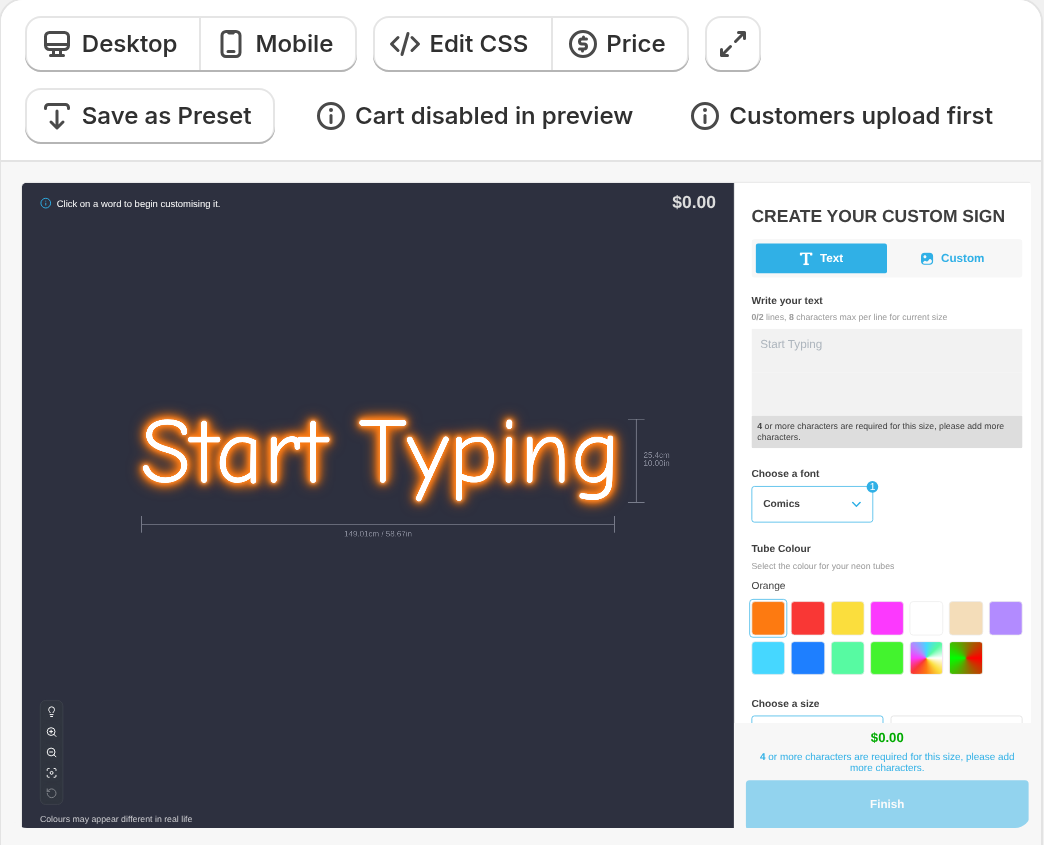
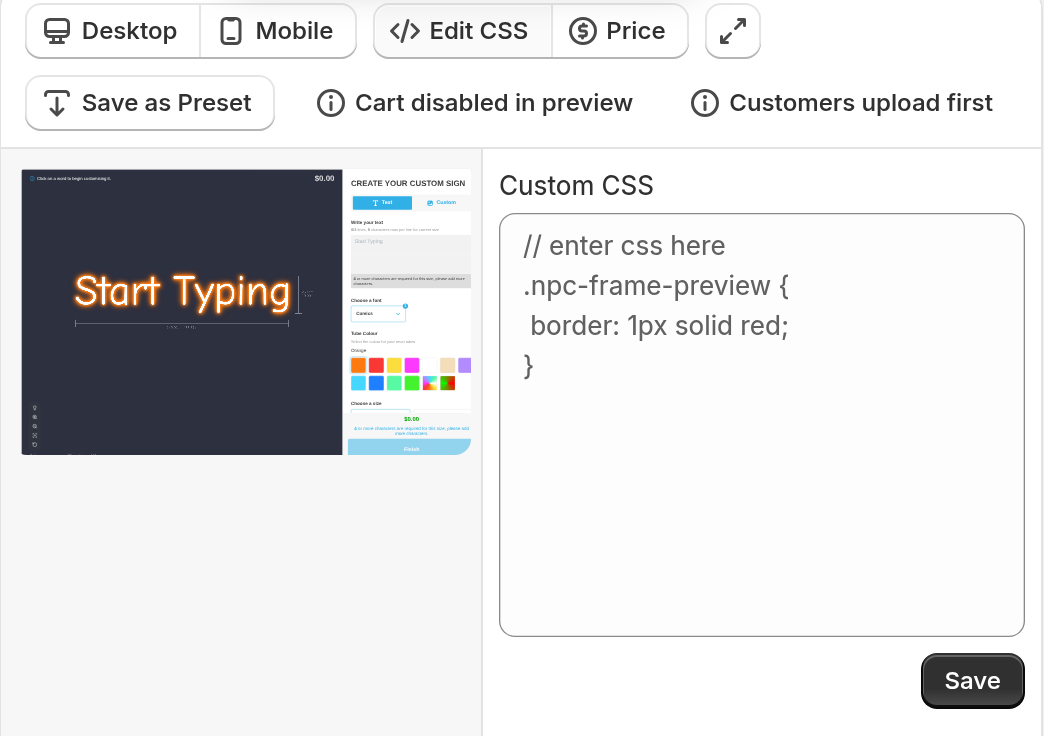
The Custom CSS panel opens next to the preview. Add your rules in this panel. Click Save. The CSS takes effect on the storefront after you save.
The variables
Each variable holds one colour as a hex value, for example #FF7A00. The variables are on the page root. You can use them in any rule in your custom CSS.
The current colour
—sign-selected-colour is the main colour of the sign. On a neon sign, it is the tube colour. For a Flow tube that has no hex value, it is the UV colour when the UV part is on and Show manual UV print options to customers is on. Otherwise it is not set. On other sign types that have sign parts, it is the face colour. If the sign has no face colour, it is the colour of the first part that has a hex value. Metal Cut-Out and Stencil signs set no variable. Use it when you need the colour that the shopper selected and the part does not matter.
—sign-colour is an older name for the same value. It still works, so your existing CSS continues to work. Use —sign-selected-colour in new code.
A colour for each part
A sign has parts. A neon sign has tubes and a UV face. A lightbox has a face, a back, a border and an internal light, and it has either four edges (left, right, top and bottom) or one side. Most other signs, for example channel letters, offer a face, a side, a trim and a back light. A braille sign has only a face, labelled Tactile text. Each part has its own variable. The bold names are the part names in the admin:
-
—sign-selected-colour-face: The face (UV on neon, Face on a lightbox, Face / Front Lit on most other signs, Tactile text on braille)
-
—sign-selected-colour-tube: The tubes (Tubes on neon signs)
-
—sign-selected-colour-side: Side
-
—sign-selected-colour-trim: Border on a lightbox, Trim on other signs
-
—sign-selected-colour-halo: Internal Light on a lightbox, Back Lit on other signs
-
—sign-selected-colour-back: Back (lightbox)
-
—sign-selected-colour-left: Left (rectangle lightbox)
-
—sign-selected-colour-right: Right (rectangle lightbox)
-
—sign-selected-colour-top: Top (rectangle lightbox)
-
—sign-selected-colour-bottom: Bottom (rectangle lightbox)
A sign sets a variable only for a part that is turned on or always on, and that has a colour. The tube on a neon sign, the face and border on a lightbox, and the face on other signs that have parts are always on. These are the variables for each sign type:
-
A neon sign always sets —sign-selected-colour-tube, except when the tube colour is a Flow colour that has no hex value. It sets —sign-selected-colour-face only when the UV part is turned on, has a colour, and Show manual UV print options to customers is on. You find this setting on the UV Colours page of the neon sign, in the Customer UV Visibility section.
-
A rectangle lightbox can set face, back, left, right, top, bottom, trim (Border) and halo (Internal Light). Face and trim are always on. Each other part sets its variable only when it is turned on and has a colour.
-
A circle lightbox can set face, back, side, trim (Border) and halo (Internal Light). Face and trim are always on. Back, side and halo set their variable only when they are turned on and have a colour.
Metal Cut-Out and Stencil customisers have no parts of this kind. They set none of these variables. If the sign does not have a part, the variable for that part is not set. A part whose colour is a Flow colour that has no hex value also sets no variable.
When the variables change, and the fallback you need
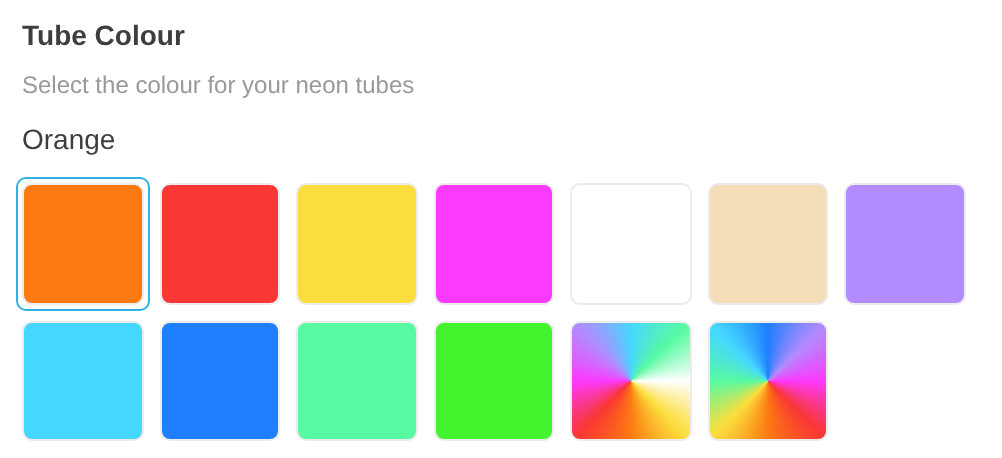
The customiser sets the variables when it loads. Each part starts with its default colour. Because of this, most variables have values before the shopper selects a colour. In the example below, Orange is selected in the Tube Colour step. The variable —sign-selected-colour-tube holds the hex value of Orange.
When the shopper selects a different colour, the variables change at once. The page does not reload. Everything that uses the variables changes at the same time.
Some parts have no variable. This occurs when a part has no colour (an optional part that is set to none), or when its colour is a Flow colour that has no hex value. It also occurs when the sign does not have the part. Always add a fallback as the second argument of var(). The fallback keeps your styling correct:
/* Used only when no part of the sign has a hex value */background-color: var(--sign-selected-colour, #000000);For a Multiple Colours selection, the variable holds the first colour in the set.
Example: match a swatch to the sign
One use is the “Coloured” jacket option. Its swatch must show the colour that the shopper selected. The jacket button has no swatch. The first rule below sets the jacket title to a grid layout. The second rule draws the swatch and fills it with the current sign colour:
#neon-customiser-app .npc-selections-jacket p.npc-selection-button-title {  display: grid;  width: 100%;}
#neon-customiser-app .npc-selections-jacket .npc-selection-button:last-child .npc-selection-button-title::before {  content: "";  display: inline-block;  width: 72px;  height: 12px;  border-radius: 5px;  border: 1px solid var(--outline-neon-colour);  margin: 4px 0px 16px;  background-color: var(--sign-selected-colour, #ffffff);}
On a neon customiser, this rule colours the last jacket in your Jackets list. Put the Coloured jacket last in the list. Or use the element inspector of your browser to find which option the selector matches.
To follow one part and not the main colour, use the variable for that part. This example makes a label that shows the tube colour:
.my-tube-colour-label { color: var(--sign-selected-colour-tube, #ff7a00);}To find the class names for your own elements, use the steps in the Custom CSS guide.
All variables at a glance
--sign-selected-colour /* current colour: tube on neon, else face, else first part with a hex value */--sign-selected-colour-face /* face (UV on neon) */--sign-selected-colour-tube /* tubes (neon) */--sign-selected-colour-side /* circle lightbox and most non-neon signs, for example channel letters */--sign-selected-colour-trim /* border on a lightbox, trim on other signs */--sign-selected-colour-halo /* internal light on a lightbox, back lit on other signs */--sign-selected-colour-back /* lightbox */--sign-selected-colour-left /* rectangle lightbox */--sign-selected-colour-right /* rectangle lightbox */--sign-selected-colour-top /* rectangle lightbox */--sign-selected-colour-bottom /* rectangle lightbox */--sign-colour /* legacy alias of --sign-selected-colour */