

Find and share your referral link
Find your referral link in the Sign Customiser admin, copy it, or send a referral invitation to another sign business.
Last updated:
Your referral link is on the Purchase AI Credits page, in the Referrals card. It is not on a separate referral page.
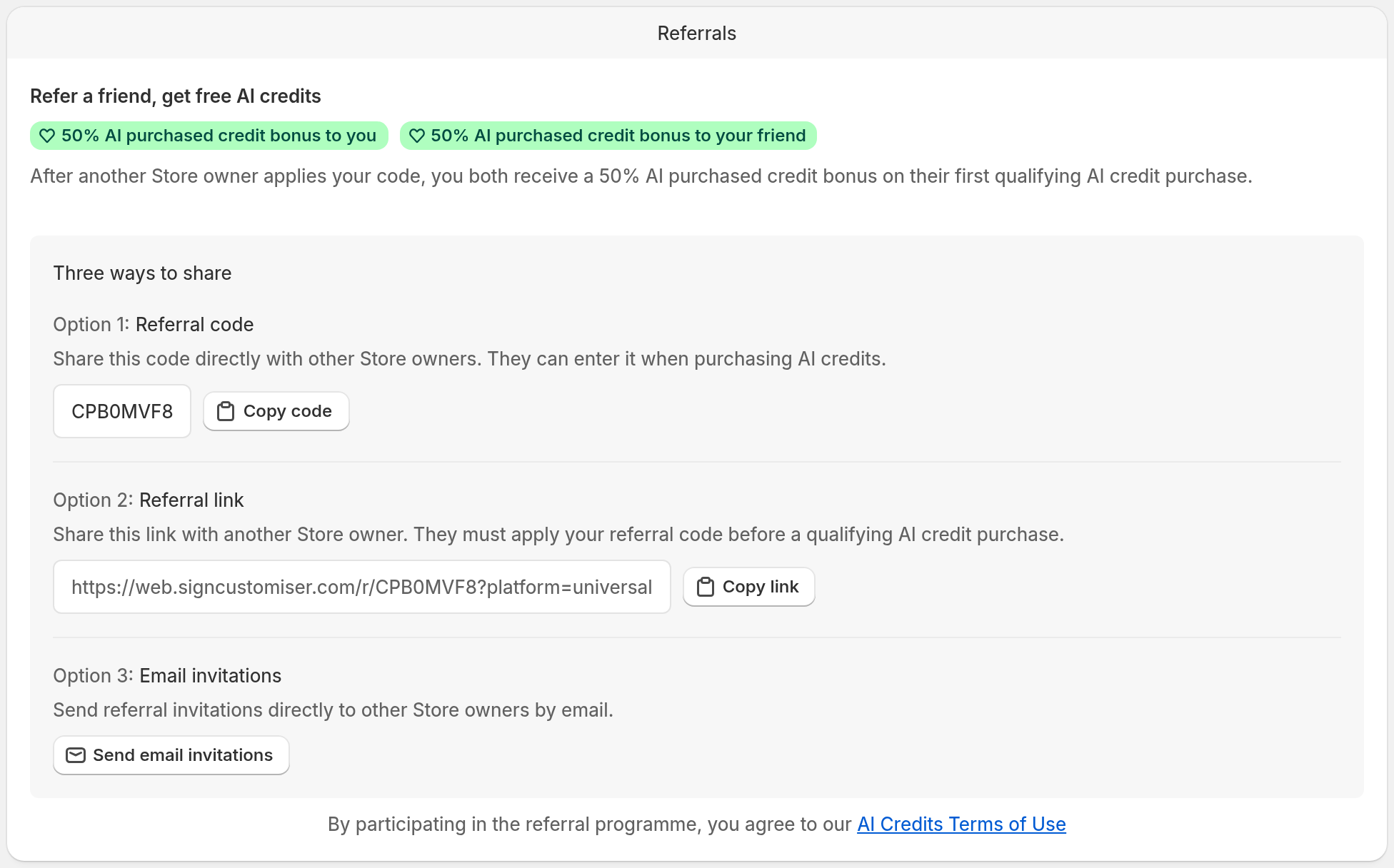
Find your referral link
-
Open the Sign Customiser admin.
-
In Shopify, open Subscription/Credit. In the Universal app, open Billing.
-
If your Company has more than one Store, Billing opens Billing Management. Select the button on the card for the Store you want to refer from. The button reads Manage subscription only when that Store has an active subscription that is not set to end.
-
Find the AI credits card and select Purchase AI credits.
-
Scroll past the credit packages to the Referrals card.
-
Under Option 2: Referral link, select Copy link.
The AI credits card shows only when your Store has an active subscription. If your Store has no subscription, you can open the Purchase AI Credits page in one of these ways:
-
Select Learn more in the referral banner at the top of the admin. You can close this banner.
-
In the Universal app, open AI Design Files. Select Get more AI credits in the AI Converter card.
Referrals card or Affiliate Program link?
Use the Referrals card to get your referral link. The Affiliate Program link in the admin footer opens the public Referral programme page on the Sign Customiser website. That page describes the referral rewards. It does not show your referral link.
Other ways to refer a Store owner
The Referrals card gives you two more options:
-
Option 1: Referral code — select Copy code. The other Store owner enters this code on the Purchase AI Credits page. The next section gives the steps.
-
Option 3: Email invitations — select Send email invitations. In the dialog, enter up to five email addresses, then select Send invitation or Send invitations. Each person receives your referral code and a link to sign up.
What the other Store owner must do
Your link does not apply the referral. If the other owner creates a Universal account from your link, the link saves your code for the new Store. The other Store owner must still apply the code:
-
Open the Purchase AI Credits page.
-
Select Enter referral code. If the owner opened your link before they created their Universal account, the code is already in the field.
-
Select Apply.
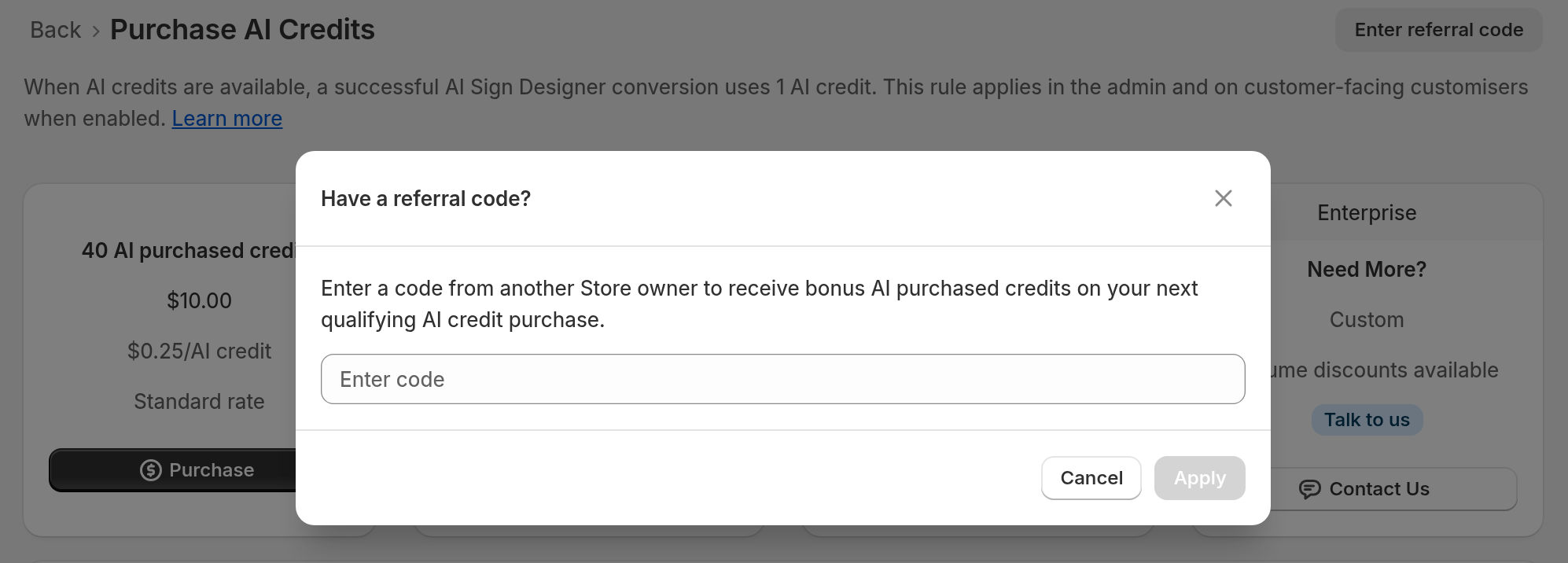
The code does not work in these cases:
-
The other Store has a subscription. The owner must apply the code before the Store subscribes.
-
The other Store has a referral. A Store can have only one referral.
-
The code comes from a Store in the same Company.
-
The owner enters the code of their own Store.
If you copy the link from the Shopify admin, the other owner goes to the Sign Customiser listing on the Shopify App Store. The owner can still enter your code on the Purchase AI Credits page.
What happens after you share the link
After the other Store owner applies your code, you both get a 50% AI purchased credit bonus when they make their first qualifying AI credit purchase. The Referrals card shows the current reward.