
Quickly update all prices
Use Adjust all prices to raise or lower every price in a customiser by the same percentage.
Last updated:
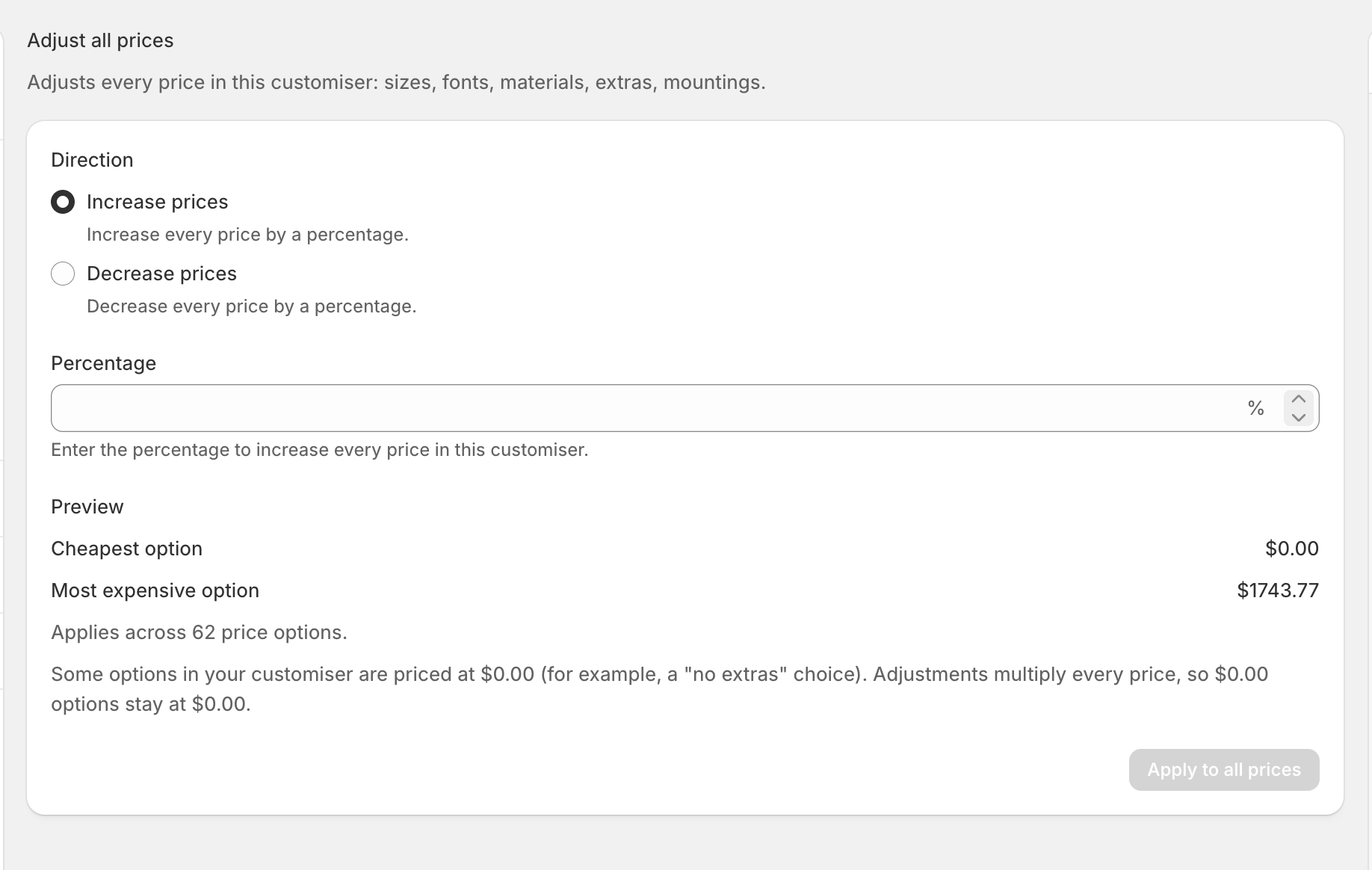
Need to update a whole customiser without changing each option one by one? Adjust all prices applies the same percentage to every price in that customiser — including sizes, fonts, materials, extras and mountings.
How to update prices
1. Go to Customisers and open the customiser you want to change.
2. In the left sidebar, select Adjust all prices.
3. Choose whether to increase or decrease prices.
4. Enter the percentage.
5. Check the preview. It shows the lowest and highest price before and after the change, plus how many options will be updated.
6. Select Apply to all prices.
7. Check the confirmation, then select Apply again.
Undo the latest update
Made a mistake? Select Undo last bulk update on the same page. Undo is available until someone changes an individual price after th
e bulk update.