
How your products are created
Sign Customiser makes a product each time a customer designs a sign and adds it to the cart.
Last updated:
Sign Customiser makes a product for each sign that a customer designs. You do not make these products yourself. Sign Customiser has no page or button that makes a product for you.
The three steps that make a product
-
A customer opens one of your customisers on your storefront.
-
The customer designs a sign.
-
The customer adds the sign to the cart.
Sign Customiser makes the product at step 3. The product keeps the design, the size, the selected options and the price. It shows on the Products page in Sign Customiser, and in your connected store platform.
The customer does not have to complete the checkout. The product is made when the customer adds the sign to the cart.
See the three steps on our demo store
Our demo store shows the same flow that your customers use. It does not change your store or your products.
1. Open Neon Sign - Fixed Width Model on the demo store.
2. Write your text, then select Finish.
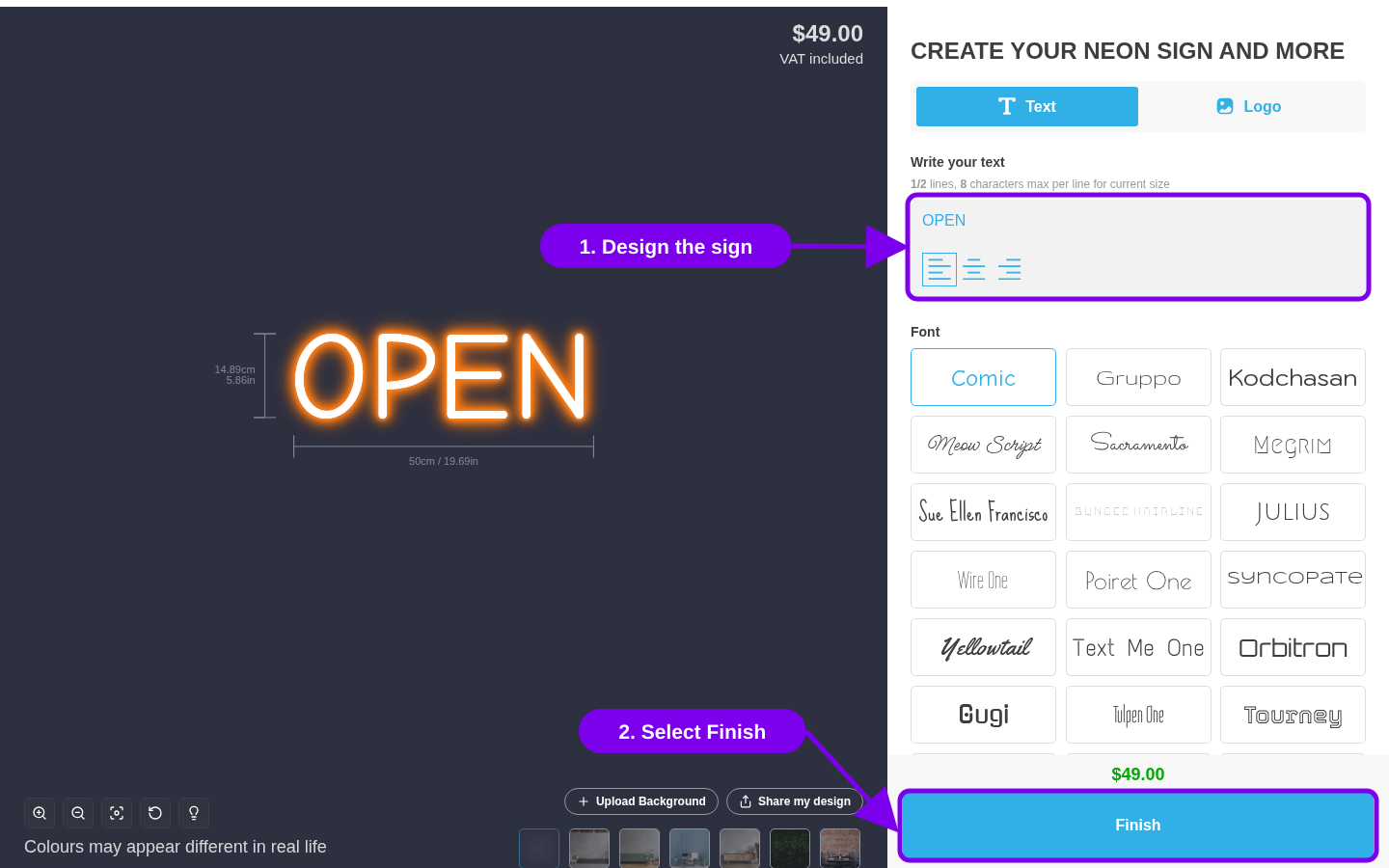
3. Select the add-to-cart button.
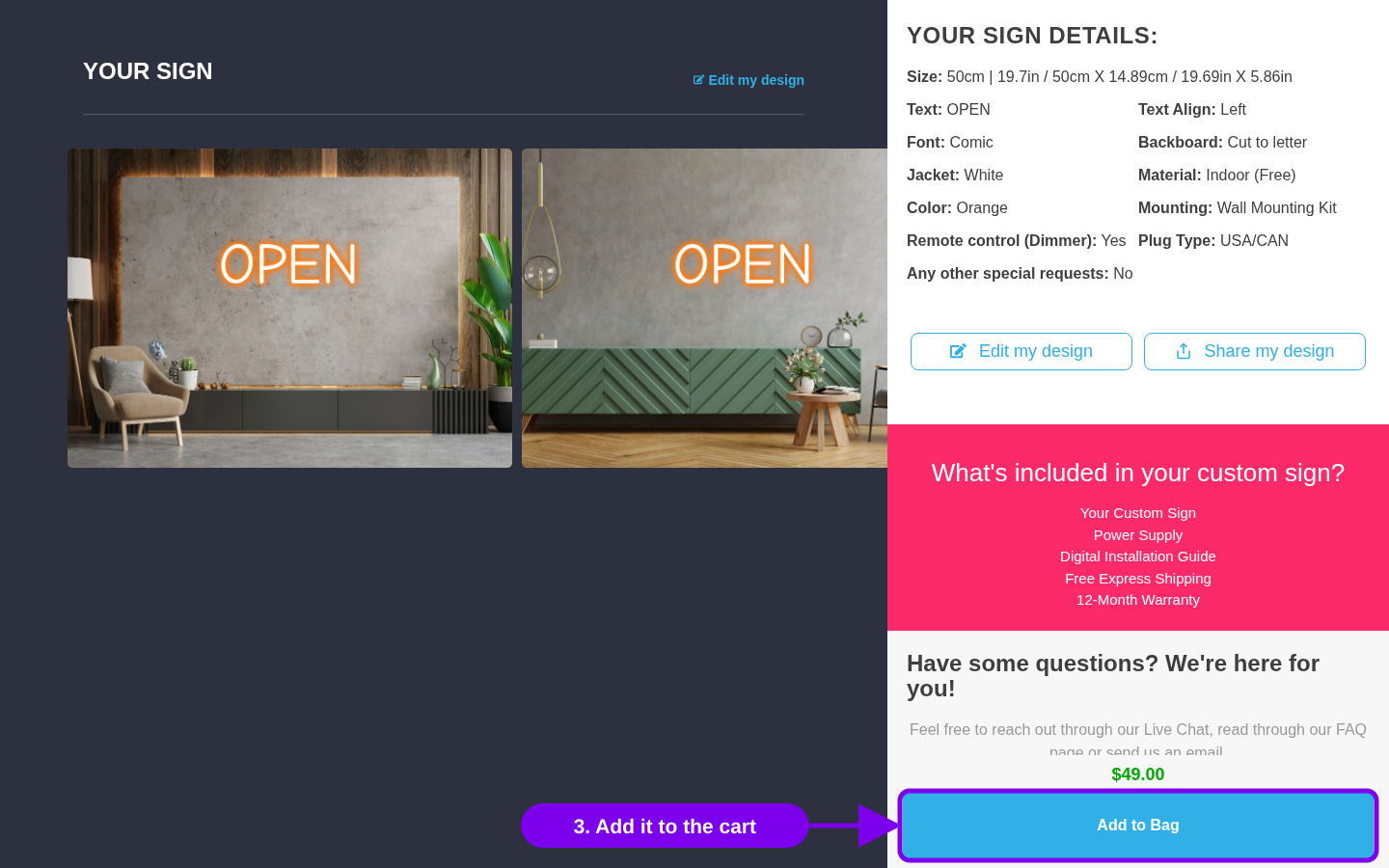
The button says Add to Bag unless you change it. To change this label, open your customiser in Sign Customiser, go to Settings > Languages, and edit Add to cart button.
Why Sign Customiser makes a product
Each sign is different. Your store needs a product to hold the design, to take the payment and to make the order. This is why Sign Customiser makes one product for each design.
Custom sign products can fill your storefront. You can hide them or remove them.