
Update customiser pricing with the API
Read, replace and patch the pricing of a customiser with the Sign Customiser API, using a key with Read pricing or Write pricing access.
Last updated:
The Sign Customiser API (version 3) lets a script read and change the pricing of a customiser. Use it when another system must keep your prices up to date, for example after a supplier changes its rates. This article is for developers and for merchants who work with a developer. To change prices by hand, use the customiser admin.
The pricing URL accepts three operations:
-
GET reads the pricing of a customiser.
-
PUT replaces all the pricing of a customiser.
-
PATCH changes only the parts that you send.
A fourth operation, POST to /pricing/validate, checks a document without saving it.
All three current pricing models work: Simple Letter, Advanced Letter and Frame Fit.
Before you start
You need these items:
-
A customiser in your Store. The customiser must not use the deprecated fixed-height pricing model. See What the API does not do.
-
The customiser ID. Open the customiser in the admin. The ID is at the top of the page, for example
ID: 42. You can also find it in the Customiser ID column on the Customisers page. -
An API key with the correct access. The next section shows how to make one.
All examples use https://web.signcustomiser.com as the base URL.
Create an API key
-
In the left sidebar, under Integrate, click API Tokens.
-
In the Shopify admin, open the app instead. On the Home page, click Tools & Settings in the Menu card. Then click API Tokens.
-
Click Create API key.
-
Enter a name, for example Pricing sync.
-
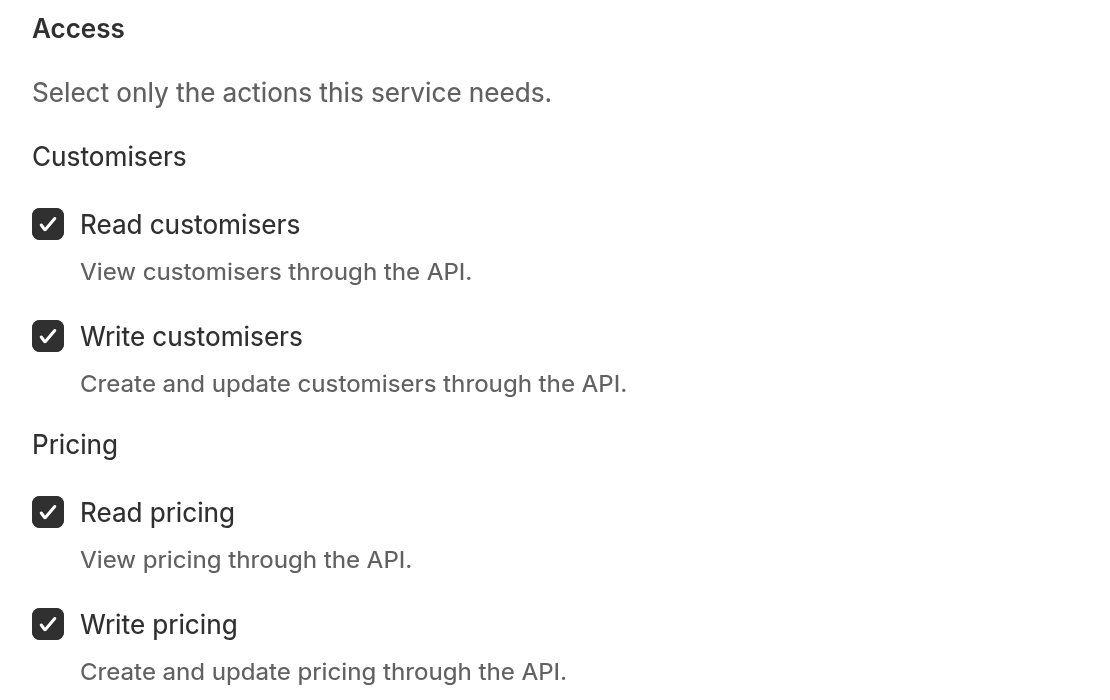
In the Access list, find the Pricing group. The form starts with All access selected, so every checkbox is ticked.
-
Clear each checkbox that the integration does not need.
-
Keep Read pricing ticked if the key must read pricing. Keep Write pricing ticked if the key must change or validate pricing.
-
Click Create key.
-
Click Copy. Keep the key in a safe place. Sign Customiser shows the full key only one time.
For the full key steps, see How to create an API key.
Read pricing does not allow changes. Write pricing does not allow reads. Keep both ticked if your script reads, changes and saves.
Send the key in the Authorization header as a Bearer token. Do not put the key in the URL.
Read the pricing of a customiser
curl --header "Accept: application/json" \ --header "Authorization: Bearer YOUR_API_KEY" \ "https://web.signcustomiser.com/api/v3/customisers/42/pricing"The answer is one pricing document. Its data object also contains object, customiser_id and pricing_model_display_name. The main fields are:
-
pricing_model:simple_letter,advanced_letterorframe_fit. -
currency: the currency of your Store. The value isnullwhen Sign Customiser has no currency recorded for the Store. -
sizes: the sizes of the customiser. -
base_pricing: the base price setup. -
price_lists: the price lists and their rows. -
sheet_pricing: the sheet pricing. This field appears in every Simple Letter answer. The value isnullwhen the customiser has no sheet pricing. The field does not appear for Advanced Letter or Frame Fit.
The shape of the document depends on the pricing model:
Pricing model in the admin |
| What it prices |
Simple Letter |
| Each letter at fixed sign sizes. The |
Advanced Letter |
| Material length, or a fixed price for each letter. Each price list has a |
Frame Fit |
| Frame area. The customiser has exactly one price list. |
Prices are whole numbers in the smallest unit of the currency. For US dollars, 900 means 9.00 dollars. Rates such as price_per_cm and price_per_sq_cm are decimal numbers in the main unit of the currency. Sizes and limits are in centimetres.
Replace all the pricing with PUT
Use PUT when the customiser must match one complete document.
-
Read the current document with GET.
-
Change the values that you need.
-
Send the whole document with PUT. Do not put it inside another object.
curl --request PUT \ --header "Accept: application/json" \ --header "Content-Type: application/json" \ --header "Authorization: Bearer YOUR_API_KEY" \ --header "Idempotency-Key: 8f3c2d1e-5a64-4b0e-9c1a-2f7d6e4b1a90" \ --data @pricing.json \ "https://web.signcustomiser.com/api/v3/customisers/42/pricing"A PUT is a full replacement. The API deletes each size and price list that you leave out. To update a size or price list, keep its size_id or price_list_id. To add a new one, leave the ID out.
To check the document first, send the same body with POST to /pricing/validate. This request does not save anything. A valid document returns "valid": true.
curl --request POST \ --header "Accept: application/json" \ --header "Content-Type: application/json" \ --header "Authorization: Bearer YOUR_API_KEY" \ --data @pricing.json \ "https://web.signcustomiser.com/api/v3/customisers/42/pricing/validate"Change part of the pricing with PATCH
Use PATCH when you must change only some parts. The body follows the JSON Merge Patch standard (RFC 7396):
-
A property that you leave out stays the same.
-
A property set to
nullis removed, if the document can do without it. For example,{"sheet_pricing": null}removes the sheet pricing. The propertiessizes,base_pricingandprice_listsare required. If you set one of them tonull, you get a422error with the codevalidation_failed. -
An array replaces the old array completely. To change one price list row, send the whole
price_listsarray, with the ID of each price list and size. -
An empty object
{}changes nothing.
This example removes the sheet pricing:
curl --request PATCH \ --header "Accept: application/json" \ --header "Content-Type: application/json" \ --header "Authorization: Bearer YOUR_API_KEY" \ --data '{"sheet_pricing": null}' \ "https://web.signcustomiser.com/api/v3/customisers/42/pricing"The API applies the same checks to a PATCH as to a PUT. To test a PATCH first, read the document and apply the patch in your script. Then send the result to /pricing/validate.
Make a write safe to repeat
You can add an Idempotency-Key header to a PUT or PATCH. Use a unique value of 1 to 255 visible ASCII characters with no spaces, for example a UUID.
-
If the first request got a recorded answer, send it again with the same key and the same body. You get that first answer, with the header
Idempotency-Replay: true, and the change does not run again. If the customiser was deleted after the first request, you get a409error with the codeidempotency_subject_changedinstead. -
Sign Customiser does not record a
5xxerror, a429error or any answer that has aRetry-Afterheader. A new request with the same key runs again. -
If you send the request again while the first request is still running, you get a
409error with the codeidempotency_key_in_flight. Wait the number of seconds inretry_after. Then send the request again. -
If you use the same key with a different body, you get a
409error with the codeidempotency_key_conflict. -
Sign Customiser keeps a key for at least 24 hours. A key works only for the same API key, method and URL.
What the shopper sees
A successful PUT or PATCH saves the new prices at once. Sign Customiser then queues a background job that clears the cached customiser configuration. Shoppers see the new prices after that job runs.
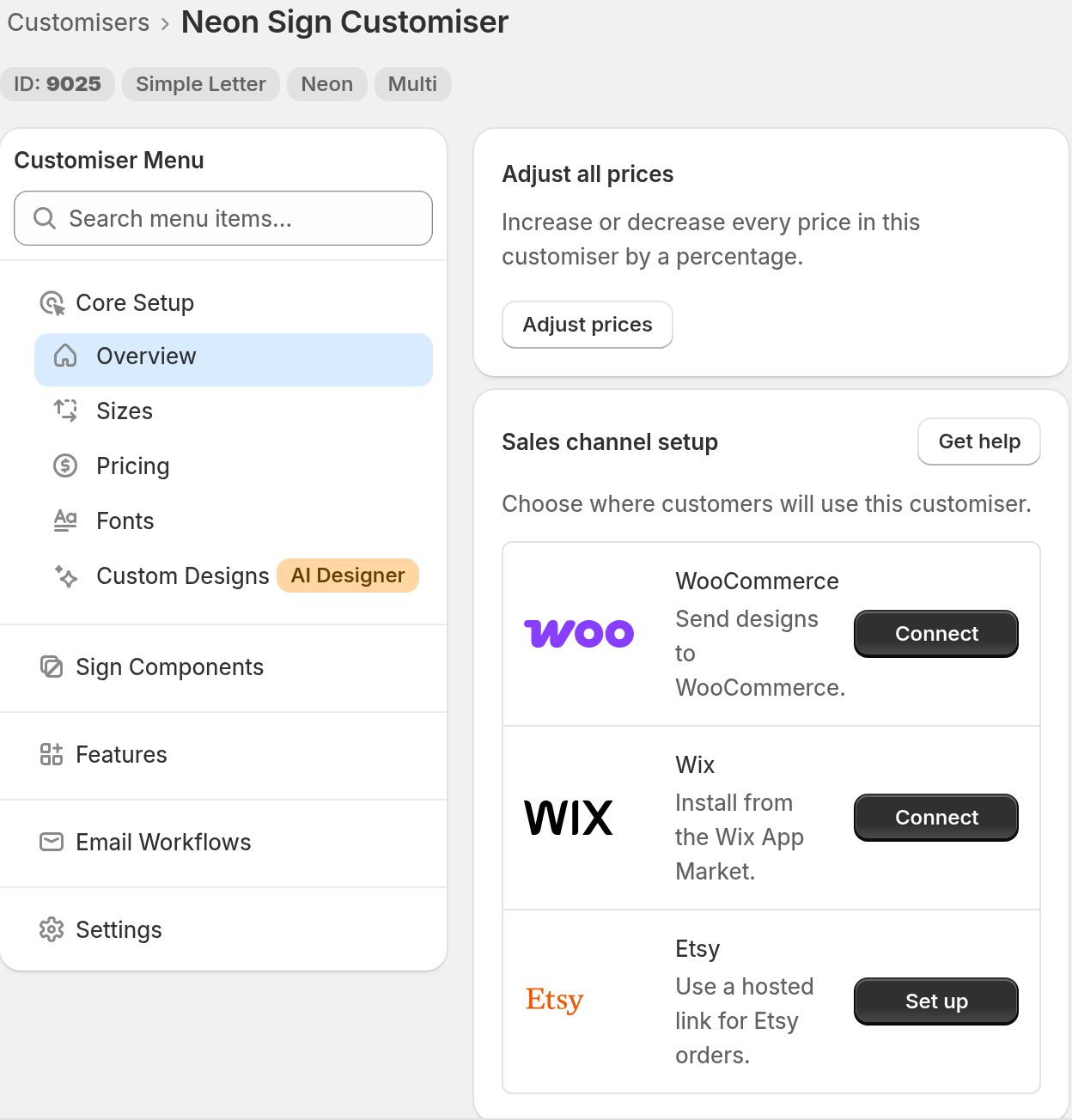
To check the result in the admin, open the customiser. Then click Pricing in the customiser menu.
What the API does not do
-
It cannot change the pricing model. If you send a different
pricing_modelvalue, the API returns422withvalidation_failed. -
It cannot change the currency. The
currencyfield is read-only. You can send it back unchanged. -
It does not work with the deprecated fixed-height pricing model. The API returns
422with the codelegacy_pricing_model. Create the customiser again as Simple Letter with a fixed-height sizing strategy. Then use the API. -
It does not ignore unknown fields. An unknown field gives a
422error with the codeunknown_fieldand a list of the fields. -
It reaches only your own Store. A customiser from another Store gives
404.
Fix common errors
Each error has the content type application/problem+json, a code and a request_id. Give the request_id to support if you need help.
Status and code | Cause | What to do |
| The body is not valid JSON. | Correct the JSON. |
| The key is missing, wrong, expired or revoked. | Create a new key. |
| The key does not have the Read pricing or Write pricing access that the request needs. | Create a new key with the access listed in |
| The customiser ID does not exist in this Store. | Check the ID on the Customisers page. |
| Your PUT or PATCH leaves out a size, price list or sheet pricing that a font or setting uses. | Put the item back in the document, or update the fonts or settings that use it first. |
| A value is not valid. The | Correct the fields in the list. |
| The customiser uses the deprecated fixed-height model. | Create it again as Simple Letter. |
| You sent too many requests. | Wait the number of seconds in |
For the full field list of each model, see the API documentation.