
Export your quote requests with the API
Read your quote requests and custom design submissions, including past ones, into a CRM or spreadsheet with the Sign Customiser API and a Read quotes key.
Last updated:
The Sign Customiser API can read the quote requests and custom design submissions that your Store collected, except those that Sign Customiser cannot attribute to your Store (see Limits). Use it to send them to a CRM, a spreadsheet or a report. The API also returns submissions from before you connected your integration. This article is for the person who sets up the integration, usually a developer.
Before you start
-
You need a Store with quote requests or custom design submissions. They show on the Quotes page.
-
You need a tool that can send HTTP requests, for example
curl, a script or your CRM. -
The API gives access to customer contact details and uploaded files. Give the key only to the integration that needs them.
Find the quotes API from your admin
-
Open the Quotes page.
-
Universal: In the left sidebar, under Manage, click Quotes.
-
Shopify: Open the app from your Shopify admin. On Home, in the Menu card, click Quotes.
-
-
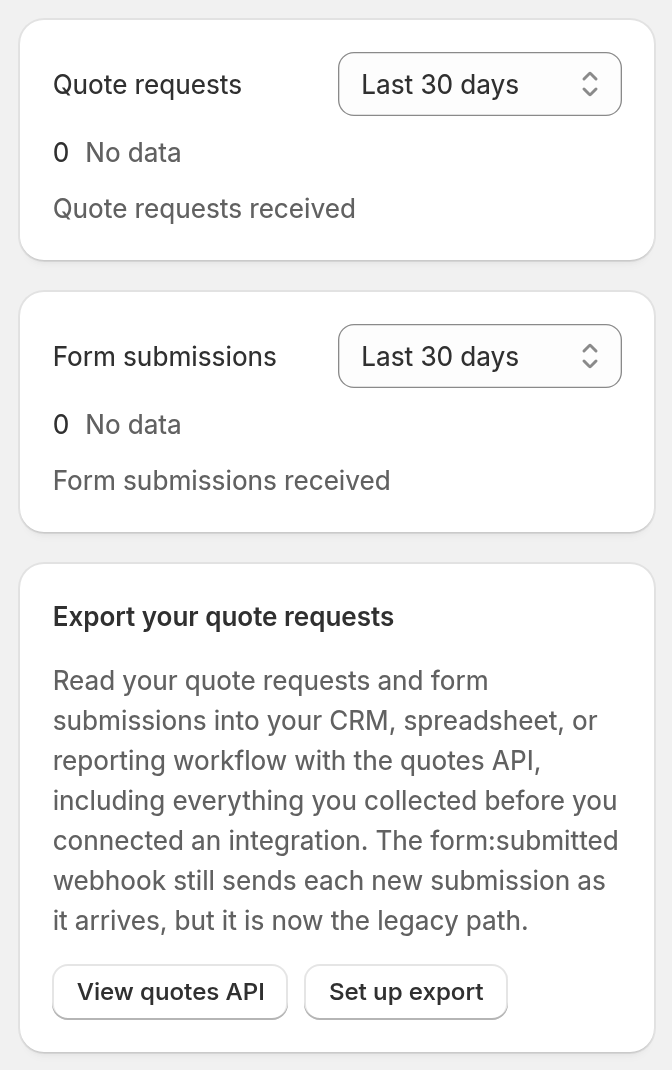
Find the Export your quote requests card on the right of the page.
-
To open the API reference, click View quotes API.
-
To open the Integrations and Webhooks page, click Set up export.
Create an API key for quotes
-
Open API Tokens.
-
Universal: In the left sidebar, under Integrate, click API Tokens.
-
Shopify: On Home, in the Menu card, click Tools & Settings. Then click API Tokens.
-
-
Click Create API key.
-
Enter a name, for example CRM quotes sync.
-
Under Access, clear each checkbox except Read quotes. The form opens with all permissions selected.
-
At the top of the page, click Create key.
-
Click Copy. Store the key in your password manager or secrets manager. Sign Customiser shows the complete key one time only.
-
Click I’ve saved this key, close window.
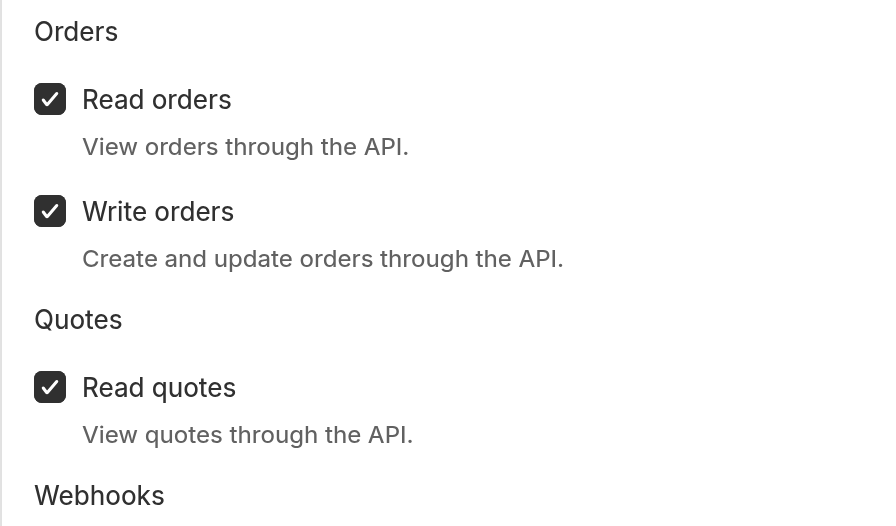
Read quotes is the quotes:read permission. No other scoped permission reads quotes through the API. A key with the webhooks:write permission can still subscribe to the form:submitted webhook, which sends each new submission to a URL that you set. Legacy full access keys also give access (see Limits). For more information about keys, read How to create an API key.
Get your quotes
Send a GET request to https://web.signcustomiser.com/api/v3/quotes. Send the key as a Bearer token in the Authorization header. Do not put the key in the URL.
curl "https://web.signcustomiser.com/api/v3/quotes?limit=20" \ -H "Authorization: Bearer YOUR_API_KEY" \ -H "Accept: application/json"The list shows the newest quote first. It contains quote requests and custom design submissions together. The type field of each item shows the kind:
-
quote: a quote request. -
custom_design: a custom design form submission.
To get one quote, send a GET request to /api/v3/quotes/{quote_id}. Use the id that the list returns.
What each quote contains
Field | What it holds |
| The number that identifies the submission. It never changes. |
|
|
| The count of submissions for one form. Two forms can have the same number. |
| The customiser and the form that collected the submission. |
| The answers of the customer. |
| The files that came with the submission. |
| The sign that the customer configured. Only quote requests have it. |
| Ad click IDs, for example |
| The UTM values that the customer arrived with. Empty when there are none. |
| The date and time of the submission, in UTC. |
Responses
Each item in responses has a field_id, a label, an input_type and a value. For a submission that Sign Customiser recorded when the customer sent it, the label and input_type are the ones that the question had then. If you rename or delete a question later, these submissions do not change. Older submissions that Sign Customiser rebuilt from the form can show the question as it was when the rebuild ran. The value is text. It is an empty string ("") when the customer left the answer blank or did not tick the box. In some older submissions a blank answer is null. Treat null and an empty string as the same blank answer. For a multiple-choice answer, the value lists each chosen option on its own line, separated by a line break, not by commas. The input_type is one of these values:
-
text,textarea,email,tel,numberordate -
checkbox,selectormulti_choice -
file
The input_type is null for some old submissions. The label can also be null for them.
Files
Each item in files has a field_id, a file_index, a kind, an original_filename and a url. The kind is one of these:
-
customer_upload: a file that the customer uploaded. -
product_preview: an image of the sign that the customer configured. -
generated_design: the SVG that the customiser made, or an image that the customer uploaded for the support background or for a letter part, in its original and cropped copies.
Design
Quote requests include a design object. It holds the options that the customer chose:
-
text,text_alignandtext_orientation -
font,colourandbacklight -
materialandletter_type -
supportandsupport_finish -
jacket,mountingandmounting_colour -
size_displayandfinal_dimensions
These option values are the labels that the customer saw in the customiser. The text value is the text that the customer typed. A value is null when the customer made no choice for that option.
The object also holds the price that the customiser quoted:
-
quoted_price_amountis a whole number that is 100 times the price. For example,29900means 299.00. -
quoted_price_displayis the price text that the customer saw. -
currencyis the currency of your Store.
This price is the price at the time of the submission. It is not a committed price. A custom design submission has "design": null. A quote request with no stored design data also has "design": null.
Example
{ "data": [ { "object": "quote", "id": 8123, "type": "quote", "submission_number": 14, "customiser_id": 42, "form_id": 7, "responses": [ { "field_id": "3f2a9c1e-5d6b-4a7c-8e9f-0a1b2c3d4e5f", "label": "Email", "input_type": "email", "value": "ada@example.com" } ], "files": [ { "field_id": "productImage", "file_index": 0, "kind": "product_preview", "original_filename": "preview.png", "url": "https://example.com/form-files/8Kq2wZ.png" } ], "design": { "text": "OPEN", "font": "Brush Script", "colour": "Warm White", "quoted_price_amount": 29900, "quoted_price_display": "$299.00", "currency": "AUD" }, "ad_click_ids": { "gclid": "CjwKCAjw7p6aBhAoBhAAEiwA" }, "utm_params": { "utm_source": "google", "utm_medium": "cpc" }, "created_at": "2026-07-19T01:00:00Z" } ], "pagination": { "has_more": false, "next_cursor": null }, "links": { "self": "https://web.signcustomiser.com/api/v3/quotes", "documentation": "https://www.signcustomiser.com/help/api/", "next": null }}The example uses made-up values and shortens the design object. A real response lists every design field.
Read every page
Each response has up to limit items. The limit is from 1 to 100. The default is 20. When pagination.has_more is true, request the URL in links.next. That URL has the cursor. Do not change the cursor. Repeat until has_more is false.
Filter the list
Add these query parameters to narrow the list:
-
filter[type]:quoteorcustom_design. -
filter[customiser_id]: the ID of one customiser. -
filter[form_id]: the ID of one form. -
filter[created_from]: the first day to include, asYYYY-MM-DD. -
filter[created_to]: the last day to include, asYYYY-MM-DD. It must not be earlier thanfilter[created_from].
Dates use UTC and include the whole day. If you change a filter, start again from the first page. An old cursor with a new filter causes an invalid_cursor error.
Avoid duplicates
Use id to find out if you already saved a quote. Do not use submission_number. The form:submitted webhook does not send id. Because of this, you cannot match a webhook delivery to a quote from the API by identifier.
Errors
Status | Code | What to do |
401 |
| Send the key as a Bearer token. |
401 |
| Check the key value, or create a new key. |
401 |
| Create a replacement key. |
403 |
| The key does not have Read quotes. Create a key that has it. |
404 |
| The quote does not exist or does not belong to your Store. |
422 |
| Correct the query parameter that the response names. |
422 |
| Start again from the first page, without a cursor. |
429 |
| Wait the number of seconds in the |
Limits
-
The API returns only quotes that Sign Customiser can attribute to your Store. A form can be deleted before the platform recorded form deletions. The list can omit quotes from that form.
-
The quotes endpoints are read-only. You cannot change or delete a quote with them.
-
The file links are public URLs. They can change in the future. Do not treat them as permanent addresses.
-
Older Legacy full access keys can read quotes without the Read quotes permission. Replace each of them with a scoped key.
The form:submitted webhook
The form:submitted webhook still sends each new submission when it arrives. It is now the legacy way to export quotes. It has no cut-off date. Your existing webhooks continue to work. Use the API for a new integration. For more information, read Subscribe to Webhooks.