

Subscribe to Sign Customiser
Last updated:
We offer a 7-day free trial for both Shopify and Universal users. On Universal, only a Store that has never started a subscription can use the trial. On Shopify, the trial counts 7 days from the Store’s first subscription. A Shopify Store whose first subscription started 7 or more days ago gets no trial.
On Universal, building and previewing your customiser is always free. To show your customiser on your own site, you need a paid subscription, or a trial with a payment method added. On Shopify, you need an active subscription. The free trial starts when you subscribe.
After the trial, you need a paid subscription to keep your customiser live on your site.
How to Get Our App
Shopify Users: get our app here.
Universal Users: register here.
Managing Your Subscription
Shopify Users
-
Open your Shopify admin.
-
Go to Settings > Apps and open the Sign Customiser app.
-
On the Home page, find the Subscription/Credit card and click View Plans. You can also click Subscription/Credit in the app navigation. You can view, upgrade, or cancel your subscription there.

Universal Users
-
Log in to https://web.signcustomiser.com/.
-
In the left sidebar, go to Your Company > Billing. The Your Subscription page opens. You can view your current plan, upgrade, or cancel your subscription there.
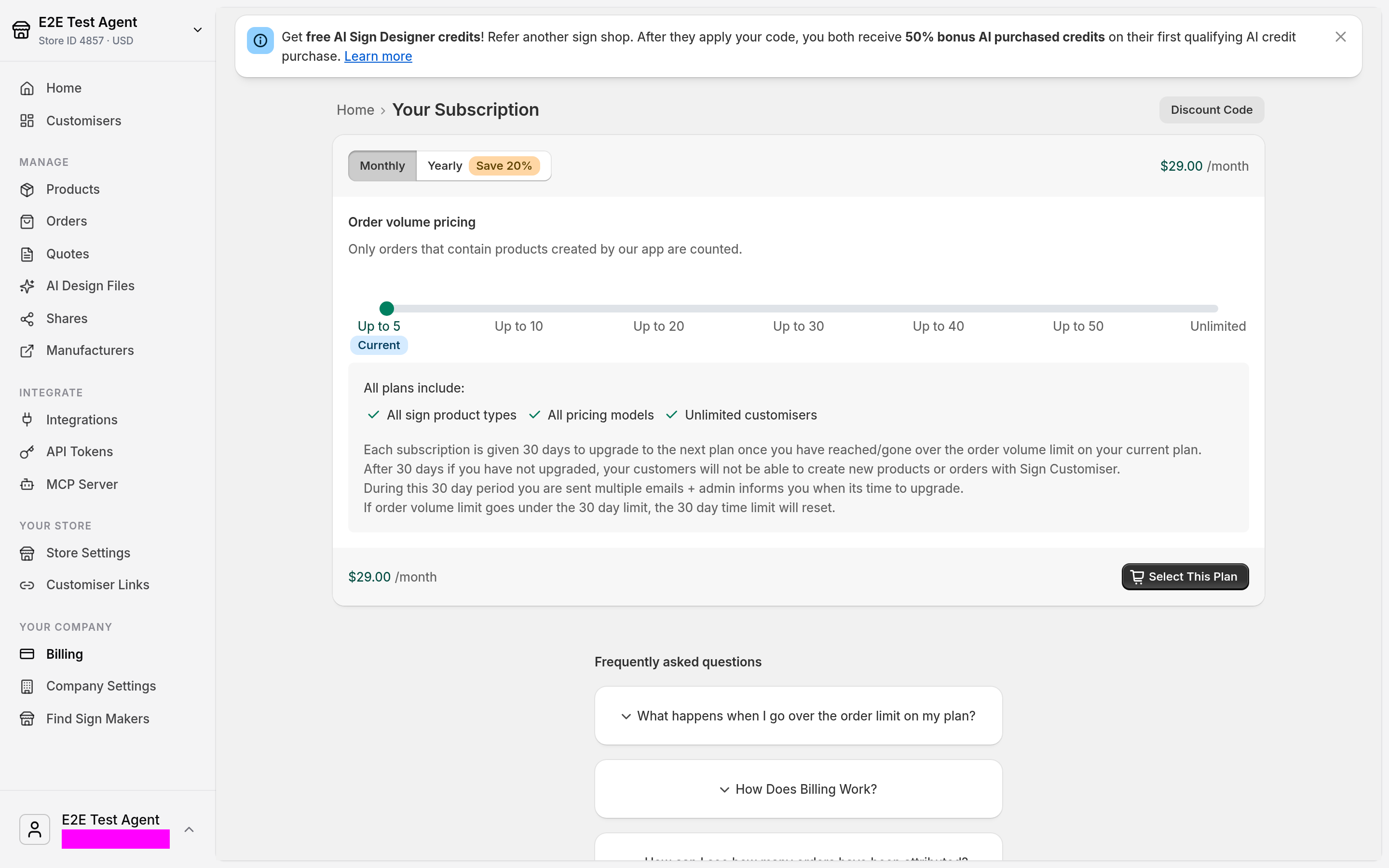
If your Company has more than one Store, Billing opens Billing Management. That page shows each Store, its subscription status and, when the Store has a subscription, its order usage against the plan limit.
When you have an active subscription on a current plan, the Your Subscription page also shows your order volume and your AI credit balance. It has links to buy more credits.
Legacy Plans
If the Your Subscription page shows a Legacy badge, you are on a legacy plan. Your plan can also show the label LAUNCH, BOOST, PREMIER, STARTER, STANDARD, or PRO. These are legacy plans.
Legacy plans do not include our latest features. For example, you cannot create Lightbox signs on a legacy plan.
⚠️ Important: If you cancel a legacy plan, the plan list does not offer it again. To return, click Upgrade to New Plan. Then use the order volume slider and select Up to 5, Up to 10 to Up to 50, or Unlimited.
Troubleshooting & Support
My Sign Customiser subscription coupon is not working.
This answer is for a coupon that gives a discount on your Sign Customiser app subscription. To apply that coupon, select Discount Code on the Your Subscription page and enter the code.
For a Shopify discount that customers use on generated sign products, see Create Shopify discounts for custom sign products.
How can I get a refund?
For more information, read Subscription Plans and Billing Explained (Refund Policy section).